
1. Introduction
Thank you for choosing the JIAMQISHI EH06U Wireless Bluetooth Headset. This headset is designed to provide clear audio communication and comfortable wear for various applications, including PC, computer, laptop, call centers, Zoom meetings, online classes, and for truckers. Featuring Bluetooth V5.2 connectivity and an AI environmental noise reduction microphone, it ensures a superior audio experience.
2. Package Contents
- JIAMQISHI EH06U Wireless Bluetooth Headset
- USB Dongle
- USB Type-C Charging Cable
- Protective Case
- User Manual
3. Product Overview
Familiarize yourself with the components of your JIAMQISHI EH06U Wireless Bluetooth Headset.
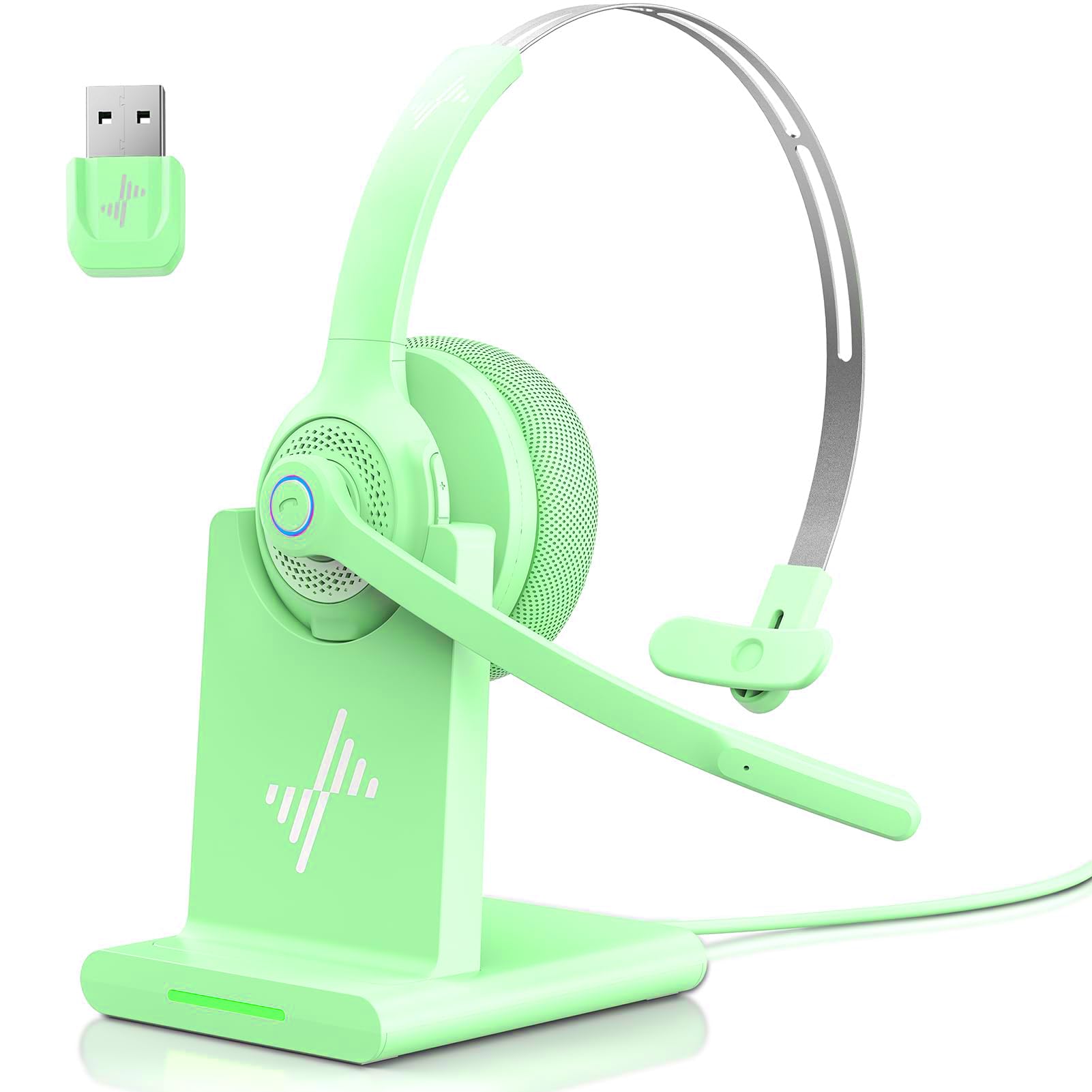
Image: The JIAMQISHI EH06U Wireless Bluetooth Headset, showing the on-ear design, adjustable headband, and flexible microphone arm. The USB dongle and charging cable are also visible.
The headset features an adjustable headband for a comfortable fit, soft ear cushions, and a flexible microphone arm. Control buttons for power, volume, and call management are typically located on one of the earcups.
4. Setup
4.1 Charging the Headset
- Connect the USB Type-C charging cable to the charging port on the headset.
- Connect the other end of the cable to a USB power source (e.g., computer USB port, wall adapter).
- The LED indicator on the headset will show the charging status. It typically turns solid when fully charged.
A full charge provides up to 14 hours of continuous talk time and 200 hours of standby time. A quick 10-minute charge can provide approximately 2 hours of working time.
4.2 Pairing with Devices
4.2.1 Bluetooth Pairing (Direct)
- Ensure the headset is powered off.
- Press and hold the Power button until the LED indicator flashes blue and red alternately, indicating pairing mode.
- On your device (smartphone, tablet, laptop), enable Bluetooth and search for new devices.
- Select "JIAMQISHI EH06U" from the list of available devices.
- Once connected, the LED indicator will typically flash blue slowly or turn off.
4.2.2 Pairing with USB Dongle
The USB dongle provides a stable and quick connection, especially for computers without built-in Bluetooth or for seamless switching between devices.
- Plug the USB dongle into an available USB port on your computer or laptop.
- Power on the JIAMQISHI EH06U headset.
- The headset and dongle should automatically connect. The LED indicator on both devices will confirm a successful connection (e.g., solid blue light).
The headset's integrated audio sound card via the dongle enhances clarity and bass for calls, music, movies, and games.
5. Operating Instructions
5.1 Power On/Off
- Power On: Press and hold the Power button for approximately 3 seconds until the LED indicator lights up.
- Power Off: Press and hold the Power button for approximately 3-5 seconds until the LED indicator turns off.
5.2 Call Functions
- Answer Call: Press the Multi-function button (usually the Power button or a dedicated call button) once.
- End Call: Press the Multi-function button once during a call.
- Reject Call: Press and hold the Multi-function button for 2 seconds.
- Mute Microphone: Raise the microphone arm to its upright position to mute the microphone. Lower it to unmute. Note: This mute function is applicable only during an active call.
5.3 Volume Control
- Volume Up: Press the Volume Up (+) button.
- Volume Down: Press the Volume Down (-) button.
5.4 Adjustable Headband and Microphone
The headband can be adjusted and stretched to fit various head sizes, suitable for both children and adults. The microphone arm is flexible and can be positioned for optimal voice pickup.
6. Maintenance
6.1 Cleaning
- Wipe the headset with a soft, dry cloth.
- Do not use abrasive cleaners or solvents.
- Avoid getting moisture into the charging port or microphone.
6.2 Storage
- Store the headset in its protective case when not in use to prevent damage.
- Keep the headset in a cool, dry place, away from extreme temperatures and direct sunlight.
7. Troubleshooting
- No Power: Ensure the headset is fully charged. Connect it to a power source using the USB Type-C cable.
- Cannot Pair: Ensure the headset is in pairing mode (LED flashing blue and red). Make sure Bluetooth is enabled on your device and it's within range. If using the USB dongle, ensure it's properly plugged in and the headset is powered on.
- No Sound/Low Volume: Check the volume levels on both the headset and your connected device. Ensure the headset is selected as the audio output device in your system settings.
- Microphone Not Working: Ensure the microphone arm is lowered and not in the muted position. Check microphone settings on your connected device to ensure the headset microphone is selected.
- Poor Audio Quality: Move closer to your connected device to reduce interference. Ensure there are no obstructions between the headset and the device.
8. Specifications
| Feature | Specification |
|---|---|
| Model Numbers | EH06U, EH06-P |
| Connectivity Technology | Wireless (Bluetooth V5.2) |
| Microphone | AI Environmental Noise Reduction |
| Battery Type | Lithium-ion |
| Talk Time | Up to 14 hours |
| Standby Time | Up to 200 hours |
| Quick Charge | 10 minutes for 2 hours use |
| Charging Port | USB Type-C |
| Headset Form Factor | On-Ear (Supra-Auriculaire) |
| Material | Plastic |
| Compatibility | PC, Mac, iOS, Android, Laptop, Tablet |
| UPC / GTIN | 761729181844 |
9. Warranty and Support
9.1 Warranty Information
The JIAMQISHI EH06U Wireless Bluetooth Headset comes with a 24-month warranty exchange. Please retain your proof of purchase for warranty claims.
9.2 Customer Support
For any questions, technical assistance, or warranty claims, please contact JIAMQISHI customer support through the retailer's platform or the official brand website. Our support team is dedicated to ensuring your satisfaction.