
Introduction
This manual provides detailed instructions for the setup, operation, and maintenance of your Yonblow M8-Plus Wireless Lavalier Microphone system. This system is designed for clear audio recording with smartphones and other compatible devices, featuring wireless connectivity, noise reduction, and a portable charging case.
Package Contents
Please verify that all items listed below are included in your package:
- 2 x Wireless Microphones (Transmitters)
- 1 x Type-C Receiver
- 1 x USB-C to Lightning Adapter
- 1 x Charging Case
- 2 x USB Charging Cables (Type-C)
- 1 x User Manual (this document)
Product Overview
The Yonblow M8-Plus system consists of two wireless microphones (transmitters), a receiver, and a charging case. Familiarize yourself with the components:

- Wireless Microphones (Transmitters): These are the units you clip onto your clothing. They capture audio and transmit it wirelessly to the receiver. Each microphone has an indicator light.
- Receiver: This unit plugs into your recording device (smartphone, tablet, laptop). It receives audio from the microphones.
- Charging Case: Stores and recharges the microphones. It also houses the receiver and adapters.
- USB-C to Lightning Adapter: Used to connect the Type-C receiver to Apple devices (iPhone, iPad).
Setup Instructions
The Yonblow M8-Plus system is designed for plug-and-play operation without requiring additional apps or Bluetooth pairing.
Initial Charging
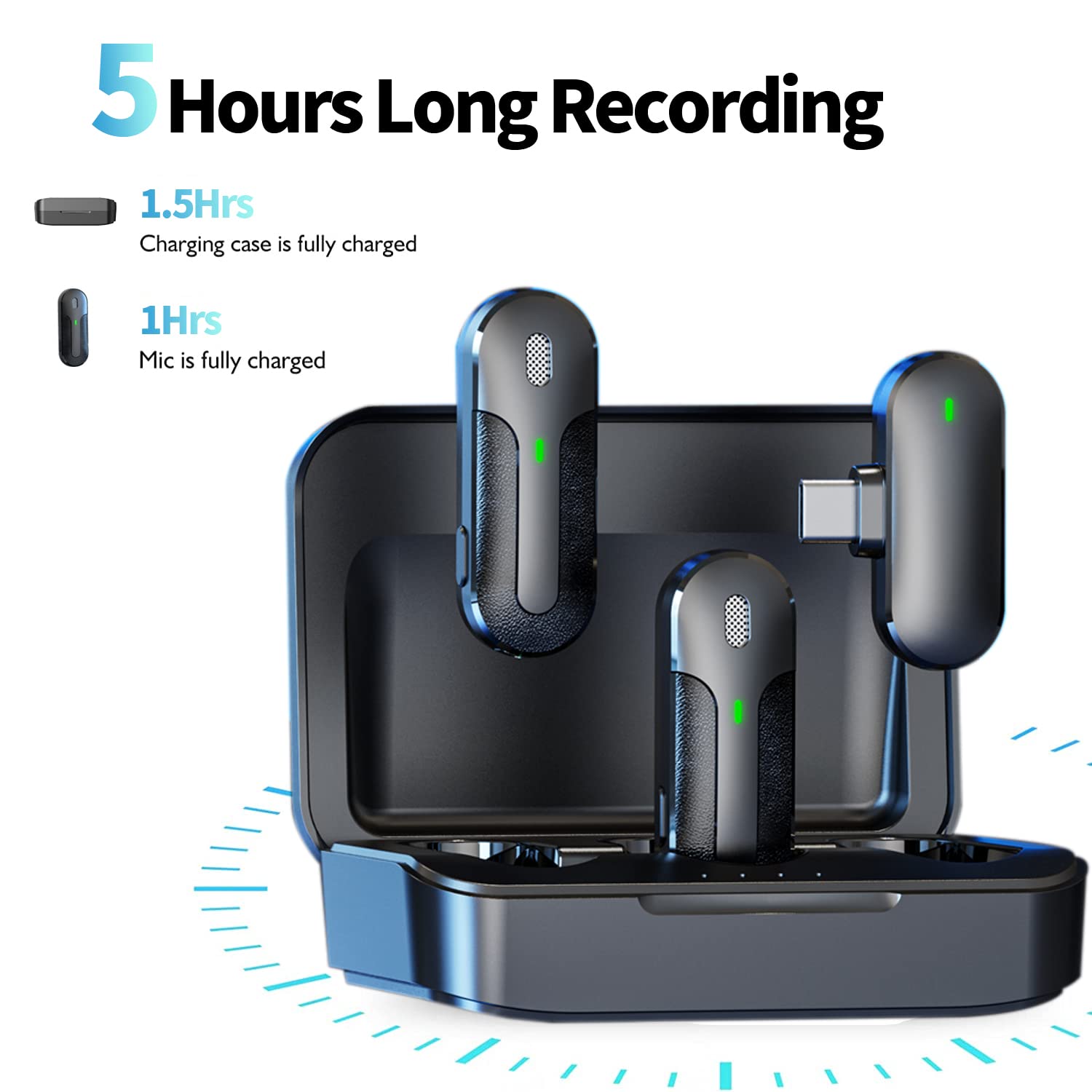
Before first use, ensure both the microphones and the charging case are fully charged. Connect the charging case to a power source using one of the provided USB charging cables. The microphones will charge automatically when placed inside the case.
Connecting to Your Device
Follow these steps to connect the microphone system to your recording device:
- Remove Microphones: Take the wireless microphones out of the charging case. They will automatically power on.
- Connect Receiver:
- For iPhone/iPad (Lightning Port): Attach the USB-C to Lightning adapter to the Type-C receiver, then plug the assembled receiver into your iPhone or iPad's Lightning port.
- For Android/USB-C Devices: Plug the Type-C receiver directly into your Android phone, tablet, or other device with a USB-C port.
- Automatic Pairing: The microphones and receiver will automatically pair. The indicator lights on the microphones will change to indicate a successful connection (e.g., solid green).
- Verify Connection: Open your recording application (e.g., camera app, voice recorder) and perform a test recording to ensure audio is being captured by the lavalier microphones.


Operating Instructions
Using the Microphones
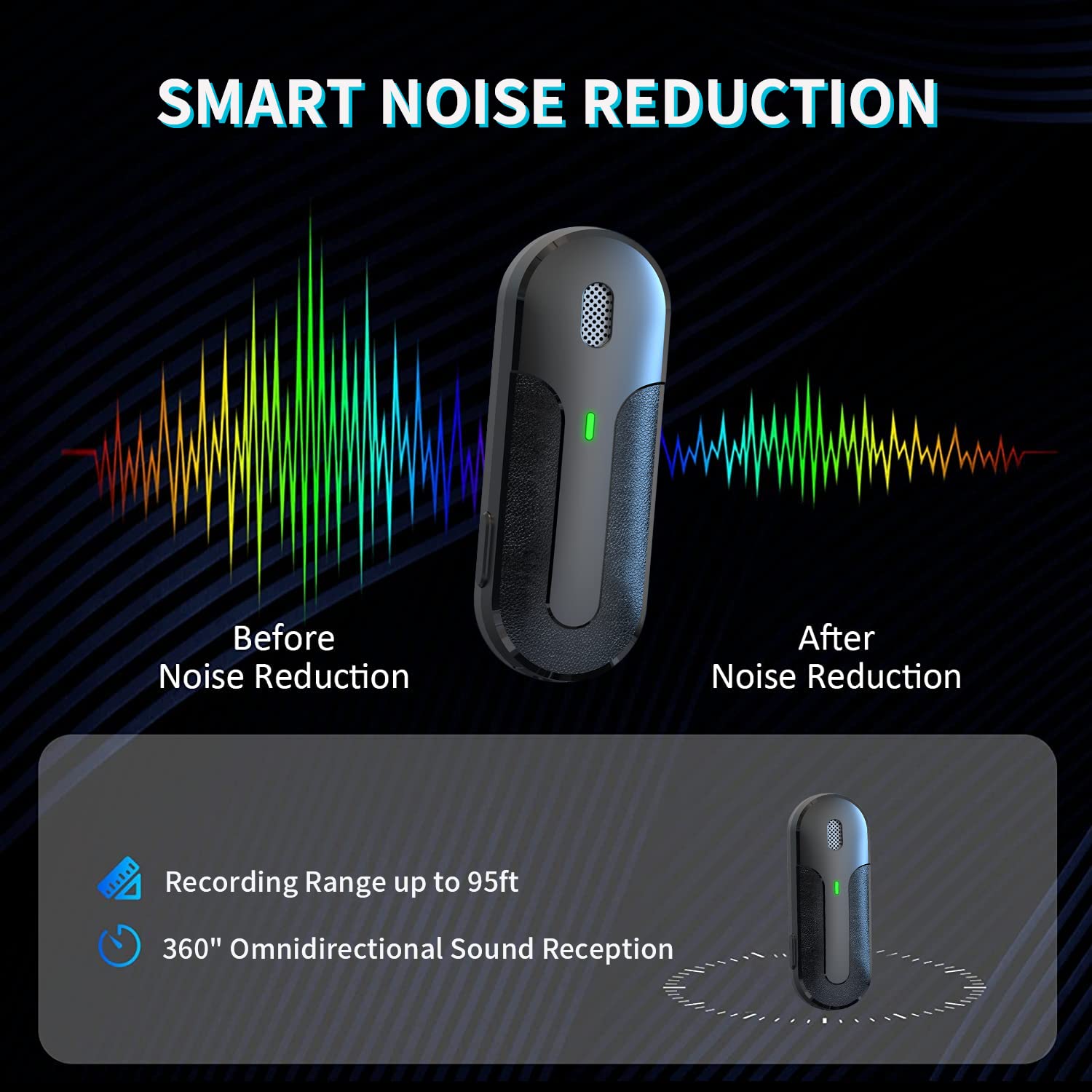
Once connected, the microphones are ready for use. Clip a microphone onto your clothing, ideally 6-8 inches from your mouth, for optimal sound capture. The omnidirectional pickup pattern ensures sound is captured from all directions.

Noise Reduction Feature
The M8-Plus microphones incorporate an intelligent active noise reduction chip. This feature automatically filters out ambient noise, providing clearer audio recordings, especially in environments with background sound.
Power Management
- Microphone Battery Life: Each microphone provides approximately 5 hours of working time on a full charge.
- Charging Case Capacity: The charging case can recharge the microphones up to 2-4 times on a single charge, extending usage time significantly.
- Power Off: To turn off a microphone, long-press the power button (located on the side) for approximately 10 seconds. Placing them back in the charging case will also power them off and begin charging.
Maintenance
- Cleaning: Use a soft, dry cloth to clean the microphones, receiver, and charging case. Avoid using liquids or abrasive cleaners.
- Storage: When not in use, store the microphones in their charging case to protect them and keep them charged. Store in a cool, dry place away from direct sunlight and extreme temperatures.
- Battery Care: To prolong battery life, avoid fully discharging the batteries frequently. Recharge the charging case periodically even if not in active use.
Troubleshooting
If you encounter issues with your Yonblow M8-Plus system, please refer to the following common solutions:
- No Sound/Poor Audio Quality:
- Ensure the receiver is fully plugged into your device's port.
- Check that the microphones are powered on and successfully paired (indicated by their lights).
- Verify that your recording application is set to use the external microphone input.
- Ensure microphones are adequately charged.
- Confirm the microphone is clipped correctly and not obstructed.
- Microphones Not Pairing:
- Place the microphones back into the charging case for a few seconds, then remove them again to initiate re-pairing.
- Ensure the receiver is securely connected to your device.
- Check battery levels of both microphones and the charging case.
- Interference/Dropped Connection:
- Ensure you are within the specified transmission range (up to 65 feet / 20 meters).
- Avoid physical obstructions between the microphone and receiver.
- Minimize strong electromagnetic interference sources nearby.
- Receiver Not Recognized by Device:
- For iPhone/iPad, ensure you are using the provided USB-C to Lightning adapter.
- Try restarting your recording device.
- Ensure your device's port is clean and free of debris.
Specifications
Microphone Parameters
| Parameter | Specification |
|---|---|
| Frequency Range | 2.4GHz |
| Charging Time (Approx.) | 1 hour |
| Working Time (Approx.) | 5 hours |
| Microphone Type | Silicon microphone |
| Sensitivity | -38 dBFS |
| Signal to Noise Ratio | 64dB |
| Frequency Response Range | 20-20KHz |
| Transmission Delay Time | 25ms |
| Indicator | RGB indicator |
| Unit Weight | 8.1g |
| Unit Size | 46.97 x 17.4 x 16.64mm |
Receiver Parameters
| Parameter | Specification |
|---|---|
| Frequency Range | 2.4GHz |
| Battery Life | Powered from device side, depends on device power |
| Power Supply Method | Power supply from the device |
| Indicator Light | Green light: red light |
| Monomer Size | 41 x 26.6 x 10mm |
Charging Compartment Parameters
| Parameter | Specification |
|---|---|
| Charging Input Voltage | DC 4.8-5.4V |
| Charging Current (Approx.) | 320mA |
| Charging Time (Approx.) | 1.5 hours |
| Battery Life | Supports charging microphone for 2 cycles |
| Charging Method | Plug in Type-C charging cable |
| Battery Capacity | 600mAh (802040) |
| Weight | 11g (battery) / 64g (charging case) |
| Monomer Size (mm) | 90 x 62 x 30.7mm |
Warranty and Support
Your Yonblow M8-Plus Wireless Lavalier Microphone system comes with an 18-month worry-free warranty. For any product inquiries, technical assistance, or warranty claims, please contact our customer service. Refer to the product packaging or purchase platform for specific contact details.