
Introduction
The DwyenSlo WiFi Caregiver Pager System is designed to provide a reliable call and alert solution for individuals requiring timely assistance, such as the elderly, patients, and those with limited mobility. When the call button is pressed, the receiver emits an alarm, and an immediate warning alert is sent to the connected smartphone application, ensuring caregivers are notified regardless of their location.

Image: The main components of the DwyenSlo WiFi Caregiver Pager System, including the receiver, the wearable SOS call button, and a smartphone interface for monitoring and control.

Image: Illustrates various applications of the system, including use by the elderly, patients, individuals with disabilities, and pregnant women, highlighting its versatility.
Product Components
The DwyenSlo WiFi Caregiver Pager System typically includes the following items:
- WiFi Receiver: The central unit that sounds an alarm and connects to your home WiFi network to send alerts to your smartphone.
- Wearable Call Button (SOS Button): A waterproof button designed to be worn on the wrist, allowing for easy access in emergencies.
- USB Power Cable: Used to power the receiver unit. (Note: A power adapter is not included and must be supplied by the user.)

Image: A visual representation of the system's components, including the receiver, different styles of call buttons, and the mobile application interface.
Setup Guide
Follow these steps to set up your DwyenSlo WiFi Caregiver Pager System and connect it to the smartphone application:
- Power On the Receiver: Connect the receiver to a power source using the provided USB cable and a compatible 5V/1A USB power adapter (not included). Ensure the cable fits snugly to prevent disconnection.
- Prepare Your Smartphone: Ensure your smartphone is connected to a 2.4GHz WiFi network and has Bluetooth enabled. The system only supports 2.4GHz WiFi.
- Download the App: Download and install the "Tuya Smart" or "Smart Life" application from your smartphone's app store.
- Enter Pairing Mode: Use an ejection pin (or similar small tool) to press and hold the RESET button on the receiver for approximately 6 seconds until the LED light starts flashing, indicating it's in distribution network mode.
- Add Device in App: Open the Tuya Smart app. The app should automatically discover the device. If not, tap "Add Device" and select the "Emergency Pager" or similar device type.
- Confirm WiFi Information: Confirm your WiFi network name and enter the password in the app. Tap "Next".
- Complete Connection: Wait for the app to successfully connect to the device. Once connected, tap "Done" to access the receiver's control page in the app.
- Pair Call Buttons: Follow the in-app instructions to add and pair your call buttons with the receiver.

Image: A detailed visual guide illustrating the eight steps required to connect the DwyenSlo receiver to the smartphone application, from enabling Bluetooth to final app configuration.
Operating Instructions
Once set up, the system operates as follows:
- Initiating an Alert: To request assistance, simply press the red SOS button on the wearable call button.
- Local Alarm: Upon activation, the receiver unit will sound an audible alarm to alert anyone nearby.
- Smartphone Notification: Simultaneously, an alert notification will be sent to all smartphones linked to the system via the Tuya Smart app, regardless of geographical location.
- Wireless Range: The call button communicates wirelessly with the receiver. Ensure the receiver is placed within a reasonable range (up to 320ft/120m in open areas, reduced by walls and obstacles) of the user. For stable signal reception, keep the receiver within 20m of the WiFi signal source.

Image: Depicts the system's operation within a home, showing how alerts are transmitted from the call button to the receiver and then to a smartphone app, emphasizing the 2.4GHz WiFi requirement.

Image: Illustrates the wireless range of the system, indicating a maximum of 320 feet (120 meters) and how various building materials can impact signal strength.
App Control and Features
The Tuya Smart application provides comprehensive control and customization options for your caregiver pager system:
- Alarm Management: Disarm the alarm directly from the app.
- Ringtone Customization: Change the alarm ringtone to a preferred sound.
- Alarm Duration: Adjust the length of time the alarm sounds.
- Volume Control: Set the alarm volume to an appropriate level (mute, low, medium, high).
- Device Management: Add or delete additional call buttons or receivers to expand your system.
- Share Function: Share access to the system with multiple family members or caregivers, allowing all designated individuals to receive alert messages simultaneously.
- Remote Monitoring: Receive warning alerts on your smartphone no matter where you are, as long as your phone has internet access and the receiver is connected to WiFi.

Image: The mobile application interface showcasing options for managing alarm settings such as timing, duration, and volume.
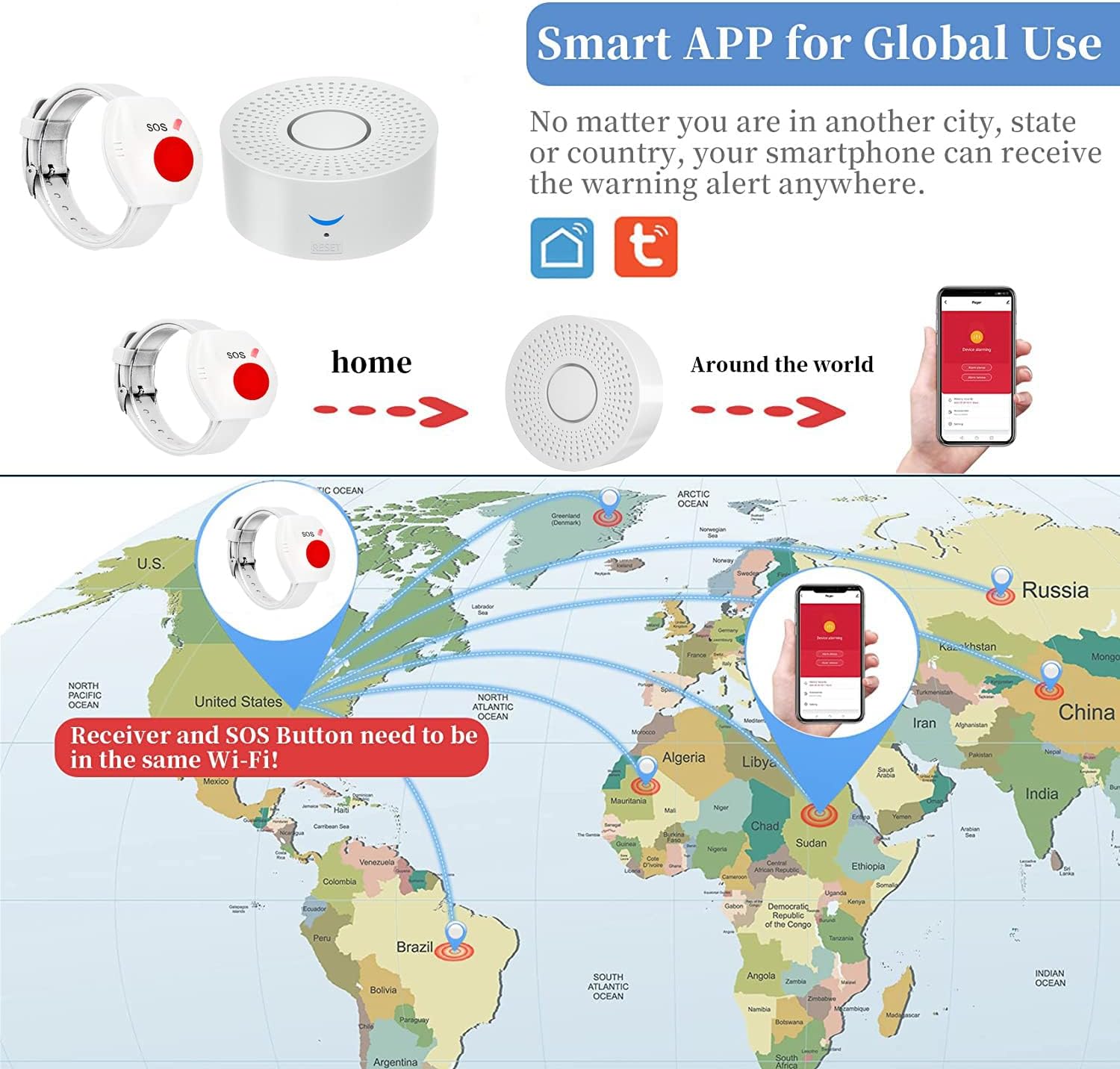
Image: Illustrates the global alert capability of the smartphone app, allowing users to receive notifications from anywhere in the world, provided the receiver is connected to the home WiFi.
Maintenance
- Call Button: The wearable call button has an IP55 waterproof rating, making it suitable for use in environments where it may encounter splashes of water, such as during showering. However, it is not designed for prolonged submersion.
- Receiver: Keep the receiver unit in a dry environment and away from direct moisture.
- Cleaning: Wipe the devices with a soft, dry cloth. Avoid using abrasive cleaners or solvents.
- Battery: The call button includes a 12V battery. Replace the battery when the indicator light suggests low power or if the button becomes unresponsive.
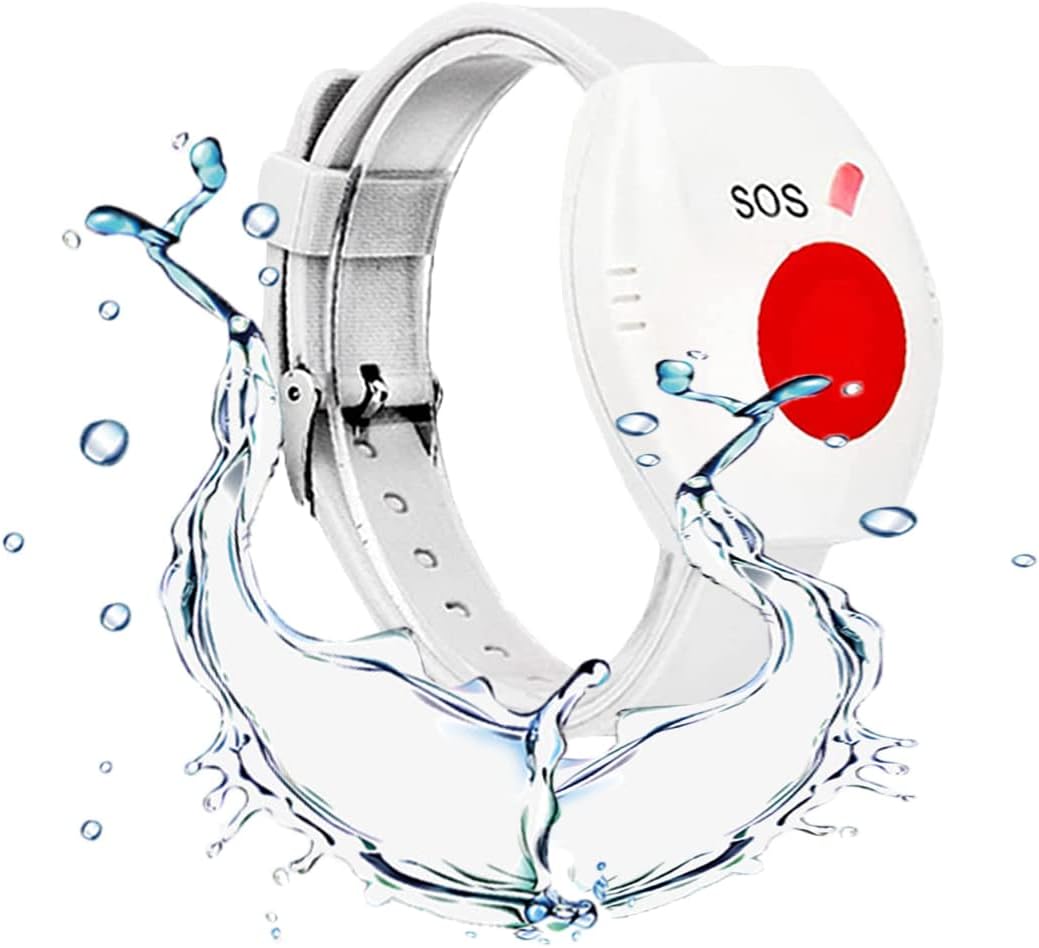
Image: A close-up view of the waterproof SOS wrist button, highlighting its durability against water splashes.
Troubleshooting
| Problem | Possible Cause | Solution |
|---|---|---|
| No alarm from receiver or app notification |
|
|
| Receiver frequently disconnects from WiFi |
|
|
| App setup issues |
|
|
Specifications
| Feature | Detail |
|---|---|
| Model Number | C6-6B30-SX71 |
| Product Dimensions | Receiver: 4 x 4 x 3 inches (approx.) |
| Item Weight | 7 ounces |
| Color | White |
| Control Method | App (Tuya Smart/Smart Life) |
| Power Source | Battery Powered (Call Button), USB Powered (Receiver) |
| Battery Type (Call Button) | 1 x 12V battery (included) |
| Voltage | 12 Volts |
| Noise Level | 10 dB (Receiver alarm can be adjusted) |
| Mounting Type | Tabletop Mount (Receiver) |
| Wireless Range | Up to 320ft/120m (open area) |
| WiFi Compatibility | 2.4GHz WiFi only |
| Waterproof Rating (Call Button) | IP55 |
Manufacturer Information
Brand: DwyenSlo
Manufacturer: JIAZT
DwyenSlo is committed to providing home safety electronic products designed to assist the elderly and those in need of timely support, aiming to enhance independence and peace of mind.