
Introduction
This manual provides essential instructions for the safe installation, operation, and maintenance of your IDEQUY 5 Ring Chandelier, Model CF8022-246810. Please read all instructions carefully before proceeding with installation or use. Retain this manual for future reference.
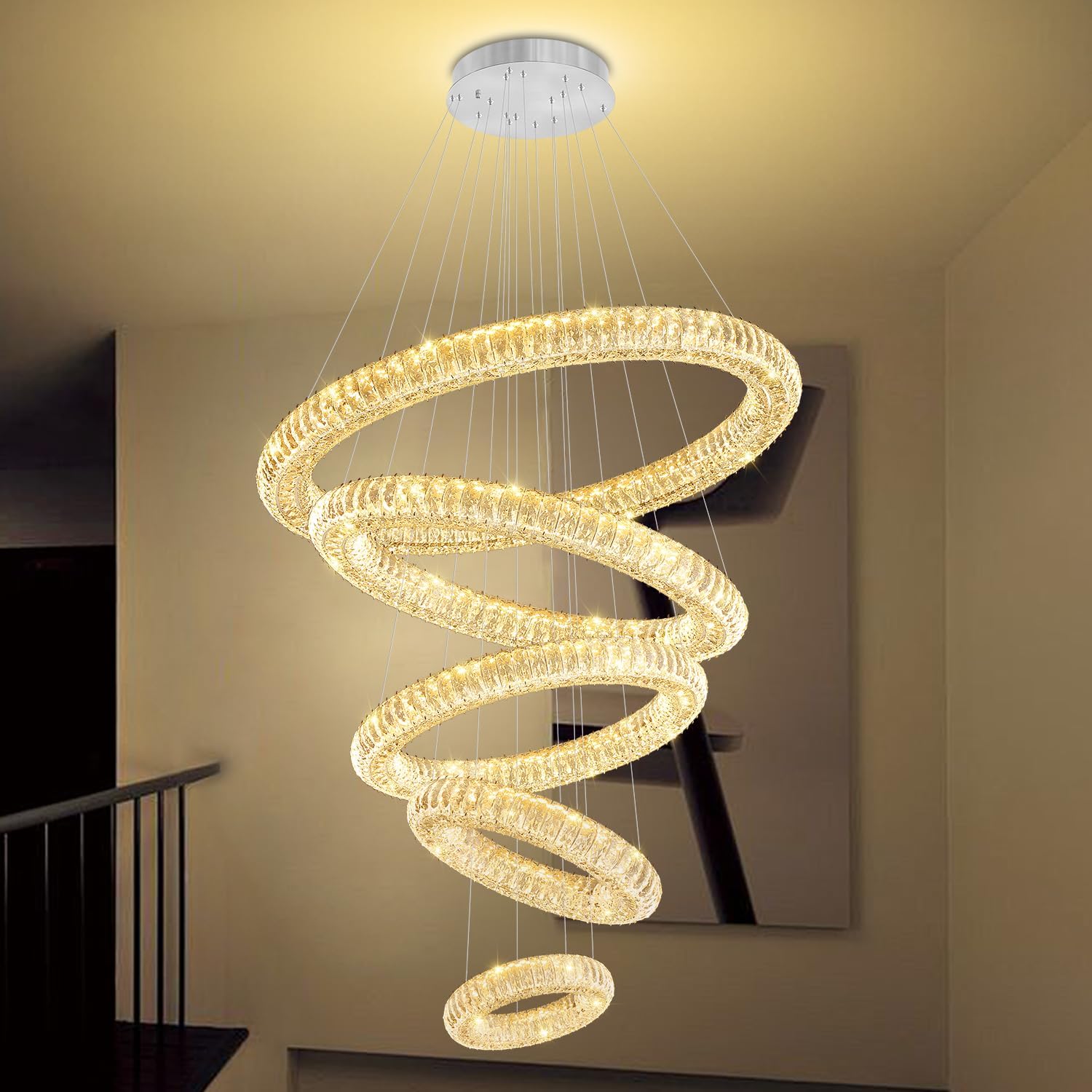
Image: The IDEQUY 5 Ring Chandelier, showcasing its design and illumination.
Safety Information
WARNING: Risk of Electric Shock. Disconnect power at the circuit breaker before installation or servicing.
- Ensure the electrical supply is turned off at the main circuit breaker or fuse box before beginning installation.
- All electrical connections must be in accordance with local codes, ordinances, or the National Electric Code (NEC). Consult a qualified electrician if you are unfamiliar with electrical wiring.
- Do not install this fixture in wet locations.
- Handle crystal components with care to prevent breakage.
- The chandelier itself has a built-in dimmer. Do not connect this chandelier to an external dimmer switch or dimming system, as this may cause malfunction or damage.
Package Contents
Verify that all components are present and undamaged before installation. If any parts are missing or damaged, contact customer support.
- 5 Ring Chandelier Unit (pre-assembled)
- Remote Control
- LED Dimmable Light Source (integrated)
- Installation Hardware (ceiling plate, screws, wire connectors)
- Instruction Manual
Product Specifications
| Feature | Specification |
|---|---|
| Brand | IDEQUY |
| Model Number | CF8022-246810 |
| Color | Silver |
| Material | Stainless Steel + Crystal |
| Style | Modern Chandelier |
| Product Dimensions | 40"L x 40"W x 138"H (Max adjustable height) |
| Ring Sizes | D8", D15.7", D23.6", D31.5", D39.4" |
| Power Source | AC 85V-256V (Universal) |
| Wattage | 300 Watts |
| Brightness | 27000 Lumens |
| Color Temperature | 3000K-6000K (Dimmable) |
| Control Method | Remote Control, Wall Switch, APP (LampSmart pro) |
| Installation Type | Flush Mount |
| Item Weight | 73.6 pounds |

Image: Product dimensions and ceiling plate details.
Setup and Installation
The chandelier is largely pre-assembled to simplify installation. Professional installation is recommended for safety and optimal performance, especially for high ceilings.
Installation Steps:
- Prepare for Installation: Turn off power at the circuit breaker. Ensure the mounting surface can support the chandelier's weight (approximately 73.6 lbs).
- Unpack Components: Carefully remove all parts from the packaging. Inspect for any damage.
- Mount Ceiling Plate: Secure the ceiling plate to the junction box using the provided screws. Ensure it is firmly attached. Remove the gray-blue protective film from the ceiling plate after installation to prevent scratches.
- Connect Wiring: Connect the chandelier's wires to your household electrical wires according to local electrical codes. Typically, this involves connecting live to live, neutral to neutral, and ground to ground. Use appropriate wire connectors.
- Adjust Cable Length: The chandelier's cable length is adjustable up to 138 inches (350 cm). Adjust each ring's suspension cable to achieve your desired height and arrangement. Ensure all cables are securely fastened.
- Secure Chandelier: Carefully lift and secure the chandelier unit to the mounted ceiling plate. Ensure all connections are tight and stable.
- Final Check: Double-check all connections and ensure the chandelier is securely hung.

Image: Detail of the ceiling plate and wiring area, highlighting the protective film removal.
Note: The chandelier is designed for flush mount installation. The cable length for each ring can be individually adjusted to create various aesthetic configurations.
Operating Instructions
Your IDEQUY 5 Ring Chandelier features integrated LED lighting with adjustable color temperature and brightness, controlled via remote, wall switch, or a mobile application.
Control Methods:
- Remote Control: Use the included remote control to power the chandelier on/off, adjust brightness (5%-100%), and change color temperature (3000K-6000K).
- Wall Switch: A standard wall switch can turn the chandelier on/off. Repeatedly toggling the wall switch may cycle through different color temperatures (e.g., warm white, neutral white, cool white).
- Mobile App (LampSmart pro): Download the 'LampSmart pro' application to your smartphone for advanced control, including precise brightness and color temperature adjustments. Follow the app's instructions for pairing.
IMPORTANT: This chandelier has an internal dimming system. Do not use it with an external dimmer switch or dimming system on your wall. Doing so will cause malfunction and void the warranty.

Image: Remote control and mobile app for chandelier operation.

Image: Color temperature adjustment range (2700K-6000K).
Video: This video demonstrates the various lighting modes and color temperature changes of the IDEQUY 5 Ring Chandelier, showcasing its versatility in different settings.
Maintenance
Regular cleaning will help maintain the appearance and performance of your chandelier.
- Cleaning: Ensure the power is off before cleaning. Use a soft, dry, or slightly damp cloth to wipe the stainless steel frame. For crystal components, use a soft, lint-free cloth and a mild glass cleaner. Avoid abrasive cleaners or solvents that could damage the finish or crystals.
- Bulb Replacement: The LED light source is integrated and not user-replaceable. If the LEDs malfunction, contact customer support for assistance.
- Inspection: Periodically check all connections and suspension cables for tightness and security.
Troubleshooting
If you encounter issues with your chandelier, refer to the following common problems and solutions:
| Problem | Possible Cause | Solution |
|---|---|---|
| Chandelier does not light up | No power supply, loose wiring, faulty remote/app. | Check circuit breaker. Ensure all wiring connections are secure. Verify remote control batteries or app connection. |
| Light flickers or dims unexpectedly | Incompatible external dimmer, unstable power, loose connection. | Ensure no external dimmer switch is used. Check power supply stability. Verify wiring connections. |
| Remote control or app not working | Dead batteries, pairing issue, signal interference. | Replace remote batteries. Re-pair the remote/app according to instructions (if applicable). Reduce interference. |
| Cannot change color temperature or brightness | Incorrect control method, internal dimmer malfunction. | Use the remote or app for full control. If using a wall switch, cycle it to change color temperature. If issues persist, contact support. |
If troubleshooting steps do not resolve the issue, please contact IDEQUY customer support.
Warranty and Support
IDEQUY provides an 8-year warranty for this chandelier. This warranty covers manufacturing defects and significant malfunctions under normal use.
In case of damaged or missing parts during transportation, free replacements will be provided. For any questions or concerns regarding your chandelier, our professional engineer team offers 24 hours online service.
Please contact IDEQUY customer support through the retailer's platform or the contact information provided with your purchase for assistance.