
HEI LIANG HL-1
HEI LIANG Fingerprint Smart Door Knob User Manual
Model: HL-1
1. Introduction
Thank you for choosing the HEI LIANG Fingerprint Smart Door Knob. This manual provides essential information for the safe and efficient operation of your new smart door lock. Please read it thoroughly before installation and use, and retain it for future reference.
This smart door knob offers multiple access methods including fingerprint recognition, app control via Bluetooth, and a traditional mechanical key. It is designed for enhanced security and convenience in various settings such as bedrooms, utility rooms, apartments, offices, and hotels.
2. Safety Information
To ensure safe operation and prevent damage, please observe the following precautions:
- Do not expose the lock to extreme temperatures or direct sunlight for prolonged periods.
- Avoid contact with water or other liquids. The lock has a P54 waterproof rating, but it is not fully submersible.
- Use only the specified charging cable and power source for recharging the internal battery.
- Keep mechanical keys in a safe place, separate from the lock, for emergency access.
- Do not attempt to disassemble or repair the lock yourself. Contact customer support for assistance.
- Ensure proper installation to prevent malfunction and maintain security.
3. Product Overview
The HEI LIANG Fingerprint Smart Door Knob integrates advanced technology with robust construction for reliable security.
Key Features:
- 3-in-1 Smart Access: Fingerprint recognition (0.5s fast unlock), encrypted app control via Bluetooth, and a hidden mechanical keyhole.
- Stylish and Durable Construction: Made from 500-pound impact-resistant stainless steel and aluminum alloy.
- Biometric Security System: Stores up to 20 fingerprints, with a 99.9% recognition rate. Prevents accidental activation by children/pets.
- Smart Life and Management: Automatic locking within 5 seconds, real-time access logs, remote fingerprint/temporary code management via app.
- Convenient Charging & Easy Installation: Built-in 400mAh rechargeable battery (3-4 hours for full charge). Designed for 1.18"-2.17" thick US standard doors.
Package Contents:
- HEI LIANG Fingerprint Smart Door Knob (Front and Rear Assemblies)
- Deadbolt Latch
- Mounting Screws and Hardware
- Mechanical Keys (x2)
- USB-A to Type-C Charging Cable
- Installation Template
- User Manual (this document)

Figure 1: Main components of the HEI LIANG Fingerprint Smart Door Knob.
4. Setup and Installation
Follow these steps for proper installation and initial setup of your smart door knob.
4.1 Pre-Installation Check:
- Ensure your door thickness is between 1.18" and 2.17" (30mm-55mm).
- Verify the backset (distance from door edge to center of bore hole) is 2-3/8" or 2-3/4" (60mm or 70mm).
- Confirm the bore hole diameter is 1-1/2" or 2-1/8" (38mm or 55mm).
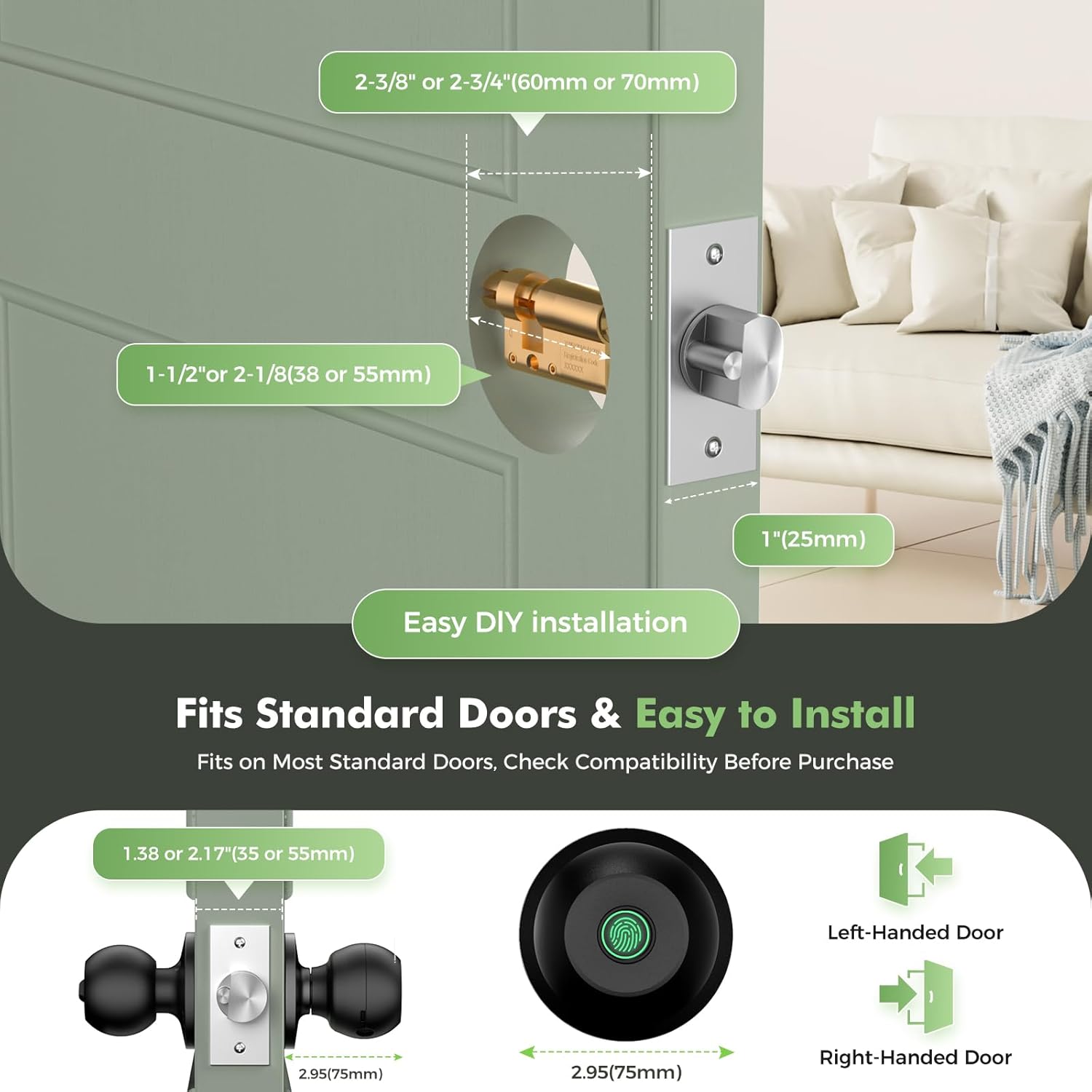
Figure 2: Door measurement guide for compatibility.
4.2 Installation Steps:
- Prepare the Door: If replacing an existing knob, remove it. Use the provided installation template to mark and drill holes if necessary.
- Install the Latch: Insert the deadbolt latch into the door edge. Ensure the "UP" arrow on the latch is facing upwards. Secure with screws.
- Install the Exterior Knob: Pass the spindle and wires from the exterior knob through the latch and door hole. Ensure the fingerprint sensor is facing outwards.
- Install the Interior Knob: Connect the wires from the exterior knob to the interior knob. Align the interior knob with the exterior knob and secure with mounting screws. Ensure the knob is oriented correctly for left-handed or right-handed doors as indicated by the arrows.
- Test Mechanical Operation: Before closing the door, test the mechanical key to ensure the latch retracts smoothly.
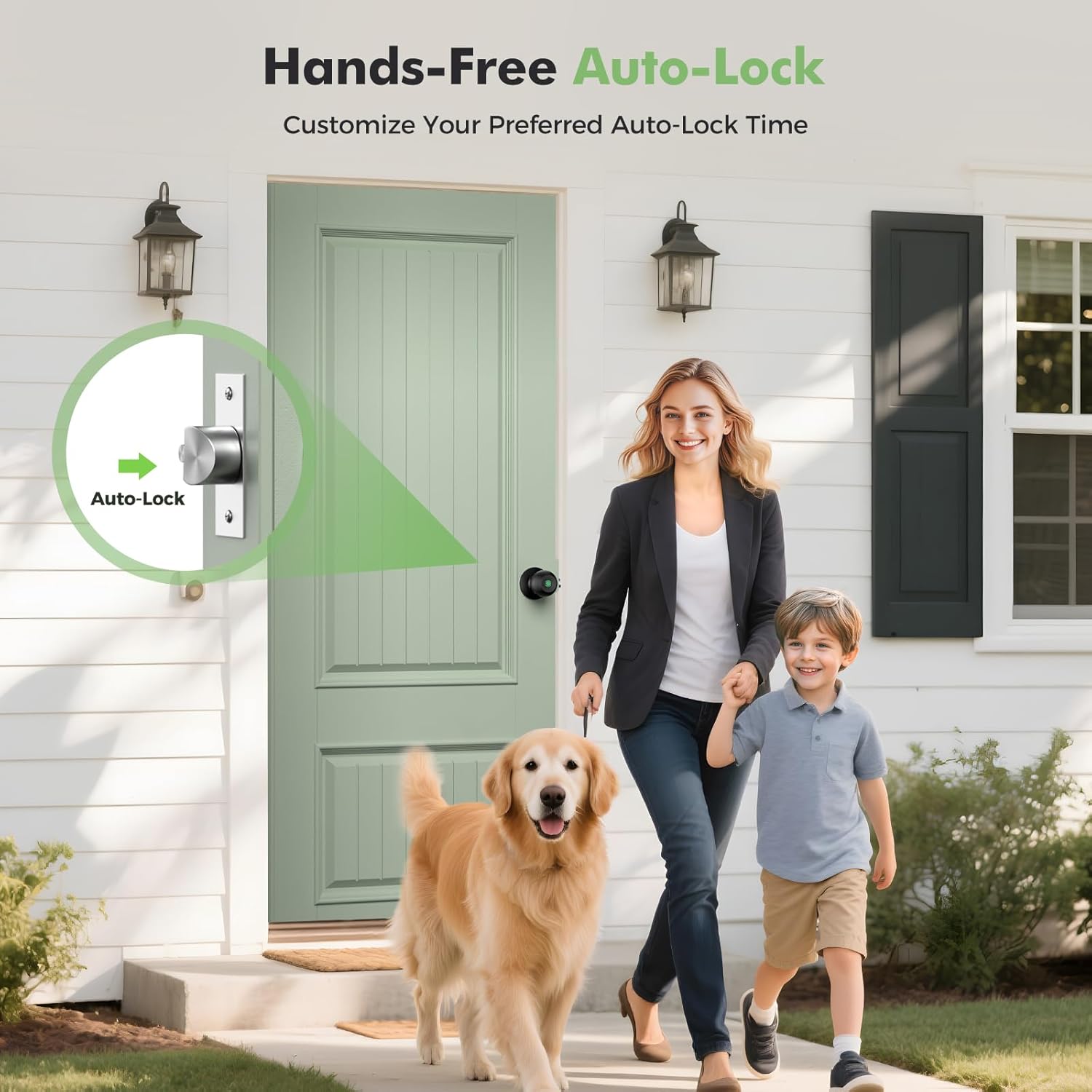
Figure 3: Installation of the smart door knob.
4.3 App Download and Initial Setup:
- Download the App: Search for "KHOR LOCK" or "Tuya Smart" in your smartphone's app store (iOS or Android) and download it.
- Create Account: Open the app and register a new account or log in if you already have one.
- Add Device: Follow the in-app instructions to add your new smart door knob. This typically involves enabling Bluetooth on your phone and selecting the lock from the discovered devices.
- Register Fingerprints: Once connected, navigate to "Member Management" or "Fingerprint Management" in the app to register administrator fingerprints. You can store up to 20 fingerprints.
- Set Auto-Lock Time: Customize the auto-lock delay time (3-1800 seconds) via the app settings.
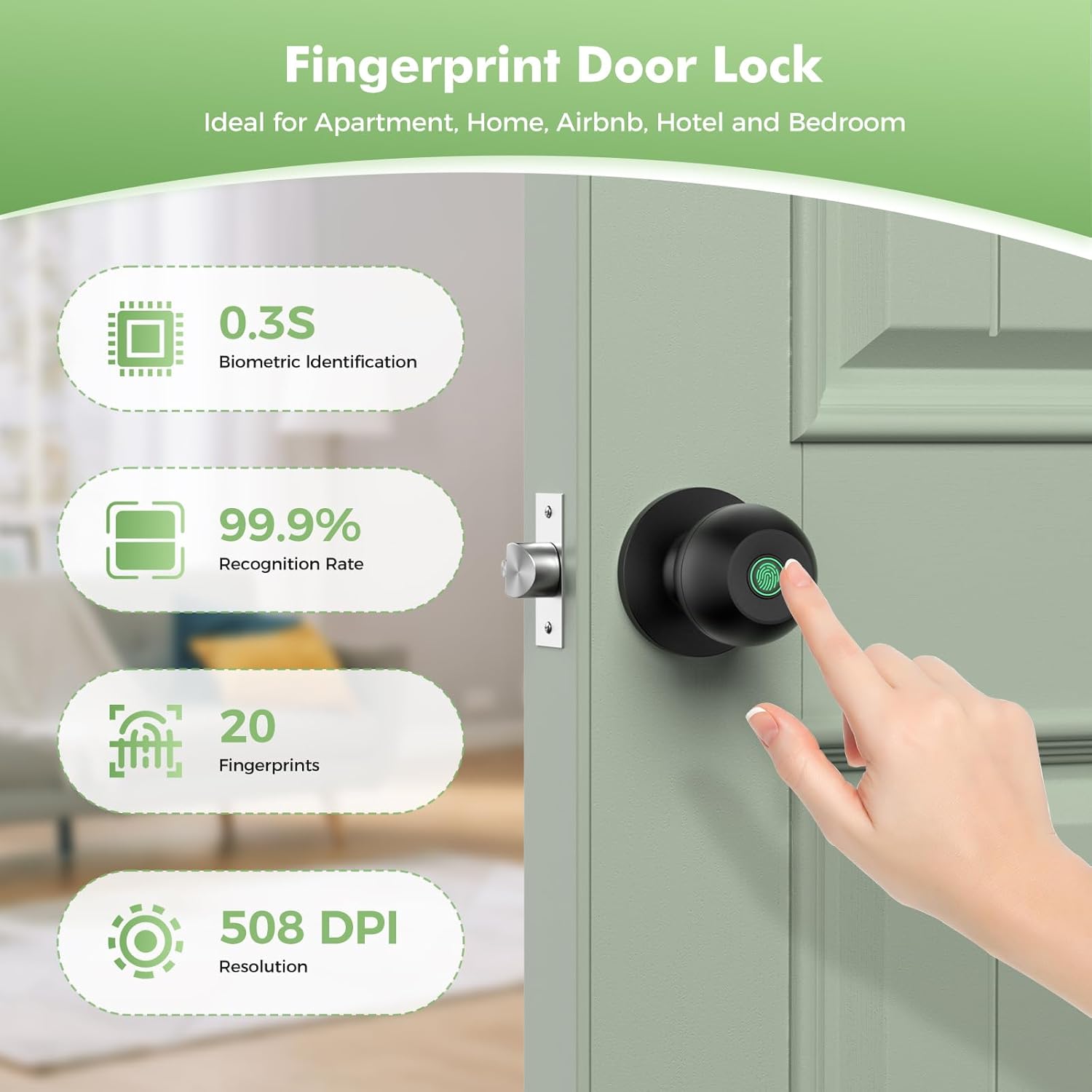
Figure 4: App interface for managing the smart door knob.

Figure 5: Fingerprint recognition in action.
5. Operating Instructions
The HEI LIANG Smart Door Knob offers multiple convenient ways to access your space.
5.1 Unlocking Methods:
- Fingerprint Unlock: Place your registered finger on the fingerprint sensor. The lock will unlock within 0.5 seconds if the fingerprint is recognized.
- App Unlock: Open the app on your smartphone, select the lock, and tap the unlock icon. Ensure Bluetooth is enabled and you are within range.
- Mechanical Key Unlock: In case of battery depletion or emergency, insert the mechanical key into the hidden keyhole and turn to unlock.

Figure 6: Multiple ways to access the door.
5.2 Locking Methods:
- Automatic Lock: The lock will automatically engage after a set period (default 5 seconds, configurable via app) once the door is closed.
- Manual Lock: From the inside, turn the knob to the locked position.
5.3 App Features:
- User Management: Add or delete fingerprints for various users.
- Unlock Records: View a log of all unlock events, including time and method.
- Temporary Passcodes: Generate time-limited access codes for guests or service personnel (requires optional Wi-Fi gateway for remote generation).
- Privacy Mode: Activate privacy mode to prevent external unlocking.
- Silent Mode: Enable silent mode for quiet operation, ensuring the keypad does not make noise during unlocking.

Figure 7: Close-up of the fingerprint sensor on the smart door knob.

Figure 8: Silent mode for discreet access.

Figure 9: Remote one-time passcodes for convenient access sharing.
6. Maintenance
Proper maintenance ensures the longevity and optimal performance of your HEI LIANG Smart Door Knob.
- Cleaning: Wipe the lock surface with a soft, dry cloth. Do not use abrasive cleaners or solvents.
- Battery Charging: The lock has a built-in 400mAh rechargeable battery. A full charge takes 3 to 4 hours using the provided USB-A to Type-C cable. The app provides a visual battery display, and a low battery warning activates at 15% capacity. Charge promptly when the low battery alarm sounds.
- Fingerprint Sensor Care: Keep the fingerprint sensor clean and dry for optimal recognition.
- Mechanical Parts: Periodically check screws for tightness. Do not lubricate the lock cylinder unless specifically recommended by the manufacturer.
7. Troubleshooting
If you encounter issues with your smart door knob, refer to the following common problems and solutions:
| Problem | Possible Cause | Solution |
|---|---|---|
| Fingerprint not recognized. | Finger is wet, dirty, or not properly placed. Fingerprint not registered. Sensor is dirty. | Ensure finger is clean and dry. Place finger firmly and completely on the sensor. Re-register fingerprint if needed. Clean the sensor with a soft cloth. |
| Lock does not respond. | Low battery. Lock is in sleep mode. | Charge the battery. Touch the sensor or press any button to wake the lock. |
| App cannot connect to the lock. | Bluetooth is off. Phone is out of range. App is outdated. | Ensure Bluetooth is enabled on your phone. Move closer to the lock. Update the app to the latest version. Restart the app and/or your phone. |
| Auto-lock not working. | Auto-lock feature is disabled or set to a long delay. Door sensor misalignment. | Check auto-lock settings in the app. Ensure the door closes completely and the latch engages properly. |
| Mechanical key does not work. | Incorrect key. Obstruction in keyhole. | Ensure you are using the correct mechanical key. Check for any debris in the keyhole. |
If the problem persists, please contact HEI LIANG customer support.
8. Specifications
| Feature | Detail |
|---|---|
| Model Name | HL Knob Lock 1 |
| Model Number | HL-1 |
| Brand | HEI LIANG |
| Lock Type | Biometric |
| Material | Stainless Steel, Aluminum Alloy |
| Color | Black |
| Dimensions (L x W x H) | 9.29 x 2.99 x 2.99 inches |
| Item Weight | 1.49 pounds |
| Power Source | Built-in 400mAh rechargeable Lithium Ion battery |
| Charging Time | 3-4 hours for full charge |
| Connectivity | Bluetooth (Wi-Fi via optional gateway) |
| Fingerprint Capacity | Up to 20 fingerprints |
| Recognition Rate | 99.9% |
| Operating Temperature | 23°F to 131°F (-5°C to 55°C) |
| Waterproof Rating | P54 |
| Compatible Door Thickness | 1.18" - 2.17" (30mm - 55mm) |
| Recommended Uses | Bedroom doors, cloakroom doors, apartments, offices, hotels |
9. Warranty and Support
The HEI LIANG Fingerprint Smart Door Knob comes with a standard manufacturer's warranty. For specific warranty terms and conditions, please refer to the product packaging or contact HEI LIANG customer service.
For technical support, troubleshooting assistance, or warranty claims, please contact:
- Brand: HEI LIANG
- Website: Visit the HEI LIANG Store on Amazon
- Email: (Please refer to product packaging or official website for contact email)
- Phone: (Please refer to product packaging or official website for contact number)
Please have your product model number (HL-1) and purchase date ready when contacting support.
Related documentsHL-1


Ask a question about this manual
Ask about setup, troubleshooting, compatibility, parts, safety, or missing instructions. Manuals+ will review the question and use this page’s manual context to help answer it.