
PHILIPS CX5535/11
PHILIPS CX 5535/11 Tower Fan User Manual
Model: CX5535/11 | Brand: PHILIPS
1. Introduction
Thank you for choosing the PHILIPS CX 5535/11 High Performance Bladeless Technology Tower Fan. This manual provides essential information for the safe and efficient operation, maintenance, and troubleshooting of your new appliance. Please read it thoroughly before first use and keep it for future reference.

Image: The PHILIPS CX 5535/11 Tower Fan in black, accompanied by its remote control, showcasing its sleek, modern design.
2. Important Safety Information
Always follow basic safety precautions when using electrical appliances to reduce the risk of fire, electric shock, and injury.
- Read all instructions before using the fan.
- Ensure the power supply matches the voltage specified on the fan's rating label.
- Do not immerse the fan, plug, or cord in water or other liquids.
- Unplug from outlet when not in use, when moving the fan from one location to another, and before cleaning.
- Do not operate any fan with a damaged cord or plug, or after the fan malfunctions or has been dropped or damaged in any manner.
- Keep children away from the fan and use the Child Lock feature to prevent accidental setting changes.
- Do not insert fingers or foreign objects into any openings of the fan.
- Place the fan on a stable, flat surface to prevent it from tipping over.
3. Package Contents
Verify that all items are present in the package:
- PHILIPS CX 5535/11 Tower Fan Unit
- Remote Control
- User Manual (this document)
4. Setup
4.1 Placement
Place the tower fan on a firm, level surface. Ensure there is adequate space around the fan for optimal airflow and oscillation. Avoid placing it directly against walls or furniture that might obstruct air intake or output.
4.2 Power Connection
Plug the power cord into a standard electrical outlet. Ensure the outlet voltage matches the fan's requirements (240V).
5. Operating Instructions
5.1 Controls
The PHILIPS CX 5535/11 Tower Fan can be operated using either the feather-touch panel on top of the unit or the included remote control.
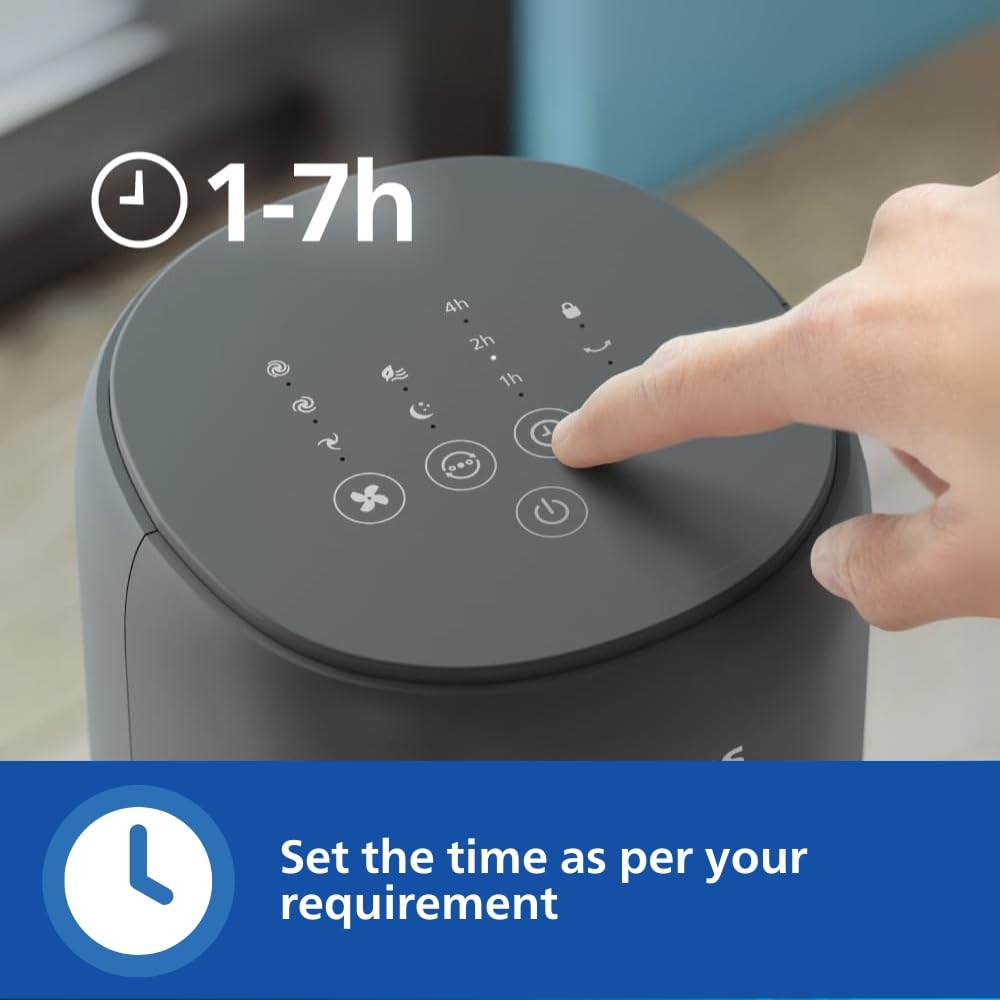
Image: A hand interacting with the fan's intuitive touchscreen control panel, showing various function icons.

Image: A hand holding the sleek remote control, demonstrating the convenience of operating the fan from a distance.
5.2 Power On/Off
Press the power button on the control panel or remote to turn the fan on or off.
5.3 Fan Speed
Cycle through the three available fan speeds (Low, Medium, High) by pressing the fan speed button.
5.4 Operating Modes
The fan offers three distinct operating modes:
- Normal Mode: Provides a consistent airflow at the selected speed.
- Natural Wind Mode: Mimics the varying intensity of natural outdoor breezes for a more dynamic cooling experience.
- Quiet Sleep Mode: Gradually reduces fan speed and operates at a low noise level for undisturbed sleep while saving energy.

Image: Visual representation of the fan's three modes: a fan icon for Normal, a leaf icon for Natural Wind, and a moon/star icon for Quiet Sleep.
5.5 Oscillation
Activate the 60° oscillation feature to distribute cool air across a wider area. Press the oscillation button to turn it on or off.
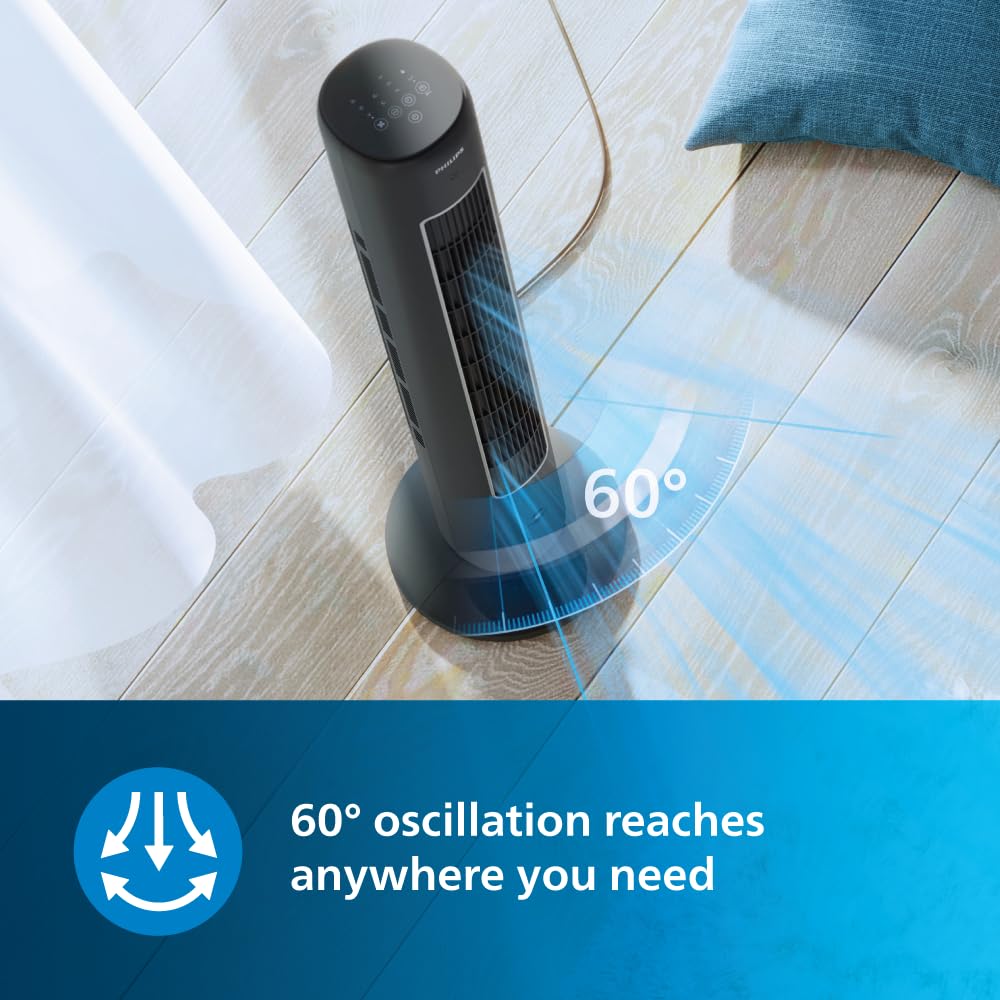
Image: An overhead view of the tower fan illustrating its 60-degree oscillation range, indicating wide airflow coverage.
5.6 Timer Function
Set the built-in timer for automatic shut-off from 1 to 7 hours. This feature helps conserve energy.

Image: A close-up of the fan's control panel with timer options (1h, 2h, 4h) highlighted, indicating the ability to set automatic shut-off.
5.7 Child Lock Feature
Activate the child lock to prevent accidental changes to settings, providing added peace of mind, especially in households with children.

Image: A visual icon representing the child lock feature, indicating enhanced safety for families.
5.8 Aromatherapy Feature
Enhance your indoor experience by adding your favorite essential oils to the built-in aroma diffuser. Locate the aroma pad slot, add a few drops of essential oil, and enjoy a refreshing atmosphere.

Image: A hand carefully adding drops of essential oil into the dedicated aromatherapy slot on the side of the fan.
6. Maintenance
6.1 Cleaning
Regular cleaning helps maintain the fan's performance and longevity.
- Always unplug the fan before cleaning.
- Use a soft, damp cloth to wipe the exterior surfaces. Do not use abrasive cleaners or solvents.
- For the air intake and outlet grilles, use a soft brush or vacuum cleaner with a brush attachment to remove dust.
- Clean the aroma pad regularly or replace it as needed.
- Ensure the fan is completely dry before plugging it back in.
7. Troubleshooting
If you encounter issues with your fan, refer to the following common problems and solutions:
| Problem | Possible Cause | Solution |
|---|---|---|
| Fan does not turn on | No power supply; Power cord not properly plugged in; Remote control battery low | Check power outlet; Ensure cord is securely plugged in; Replace remote control battery. |
| Weak airflow | Air intake/outlet blocked; Fan speed set too low | Clear any obstructions; Increase fan speed. |
| Fan makes unusual noise | Fan not on a level surface; Internal obstruction | Place fan on a flat, stable surface; Unplug and check for any visible obstructions inside the grilles. If noise persists, contact customer support. |
| Remote control not working | Battery depleted; Obstruction between remote and fan; Remote not pointed at receiver | Replace battery; Ensure clear line of sight; Point remote directly at the fan's receiver. |
8. Specifications
| Feature | Detail |
|---|---|
| Brand | PHILIPS |
| Model Name | CX5535/11 |
| Colour | Black |
| Electric Fan Design | Blower |
| Power Source | Corded Electric |
| Product Dimensions | 16D x 15.4W x 104.8H Centimeters |
| Special Features | Bladeless, Inverter Compatible, Oscillating, Remote Controlled, Timer |
| Recommended Uses | Air Circulation, Cooling, Ventilating |
| Noise Level | 46 dB |
| Wattage | 40 Watts |
| Air Flow Capacity | 2230 CMPH |
| Voltage | 240.0 V |
| Control Method | Remote, Touch |
| Item Weight | 4.5 Kilograms |
| Country of Origin | China |
9. Warranty and Support
This PHILIPS product is built to last, backed by Philips' extensive expertise in air care and rigorous quality testing. For warranty information, service, or technical support, please refer to the warranty card included with your purchase or visit the official PHILIPS support website.
For further assistance, you may contact Philips customer service through their official channels. Please have your model number (CX5535/11) and purchase details ready when contacting support.
Related documentsCX5535/11


Ask a question about this manual
Ask about setup, troubleshooting, compatibility, parts, safety, or missing instructions. Manuals+ will review the question and use this page’s manual context to help answer it.