
TaIYanG A2996, A2995, A2993, A2567, A2568, A2569
TaIYanG Keyboard Case User Manual
Brand: TaIYanG | Model: A2996, A2995, A2993, A2567, A2568, A2569
1. Introduction
This manual provides comprehensive instructions for the TaIYanG Keyboard Case, designed to enhance your iPad Mini experience. Please read this manual thoroughly before use to ensure proper operation and longevity of your device.
Product Overview
The TaIYanG Keyboard Case transforms your iPad Mini into a versatile laptop-like device, offering a comfortable typing experience and precise trackpad control. It features a robust design with a 360° rotatable hinge, a vibrant 7-color backlit keyboard, and an integrated multi-touch trackpad.
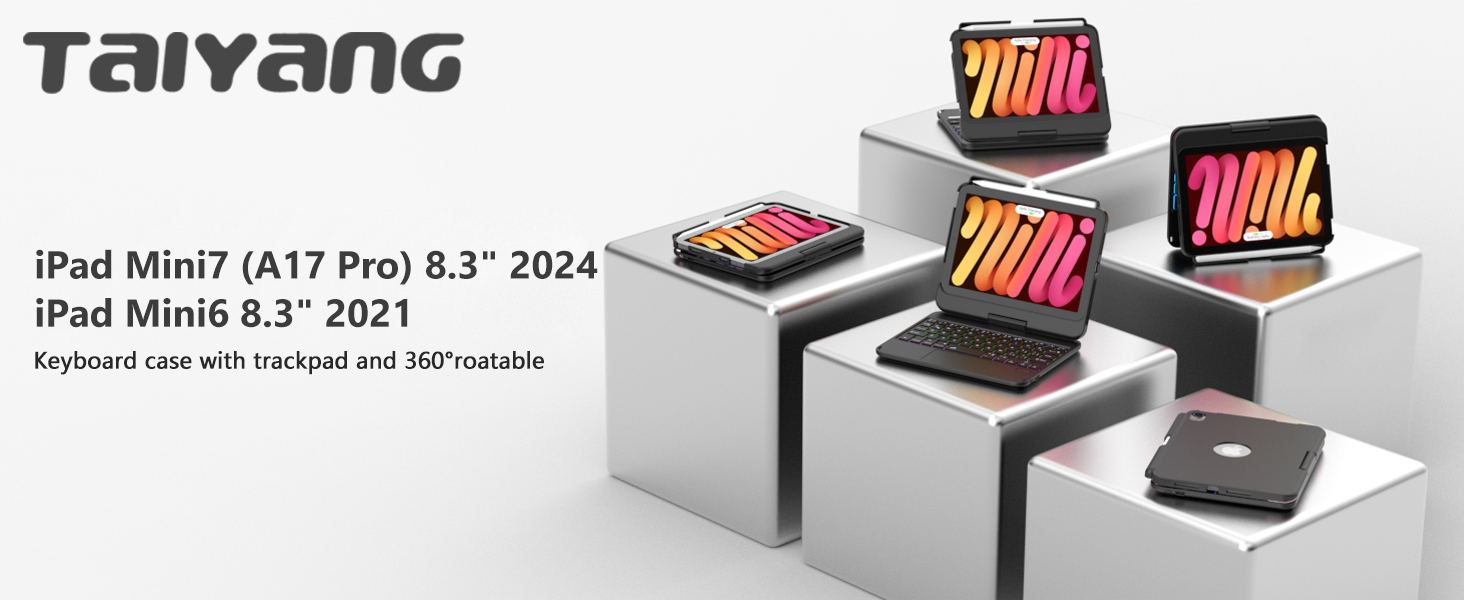
Image: TaIYanG Keyboard Case with an iPad Mini, highlighting its compatibility with iPad Mini 7th (A17 Pro 2024) and iPad Mini 6th (2021) models.
Compatibility
This keyboard case is specifically designed for:
- iPad Mini 7th Generation (A17 Pro 2024, 8.3-inch) - Model Numbers: A2996, A2995, A2993
- iPad Mini 6th Generation (2021, 8.3-inch) - Model Numbers: A2567, A2568, A2569
Please verify your iPad model number on the back of your device to ensure compatibility. This case is NOT compatible with any other iPad models.

Image: Visual guide showing compatible iPad Mini 7th and 6th generation models, and explicitly stating older models are not compatible.
2. Setup Guide
2.1 Package Contents
Upon opening the package, ensure all the following items are present:
- 1 x TaIYanG Touch Keyboard Case for iPad Mini 6th/7th Gen
- 1 x USB Charging Cable
- 1 x User Manual
- 1 x Service Card
2.2 Charging the Keyboard
Before initial use, fully charge the keyboard. Use the provided USB charging cable to connect the keyboard to a power source.
- Charging Time: Approximately 2-3 hours for a full charge.
- Standby Time: Up to 130 days.
- Sustainable Working Time: Up to 100 hours.

Image: Close-up view of the USB-C fast charging port on the keyboard, with charging time and battery life indicators.
2.3 Bluetooth Pairing
Follow these steps to connect your keyboard case to your iPad via Bluetooth:
- Ensure the keyboard is charged.
- Turn on the keyboard by sliding the power switch.
- On the keyboard, press the "Fn" key simultaneously with the "Q" key to activate Bluetooth pairing mode. The Bluetooth indicator light on the keyboard will flash.
- On your iPad, go to Settings > Bluetooth.
- Turn on Bluetooth. Your iPad will search for available devices.
- Select "Bluetooth Keyboard" (or similar name) from the list of devices.
- Once connected, the Bluetooth indicator light on the keyboard will stop flashing.
3. Operation
3.1 Installing Your iPad
Carefully insert your iPad Mini into the protective case. Ensure it is securely seated within the frame.
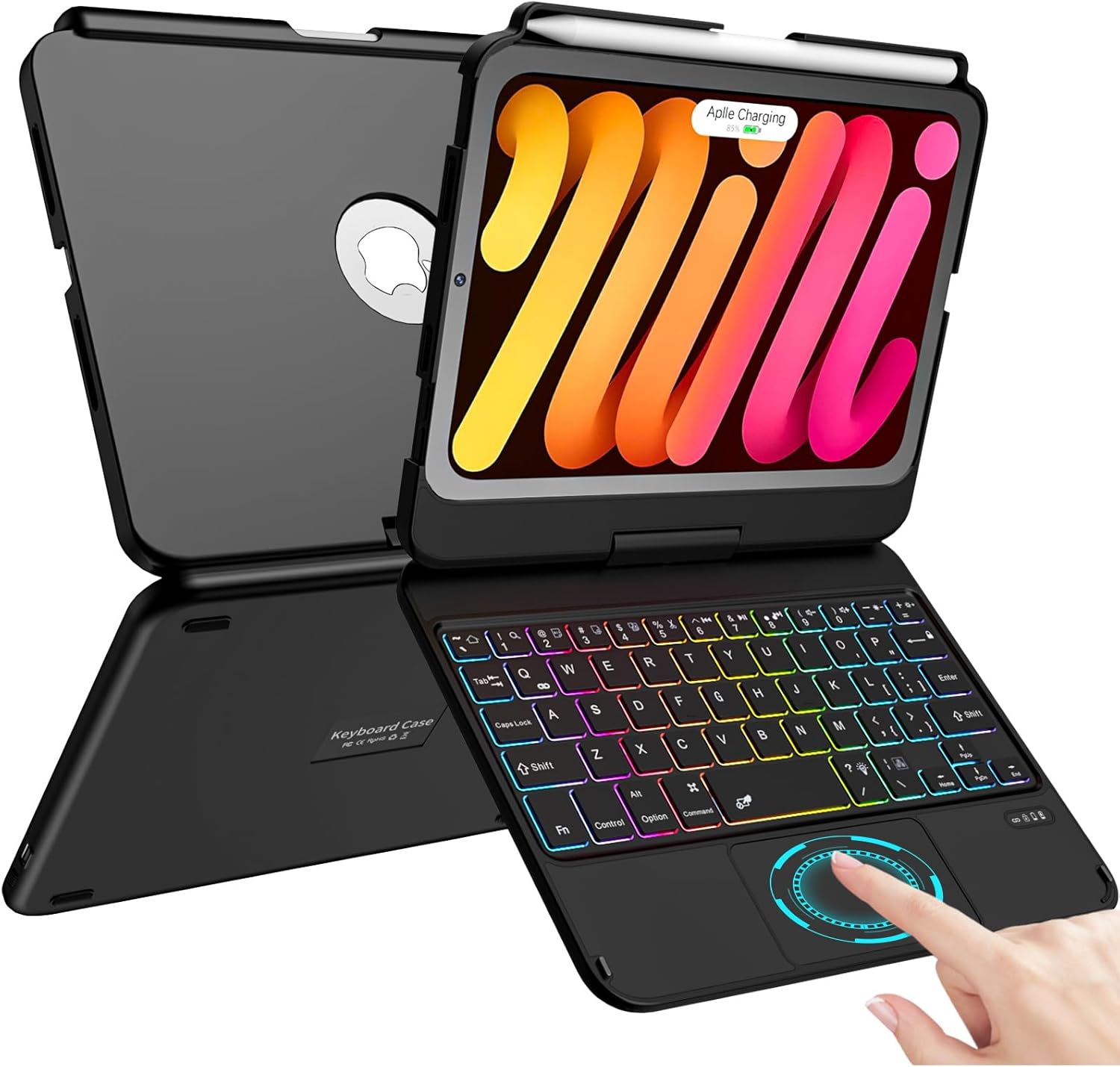
Image: The TaIYanG Keyboard Case with an iPad Mini securely installed, showcasing the backlit keyboard and multi-touch trackpad.
3.2 Hinge Functionality and Viewing Angles
The keyboard case features a sturdy dual-axis rotatable 360° hinge, stress-tested for 20,000 cycles. When first opening the hinge, it may feel tight; apply appropriate effort.
The 360° swivel and 180° flip design allows for multiple viewing angles and modes:
- Type Mode: Standard laptop-like setup for typing.
- View Mode: Fold the keyboard back to use your iPad as a display.
- Read Mode: Fold the case completely back for a tablet-like reading experience.
- Facetime Mode: Position the iPad for video calls.

Image: Illustrations demonstrating the 360° swivel and 180° flip capabilities, showing the case in Type, View, Read, and Facetime orientations.

Image: A visual representation of the keyboard case's 360° rotatable and 180° flip features, allowing for various usage scenarios.
3.3 Keyboard Features
The keyboard features a premium comfortable 78-key layout with several advanced functionalities:
- 7-Color Backlit Keyboard: Choose from 7 backlight colors and 3 brightness levels to suit your environment. This feature illuminates the keys for typing in low-light conditions.
- iPadOS Shortcuts: Utilize dedicated shortcut keys for quick access to functions like backlight adjustment, brightness control, volume control, and media playback.

Image: A visual display of the 7 different backlight colors available for the keyboard.

Image: The keyboard showcasing its 7-color backlight and highlighting the iPadOS shortcut keys for enhanced productivity.
3.4 Multi-Touch Trackpad
The integrated multi-touch trackpad allows for precise navigation and control, transforming your iPad into a highly performant laptop. It supports various gestures for efficient interaction with your iPad.
- Gestures: Utilize swipe, scroll, and click gestures to navigate your iPad Mini faster and more intuitively.
- Note: For the multi-function touchpad to work correctly, your iPad needs to be upgraded to iOS 13 or above.

Image: The multi-touch trackpad with visual cues indicating its gesture-enabled functionality for improved working efficiency.

Image: Icons illustrating various multi-touch gestures supported by the trackpad, such as multi-touch touchpad, manage files, browse webs, and switch apps.
3.5 Built-in Apple Pencil Holder
The case includes a dedicated slot for holding your Apple Pencil. It also supports the 2nd Generation Apple Pencil's magnetic attachment and wireless charging without needing to remove the case. (Apple Pencil is NOT included).
3.6 Auto Sleep/Wake Function
The keyboard case automatically wakes your iPad when opened and puts it to sleep when closed. This feature helps conserve battery life for your iPad.
4. Maintenance and Care
To ensure the longevity and optimal performance of your TaIYanG Keyboard Case, follow these care guidelines:
- Cleaning: Use a soft, damp cloth to wipe the exterior of the case. Avoid harsh chemicals or abrasive materials.
- Protection: The case is designed with anti-fingerprint, dust-proof, and scratch-resistant properties, along with an aluminum alloy body for full protection.
- Storage: When not in use for extended periods, store the case in a cool, dry place.

Image: Diagram illustrating the protective features of the case, including anti-fingerprint, dust-proof, scratch-resistant, and aluminum alloy construction.
5. Troubleshooting
If you encounter any issues with your TaIYanG Keyboard Case, please refer to the following common solutions:
| Problem | Solution |
|---|---|
| Hinge is stiff or difficult to open. | The hinge is designed to be sturdy. Apply appropriate effort when opening for the first time. It will loosen slightly with use. |
| Keyboard does not connect via Bluetooth. |
|
| Trackpad is not responsive or gestures don't work. | Ensure your iPad's operating system is updated to iOS 13 or above. Multi-touch trackpad functionality requires this version or newer. |
| Keyboard backlight is not working. | Check if the backlight feature is enabled and adjust brightness levels using the dedicated iPadOS shortcut keys. |
6. Specifications
| Feature | Detail |
|---|---|
| Brand | TaIYanG |
| Model Numbers | A2567, A2568, A2569 (for iPad Mini 6th Gen); A2996, A2995, A2993 (for iPad Mini 7th Gen) |
| Compatible Devices | iPad Mini 7th (A17 Pro) 2024 Generation (8.3-inch), iPad Mini 6th 2021 Generation (8.3-inch) |
| Connectivity Technology | Bluetooth |
| Keyboard Description | Multi Functional |
| Number of Keys | 78 |
| Keyboard Backlighting | 7-Color RGB Backlight |
| Special Features | Backlit, Portable, Rechargeable, Multi-Touch Trackpad, 360° Rotatable Hinge, Apple Pencil Holder, Auto Sleep/Wake |
| Battery Type | 1 Lithium Ion battery (included) |
| Charging Port | USB-C |
| Item Weight | 1.41 pounds (approx. 640g) |
| Package Dimensions | 9.09 x 7.05 x 1.22 inches |
| Date First Available | June 20, 2023 |
7. Warranty and Support
TaIYanG is committed to providing quality products and superior service. Your keyboard case comes with a service card for support.
If you have any questions regarding your product's models, functions, or require assistance, please do not hesitate to contact TaIYanG customer support. We aim to resolve any issues within 24 hours.
For contact information, please refer to the service card included in your package or visit the official TaIYanG store on Amazon.
Related documentsA2996, A2995, A2993, A2567, A2568, A2569

Ask a question about this manual
Ask about setup, troubleshooting, compatibility, parts, safety, or missing instructions. Manuals+ will review the question and use this page’s manual context to help answer it.