
1. Introduction
Thank you for choosing the WOOVIVS 39.4" LED Sideboard Buffet with Charging Station. This manual provides essential information for the safe assembly, operation, and maintenance of your new furniture. Please read these instructions carefully before use and retain them for future reference.
Important Safety Information
- Always follow the assembly instructions carefully to avoid injury.
- Do not overload the cabinet, as it has a maximum weight capacity of 65 pounds (29.5 kg).
- Be cautious when using the charging station and do not leave it unattended while charging devices.
- Keep the cabinet away from heat sources and moisture to prevent damage.
- Ensure all electrical connections are secure and comply with local electrical codes.
2. Product Overview
The WOOVIVS LED Sideboard Buffet is a versatile furniture piece designed for various uses, including a coffee bar, entryway table, kitchen island, or storage cabinet. It features integrated RGB LED lighting, a smart charging station, and ample storage space.

Image: Front view of the WOOVIVS LED Sideboard Buffet, showcasing its modern design and high-gloss black finish.

Image: Multi-scenario use cases for the sideboard, highlighting its adaptability as a coffee bar, entryway table, kitchen island, sideboard cabinet, or pantry cabinet.
3. Package Contents
Before beginning assembly, verify that all parts and accessories are present and undamaged. Refer to the included parts list in your package. If any parts are missing or damaged, please contact customer support.
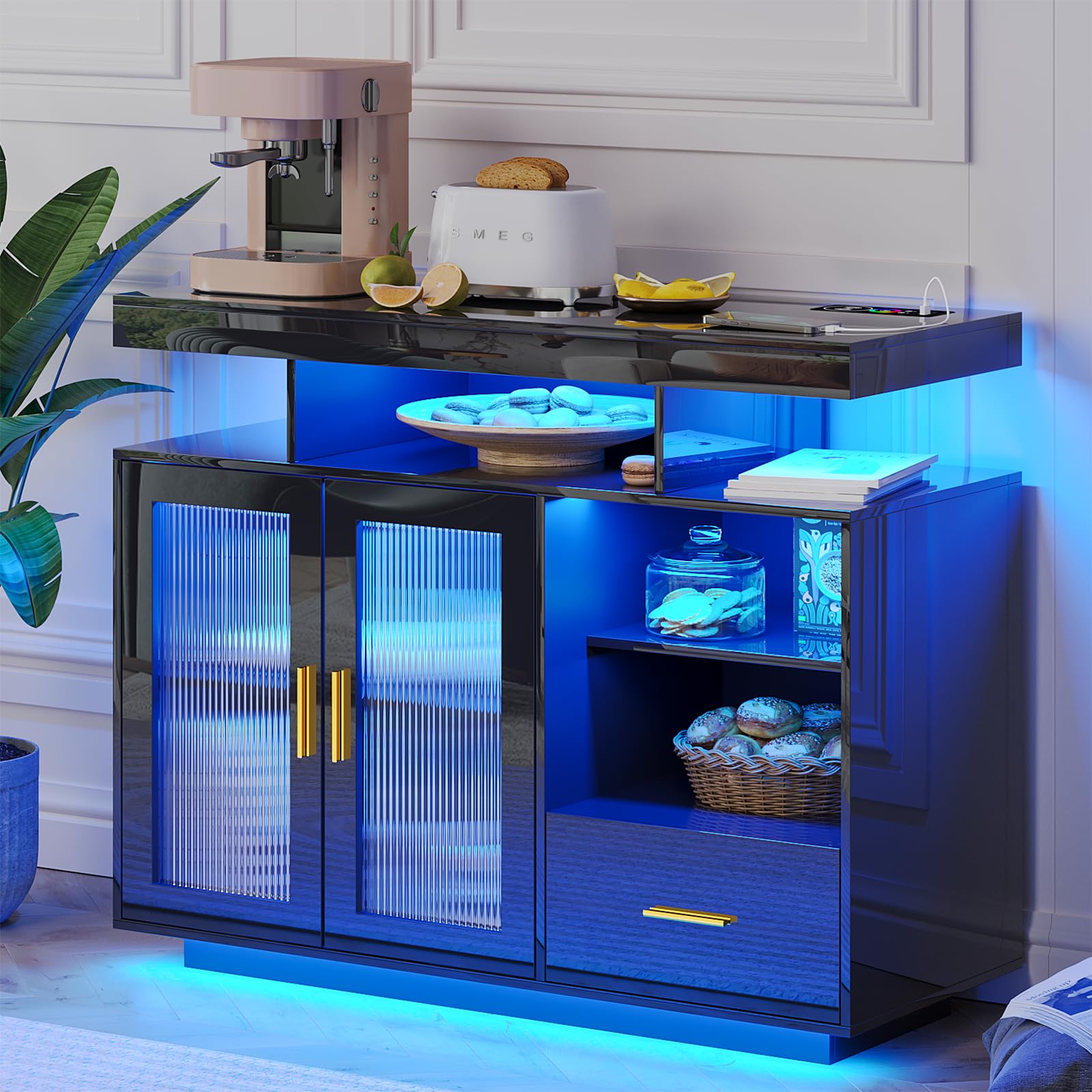
Image: Overall dimensions of the sideboard: 39.4"L x 15.7"W x 31.5"H. The package is delivered in 1 box and weighs 65 lbs.
4. Assembly Instructions
Assembly of this unit is straightforward and can be completed by following the detailed instructions provided in the package. For optimal efficiency, assembly with two people is recommended.
- Unpack and Identify Parts: Carefully unpack all components and lay them out on a clean, soft surface to prevent scratches. Identify each part using the provided parts list.
- Assemble the Base: Begin by attaching the base components as per the diagrams in your instruction manual.
- Construct the Main Frame: Connect the side panels and internal shelves to form the main structure of the cabinet. Ensure all connections are tight and secure.
- Install Doors and Drawers: Attach the glass doors and install the sliding drawer mechanisms. Adjust hinges as necessary for proper alignment.
- Integrate LED Lighting and Charging Station: Follow the specific wiring instructions for the RGB LED lights and connect the 3-in-1 charging station. Ensure all cables are neatly routed and secured.
- Final Placement: Once assembled, carefully move the sideboard to its desired location.
Video: Official WOOVIVS video demonstrating the assembly and features of the LED Sideboard Buffet Cabinet with Charging Station.
5. Operating Instructions
5.1 RGB LED Sensor Light
The sideboard features an RGB LED lighting system with a motion sensor and adjustable colors.
- RGB Mode: There are 20 colors of light that can be adjusted. Use the "Rainbow Circle" control on the smart module to select your preferred color. The "W" button activates white light.
- Motion Sensor Mode: When activated, the light will automatically turn on when you are within 2-3 meters of the cabinet.
- Adjusting Brightness: Use the dedicated brightness control on the smart module to increase or decrease the light intensity.

Image: The intelligent control panel features wireless charging, USB & Type-C ports, a 24-color selection circle, a white light button, a light button, and a body (motion sensor) button.

Image: The sideboard illuminated with different LED colors, demonstrating the adjustable lighting feature.
5.2 Smart Charging Station
The integrated 3-in-1 charging station provides convenient power for your electronic devices.
- Wireless Charging: Place your compatible device on the designated wireless charging pad. Ensure the device is centered for optimal charging.
- Wired USB Port: Connect your device using a standard USB cable to the USB-A port.
- Type-C Port: Connect your device using a Type-C cable to the Type-C port for fast charging.
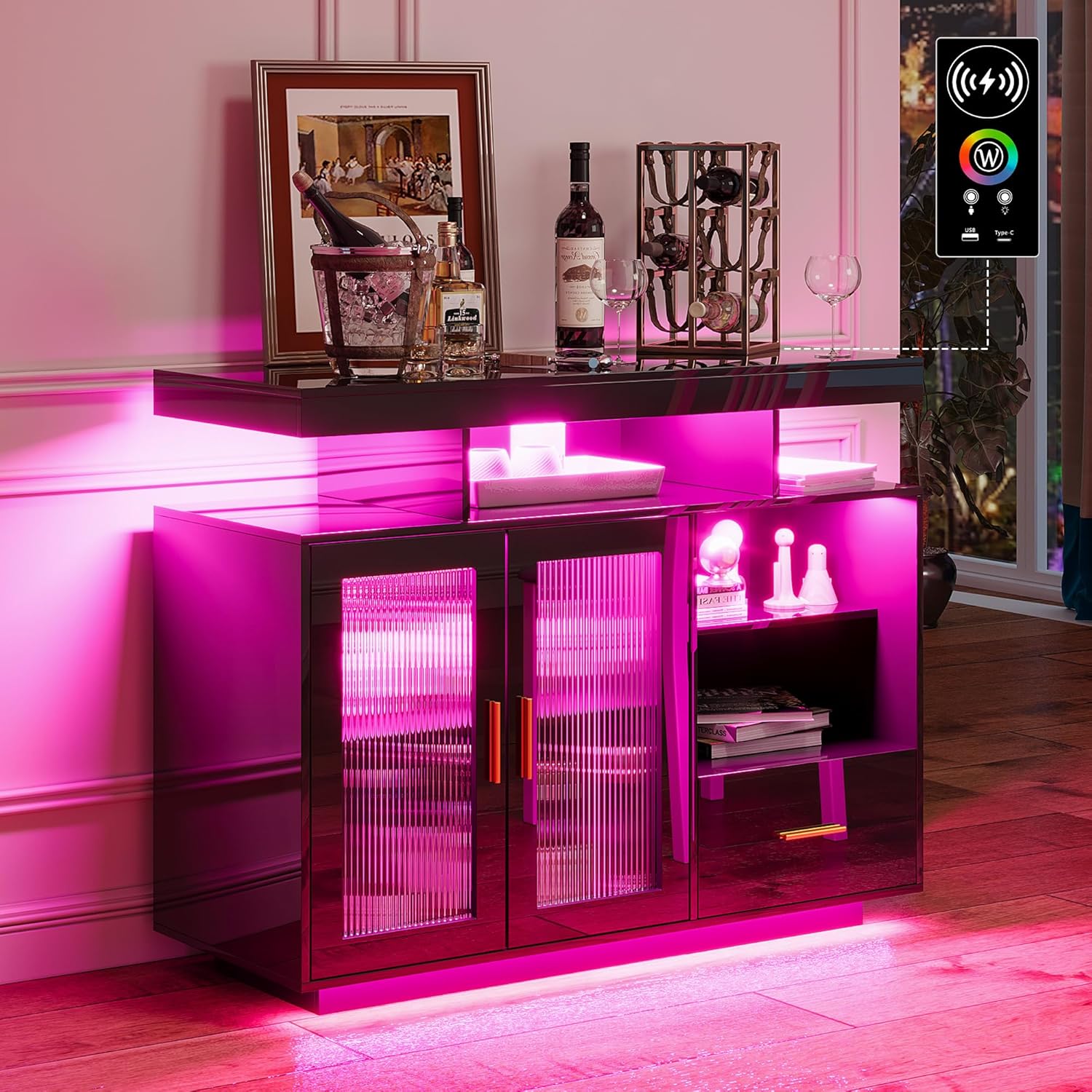
Image: A smartphone being charged wirelessly on the integrated charging pad of the sideboard.
5.3 Storage Features
The sideboard offers diversified storage options to help organize your items.
- Wide Cabinet Top: Ideal for holding kitchenware, snacks, or decorative items.
- Open Compartments: Five open compartments provide easy access and display space.
- Side Storage Cabinet: A dedicated side cabinet for concealed storage.
- Drawer: One drawer for organizing smaller items.

Image: The sideboard's spacious table top, three open compartments, open shelf, two-door storage cabinet, and sliding drawer for diversified storage.
6. Maintenance
- Cleaning: Wipe surfaces with a soft, damp cloth. Avoid abrasive cleaners or harsh chemicals that may damage the high-gloss finish.
- Dusting: Regularly dust the cabinet with a dry, soft cloth to maintain its appearance.
- Spills: Immediately wipe up any spills to prevent staining or damage to the material.
- Electrical Components: Ensure the charging station and LED lights are kept dry. Do not attempt to repair electrical components yourself; contact qualified personnel.

Image: A hand cleaning the waterproof and easy-to-clean high-gloss surface of the sideboard.
7. Troubleshooting
| Problem | Possible Cause | Solution |
|---|---|---|
| LED lights not turning on. | Power cable disconnected, faulty power adapter, or internal wiring issue. | Check if the power cable is securely plugged in. Ensure the power adapter is functioning. If the issue persists, it may be an internal wiring problem; contact customer support. |
| Charging station not working. | Device incompatibility, improper placement (for wireless), loose connection, or power issue. | Ensure your device is compatible with wireless charging. For wireless charging, reposition the device on the pad. Check wired connections. Verify the sideboard is powered on. |
| Motion sensor not detecting movement. | Sensor obstructed, incorrect setting, or sensor malfunction. | Ensure the sensor area is clear. Check the smart module to confirm motion sensor mode is active. |
| Drawer/door not closing smoothly. | Misalignment, obstruction, or damaged hardware. | Check for any obstructions. Adjust hinges or drawer slides as needed. If hardware is damaged, contact customer support for replacements. |
8. Specifications
| Feature | Detail |
|---|---|
| Brand | WOOVIVS |
| Model Number | 9211 |
| Product Dimensions | 39.4"L x 15.7"W x 31.5"H (100cm L x 40cm W x 80cm H) |
| Item Weight | 65 Pounds (29.5 kg) |
| Weight Limit | 65 Pounds (29.5 kg) |
| Material | Acrylic, Wood (Acacia Wood frame) |
| Finish Type | Polished, High-gloss plastic or synthetic material |
| Special Features | Built-In Charging Station (Wireless, USB, Type-C), RGB LED light with Motion Sensor |
| Number of Shelves | 5 |
| Number of Compartments | 4 |
| Assembly Required | Yes |
9. Warranty and Support
For warranty information, product support, or to order replacement parts, please refer to the documentation included with your purchase or contact WOOVIVS customer service directly. Keep your purchase receipt as proof of purchase for warranty claims.
Contact Information: Please visit the official WOOVIVS store on Amazon or their website for the most up-to-date contact details.


