
1. Introduction
This manual provides instructions for the installation, use, and maintenance of the atgestore WB31K10034 Stove Grate Replacement Parts. These grates are designed to replace original GE stove grates, offering enhanced durability and cooking performance.

Image 1.1: Set of four atgestore WB31K10034 replacement stove grates.
2. Product Overview and Specifications
The WB31K10034 stove grates are constructed from premium porcelain enamel cast iron, engineered for strength and resistance to deformation and rust. They are designed to provide a stable cooking surface and efficient heat distribution.
Key Features:
- Material: Premium porcelain enamel cast iron for enhanced durability and rust resistance.
- Heat Retention: Significant capacity to retain and distribute heat evenly across cookware.
- Stability: Thickened iron material provides a strong, stable base for various pot and pan sizes.
- Quantity: Set of 4 individual grates.
Dimensions:
- Each grate measures approximately 8.54 inches (L) x 8.54 inches (W) x 1.75 inches (H).

Image 2.1: Detailed dimensions of a single WB31K10034 stove grate.
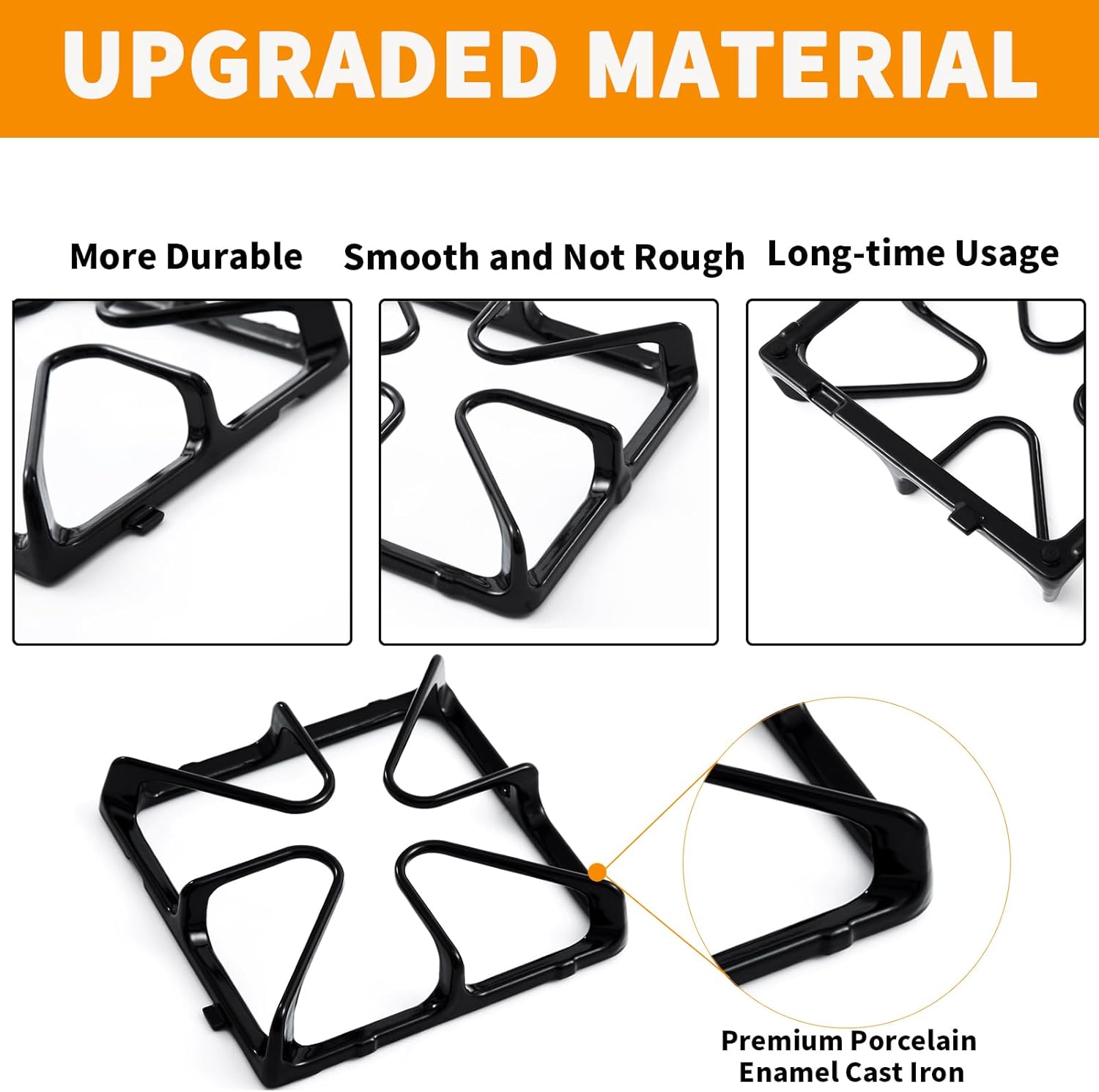
Image 2.2: Illustration of the premium porcelain enamel cast iron material.
3. Compatibility
These replacement grates are compatible with various GE stove and range models. Please verify your stove's model number and compare the dimensions of your existing grates before purchase to ensure proper fit.
Compatible GE Stove Grate Part Numbers:
- WB31K10034
- AP2027959
- WB31K10065
- 770157
Partial List of Compatible GE Stove Range Models:
- JGBP28EEM1WH, JGBP28EEM2CT, JGBP28EEM2WH
- JGBP33SEM5SS, JGBP33SEM6SS, JGBP33SEM7SS, JGBP33SEM8SS, JGBP33SEM9SS
- JGBP35BEA1BB, JGBP35BEA2BB
- JGBP40BEC4WH, JGBP40BEH1CT, JGBP40BEH3WH
- JGBP99BEH1BB
- JGBS23DEM1SS
- JGBP29DEM1BB, JGBP29DEM2BB, JGBP29DEM3BB
- JGBP29EEK1BB, JGBP29EEK2BB, JGBP29EEK3BB
- JGBP29EEL1BB
- JGBP29MEK1BS
- JGBP32BEJ3BB
- JGBP32SEF1SS, JGBP32SEF2SS, JGBP32SEH1SS
How to Find Your Stove Range Model Number:
The model number for your GE stove can typically be found in one of the following locations:
- Behind the rear control panel.
- Behind the door, on the door frame in front.
- On the left leg of the stove.
- Under the left front surface unit.
- Centered or on the right side, under the hearth.
- Inside the drawer of the front frame.

Image 3.1: Common locations for finding your stove's model number.
4. Installation and Setup
Installing the WB31K10034 stove grates is a straightforward process.
Installation Steps:
- Ensure your stove is turned off and cooled completely before handling any parts.
- Carefully remove the old stove grates from the burner area.
- Place the new atgestore WB31K10034 grates onto the designated burner positions. Ensure they sit securely and are level.
- Confirm that the grates do not wobble and provide a stable surface for cookware.

Image 4.1: WB31K10034 grates installed on a GE gas stove.
5. Operating Instructions
Once installed, the grates function as the primary support for your cookware over the stove burners. Their design ensures optimal cooking performance.
Usage Guidelines:
- Place pots and pans directly on the grates over the lit burners.
- The porcelain enamel cast iron construction helps distribute heat evenly, reducing hot spots and preventing food from sticking or scorching.
- The robust design provides stability for various sizes of cookware, from small saucepans to large frying pans.

Image 5.1: Gas burner operating with the grate in place.
6. Maintenance and Cleaning
Proper maintenance ensures the longevity and appearance of your stove grates.
Cleaning Instructions:
- Allow the grates to cool completely before cleaning.
- Remove the grates from the stove.
- Scrub the grates in warm water using a mild dish soap or a non-abrasive cleaner. Avoid harsh chemicals or abrasive pads that could damage the porcelain enamel finish.
- Rinse thoroughly with clean water.
- Important: Dry the grates completely with a dish towel or allow them to air dry before placing them back on the stove. This prevents water spots and potential rust.

Image 6.1: Visual representation of easy cleaning for the grates.
7. Troubleshooting
If you encounter issues with your replacement grates, consider the following:
- Improper Fit: If the grates do not sit securely or appear too large/small, double-check your stove's model number and the dimensions of the replacement grates against your original parts. Ensure you have the correct part for your specific stove model.
- Chipping or Wear: While made from durable material, porcelain enamel can chip if subjected to heavy impact or harsh abrasive cleaning. Always handle grates with care and follow recommended cleaning procedures.
- Uneven Cooking: Ensure the grates are seated correctly and are not warped. Also, verify that your stove's burners are functioning properly and distributing flame evenly.
8. Warranty and Support
For specific warranty information regarding your atgestore WB31K10034 stove grates, please refer to the product packaging or contact the seller directly. For further assistance or inquiries, please reach out to atgestore customer support.
You can visit the atgestore store for more products and support information: atgestore Store