
1. Product Overview
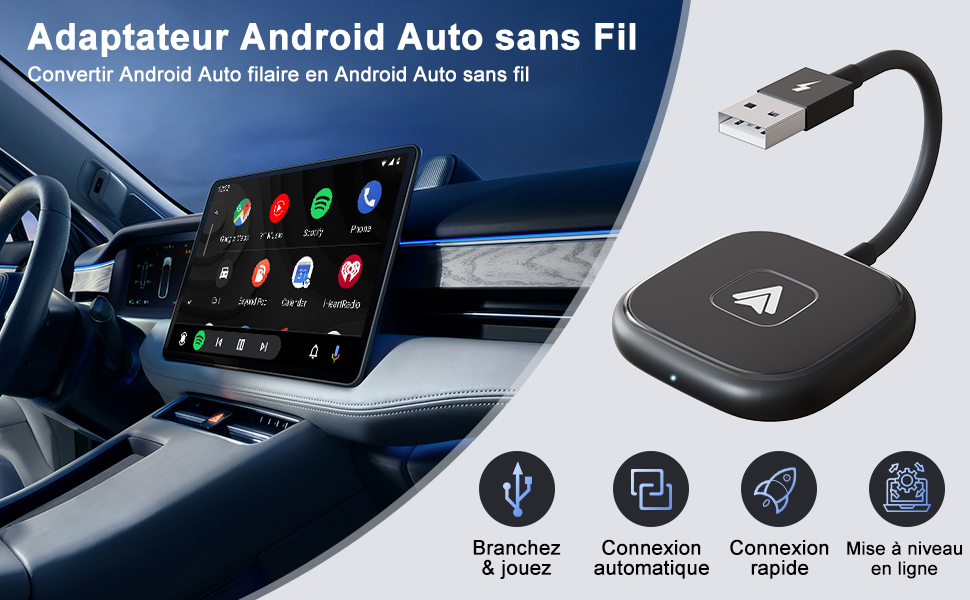
This manual provides instructions for the PAUNEZUEL Wireless Android Auto Adapter, designed to convert your vehicle's wired Android Auto system into a wireless one. This adapter offers a convenient and stable connection, allowing you to access Android Auto features without the need for cables.
Key Features
- Wireless Android Auto Conversion: Easily transform your wired Android Auto experience into a wireless one.
- Plug and Play Installation: Simple setup by plugging the adapter into your car's USB port.
- Comprehensive Functionality: Supports voice control, phone calls, GPS navigation, music applications, and messaging.
- Maintains Original Vehicle Controls: Retains functionality of steering wheel controls, physical buttons, and touch screen interfaces.
- Stable Performance: Equipped with a 5.8 GHz chip for fast processing and reliable connectivity.
- Broad Compatibility: Compatible with Android 11.0 or higher and most vehicles manufactured from 2017 onwards that feature original wired Android Auto.

2. Setup Instructions
2.1 Initial Setup and Pairing
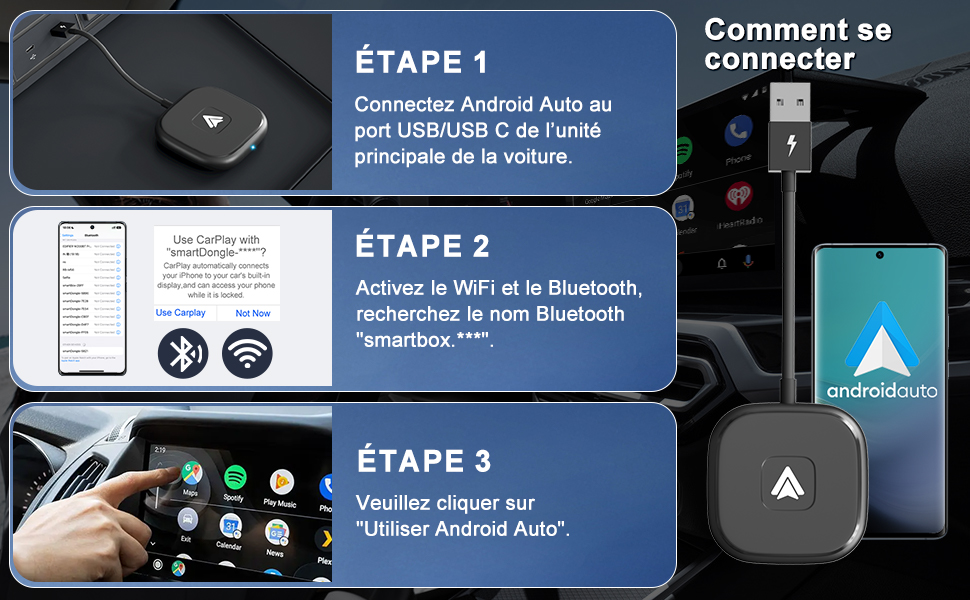
- Connect the Adapter: Plug the PAUNEZUEL Wireless Android Auto Adapter into your car's USB or USB-C port. The adapter's LED indicator will illuminate.
- Enable Bluetooth and Wi-Fi: On your Android smartphone, ensure both Bluetooth and Wi-Fi are turned on.
- Pair with the Adapter: Search for the Bluetooth device named "SmartBox-XXXX" or "smartdongle-XXXX" (where XXXX are unique characters) on your phone and connect to it.
- Launch Android Auto: Once connected, a prompt may appear on your car's infotainment screen or phone. Select "Use Android Auto" to initiate the wireless connection.
2.2 Automatic Reconnection
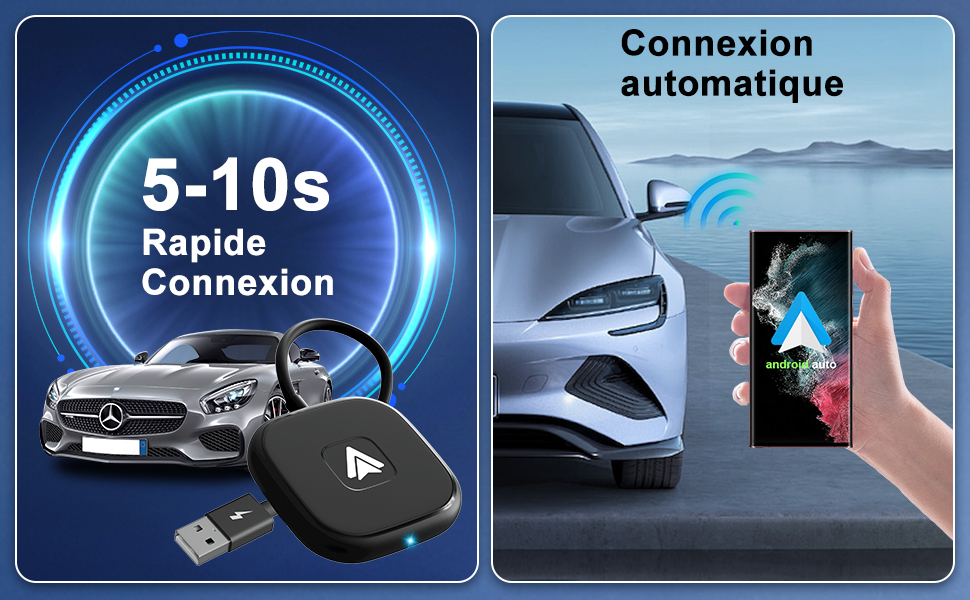
After the initial pairing, the adapter will automatically connect to your phone within 5-15 seconds when you start your car, providing a quick and seamless experience.
3. Operating Instructions
3.1 Accessing Applications
All your compatible Android Auto applications, such as navigation (Google Maps, Waze), music streaming (Spotify, YouTube Music), messaging, and calls, will be displayed on your car's infotainment screen, mirroring the wired Android Auto experience.
3.2 Control Methods
The adapter ensures that all original vehicle control methods remain fully functional for a safe and integrated user experience.
- Voice Control: Utilize Google Assistant for hands-free commands, including making calls, setting navigation destinations, and controlling music playback.
- Steering Wheel Controls: Your vehicle's original steering wheel buttons for volume adjustment, track skipping, and call management will function as usual.
- Touch Screen: Interact directly with the car's touch screen for app selection, navigation input, and other functions.
- Rotary Button Control: If your vehicle is equipped with a rotary controller, it will also function seamlessly with wireless Android Auto.

4. Compatibility
4.1 Vehicle Compatibility
The PAUNEZUEL Wireless Android Auto Adapter is compatible with approximately 98% of vehicles manufactured from 2017 onwards that come with original wired Android Auto functionality. This adapter converts wired to wireless; it does not add Android Auto to cars that don't already have it.
To verify your car's compatibility, please visit: android.com/auto/compatibility/vehicles/
4.2 Smartphone Compatibility
Requires an Android smartphone running Android 11.0 or higher. The adapter supports phones with 5GHz Wi-Fi capabilities.
Note: This adapter is not compatible with Huawei phones due to specific software configurations.
Supported phone brands include, but are not limited to:
- Samsung Galaxy: S8/S8+, S9/S9+, S10/S10+, S20/S20+, S21/S21+, S23 Ultra, Z Fold4, Note 8, Note 9, Note 10, S20 Ultra, S21 Ultra.
- Google Phones: Pixel/XL, Pixel 2/2XL, Pixel 3/3XL, Pixel 4/4XL, Pixel 5X, Pixel 6a, Pixel 6 Pro, Pixel 7 Pro, Nexus 6p.
- OnePlus Phones: OnePlus 9, OnePlus 9 Pro, OnePlus 10 Pro, OnePlus Ace Pro.
- Other Android Phones: Any Android phone running Android 11 or above with 5GHz Wi-Fi support.

5. Specifications
| Attribute | Value |
|---|---|
| Brand | PAUNEZUEL |
| Model Number | DXTD-020-4-1+ |
| Color | Black |
| Operating System | Android (for connected device) |
| Connectivity | Wi-Fi, Bluetooth |
| Connector Type | USB Type C (with USB-A adapter) |
| Special Features | Wireless Connectivity |
| Compatible Devices | Smartphone |
| Dimensions (L x W x H) | 13.5 x 5 x 1.2 cm (5.31 x 1.96 x 0.47 inches) |
| Item Weight | 38 Grams |
| Number of Ports | 2 (USB-A, USB-C) |
| Current Rating | 2 A |
| Manufacturer | Dongxintianda |

6. Troubleshooting Guide
6.1 Connection Issues
- Adapter LED not lighting up: Ensure the adapter is fully inserted into a functional USB port in your car. Try a different USB port if available.
- Cannot find Bluetooth device: Make sure Bluetooth and Wi-Fi are enabled on your phone. Restart your phone and the car's infotainment system, then try pairing again.
- Intermittent connection: Ensure your phone is running Android 11.0 or higher and supports 5GHz Wi-Fi. Check for any physical obstructions between the adapter and your phone.
6.2 Performance Issues
- Lag or delay: The adapter uses a 5.8 GHz chip for stable performance. If you experience significant lag, try restarting the connection. Ensure your phone's software is up to date.
- Apps not loading: Verify that the apps are updated on your phone and are compatible with Android Auto.
6.3 Compatibility Notes
- Wired Android Auto Requirement: This adapter converts wired Android Auto to wireless; it does not add Android Auto functionality to vehicles that do not already possess it.
- Huawei Phone Incompatibility: Due to specific software configurations, Huawei devices are not supported by this adapter.
7. Care and Maintenance
To ensure the longevity and optimal performance of your PAUNEZUEL Wireless Android Auto Adapter, follow these guidelines:
- Keep the adapter clean and dry. Use a soft, dry cloth for cleaning.
- Avoid exposing the device to extreme temperatures, direct sunlight, or high humidity for prolonged periods.
- Do not attempt to disassemble or modify the adapter, as this will void any potential warranty and may cause damage.
- Store the adapter in a safe place when not in use to prevent physical damage.
8. Warranty Information and Support
Specific warranty details for the PAUNEZUEL Wireless Android Auto Adapter are not provided in the product information. For support, warranty claims, or technical assistance, please contact your retailer or the manufacturer, PAUNEZUEL, directly. Refer to your purchase documentation or the seller's information for appropriate contact details.


