
pxton PX-999S
pxton PX-999S Waterproof Long Range Walkie Talkies
Instruction Manual
Introduction
Thank you for choosing the pxton PX-999S Waterproof Long Range Walkie Talkies. This manual provides essential information for the safe and efficient operation of your new two-way radios. The PX-999S series is designed for reliable communication in various environments, featuring robust construction, extended battery life, and advanced functionalities like NOAA weather alerts and GMRS channel support.
Package Contents
- Walkie Talkies (x6)
- Batteries (x6)
- Antennas (x6)
- Belt Clips (x6)
- Lanyards (x6)
- Headsets (x6)
- Charging Bases (x6)
- User Manuals (x3)
Setup
Component Identification
Familiarize yourself with the main components of your walkie talkie:
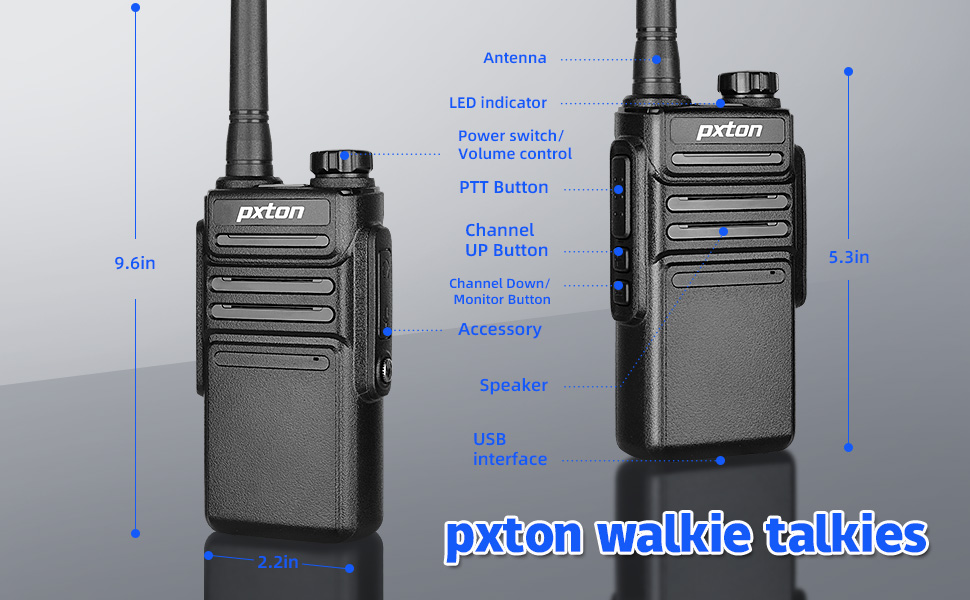
Figure 1: PX-999S Walkie Talkie Components and Dimensions (9.6 inches height, 2.2 inches width).
Battery Installation and Charging
The PX-999S walkie talkies come with built-in 1500mAh Li-ion batteries. Ensure the battery is securely attached to the radio before use.

Figure 2: Multiple Charging Options for the PX-999S.
- Charging Dock: Place the walkie talkie into the provided charging base. The LED indicator on the base will show charging status (red for charging, green for fully charged).
- USB Charging: The walkie talkie features a USB port for diversified charging methods. You can connect it to a power bank, laptop, wall charger, or car charger using a compatible USB cable.
- Charging Time: A full charge typically takes 2-3 hours or less.
Attaching Accessories
- Belt Clip: Attach the belt clip to the back of the radio using a small Phillips screwdriver. This allows for easy carrying.
- Earpieces/Headsets: Connect the provided earpieces to the 2-pin Kenwood accessory jack on the side of the radio for private listening and hands-free operation.
Operating Instructions
Power On/Off and Volume Control
- Power/Volume Knob: Rotate the top knob clockwise to power on the radio and increase the volume. Rotate counter-clockwise to decrease volume and power off.
Channel Selection
The PX-999S features 38 GMRS channels. Rotate the channel knob on top of the radio to select your desired channel. A voice prompt will announce the channel number.
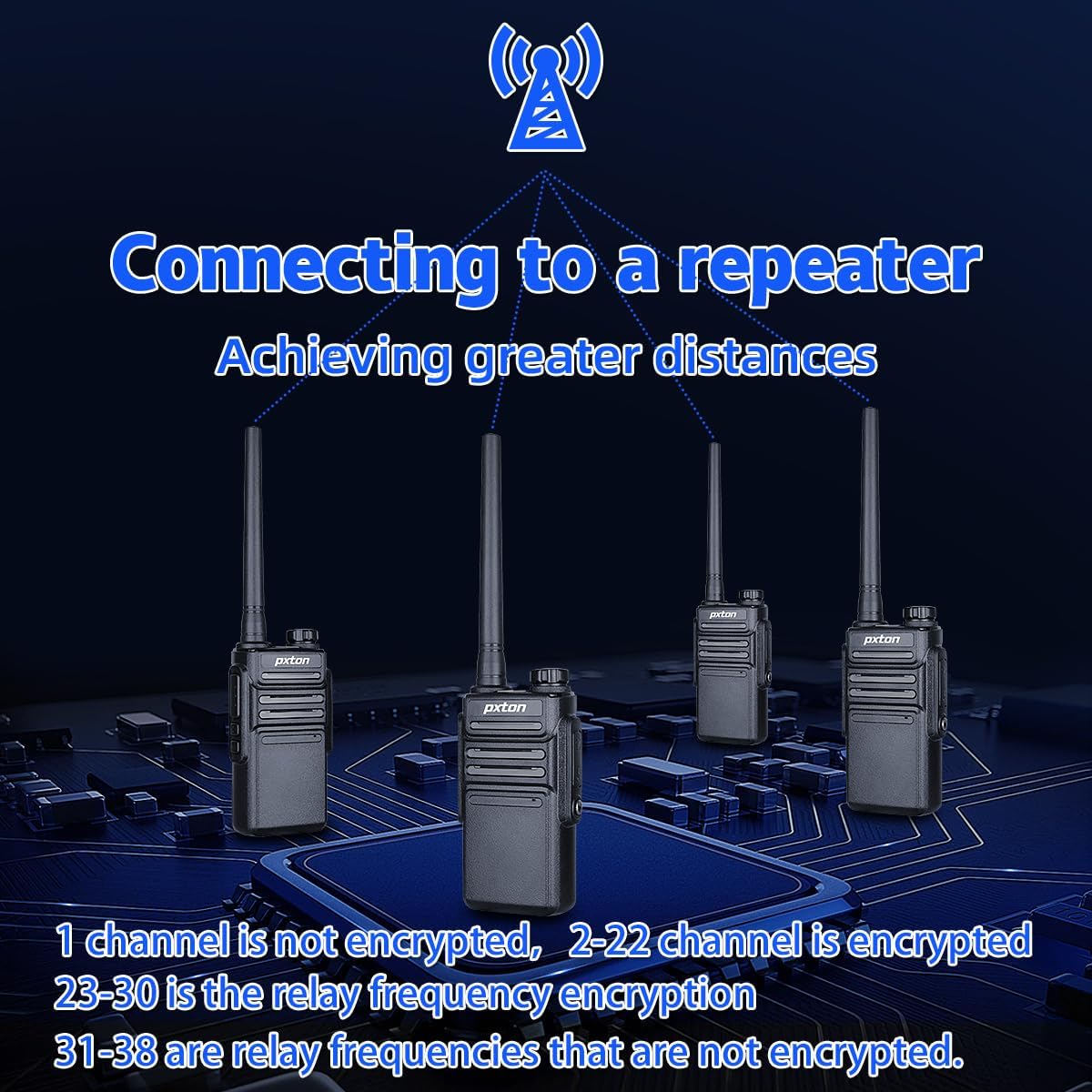
Figure 3: Connecting to a Repeater for Extended Range.
- Channels 1-14: These are shared with FRS and are typically low power channels.
- Channels 15-22: These are high power channels, offering better range.
- Channels 23-38: These channels are designated for repeater use, allowing for significantly longer communication distances when connected to a GMRS repeater.
Push-to-Talk (PTT) Operation
- To transmit, press and hold the PTT button located on the side of the radio. Speak clearly into the microphone.
- Release the PTT button to listen for incoming transmissions.
VOX Function (Voice Operated Transmission)
The built-in VOX function allows for hands-free communication. When activated, the radio will automatically transmit when it detects your voice.

Figure 4: Built-in VOX for Hands-Free Communication.
Privacy Codes (CTCSS/DCS)
The PX-999S supports 260 privacy codes (sub-codes) to help prevent interference and ensure more private conversations. While the manual does not detail programming these codes directly on the radio, they are pre-configured on channels to secure call content and prevent crosstalk.

Figure 5: 260 Privacy Codes for Enhanced Communication Security.
NOAA Weather Radio/Scan
Stay informed about weather conditions with the integrated NOAA Weather Radio/Scan feature. This function automatically scans 10 weather (WX) band channels and receives weather reports from designated NOAA stations.
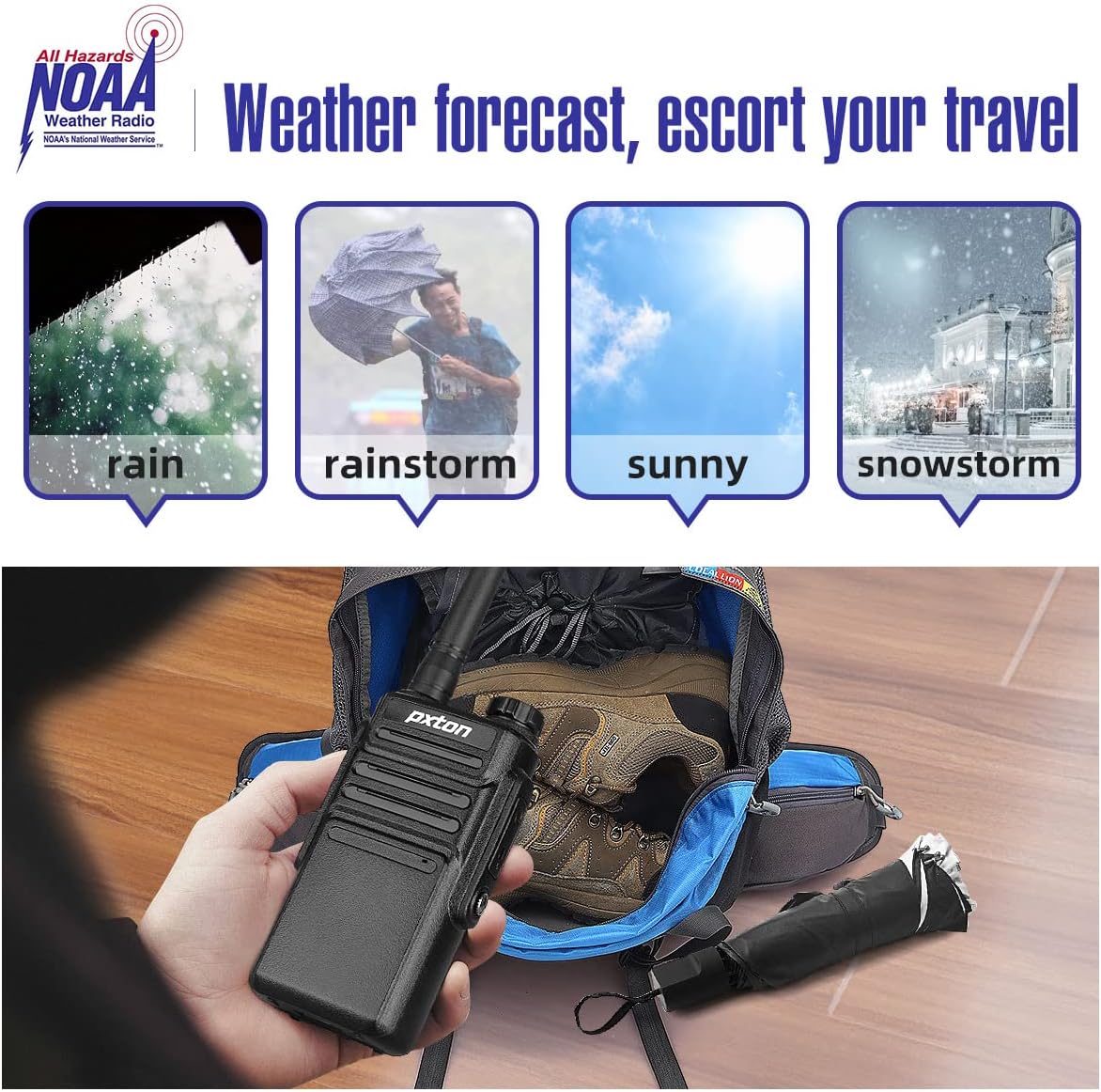
Figure 6: NOAA Weather Radio for Advance Weather Preparedness.
Squelch Levels
The PX-999S offers 10 squelch levels to filter out weak background noise and improve sound clarity. Adjusting the squelch level helps ensure clear communication by suppressing static when no signal is present.

Figure 7: 10 Squelch Levels for Clear Sound Quality.
Maintenance
Cleaning
- Wipe the radio's surface with a soft, damp cloth. Do not use harsh chemicals or abrasive cleaners.
- Ensure the charging contacts and accessory jack are clean and free of debris.
Battery Care
- To maximize battery life, avoid overcharging. Disconnect the radio from the charger once the LED indicator turns green.
- Store radios in a cool, dry place when not in use for extended periods.
- The 1500mAh Li-ion battery provides up to 18 hours of typical usage and 5-7 days of standby time under light use.
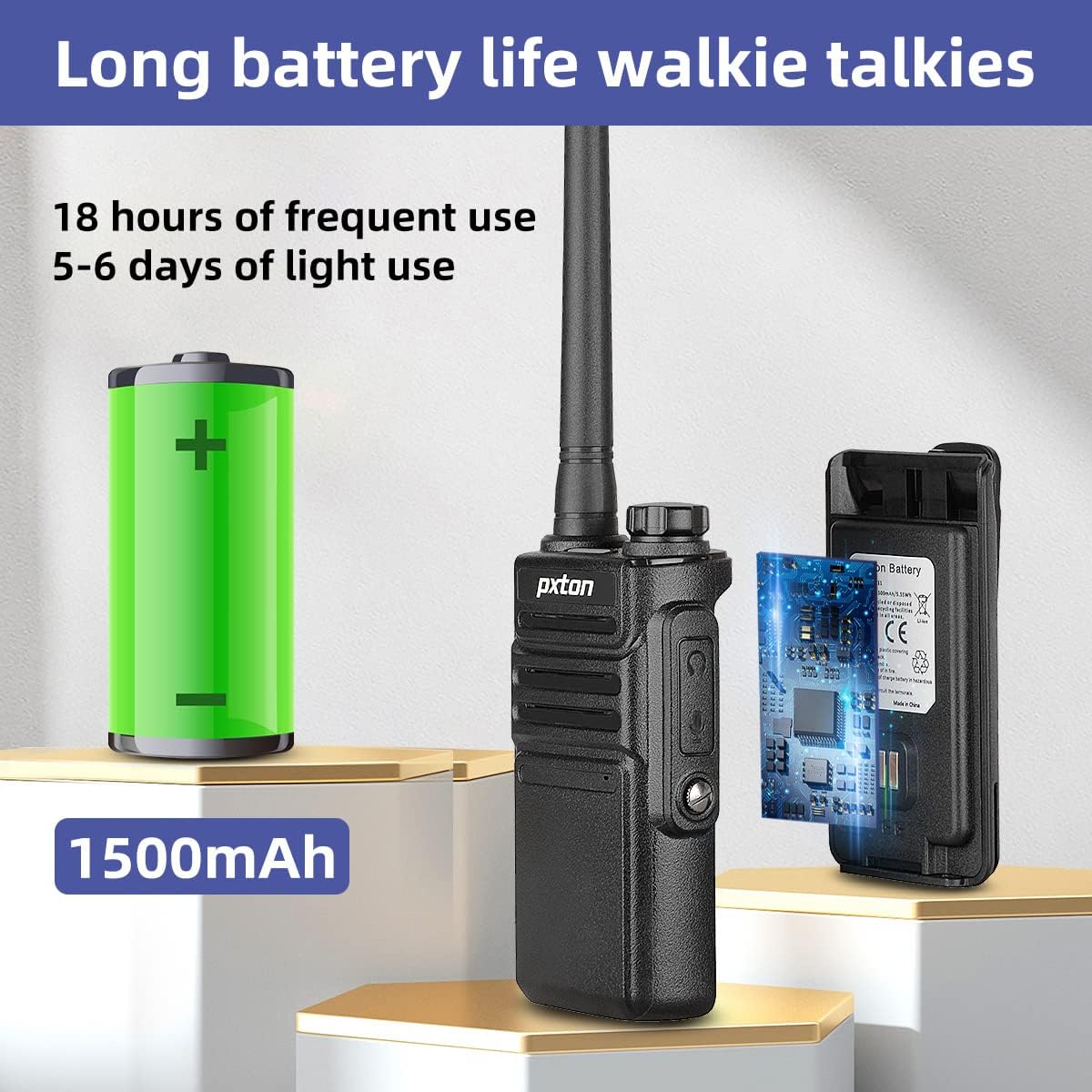
Figure 8: Extended Battery Life of the PX-999S.
Water Resistance and Durability
The PX-999S walkie talkies are IP54 waterproof, making them suitable for everyday use, even in rainy conditions. Their PC/ABS material body provides resistance to falling, abrasion, and shock, adapting well to outdoor and harsh environments.

Figure 9: Enhanced Durability for Harsh Environments.
Troubleshooting
| Problem | Possible Cause | Solution |
|---|---|---|
| No power | Battery depleted or not properly installed. | Charge the battery fully. Ensure the battery is securely attached. |
| Cannot transmit or receive | Incorrect channel selected. Out of range. Battery low. | Ensure both radios are on the same channel. Move closer to the other radio. Charge the battery. |
| Poor sound quality/static | Weak signal. High squelch level. Interference. | Move to an open area. Adjust squelch level. Check for sources of interference. |
| Limited range | Obstacles (buildings, terrain). Using low power channels. | Move to an open area. Switch to high power channels (15-22). Consider using a GMRS repeater for extended range. |
| NOAA Weather Radio not working | Not in range of a NOAA station. | Ensure you are within range of a designated NOAA weather station. |
Specifications
| Feature | Detail |
|---|---|
| Model Number | PX-999S |
| Item Weight | 1.61 pounds (per 6-pack) |
| Product Dimensions | 1.2 x 2.2 x 9.6 inches |
| Batteries | 6 Lithium Ion batteries (included) |
| Color | Black |
| Number of Channels | 38 (GMRS) |
| Special Features | Automatic Squelch, Battery Saver Mode, Long Range, Voice Operated Transmission (VOX), Weather Resistant |
| Frequency Range | GMRS |
| Talking Range Maximum | 7 Mile (dependent on environment and terrain) |
| Voltage | 3.7 Volts (DC) |
| Water Resistance Level | Waterproof (IP54) |
| FCC ID | 2AX68PX-999S |
Warranty and Support
pxton offers a 30-day unconditional return policy and lifetime after-sales service for the PX-999S walkie talkies. If you encounter any problems or have questions regarding your pxton GMRS walkie talkies, please do not hesitate to contact our professional support team through Amazon. We are dedicated to resolving any issues you may have.
For additional information or to explore other pxton products, please visit the official pxton store on Amazon.
Related documentsPX-999S


Ask a question about this manual
Ask about setup, troubleshooting, compatibility, parts, safety, or missing instructions. Manuals+ will review the question and use this page’s manual context to help answer it.