
Introduction
Thank you for choosing the Recci REP-W42 TWS Bluetooth In-Ear Earbuds. These wireless earbuds are designed to provide a high-quality audio experience with advanced features such as a 13mm audio unit, Bluetooth 5.2 connectivity, and intuitive touch controls. This manual will guide you through the setup, operation, and maintenance of your new earbuds to ensure optimal performance and longevity.
Product Overview
The Recci REP-W42 earbuds, also known as 'Bounty Hunter' series, combine a smooth finish with eye-catching precision plating for a sleek design. They feature a large 13mm audio unit for 3D low-frequency flexibility and clear sound. With Bluetooth 5.2, they offer stable and high-speed wireless transmission, coupled with strong battery life and sensitive smart touch operation.
Key Features:
- Bounty Hunter Wireless Earbuds design.
- Smooth finish with eye-catching precision plating.
- Large 13mm audio unit with 3D low-frequency flexibility for clear sound.
- Smooth and sensitive smart touch operation.
- Strong wireless Bluetooth 5.2 battery life with high-speed transmission.
Product Components:
- Recci REP-W42 TWS Earbuds (Left and Right)
- Wireless Charging Case
- Eartips (various sizes for optimal fit)
- Charging Cable
- User Manual
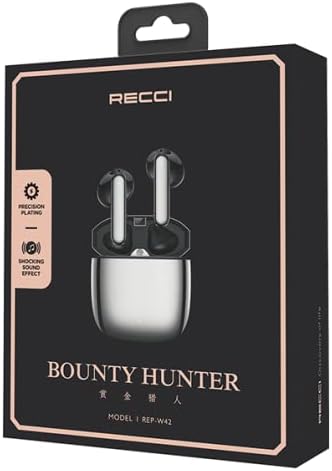
Figure 1: The Recci REP-W42 TWS Earbuds packaging, showcasing the product and its model number.
Setup
1. Charging the Earbuds and Case:
- Place both earbuds into the charging case.
- Connect the charging cable to the charging port on the case and a power source.
- The indicator light on the charging case will show the charging status. A full charge is indicated when the light turns solid or off, depending on the model.
- Ensure the earbuds and case are fully charged before first use for optimal battery performance.

Figure 2: Illustration of the earbuds and charging case, highlighting battery life: approximately 65 days standby, 5 hours music, 3.5 hours call, and 1.5 hours charging time.
2. Pairing with a Device:
- Open the charging case. The earbuds will automatically enter pairing mode, indicated by a flashing LED light on the earbuds.
- On your device (smartphone, tablet, laptop), enable Bluetooth.
- Search for available Bluetooth devices and select "REP-W42" from the list.
- Once connected, the LED indicator on the earbuds will stop flashing or turn off.
- The earbuds will automatically reconnect to the last paired device when taken out of the case, if Bluetooth is enabled on the device.
Operating Instructions
The Recci REP-W42 earbuds feature sensitive touch controls for easy management of audio playback and calls.
Touch Controls:
| Action | Function |
|---|---|
| Single Tap (Left/Right Earbud) | Play/Pause Music, Answer/End Call |
| Double Tap (Right Earbud) | Next Track |
| Double Tap (Left Earbud) | Previous Track |
| Triple Tap (Left/Right Earbud) | Activate Voice Assistant |
| Long Press (Left/Right Earbud, 2 seconds) | Reject Call |
| Long Press (Left Earbud) | Volume Down |
| Long Press (Right Earbud) | Volume Up |
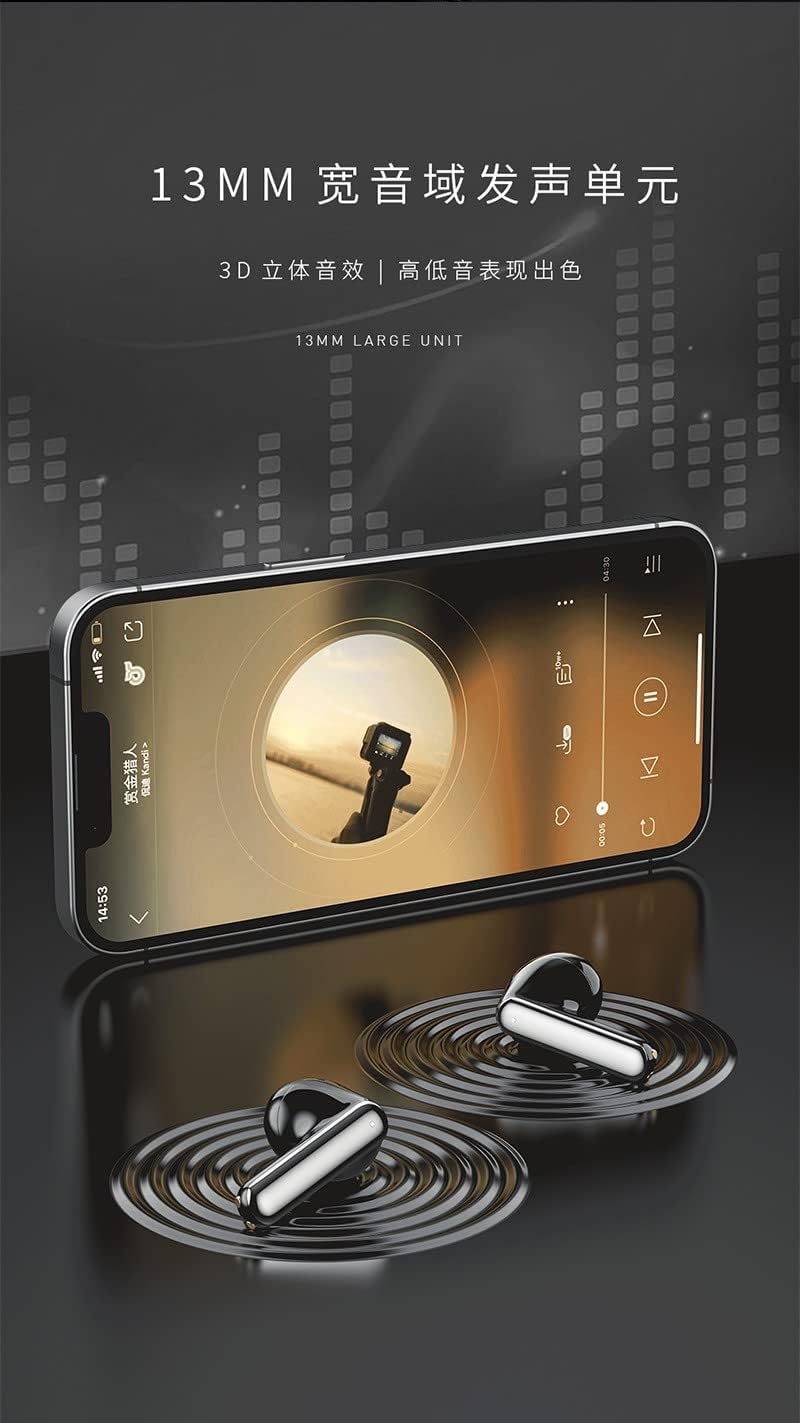
Figure 3: The Recci REP-W42 earbuds delivering audio, emphasizing the 13mm large unit for enhanced sound quality.
Maintenance
Cleaning:
- Regularly clean the earbuds and charging case with a soft, dry, lint-free cloth.
- Do not use abrasive cleaners, alcohol, or chemical solvents.
- Gently remove any earwax or debris from the eartips and speaker mesh using a small, soft brush or cotton swab.
Storage:
- When not in use, always store the earbuds in their charging case to protect them and keep them charged.
- Store in a cool, dry place away from extreme temperatures and direct sunlight.
Battery Care:
- Avoid fully discharging the battery frequently.
- Charge the earbuds regularly, even if not used for extended periods, to maintain battery health.
Troubleshooting
| Problem | Possible Solution |
|---|---|
| Earbuds not pairing |
|
| No sound from one earbud |
|
| Earbuds not charging |
|
| Poor sound quality |
|
Specifications
Below are the technical specifications for the Recci REP-W42 TWS Bluetooth In-Ear Earbuds.
| Feature | Detail |
|---|---|
| Brand Name | Generic |
| Model Name | Recci REP-W42 TWS Earbud |
| Color | Silver |
| Ear Placement | In Ear |
| Form Factor | In Ear |
| Noise Control | Sound Isolation |
| Connectivity Technology | Wireless |
| Wireless Communication Technology | Bluetooth |
| Included Components | Eartip, Wireless Charging Case |
| Age Range Description | Adult |
| Number of Items | 1 |
| Manufacturer | Generic |
| Earbud Shape | Rounded tips |
| Control Type | Voice Control |
| Control Method | Touch |
| Audio Driver Type | Dynamic Driver |
| Material | Plastic |
| Specific Uses For Product | Music |
| Recommended Uses For Product | Music |
| Compatible Devices | Desktops, Laptops, Smartphones, Tablets |
| Cable Feature | Cable-free |
| Water Resistance Level | Not Water Resistant |
| Special Features | Lightweight |

Figure 4: Detailed view of the 13mm dynamic driver, illustrating its components for enhanced audio performance.

Figure 5: Representation of the Bluetooth 5.2 chip, ensuring stable and compatible wireless connectivity.
Warranty and Support
Specific warranty information for the Recci REP-W42 TWS Bluetooth In-Ear Earbuds is not provided in the product details. Please refer to the warranty card included in your product packaging or contact the retailer/manufacturer directly for details regarding warranty coverage and customer support.
For technical assistance or further inquiries, please reach out to the customer service department of your purchase point.