
Samsung Galaxy S23 5G
SAMSUNG Galaxy S23 5G User Manual
Model: Galaxy S23 5G (US Version, 256GB, Phantom Black - Unlocked)
Introduction
Welcome to the user manual for your SAMSUNG Galaxy S23 5G smartphone. This guide provides essential information on setting up, operating, maintaining, and troubleshooting your device to ensure optimal performance and a seamless user experience. Please read this manual thoroughly before using your device.
What's in the Box
Upon unboxing your SAMSUNG Galaxy S23 5G, you should find the following items:
- SAMSUNG Galaxy S23 5G Smartphone
- USB Type-C to Type-C Cable
- SIM Ejection Pin
- Quick Start Guide (Manual)
- Adapter (Charging brick not included, requires a Type-C compatible adapter)
Note: Contents may vary slightly based on region or retailer. Headphones are not included.
Product Overview
The SAMSUNG Galaxy S23 5G features a sleek design with a durable build and intuitive layout. Familiarize yourself with the device's physical components.

Figure 1: Front and Back View of the SAMSUNG Galaxy S23 5G. Shows the vibrant display on the front and the triple camera setup on the rear, along with the Samsung branding.

Figure 2: Right Side View of the SAMSUNG Galaxy S23 5G. Displays the power button and volume rocker located on the right side of the device.
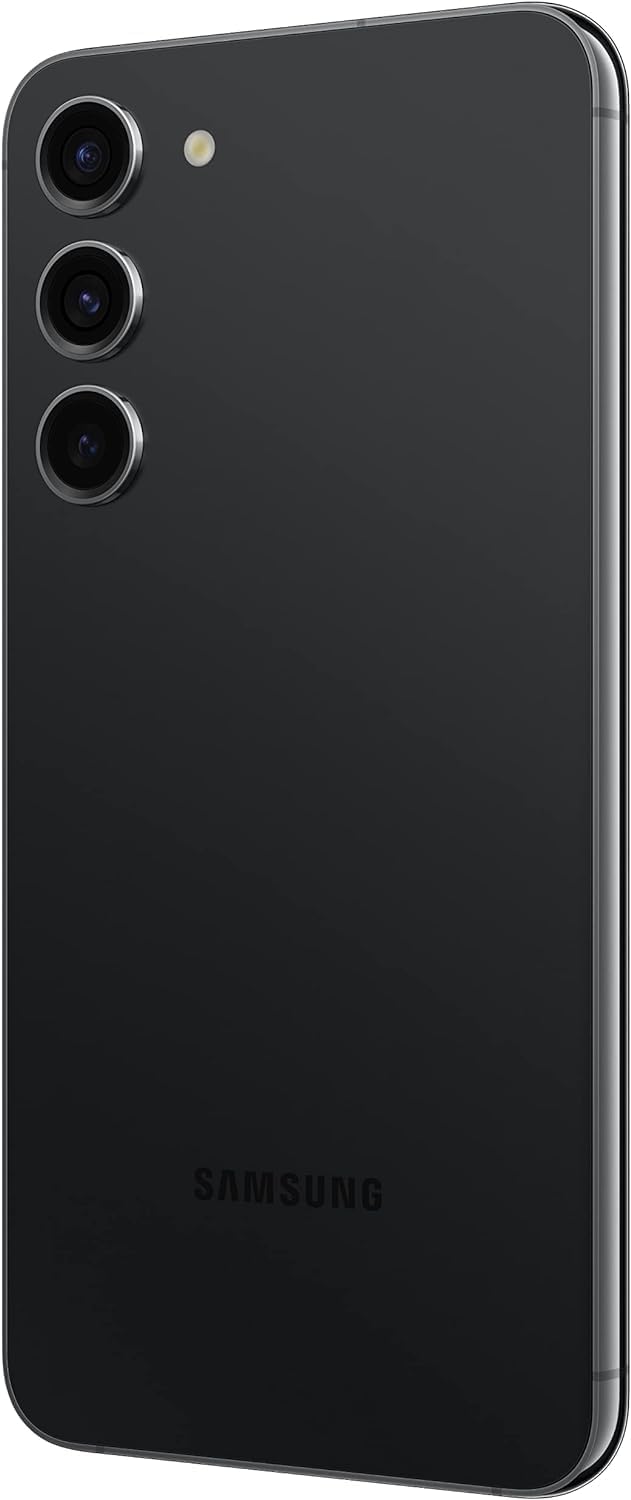
Figure 3: Detailed Back View of the SAMSUNG Galaxy S23 5G. Highlights the distinct triple camera lenses and LED flash arrangement on the rear panel.
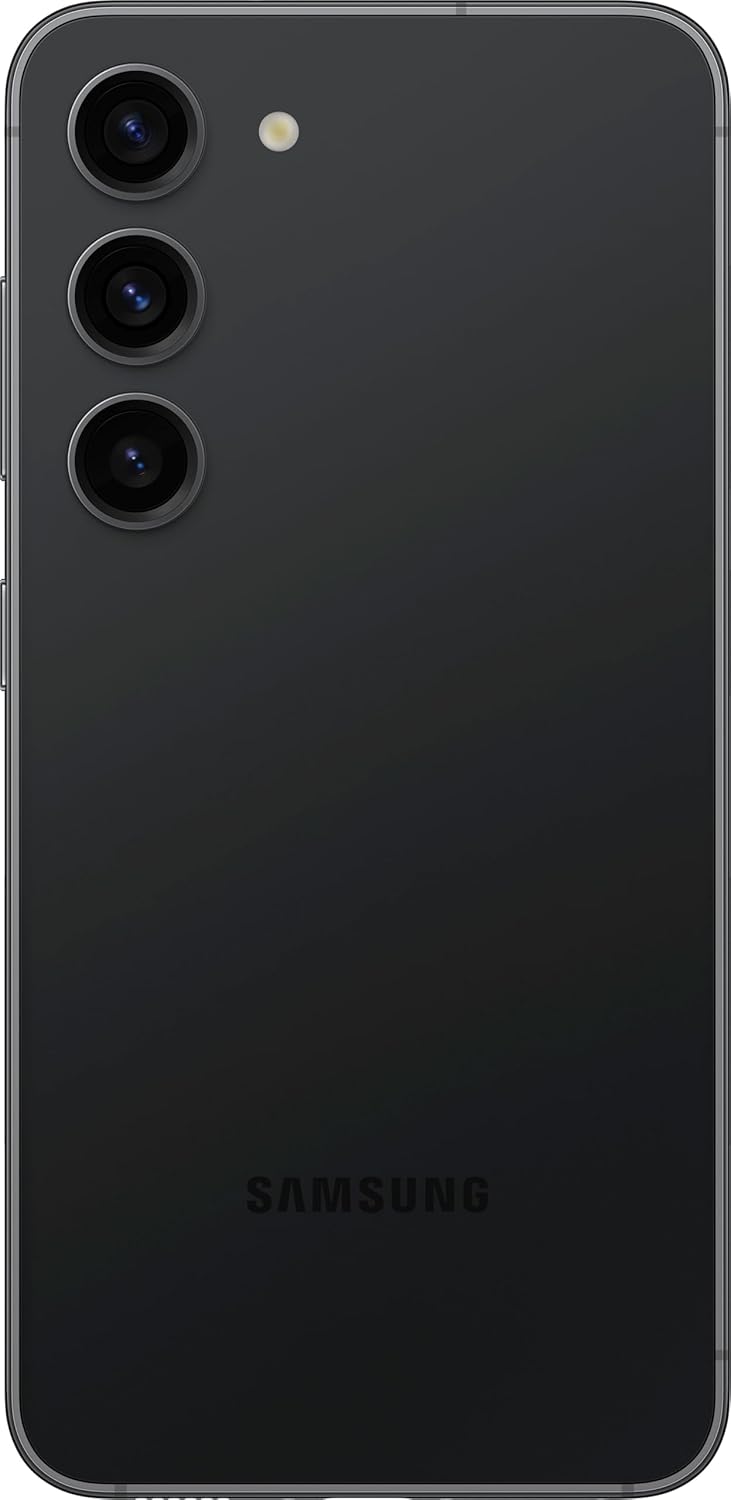
Figure 4: Bottom View of the SAMSUNG Galaxy S23 5G. Shows the USB Type-C charging port, speaker grille, and microphone hole.
Key Features:
- Display: 6.1" Dynamic AMOLED 2X Infinity-O FHD+ display with 120Hz Adaptive Refresh Rate, 425ppi, and 1750nit (Outdoor Peak) brightness.
- Performance: Powered by Qualcomm SM8550-AC Snapdragon 8 Gen 2 (4nm) Octa-Core processor with 8GB RAM.
- Storage: 256GB internal storage (No SD Card Slot).
- Camera System: Rear Camera: 50MP, f/1.8 + 10MP, f/2.4 + 12MP, f/2.2 with 30X Space Zoom. Front Camera: 12MP, f/2.2.
- Battery: 3900mAh Battery for extended usage.
- Operating System: Android 13 with Samsung's One UI 5.1.
- Connectivity: Supports 2G, 3G, 4G LTE, and 5G networks (SA/NSA/Sub6/mmWave). Features Nano-SIM and eSIM support.
Setup Guide
1. Inserting the SIM Card
- Locate the SIM card tray on the bottom edge of your phone.
- Insert the SIM ejection pin into the small hole next to the tray and push gently until the tray pops out.
- Place your Nano-SIM card into the tray with the gold contacts facing down. Ensure it is correctly aligned.
- Gently push the tray back into the phone until it clicks into place.
2. Initial Power On and Configuration
- Press and hold the Power button (located on the right side) until the Samsung logo appears.
- Follow the on-screen prompts to complete the initial setup, including selecting your language, connecting to Wi-Fi, signing in to your Google account, and setting up security features (fingerprint, face recognition, PIN/pattern).
3. Charging the Device
Your device comes with a USB Type-C to Type-C cable. To charge your phone:
- Connect one end of the USB Type-C cable to the charging port on your phone.
- Connect the other end of the cable to a compatible USB Type-C power adapter (sold separately) or a computer's USB Type-C port.
- For optimal fast charging, use a Samsung 25W Super Fast Charger.
Operating Your Device
Display and Navigation
- Touchscreen Gestures: Navigate your device using standard touch gestures such as tap, swipe, pinch-to-zoom, and long press.
- Adaptive Refresh Rate: The 120Hz adaptive refresh rate automatically adjusts to optimize battery life while providing smooth scrolling and gaming.
- Always On Display (AOD): Customize your AOD settings to show time, notifications, and more without waking the screen.
Camera Usage
- Launching Camera: Double-press the Power button quickly to launch the camera app from any screen.
- Modes: Explore various camera modes including Photo, Video, Portrait, Nightography, Pro, and more.
- Zoom: Utilize the 30X Space Zoom for distant subjects, combining optical and digital zoom capabilities.
- Nightography: Enhance low-light photos and videos with advanced Nightography features.
Connectivity
- Wi-Fi: Connect to wireless networks via Settings > Connections > Wi-Fi.
- Bluetooth: Pair with Bluetooth devices like headphones or speakers via Settings > Connections > Bluetooth.
- Mobile Data: Manage your mobile data usage and settings via Settings > Connections > Data usage.
- Quick Share: Easily share files, photos, and videos with other Galaxy devices nearby.
Maintenance and Care
- Cleaning: Use a soft, lint-free cloth to clean the screen and body of the phone. Avoid abrasive materials or harsh chemicals.
- Battery Life: To prolong battery life, avoid extreme temperatures, use original or certified chargers, and manage background app usage.
- Software Updates: Regularly check for and install software updates (Settings > Software update) to ensure your device has the latest features and security patches.
- Storage Management: Periodically clear unnecessary files and apps to maintain optimal performance.
Troubleshooting
| Issue | Possible Solution |
|---|---|
| Device not powering on | Ensure the battery is charged. Press and hold the Power button for at least 10 seconds to force restart. |
| Apps crashing or freezing | Clear the app's cache (Settings > Apps > [App Name] > Storage > Clear cache). If the issue persists, reinstall the app or perform a factory reset (backup data first). |
| Poor battery life | Check battery usage in Settings to identify power-hungry apps. Reduce screen brightness, disable unnecessary features (GPS, Bluetooth, Wi-Fi when not in use). |
| Network connectivity issues | Toggle Airplane Mode on/off. Restart the device. Check SIM card insertion. Reset network settings (Settings > General management > Reset > Reset network settings). |
For more complex issues, refer to Samsung's official support resources or contact customer service.
Specifications
| Feature | Detail |
|---|---|
| Brand | Samsung |
| Model Name | Galaxy S23 |
| Item Model Number | Galaxy S23 5G |
| Color | Phantom Black |
| Operating System | Android 13, One UI 5.1 |
| Screen Size | 6.1 Inches |
| Display Type | Dynamic AMOLED 2X Infinity-O FHD+ |
| Resolution | 1080 x 2340 pixels |
| Refresh Rate | 120Hz Adaptive |
| Processor | Qualcomm SM8550-AC Snapdragon 8 Gen 2 (4nm) Octa-Core |
| RAM | 8 GB |
| Memory Storage Capacity | 256 GB |
| Expandable Storage | No SD Card Slot |
| Rear Camera | 50MP (f/1.8) + 10MP (f/2.4) + 12MP (f/2.2) |
| Front Camera | 12MP (f/2.2) |
| Zoom | 30X Space Zoom |
| Battery Capacity | 3900 Milliamp Hours (mAh) |
| Wireless Communication Technologies | Cellular, Wi-Fi, Bluetooth |
| Connectivity Technologies | Wireless |
| Wireless Carrier | Unlocked for All Carriers |
| Audio Jack | No headphone jack |
| Item Weight | 5.9 ounces |
| Product Dimensions | 6 x 4 x 2 inches |
Warranty and Support
Please note that this renewed product comes with No Warranty from the manufacturer as stated in the product details. However, renewed products typically come with a separate return or replacement policy from the seller or platform.
For technical assistance, troubleshooting beyond this manual, or inquiries regarding your renewed product's specific return policy, please contact the seller or the Amazon Renewed support team directly.
You can also visit the official Samsung support website for general device information, software updates, and community forums:
Ask a question about this manual
Ask about setup, troubleshooting, compatibility, parts, safety, or missing instructions. Manuals+ will review the question and use this page’s manual context to help answer it.