Introduction
This manual provides comprehensive instructions for the ALLIMITY Replacement Remote Control, designed to operate various RCA and HKC HD TV models. This remote functions as a direct replacement, offering all the features of your original remote without the need for complex programming.
Product Overview
The ALLIMITY replacement remote control is designed for ease of use and immediate functionality. Below are images illustrating the remote's layout and key buttons.

Image 1: Front view of the ALLIMITY Replacement Remote Control. This image displays the full button layout, including power, number keys, volume, channel, menu, navigation, and special function buttons.
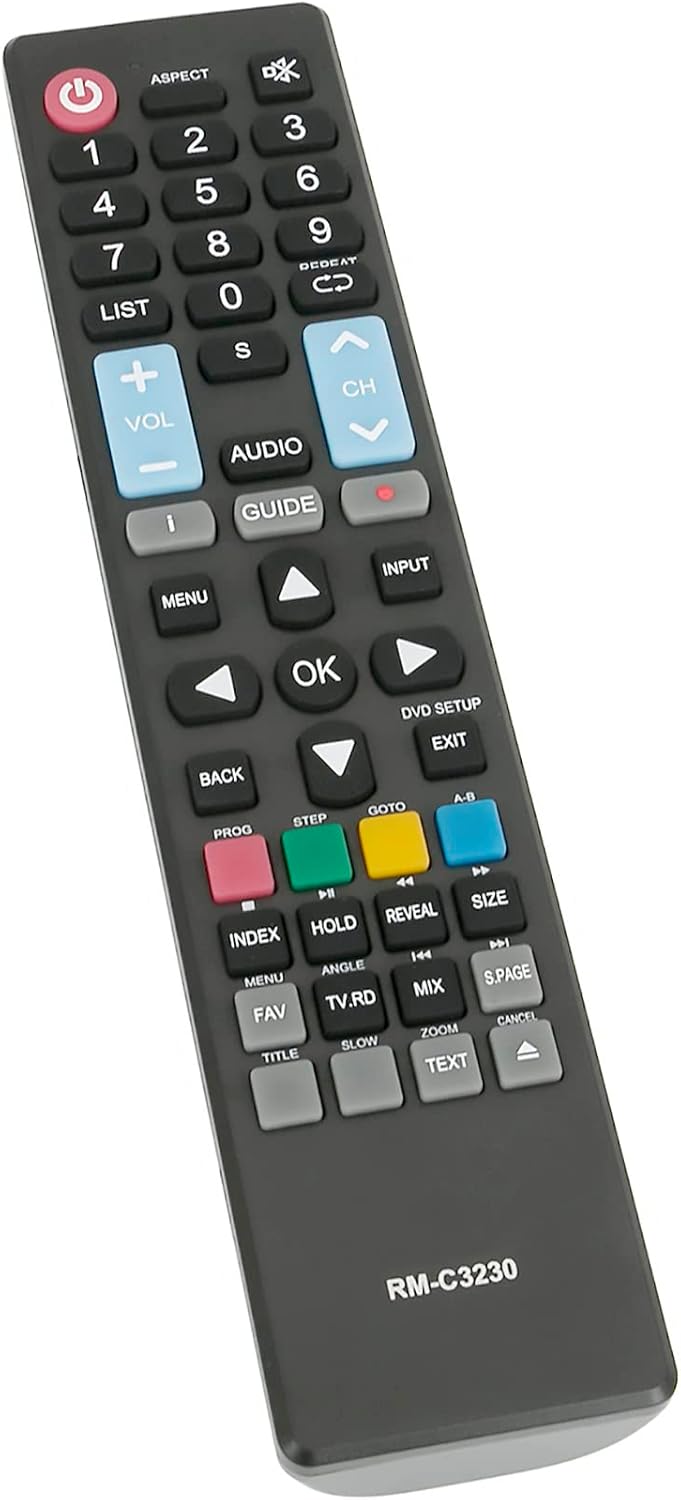
Image 2: Angled view of the ALLIMITY Replacement Remote Control, highlighting its ergonomic design and button placement for comfortable use.
Setup
- Insert Batteries: Open the battery compartment cover on the back of the remote control. Insert two AAA alkaline batteries, ensuring correct polarity (+ and -).
- Close Compartment: Replace the battery compartment cover securely.
- No Programming Required: This remote control is pre-programmed and ready to use immediately with compatible RCA and HKC HD TV models. No additional setup or code entry is necessary.
Operating Instructions
Familiarize yourself with the remote's buttons for optimal control of your television.
- Power Button (●): Press to turn your TV on or off.
- Number Buttons (0-9): Use to directly select channels.
- Volume Up/Down (VOL +/-): Adjust the sound level.
- Channel Up/Down (CH +/-): Change TV channels sequentially.
- MENU: Access the TV's main menu.
- INPUT: Select different input sources (HDMI, AV, etc.).
- Navigation Buttons (Up, Down, Left, Right, OK): Navigate through menus and confirm selections.
- BACK/EXIT: Return to the previous screen or exit the current menu.
- GUIDE: Access the electronic program guide (if supported by your TV).
- LIST: View a list of channels or recorded programs.
- AUDIO: Change audio tracks or modes.
- ASPECT: Adjust the screen aspect ratio.
- Color Buttons (Red, Green, Yellow, Blue): These buttons perform specific functions depending on the TV menu or application.
Maintenance
- Battery Replacement: Replace batteries when the remote's response becomes sluggish or stops working. Always use new AAA alkaline batteries. Do not mix old and new batteries, or different types of batteries.
- Cleaning: Wipe the remote control with a soft, dry cloth. Do not use liquid cleaners or abrasive materials.
- Storage: If the remote will not be used for an extended period, remove the batteries to prevent leakage.
Troubleshooting
- Remote not working:
- Check if the batteries are inserted correctly with the correct polarity.
- Replace old batteries with new ones.
- Ensure there are no obstructions between the remote control and the TV's infrared sensor.
- Make sure you are within the effective operating range (up to 10 meters).
- Some buttons are unresponsive:
- Clean the remote control, especially around the unresponsive buttons, to remove any dirt or debris.
- If the issue persists after replacing batteries, the remote may require replacement.
- TV not responding to remote:
- Verify that your TV model is listed as compatible.
- Ensure the TV's power is on.
- Remote range is limited:
- Replace batteries.
- Ensure no strong light sources (like direct sunlight) are interfering with the IR signal.
Specifications
- Brand: ALLIMITY
- Model Name: QYSY-PSGA-H-QYSY
- Connectivity Technology: Infrared
- Color: Black
- Special Feature: Ergonomic design
- Maximum Range: 10 Meters
- Number of Buttons: 40
- Compatible Devices: RCA HKC HD TV models including 13M4, 13M4C, 16M4, 16M4C, 17H2, 32C1NHD-T2, 17H2C, 24C2NB, 24C2NBD, 32C9A, 32D1-H2EU, 40F1, 43F3, 43F6, 50F1, R40F1FHD-EU, RB24H1-UK, RB32H1-EU, RB40F1-EU, RS43F1-EU, RS50U1-EU, RS55U1-EU, RS65U1-EU, and others listed in product description.
Warranty and Support
For warranty information or technical support, please refer to the seller's policy or contact the point of purchase. Keep your purchase receipt for any warranty claims.


