
Introduction
This manual provides essential information for the safe and efficient operation, maintenance, and troubleshooting of your Denver Elektro Roller SEL-80150FB. Please read this manual thoroughly before using the scooter to ensure proper handling and to prevent damage or injury.
Setup
Unpacking
Carefully remove all components from the packaging. Ensure all parts listed in the packing list are present. Retain the packaging for future storage or transport.
Assembly
- Handlebar Attachment: Insert the handlebar stem into the main frame until it clicks securely into place. Ensure the quick-release lever is fully engaged.
- Check Connections: Verify all cables and wires are properly connected and not pinched.
- Tire Inflation: Ensure both pneumatic tires are inflated to the recommended pressure, typically indicated on the tire sidewall or in the specifications section.
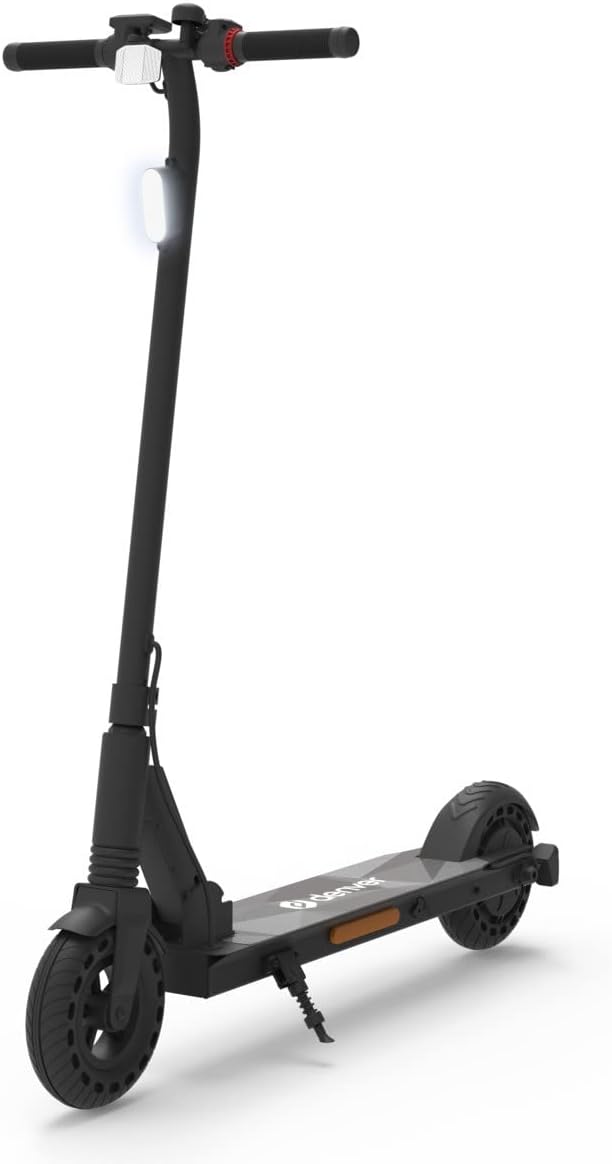
Figure 1: The Denver Elektro Roller SEL-80150FB electric scooter. This image displays the scooter's overall design, including the handlebars, front wheel with fender, main stem, footboard with the Denver logo, kickstand, and rear wheel.
Initial Charge
Before first use, fully charge the scooter's battery. Connect the charger to the charging port and then to a power outlet. The charging indicator light will change color (e.g., red to green) when fully charged. This typically takes several hours.
Operating Instructions
Powering On/Off
- To Power On: Press and hold the power button located on the handlebar for approximately 3 seconds until the display illuminates.
- To Power Off: Press and hold the power button again for approximately 3 seconds until the display turns off.
Riding
- Place one foot firmly on the footboard.
- Push off with your other foot to gain initial momentum.
- Once moving, gently press the accelerator lever (throttle) on the handlebar.
- Place your second foot on the footboard.
- Maintain balance and steer by gently leaning and turning the handlebars.
Braking
To slow down or stop, gently squeeze the brake lever located on the handlebar. Apply gradual pressure to avoid sudden stops. The scooter may also feature a rear fender brake for additional stopping power.
Folding/Unfolding
The scooter features a folding mechanism for portability and storage.
- To Fold: Locate the folding latch near the base of the handlebar stem. Release the safety lock and pull the latch to fold the stem downwards until it locks into place with the rear fender.
- To Unfold: Release the latch from the rear fender, lift the handlebar stem upwards until it clicks securely into its upright position, and engage the safety lock.
Maintenance
Cleaning
Wipe the scooter with a damp cloth after use. Do not use high-pressure water jets or immerse the scooter in water, as this can damage electronic components.
Tire Pressure
Regularly check the tire pressure. Under-inflated tires can reduce range and performance. Refer to the tire sidewall for recommended PSI (Pounds per Square Inch).
Battery Care
- Charge the battery regularly, even if not in use, to maintain battery health.
- Avoid completely draining the battery before recharging.
- Store the scooter in a cool, dry place when not in use for extended periods.
Storage
When storing the scooter for long periods, ensure it is clean and the battery is charged to approximately 50-70%. Store in a dry environment away from direct sunlight and extreme temperatures.
Troubleshooting
Common Issues and Solutions
| Problem | Possible Cause | Solution |
|---|---|---|
| Scooter does not power on. | Low or depleted battery. Power button not pressed correctly. | Charge the battery fully. Press and hold the power button firmly for 3 seconds. |
| Reduced range or speed. | Under-inflated tires. Overload. Cold weather. | Check and inflate tires to recommended PSI. Ensure rider weight is within limits. Battery performance may be reduced in cold temperatures. |
| Brakes feel loose or ineffective. | Brake cable needs adjustment. Brake pads worn. | Adjust the brake cable tension. Inspect brake pads for wear and replace if necessary. Consult a service center if unsure. |
Specifications
- Brand: Denver
- Model: SEL-80150FB
- ASIN: B0C4GNLDY2
- Number of Wheels: 2
- Wheel Material: Rubber
- Wheel Type: Pneumatic
- First Available Date: May 5, 2023
- Note: Specific details like motor power, battery capacity, and maximum speed are not provided in the source data but are typical specifications for electric scooters. Refer to product packaging or official product page for full details.
Warranty and Support
Warranty Information
This product is covered by a manufacturer's warranty. Please refer to the warranty card included with your purchase or visit the official Denver website for detailed terms and conditions. Keep your proof of purchase for warranty claims.
Customer Support
For technical assistance, spare parts, or service inquiries, please contact Denver customer support. Contact details can typically be found on the official Denver website or on the product packaging.