
1. Introduction
This manual provides comprehensive instructions for the safe and effective operation of your Soonkoda Digital Illuminance Light Meter Tester, Model S8608. This device is designed for accurate measurement of visible brightness (illumination) across a wide range, making it suitable for various applications including schools, hospitals, factories, airports, homes, and for assessing lighting conditions for grow plants or film photography.
Please read this manual thoroughly before use and retain it for future reference.
2. Package Contents
- 1x Soonkoda Digital Illuminance Light Meter Tester (Model S8608)
- 3x AAA Batteries
- 1x Instruction Manual (English and Chinese versions)

Image: The Soonkoda S8608 Digital Illuminance Light Meter and included AAA batteries.
3. Product Overview
3.1 Components and Controls
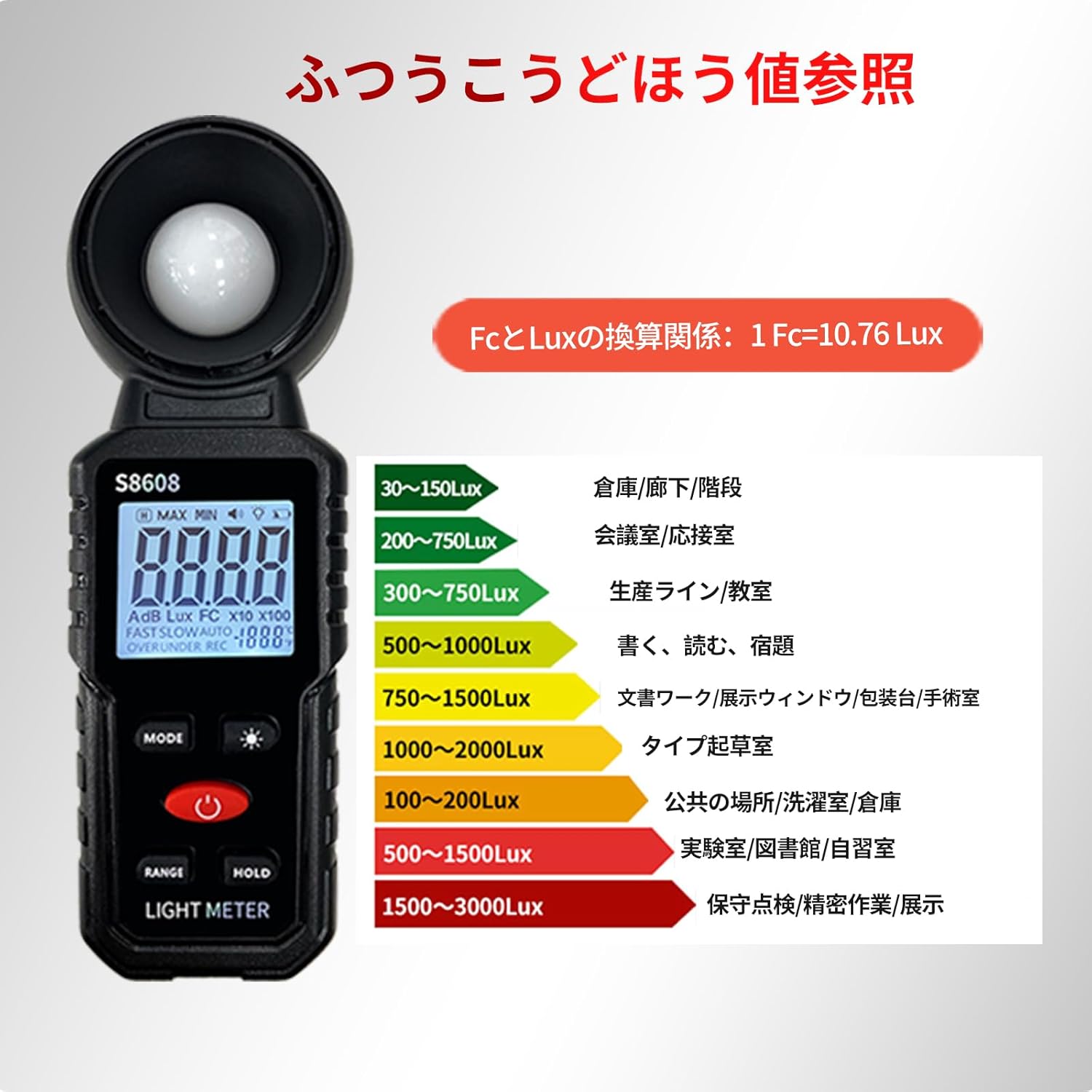
Image: Front view of the Soonkoda S8608 Digital Illuminance Light Meter with key components labeled.
- Illumination Sensor: Detects light intensity. Protected by a removable cover.
- LCD Display: Shows measurement readings, units, and other indicators. Features a backlight for low-light conditions.
- MODE Button: Used to switch between illumination units (LUX/FC).
- Backlight Button: Activates or deactivates the display backlight.
- Power Button: Turns the device on or off.
- RANGE Button: Used to access MAX/MIN measurement modes.
- HOLD Button: Freezes the current measurement on the display.
3.2 Key Features
- Wide Measurement Range: Capable of measuring up to 200,000 LUX (18,500 FC).
- Unit Conversion: Easily switch between LUX and Foot-Candle (FC) units. (1 FC = 10.76 LUX)
- Data Hold Function: Freeze the current reading for convenient recording.
- MAX/MIN Measurement: Display the maximum or minimum recorded illumination value.
- Backlight Function: Improves readability in dimly lit environments.
- Auto Power Off: Automatically shuts down after 5 minutes of inactivity to conserve battery life.
- Low-Battery Indicator: Alerts the user when batteries need replacement.

Image: Visual representation of the light meter's core features.
4. Setup
4.1 Battery Installation
- Locate the battery compartment on the back of the device.
- Open the battery compartment cover.
- Insert 3 AAA batteries, ensuring correct polarity (+/-).
- Close the battery compartment cover securely.

Image: Battery compartment of the S8608, illustrating battery placement.
5. Operating Instructions
- Power On/Off: Press the red Power button to turn the device on. Press and hold the Power button to turn it off. The device will automatically power off after 5 minutes of inactivity.
- Remove Sensor Protection Cover: Before taking any measurements, slide the black 'OPEN' cover away from the illumination sensor to expose the white light-sensitive dome.
- Unit Switching (LUX/FC): Press the MODE button to toggle between LUX and Foot-Candle (FC) measurement units. The selected unit will be displayed on the LCD.
- Backlight Function: Press the Backlight button (light bulb icon) to turn the LCD backlight on or off. This is useful for reading measurements in low-light conditions.
- Data Hold: Press the HOLD button to freeze the current reading on the display. Press it again to release the hold and resume live measurements.
- MAX/MIN Measurement: Press the RANGE button to cycle through MAX (maximum value) and MIN (minimum value) display modes. This allows you to capture the highest or lowest light intensity during a measurement period.
- Taking Measurements: Point the exposed illumination sensor towards the light source or area you wish to measure. Ensure no obstructions block the sensor. The reading will be displayed on the LCD.

Image: Detailed view of the meter's display and controls for various functions.
6. Maintenance
- Cleaning: Use a soft, dry cloth to clean the device. Do not use abrasive cleaners or solvents. Keep the illumination sensor clean and free from dust or debris to ensure accurate readings.
- Storage: When not in use, store the device in a cool, dry place. Ensure the sensor protection cover is in place to prevent damage to the sensor. Remove batteries if the device will not be used for an extended period to prevent leakage.
- Battery Replacement: When the low-battery indicator appears on the display, replace all 3 AAA batteries promptly to maintain optimal performance.
7. Troubleshooting
- No Display/Device Not Turning On:
- Check if batteries are installed correctly with the right polarity.
- Replace with new AAA batteries if current ones are depleted.
- Inaccurate Readings:
- Ensure the sensor protection cover is removed during measurement.
- Clean the illumination sensor dome with a soft cloth to remove any dust or smudges.
- Verify that the device is held steadily and the sensor is pointed directly at the light source or measurement area.
- Low Battery Indicator:
- The battery symbol in the upper right corner of the display indicates low battery. Replace batteries immediately.
8. Specifications
| Feature | Detail |
|---|---|
| Model | S8608 |
| Measurement Range | Up to 200,000 LUX (18,500 FC) |
| Units | LUX, FC (1 FC = 10.76 LUX) |
| Power Source | 3 AAA batteries (included) |
| Dimensions | 16.8 x 5.8 x 4.1 cm |
| Weight | 130 g |
| Manufacturer | Soonkoda |
9. Warranty and Support
For warranty information or technical support, please refer to the contact details provided with your purchase or visit the official Soonkoda website. Keep your purchase receipt as proof of purchase for any warranty claims.