
1. Product Overview
The Sangyn Landline Phone for Seniors is designed for ease of use, featuring large buttons, adjustable volume, and one-touch photo dialing. It is suitable for individuals with visual or hearing impairments, ensuring reliable communication.

Figure 1: Sangyn Landline Phone for Seniors (White Model)
2. Setup Guide
2.1 Package Contents
- Sangyn Landline Phone Unit
- Handset
- Coiled Handset Cord
- Telephone Line Cord
- Instruction Manual
2.2 Connecting the Phone
- Connect one end of the coiled handset cord to the handset and the other end to the port labeled HANDSET on the side of the phone unit.
- Connect one end of the telephone line cord to the port labeled LINE on the back of the phone unit.
- Connect the other end of the telephone line cord to your wall telephone jack.
2.3 Desk or Wall Mounting
The Sangyn phone can be placed on a desk or mounted on a wall for convenience.
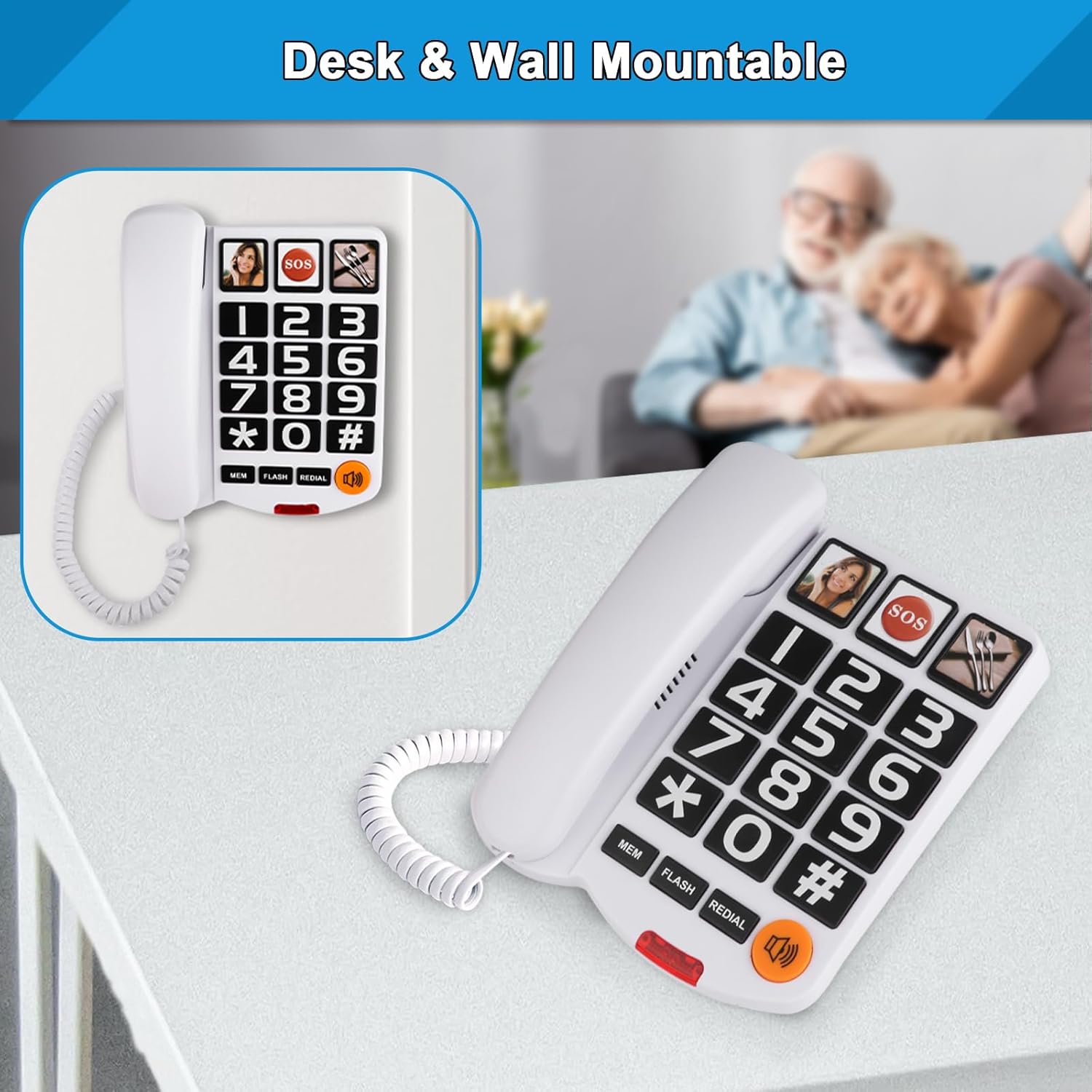
Figure 2: Desk and Wall Mountable Options
2.4 Programming Photo Memory Buttons
The phone features three one-touch photo memory buttons (M1, M2, M3) for frequently dialed numbers. You can insert small pictures of contacts for easy identification.
- Carefully lift the clear plastic cover on the desired photo memory button.
- Insert a small, pre-cut photo of the contact under the plastic cover.
- Replace the plastic cover securely.
- To program the number:
- Press the MEM button.
- Dial the phone number you wish to store (up to 16 digits).
- Press the MEM button again.
- Press the desired photo memory button (M1, M2, or M3) to save the number.

Figure 3: Photo Memory Button Functionality
2.5 Adjusting Volume
The phone offers adjustable volume for the speaker, ringer, and handset.
- Speaker Volume: Use the slider switch on the side/back of the phone to adjust the speaker volume (MIN to MAX).
- Ringer Volume: Use the switch on the side/back of the phone to set the ringer to LOW or HI.
- Handset Volume: Use the switch on the side/back of the phone to set the handset volume to LOW or HI.

Figure 4: Volume Adjustment Controls
3. Operating Instructions
3.1 Making a Call
- Standard Dialing: Lift the handset, wait for a dial tone, and then dial the desired phone number using the large numeric keypad.
- One-Touch Photo Dialing: Lift the handset (or ensure speakerphone is active), then simply press the desired programmed photo memory button (M1, M2, or M3). The phone will automatically dial the stored number.
- Redial: Lift the handset, then press the REDIAL button to call the last dialed number.

Figure 5: One-Touch Dialing Feature
3.2 Answering a Call
When an incoming call is received, the phone's ringer will sound, and a flashing light indicator will activate.

Figure 6: Flashing Light Indicator for Incoming Calls
- To answer, simply lift the handset.
- To use the speakerphone, press the SPEAKER button.
3.3 Using the Flash Button
The FLASH button is used to activate custom calling features provided by your telephone service provider, such as Call Waiting. Consult your service provider for available features and instructions.
4. Maintenance
To ensure the longevity and proper functioning of your Sangyn Landline Phone, follow these maintenance guidelines:
- Cleaning: Wipe the phone's surface with a soft, damp cloth. Do not use abrasive cleaners or solvents.
- Placement: Avoid placing the phone in direct sunlight, near heat sources, or in areas with high humidity.
- Handling: Handle the phone and its cords with care to prevent damage.
5. Troubleshooting
If you experience issues with your Sangyn Landline Phone, refer to the following common problems and solutions:
| Problem | Possible Cause | Solution |
|---|---|---|
| No dial tone | Phone line not connected properly; service outage. | Check all cable connections. Contact your telephone service provider. |
| Cannot hear caller / Caller cannot hear me | Volume too low; faulty connection. | Adjust handset/speaker volume. Ensure handset cord is securely connected. |
| Ringer not working | Ringer volume set to LOW; phone line issue. | Set ringer volume to HI. Check phone line connection. |
| Memory buttons lose programming | Power interruption (though designed to retain memory); incorrect programming. | Re-program the memory buttons following the instructions in Section 2.4. |
6. Specifications
- Brand: Sangyn
- Model: S-LD269-Phone-White
- Color: White
- Telephone Type: Corded
- Power Source: Corded Electric
- Dialer Type: Single Keypad (Large Buttons)
- Item Dimensions (L x W x H): 8.15 x 7.2 x 3.35 inches
- Item Weight: 1.37 pounds
- Ringer Volume: Exceeds 100 dB (Adjustable)
- Hearing Aid Compatible: Yes
- Memory Functions: 3 One-Touch Photo Memories, 10 Two-Touch Number Memories
- Additional Features: Redial, Flash, Flashing Light Indicator for Incoming Calls, Desk and Wall Mountable
7. Warranty and Support
For warranty information and customer support, please refer to the product packaging or visit the official Sangyn website. Keep your purchase receipt for any warranty claims.