
Adoolla AC-14000 BTU
Adoolla 14000 BTU Portable Air Conditioner User Manual (Model AC-14000 BTU)
Comprehensive instructions for setup, operation, and maintenance of your Adoolla 14000 BTU Portable Air Conditioner.
1. Product Overview
The Adoolla 14000 BTU Portable Air Conditioner is a versatile 3-in-1 unit designed to provide cooling, fan, and dehumidifying functions for spaces up to 750 sq. ft. It features a powerful compressor, user-friendly controls, and a convenient window installation kit for easy setup.

Image 1: Adoolla 14000 BTU Portable Air Conditioner and its remote control.
2. Safety Information
Before operating this appliance, please read all instructions carefully to ensure safe and proper use. Keep this manual for future reference.
- Ensure the unit is placed on a flat, stable surface to prevent tipping.
- Do not block air inlets or outlets. Maintain adequate clearance around the unit for proper airflow.
- Do not operate the unit with a damaged power cord or plug.
- Keep children and pets away from the unit during operation.
- Unplug the unit from the power outlet before cleaning or performing any maintenance.
- Do not use the unit in wet or damp environments.
3. Package Contents
Verify that all components are present in the package:
- 1x Portable Air Conditioner Unit
- 1x LED Remote Control
- 1x Exhaust Hose
- 1x Window Vent Installation Kit (window slider kit)
- 1x Drain Hose
- 1x Unit Adaptor

Image 2: Included components for the Adoolla Portable Air Conditioner, including the main unit, remote, exhaust hose, and window kit parts.
4. Setup and Installation
Follow these steps to properly set up your portable air conditioner:
- Connect the Exhaust Hose:
Attach the hose connector to one end of the exhaust hose. Rotate the vent hose into the exhaust nozzle counter-clockwise until secure. Then, attach the other end of the hose connector to the exhaust air outlet on the back of the AC unit.

Image 3: Visual guide for connecting the exhaust hose to the unit and the window kit.
- Install the Window Vent Kit:
Extend the adjustable exhaust hose to fit your window opening. Insert the exhaust hose adapter into the window kit. Secure the window kit in place, ensuring a tight seal to prevent air leakage.
- Position the Unit:
Place the unit on a level surface near a window and a power outlet. Ensure there is at least 20 inches of space around the unit for proper air circulation.
Installation Video Guide
Video 1: Detailed installation and setup guide for the Adoolla Portable Air Conditioner.
5. Operating Instructions
The Adoolla Portable Air Conditioner offers multiple operating modes and settings for optimal comfort.
Control Panel and Remote Control
The unit can be controlled using the LED digital control panel on top of the unit or the included remote control.

Image 4: The LED touch panel and remote control for easy operation.
Operating Modes
- Cool Mode: Provides powerful cooling with adjustable temperature settings from 61°F to 88°F.
- Fan Mode: Circulates air without cooling. Fan speeds (Low, Medium, High) can be adjusted.
- Dehumidifier Mode: Reduces humidity in the room, collecting up to 90 pints per day.

Image 5: Overview of the multi-functionality settings.
Additional Features
- Timer: Program the unit to turn on or off automatically within a 24-hour period.
- Sleep Mode: Operates quietly with reduced fan speed and gradual temperature adjustment for comfortable sleep.
- Swing Function: Activates the automatic swing of the air louvers for wider air distribution.
Operation Video Guide
Video 2: Demonstrates the various operating modes and remote control functions.
6. Maintenance
Regular maintenance ensures optimal performance and longevity of your air conditioner.
Cleaning the Air Filter
The air filter should be cleaned regularly, especially if the unit is used frequently.
- Unplug the air conditioner from the power outlet.
- Locate the air filter on the back of the unit.
- Gently slide out the filter.
- Wash the filter under running water with a mild detergent.
- Allow the filter to air dry completely before reinserting it into the unit.
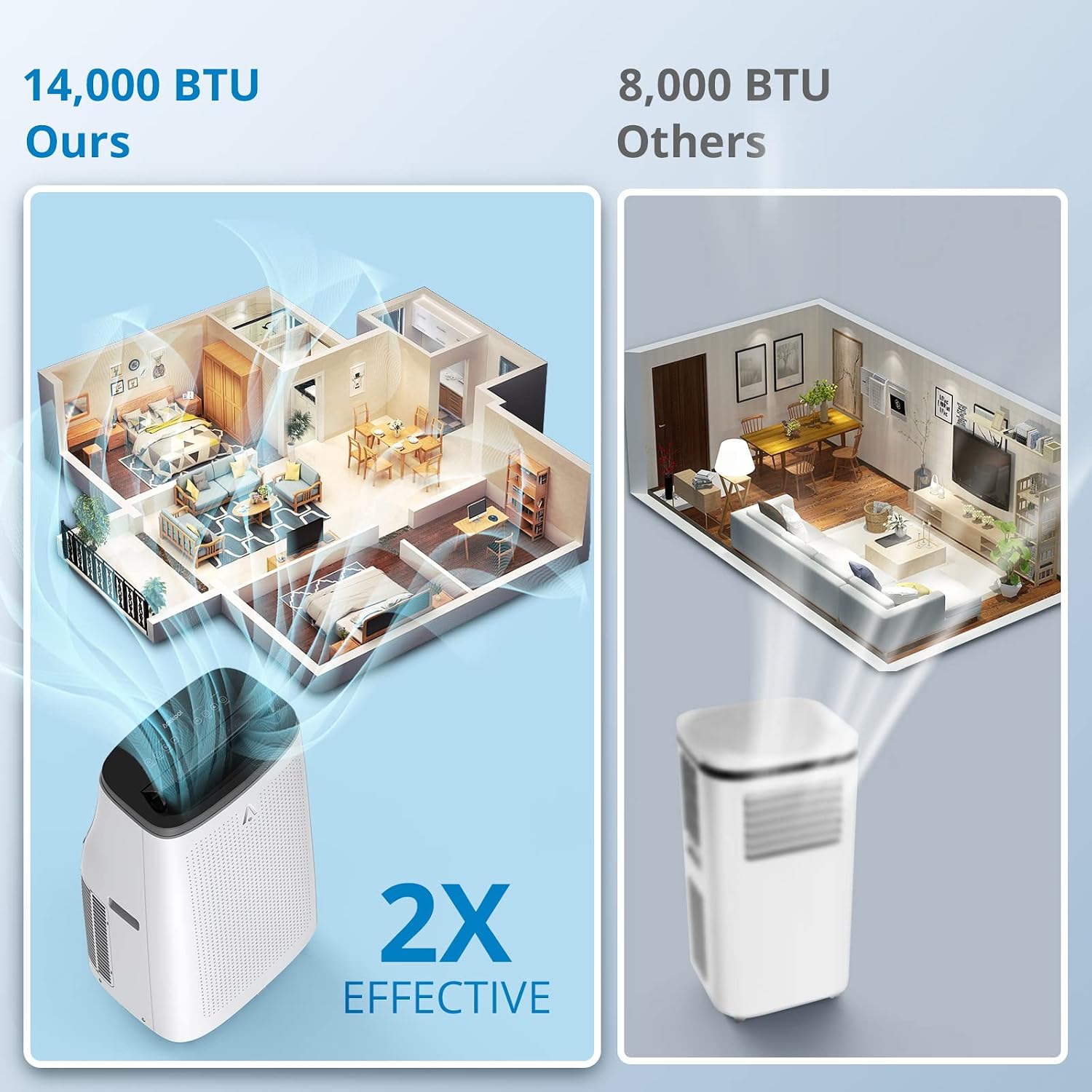
Image 6: Removing the slide-out air filter for cleaning.

Image 7: The washable and reusable air filter being cleaned.
Draining Water
In dehumidifier mode or high humidity conditions, the unit will collect water. Refer to the full manual for detailed instructions on draining the collected water.
7. Troubleshooting
If you encounter issues with your Adoolla Portable Air Conditioner, refer to the following common troubleshooting steps:
- Unit does not turn on: Check if the power cord is securely plugged into a working outlet. Ensure the unit is not in standby mode and the power button has been pressed.
- Unit is not cooling effectively: Verify that the room size is within the recommended range (up to 750 sq. ft.). Check if the air filter is clean and not obstructed. Ensure the exhaust hose is properly installed and sealed, and windows/doors are closed.
- Water leakage: Check the drain hose connection and ensure it is not blocked or kinked. If the unit is operating in dehumidifier mode, ensure the drain hose is directed to a suitable drainage point.
- Unusual noise: Ensure the unit is on a flat, stable surface. Check for any foreign objects obstructing the fan or air vents.
For more detailed troubleshooting or persistent issues, please contact customer support.
8. Specifications
| Feature | Specification |
|---|---|
| Brand | Adoolla |
| Model Number | AC-14000 BTU |
| Cooling Power (ASHRAE) | 14000 British Thermal Units |
| Cooling Power (SACC) | 9300 BTU |
| Floor Area Coverage | Up to 750 Square Feet |
| Dehumidification Capacity | 90 Pints/Day |
| Product Dimensions | 15.3"D x 18.9"W x 30.5"H |
| Item Weight | 60 pounds |
| Voltage | 115 Volts |
| Noise Level | 53 Decibels |
| Refrigerant | R-32 |
| Special Features | Fast Cooling, Portable AC, 3-in-1 Functionality |
9. Warranty and Support
This Adoolla Portable Air Conditioner comes with a 1-year warranty from the date of purchase. This warranty covers manufacturing defects and malfunctions under normal use.
For warranty claims, technical support, or any product-related inquiries, please contact Adoolla customer service. Please have your model number (AC-14000 BTU) and proof of purchase ready when contacting support.
Contact information for customer support can typically be found on the product packaging or the official Adoolla website.
Ask a question about this manual
Ask about setup, troubleshooting, compatibility, parts, safety, or missing instructions. Manuals+ will review the question and use this page’s manual context to help answer it.