
1. Introduction
This manual provides essential instructions for the safe and effective use of your GFTVRCE VR Base Station 2.0 AC Power Wall Charger Supply Adapter. Please read this manual thoroughly before use and retain it for future reference. This product is designed to provide power to Valve Index VR Base Stations 2.0.
2. Safety Information
- Ensure the power adapter is compatible with your device's voltage and current requirements. This adapter is rated for 110 Volts input and 0.83 Amps output.
- Do not expose the adapter or cable to water, moisture, or extreme temperatures.
- Avoid dropping or subjecting the adapter to severe impact.
- Do not attempt to disassemble or modify the adapter. This may void the warranty and pose a safety risk.
- Keep out of reach of children.
- Unplug the adapter from the power outlet when not in use for extended periods.
3. Package Contents
Verify that all items are present in your package:
- 1 x GFTVRCE AC Power Wall Charger Supply Adapter
- 1 x 5-meter Charging Cable Cord (integrated with adapter)
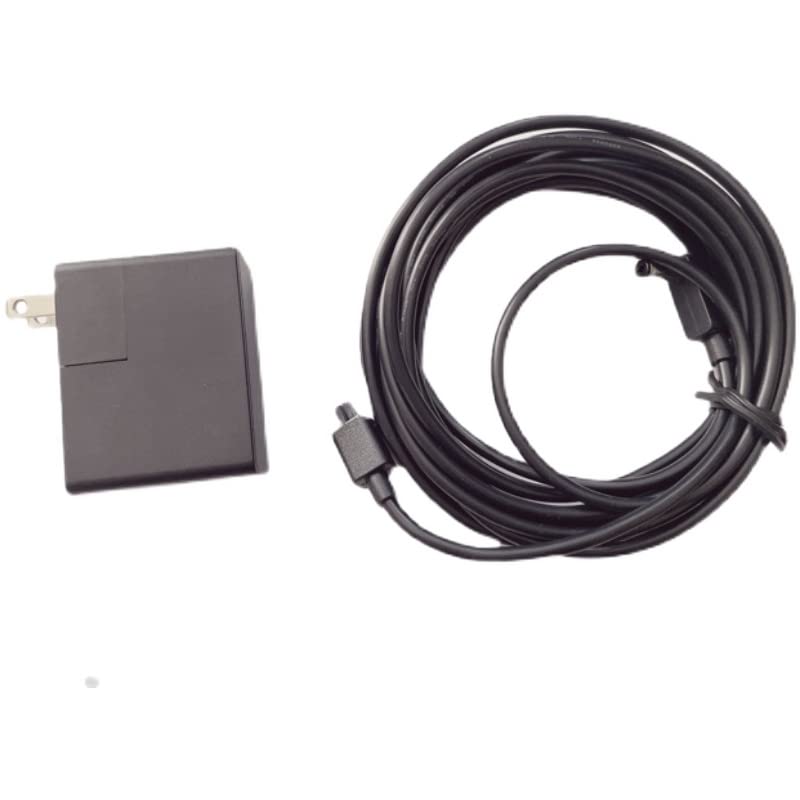
Image: The GFTVRCE AC Power Wall Charger Supply Adapter, a black rectangular block with two prongs for a wall outlet, shown next to its coiled 5-meter black charging cable with a 2-pin connector.
4. Setup
- Identify the Base Station: Locate the power input port on your Valve Index VR Base Station 2.0.
- Connect the Cable: Carefully insert the 2-pin connector of the GFTVRCE charging cable into the power input port of the VR Base Station. Ensure a secure connection.
- Plug into Power Outlet: Insert the AC power adapter into a standard 110-volt wall outlet.
- Verify Power: The VR Base Station should power on, indicated by its status light.
5. Operating Instructions
Once connected, the power adapter continuously supplies power to the VR Base Station. No further user interaction is typically required for operation. The adapter is designed for continuous use during VR sessions.
- The 5-meter cable provides extended reach for flexible base station placement.
- The adapter features fast charging capabilities for efficient power delivery.
6. Maintenance
- Cleaning: Disconnect the adapter from the power outlet and the device before cleaning. Use a soft, dry cloth to wipe the surface. Do not use liquid cleaners or aerosols.
- Cable Care: Avoid sharp bends or kinks in the cable. Do not place heavy objects on the cable.
- Storage: When not in use, store the adapter and cable in a cool, dry place, away from direct sunlight and extreme temperatures.
7. Troubleshooting
| Problem | Possible Cause | Solution |
|---|---|---|
| VR Base Station not powering on. | No power from outlet; loose connection; faulty adapter. | Check wall outlet with another device. Ensure cable is securely connected to base station and adapter is fully plugged into outlet. If problem persists, contact support. |
| Adapter feels excessively hot. | Overload; poor ventilation; internal fault. | Disconnect immediately. Ensure adapter is in a well-ventilated area. Do not use if overheating continues. Contact support. |
| Cable appears damaged. | Physical damage. | Discontinue use immediately. Damaged cables can pose electrical hazards. Replace the adapter. |
8. Specifications
- Model: GFTVRCE_xxxx
- Input Voltage: 110 Volts
- Output Current: 0.83 Amps
- Wattage: 5 watts
- Connector Type: 2-Pin
- Cable Length: 5 meters
- Compatible Devices: Virtual Reality Headset (specifically Valve Index Base Station 2.0)
- Special Feature: Fast Charging
- Item Weight: 9.6 ounces
- Package Dimensions: 10.79 x 5.59 x 2.36 inches
9. Warranty and Support
For warranty information or technical support, please refer to the retailer's return policy or contact GFTVRCE customer service through the platform where the product was purchased. Please have your model number (GFTVRCE_xxxx) and purchase details available when contacting support.
For additional assistance, you may visit the product page on Amazon.com.