
1. Introduction
This manual provides instructions for the installation, operation, and maintenance of your BTF-LIGHTING FCOB COB LED Strip. This RGBCCT LED strip offers a wide range of colors and tunable white light, suitable for various indoor decorative and functional lighting applications. Please read this manual thoroughly before installation and use to ensure proper function and safety.
2. Safety Information
- Ensure the power supply is disconnected before installation or maintenance.
- This product is designed for indoor use only (IP30 rating). Avoid exposure to moisture or outdoor elements.
- Use only with a compatible DC24V power supply. Using an incorrect voltage may damage the strip.
- Do not power the LED strip when it is rolled up, as this can cause overheating and damage.
- Avoid bending the strip sharply or applying excessive force, which can damage the internal circuitry.
- Keep out of reach of children.
3. Package Contents
Verify that all items are present in your package:
- 1x 16.4FT FCOB RGBCCT LED strip
- 2x 6-pin connectors
- 6x LED Strip fixed clips
- 1x 15cm 6-pin 24AWG wire cable

Figure 3.1: Included components in the package.
4. Product Features
- RGBCCT Color Changing: Offers full RGB color spectrum and tunable white light (3000K warm white to 6000K cool white).
- High Density FCOB Technology: Features 960 LEDs per meter for ultra-bright, soft, and uniform illumination without visible light spots.
- Flexible and Cuttable: The strip is flexible for various installations and can be cut at designated points to fit specific lengths.
- Durable Construction: Utilizes a double-layer copper PCB board for enhanced electronic conductivity and heat dissipation, ensuring a lifespan of over 65,000 hours.
- Easy Installation: Equipped with a strong self-adhesive backing for simple mounting.

Figure 4.1: Comparison of FCOB LED strip uniformity.
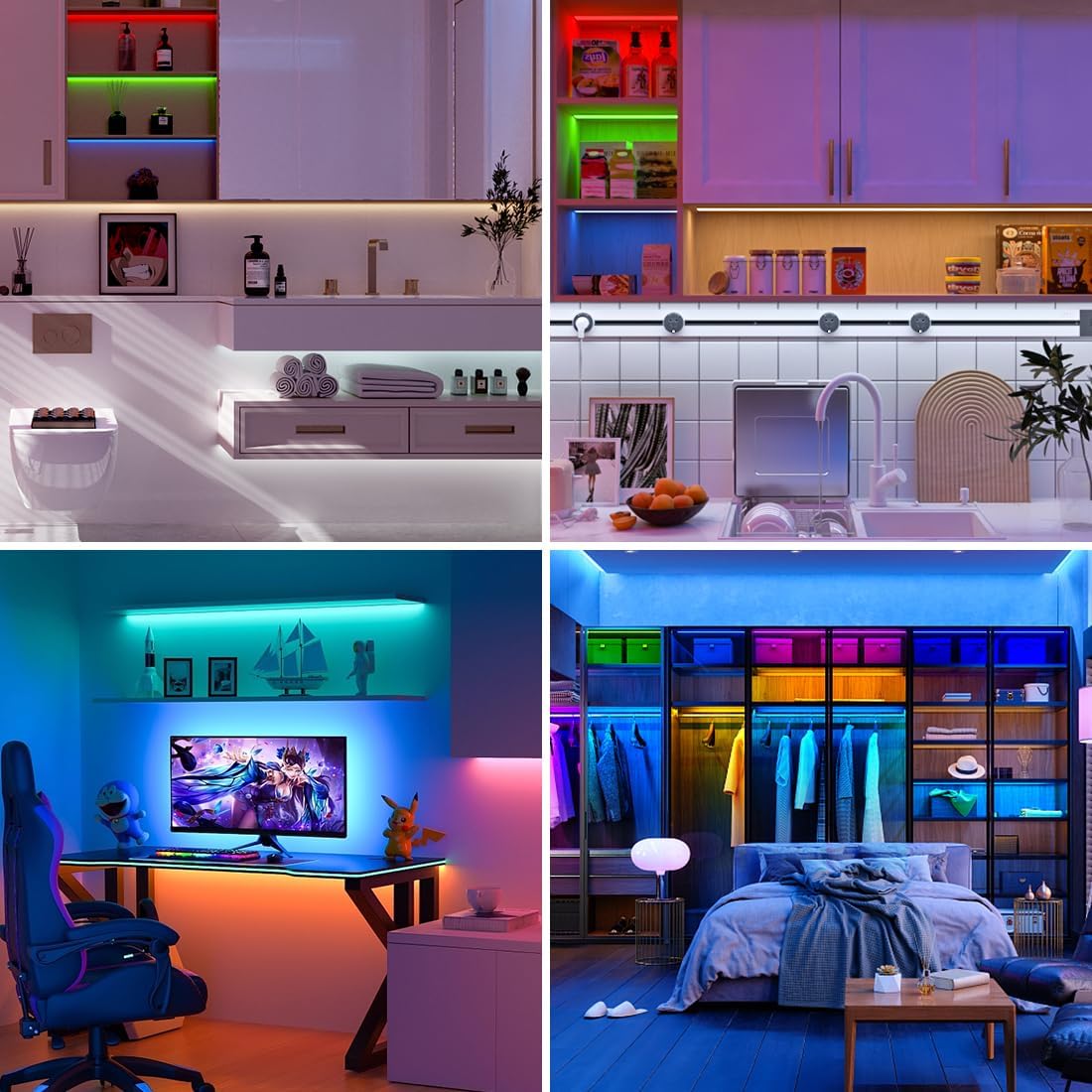
Figure 4.2: FCOB vs. SMD LED strip light distribution.
5. Setup and Installation
5.1 Preparation
- Ensure the installation surface is clean, dry, and smooth for optimal adhesive performance.
- Measure the desired length for your LED strip.
5.2 Cutting the LED Strip
The LED strip can be cut at designated cutting marks, typically indicated by a copper pad with a scissor icon. Ensure to cut only at these marks to avoid damaging the circuit.

Figure 5.1: LED strip dimensions and cuttable sections.

Figure 5.2: Features for installation: flexibility, cut points, adhesive, clips, and connection.
5.3 Mounting the LED Strip
- Peel off the protective backing from the double-sided adhesive tape on the back of the LED strip.
- Carefully press the strip onto the prepared surface, ensuring firm contact along its entire length.
- For added security, use the provided fixed clips at regular intervals, especially around corners or areas with potential stress.

Figure 5.3: Applying the LED strip with adhesive backing.


Figure 5.4: Various connection methods and use of fixed clips.
5.4 Wiring and Connection
This LED strip requires a DC24V power supply and a compatible RGBCCT controller (both sold separately). The strip has 6-pin connectors (V+, G, R, B, C, W).
- Connect the 6-pin connector from the LED strip to the corresponding output on your RGBCCT controller.
- Connect the controller to a DC24V power supply.
- Connect the DC24V power supply to an AC 110-220V power source.
- Important: Do not turn on the light strip when it is rolled up, as this can cause severe overheating and damage.

Figure 5.5: Basic wiring diagram for a single LED strip.

Figure 5.6: Wiring diagram for multiple LED strips with an amplifier.
6. Operating Instructions
Once properly installed and connected to a compatible RGBCCT controller (not included), you can operate your LED strip. Refer to your controller's specific manual for detailed instructions on its functions.
- Power On/Off: Use the controller to turn the LED strip on or off.
- Color Selection: Select from 16 million RGB colors using your controller's color wheel or preset options.
- Tunable White: Adjust the white light color temperature from 3000K (warm white) to 6000K (cool white).
- Dimming: Adjust the brightness level to your preference.
- Modes: Many controllers offer various dynamic modes, such as flashing, fading, or color cycling.

Figure 6.1: Examples of tunable white and RGB color lighting.

Figure 6.2: Demonstration of dimming capabilities.
6.1 Compatible Controllers (Sold Separately)
This LED strip is compatible with various RGBCCT controllers. Examples include:
- RF Controllers (e.g., C05RF+RC03RFB)
- WiFi Alexa Controllers (e.g., WB5, C05W)
- Zigbee 3.0 Controllers (e.g., LM052, C05Z)
- Bluetooth Mesh Controllers (e.g., LM053)
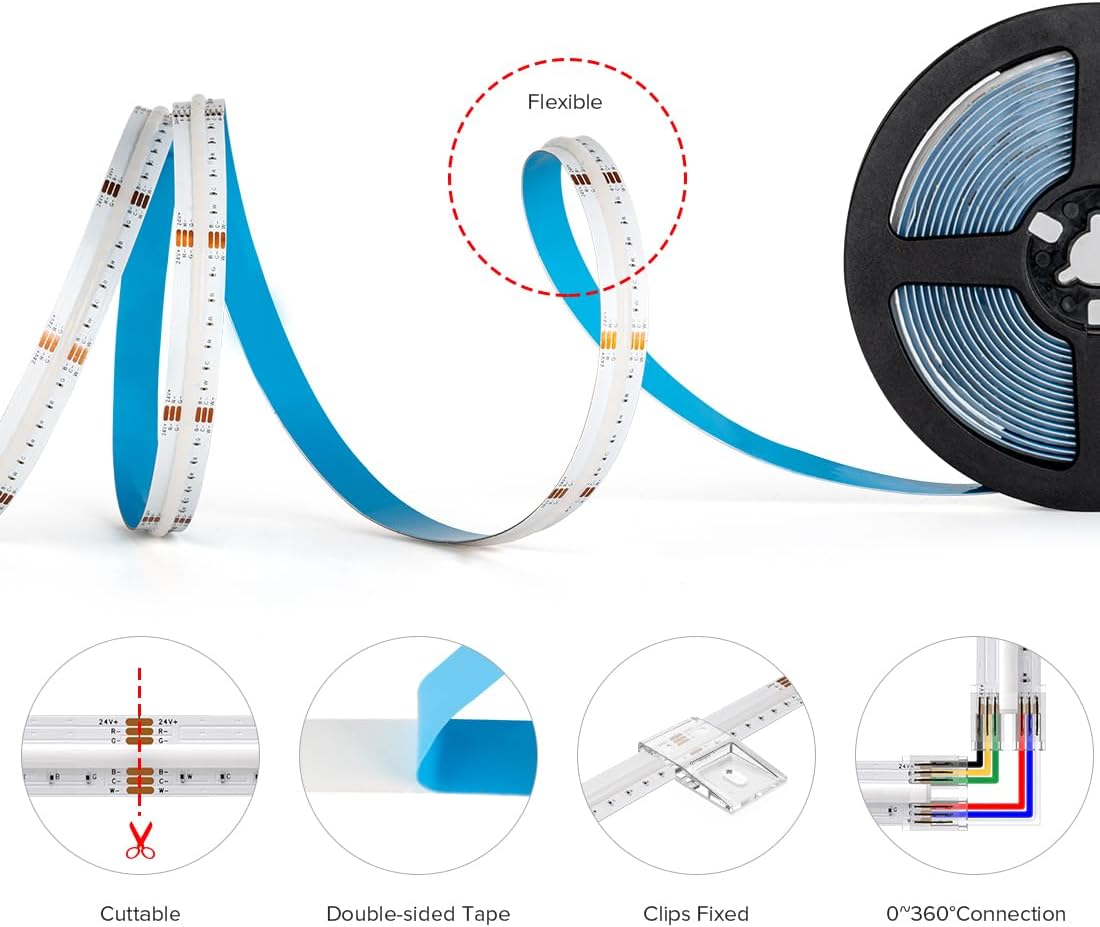
Figure 6.3: Examples of compatible controllers.
For smart home integration, some controllers may require an app like Smart Life. You can find more information at smartapp.tuya.com/smartlife.
7. Maintenance
- Cleaning: Gently wipe the LED strip with a dry, soft cloth to remove dust. Do not use liquid cleaners or abrasive materials.
- Inspection: Periodically check the strip and connections for any signs of damage or loose wiring.
- Ensure proper ventilation around the LED strip to prevent heat buildup, especially in enclosed spaces.
8. Troubleshooting
| Problem | Possible Cause | Solution |
|---|---|---|
| LED strip does not light up. |
|
|
| Colors are incorrect or inconsistent. |
|
|
| Brightness is low or uneven. |
|
|
| Adhesive not holding. |
|
|
9. Specifications
| Feature | Detail |
|---|---|
| Model Number | FCOB-24V-960L-W-IP30 |
| Color Type | RGBCCT (RGB + Tunable White) |
| LED Density | 960 LEDs/meter |
| Length | 16.4 FT (5 meters) |
| Voltage | DC24V |
| Width | 12mm |
| Color Temperature Range | 3000K (Warm White) - 6000K (Cool White) |
| Water Resistance Level | IP30 (Not Water Resistant, Indoor Use Only) |
| Average Lifespan | >65,000 hours |
| Included Components | LED strip, 6-pin connectors, fixed clips, 6-pin wire cable (Power supply and controller not included) |
10. Warranty and Support
BTF-LIGHTING provides a 12-month worry-free warranty for this product. For any troubleshooting assistance, replacement requests, or questions regarding purchase or installation, please contact BTF-LIGHTING customer service. We offer 24/7 customer service to ensure your satisfaction.
For support, please refer to the contact information provided with your purchase or visit the official BTF-LIGHTING website.


