
1. Introduction
Thank you for choosing the ROCKBROS Smart Bike Tail Light. This manual provides detailed instructions for the proper installation, operation, and maintenance of your new bike tail light. Designed for enhanced visibility and safety, this light features smart sensing capabilities, multiple lighting modes, and a durable, waterproof construction.
Please read this manual thoroughly before use to ensure optimal performance and longevity of your product.
2. What's in the Box
Verify that all components are present in your package:
- 1 x ROCKBROS Smart Bike Tail Light
- 1 x USB Charging Cable
- 1 x Silicone Mount Strap
- 1 x S-shaped Fastener
- 1 x Instruction Manual
3. Setup and Installation
Follow these steps to properly install your bike tail light:
- Attach the Silicone Strap: Wrap the silicone mount strap around your bike's seat post or other suitable mounting point. Secure it using the S-shaped fastener.
- Mount the Tail Light: Align the tail light with the groove on the silicone strap mount. Snap the tail light into place from top to bottom until it is securely fastened.
- Adjust Position: Ensure the light is facing directly backward and is visible to traffic behind you.
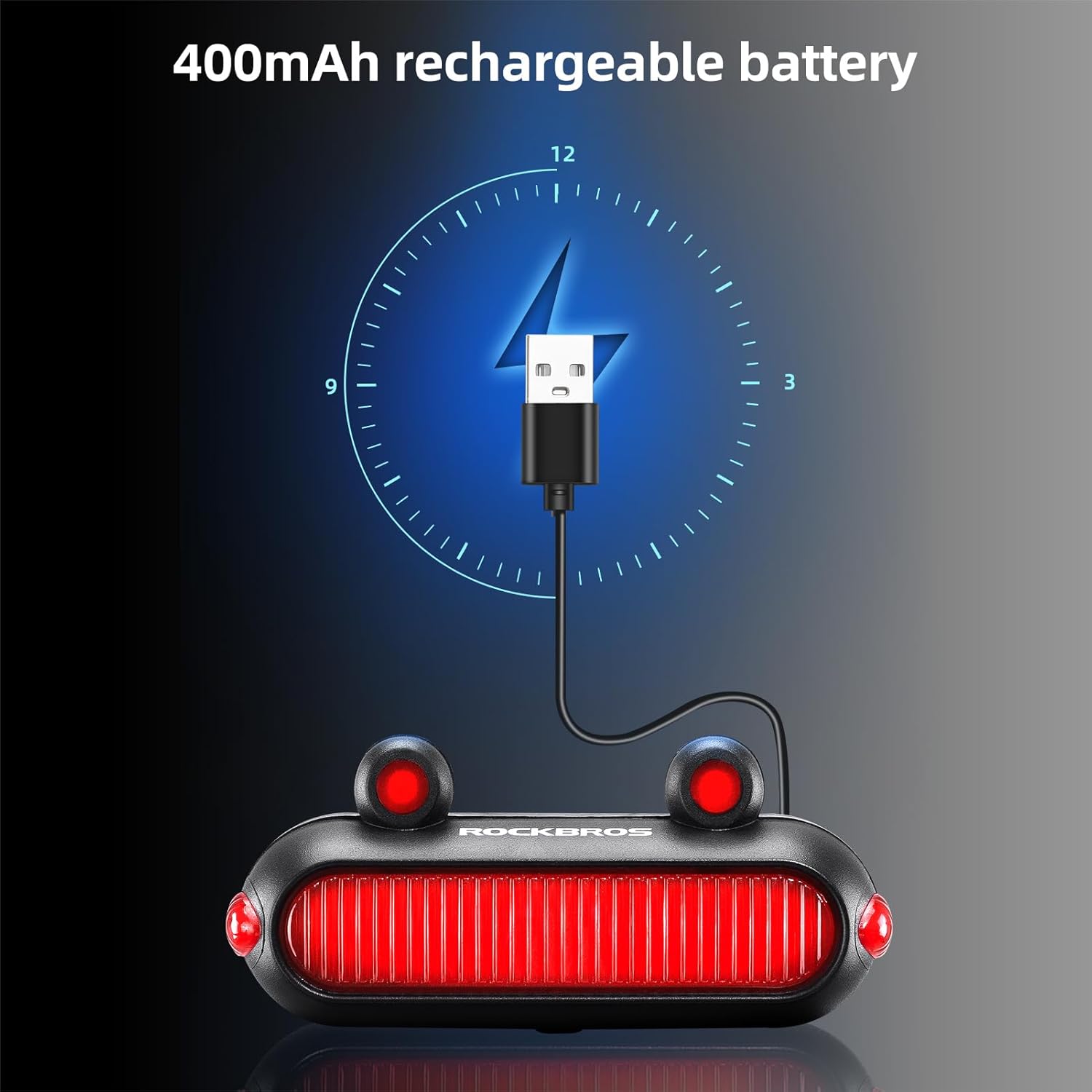 Image: The ROCKBROS Smart Bike Tail Light securely mounted on a bicycle's seat post, highlighting its sleek and integrated appearance.
 Image: A cyclist on a road bike at night, with the ROCKBROS Smart Bike Tail Light illuminated on the seat post, emphasizing its role in enhancing rear visibility.
Video: This video demonstrates the unboxing and installation process of the ROCKBROS Smart Bike Tail Light, including how to attach the silicone strap and secure the light to a bicycle seat post.
4. Operating Instructions
The ROCKBROS Smart Bike Tail Light offers various lighting modes and smart functions for different riding conditions.
4.1 Power On/Off and Mode Switching
- Power On: Long press the power button for 1 second to turn the light on.
- Switch Modes: Short press the power button to cycle through the 6 available lighting modes.
- Power Off: Long press the power button for 1 second to turn the light off.
4.2 Lighting Modes
The light features 6 distinct lighting modes:
- Steady On (Approx. 8 hours runtime)
- Breathing Flash (Approx. 18 hours runtime)
- Flow Flashing 1 (Approx. 30 hours runtime)
- Flow Flashing 2 (Approx. 30 hours runtime)
- Single Flashing (Approx. 32 hours runtime)
- Double Flashing (Approx. 36 hours runtime)
 Image: A visual representation of the six distinct lighting modes available on the tail light, along with their estimated battery life.
4.3 Smart Sensing Function
The tail light is equipped with motion and light sensors to enhance safety and convenience.
- Brake Sensing: When braking, the light automatically activates a highlight mode for 2 seconds to alert riders behind you.
- Automatic On/Off (Motion): The light automatically switches off after 2 minutes of inactivity. It will turn on again when motion is detected.
- Automatic On/Off (Light): In smart mode, the light will automatically turn on in low brightness conditions and turn off in high-intensity ambient light.
- Switching to Smart Mode: Double-click the power button to toggle between intelligent (smart) and manual modes.
 Image: A side-by-side comparison showing the tail light automatically turning off in bright daylight and illuminating in low-light conditions, demonstrating its smart light sensing capability.
Video: This video illustrates the various lighting modes, the brake sensing function, and the automatic on/off feature based on ambient light and motion, showcasing the smart capabilities of the tail light.
5. Charging
The tail light is equipped with a built-in 400mAh rechargeable battery.
- Charging Port: Locate the USB charging port on the device.
- Connect Cable: Connect the provided USB charging cable to the light and to a power source (e.g., computer, wall charger, power bank).
- Charging Indicator: During charging, the four indicator lights will light up in sequence, indicating the charging progress.
- Full Charge: Once fully charged, all four indicator lights will remain steadily on.
 Image: The tail light connected to a laptop via its USB-C charging cable, illustrating the charging method.
 Image: A graphic depicting the 400mAh rechargeable battery capacity and the charging status indicators of the tail light.
Video: This video segment demonstrates how to charge the ROCKBROS Smart Bike Tail Light, showing the connection of the USB cable and the charging indicator lights.
6. Maintenance
To ensure the longevity and optimal performance of your tail light, follow these maintenance guidelines:
- Cleaning: Wipe the light with a soft, damp cloth. Do not use abrasive cleaners or solvents.
- Water Resistance: The light is IPX6 waterproof, meaning it is protected against high-pressure water jets. It can be used safely in heavy rain, but avoid submerging it in water.
- Storage: Store the light in a cool, dry place when not in use. If storing for an extended period, charge the battery periodically to maintain its health.
- Charging Port: Keep the USB charging port clean and dry to prevent corrosion.
 Image: The tail light covered in water droplets, visually confirming its IPX6 waterproof rating, suitable for use in various weather conditions.
7. Troubleshooting
If you encounter issues with your ROCKBROS Smart Bike Tail Light, refer to the following common solutions:
- Light Not Turning On: Ensure the battery is charged. Long press the power button for 1 second.
- Light Not Responding to Motion/Light: Double-check that the light is in smart mode (double-click the power button). Ensure the sensors are not obstructed.
- Brake Sensing Not Activating: Ensure the light is securely mounted and not loose, as this can affect sensor accuracy.
- Short Battery Life: Ensure the light is fully charged before use. Battery life varies by mode; steady-on mode consumes more power.
- Charging Issues: Verify the USB cable is properly connected and the power source is functional. Try a different cable or power source.
If problems persist, please contact customer support.
8. Specifications
| Feature | Detail |
|---|---|
| Brand | ROCKBROS |
| Model | B0C48BGPLV |
| Material | Acrylonitrile Butadiene Styrene (ABS) |
| Water Resistance Level | IPX6 |
| Power Source | Battery Powered (USB Rechargeable) |
| Battery Capacity | 400mAh |
| Lighting Modes | 6 |
| Mounting Type | Seat Mount (Silicone Strap) |
| Auto Part Position | Rear |
| Item Package Dimensions | 5.12 x 4.17 x 1.46 inches |
| Package Weight | 0.06 Kilograms (approx. 60g) |
9. Warranty and Support
This ROCKBROS Smart Bike Tail Light comes with a 1-Year Warranty from the date of purchase, covering manufacturing defects.
For warranty claims, technical support, or any inquiries regarding your product, please visit the official ROCKBROS store or contact their customer service directly.
ROCKBROS Store: Visit ROCKBROS Store on Amazon