
Gamalta HD-YGW-300
Gamalta Aquarium Light User Manual
Model: HD-YGW-300
Brand: Gamalta
Introduction
This manual provides comprehensive instructions for the setup, operation, and maintenance of your Gamalta Aquarium Light. Designed to enhance your aquatic environment, this light features multiple lighting modes, adjustable brightness, and a natural 24/7 cycle to simulate natural daylight conditions. Please read this manual thoroughly before use to ensure proper functionality and longevity of your product.
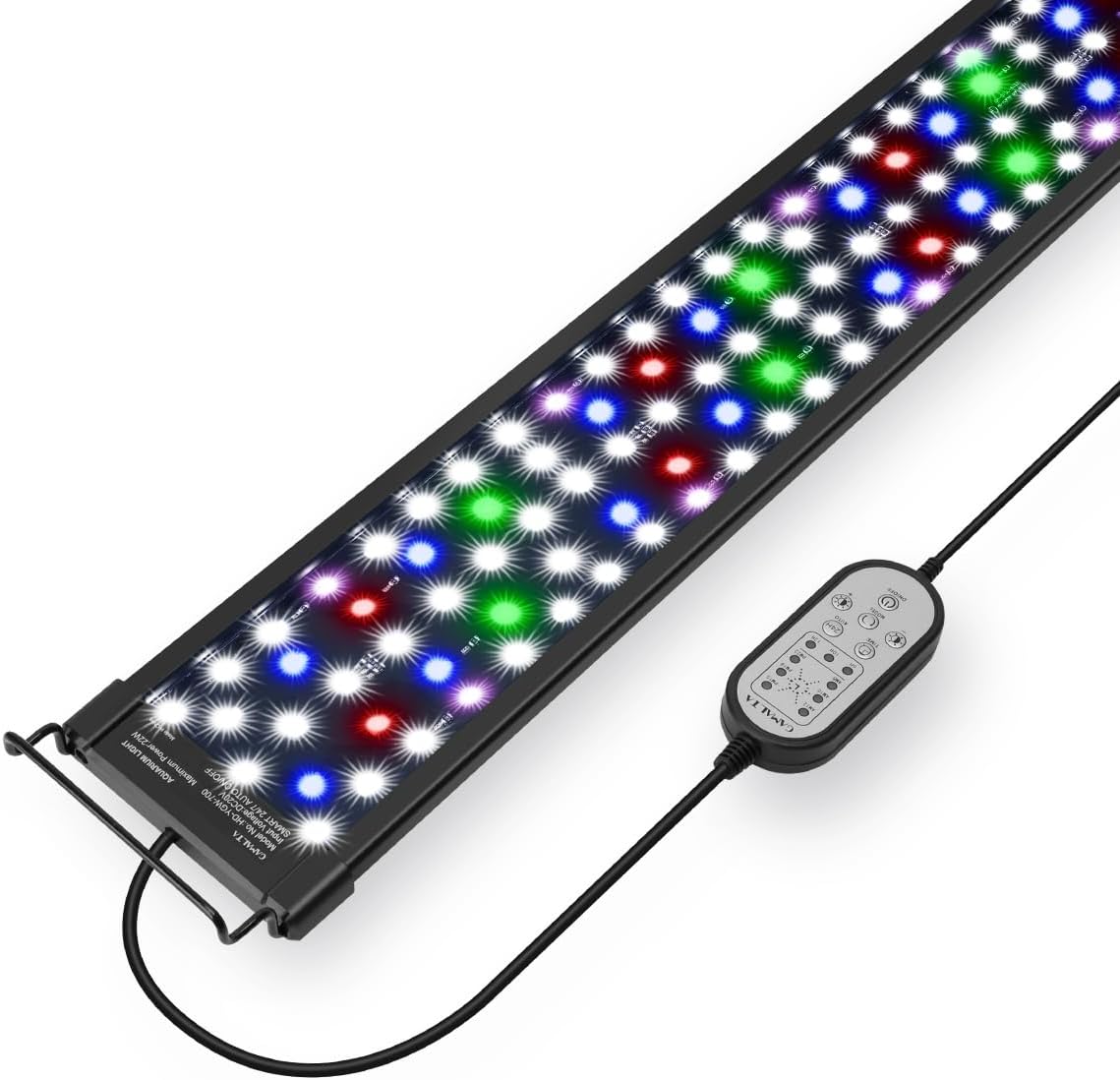
Figure 1: Gamalta Aquarium Light with its inline remote control.
What's in the Box
Verify that all components are present in the package:
- Aquarium Light
- AC/DC adaptor
- Metal brackets
- User manual (this document)
Specifications
| Feature | Detail |
|---|---|
| Model Number | HD-YGW-300 |
| Power Source | Corded Electric |
| Light Source Type | LED (5730+5050 beads) |
| Wattage | 14 Watts |
| Brightness | 426 Lumen |
| Color Rendering Index | 85% (close to natural light) |
| Color Temperature | 6500 Kelvin |
| Product Dimensions | 4"L x 1.99"W x 10"H (Light body) |
| Mounting Type | Adjustable Bracket (up to 6 inches expansion) |
| Material | Aluminum (body), Acrylic (shade) |
| Special Features | Dimmable, Color Changing, 24/7 Natural Lighting, Purple Clean LEDs |
Setup
Bracket Installation and Adjustment
The Gamalta Aquarium Light comes with expandable mounting brackets suitable for various tank sizes. The maximum size of the adjustable bracket is 6 inches, accommodating most covered and uncovered freshwater tanks.
- Attach the metal brackets to both ends of the light fixture. Ensure they are securely fastened.
- Place the light fixture with attached brackets onto the rim of your aquarium.
- Adjust the length of the brackets by sliding them in or out to fit your tank's width. Ensure the light is centered and stable over the aquarium.

Figure 2: Illustration of the adjustable mounting brackets and product dimensions.
For a visual guide on installation and adjustment, please refer to the product video below:
Video 1: This video demonstrates the installation, various lighting modes, 24/7 natural light cycle, and remote control functions of the Gamalta Aquarium Light.
Operating Instructions
24/7 Natural Lighting Mode
This mode simulates a full 24-hour natural light cycle, transitioning from sunrise to nighttime. By default, the light operates as follows:
- 6 AM - 8 AM: Gradually turns to a warm gold yellow light, simulating sunrise.
- 8 AM - 6 PM: Transitions to bright white light, simulating daytime.
- 6 PM - 10:50 PM: Gradually turns to blue light, simulating dusk and moonlight.
- 10:50 PM - 6 AM: Light remains off.
You can set the initial running time using the 24H button and the 6-time point indicator on the remote control. By default, the cycle begins at 6 AM, but the entire period can be advanced or delayed to suit your schedule. Note that brightness adjustment is not available in 24/7 cycle mode.

Figure 3: Visual representation of the 24/7 natural light mode transitions.
Customizable Lighting Modes (9 Options)
The light offers nine distinct color modes to customize your aquarium's appearance and support plant growth:
- Water Grass Mode (optimized for plant growth)
- White
- Red
- Green
- Blue
- Purple
- Golden Yellow
- Cyan
- Color Cycle (changes colors every 2 minutes)
Press the MODE button on the remote control to cycle through these options.

Figure 4: Examples of the 9 customizable lighting modes.
Brightness and Timer Adjustment
You can adjust the brightness and set a timer for the light to operate for a specific duration:
- Brightness: Short press the Brightness +/- buttons for 5-level brightness adjustment (10% to 100%). Long press for stepless dimming (1% to 100%).
- Timer: Set the running time to 6H, 10H, or 12H using the dedicated timer buttons on the remote control.

Figure 5: Remote control interface for brightness and timer settings.
Purple Clean LEDs
The light features four soft purple clean LEDs that automatically activate when the white light is on. These LEDs contribute to the cleanliness of your aquatic environment by effectively eliminating odors and removing certain microorganisms, providing a healthier space for your aquatic pets.

Figure 6: Detail of the purple clean LEDs integrated into the light fixture.
Maintenance
To ensure optimal performance and longevity of your Gamalta Aquarium Light, regular maintenance is recommended:
- Cleaning: Gently wipe the light fixture and acrylic shield with a soft, damp cloth to remove any dust, water spots, or algae buildup. Ensure the light is unplugged before cleaning.
- Water Protection: The LED beads are encapsulated with glue and equipped with acrylic shields to prevent water vapor from entering, extending the lifespan. However, avoid submerging the light fixture in water.
- Inspection: Periodically check the power cord and connections for any signs of damage. If any damage is observed, discontinue use and contact customer support.
Troubleshooting
Center Row of Lights Not Working
If the center row of lights is not illuminating or functioning correctly, you can try resetting the controller to factory default mode. This issue may occur due to incorrect settings or a temporary glitch.
- Press the 24H button on the remote control multiple times until the indicator light for AM12 illuminates. This mode ensures that the lights are in a fully lit state.
- After setting it to AM12, the lights will illuminate for approximately 10 seconds.
- Once the lights have been on for about 10 seconds, unplug the power source from the wall outlet.
- After unplugging, plug the power source back in.
By following these steps, the controller will be reset to the factory default mode, resulting in full illumination. It is important to note that selecting AM12 alone may take up to 2 hours to take effect. However, by powering off and restarting the lights after about 10 seconds of illumination, you can achieve the desired full illumination more quickly.
Warranty and Support
Gamalta is committed to providing high-quality products and excellent customer service. If you encounter any quality problems or have questions regarding your Gamalta Aquarium Light, please do not hesitate to contact us. Our customer service team is ready to assist you in resolving any issues as soon as possible.
Customer Service Email: Support@gamalta-home.com
Ask a question about this manual
Ask about setup, troubleshooting, compatibility, parts, safety, or missing instructions. Manuals+ will review the question and use this page’s manual context to help answer it.