
1. Introduction
The MAXRIENY A10 is an intelligent digital multimeter designed for ease of use and accurate measurements. It features automatic identification of tested parameters and range selection, a vibrant color LCD, and a 3-result display for enhanced readability. This rechargeable device is suitable for various electrical testing applications, including voltage, resistance, capacitance, frequency, diode, and continuity checks.
2. Package Contents
Please check the package for the following items:
- 1 x MAXRIENY A10 Digital Multimeter
- 1 x Pair of Test Leads
- 1 x Carrying Case
- 1 x Rechargeable Battery (integrated)
- 1 x Charging Cable
- 1 x User Manual
3. Product Overview
The MAXRIENY A10 multimeter is designed with a clear color LCD screen and intuitive controls. Below are key features and components:

Figure 3.1: Color LCD Screen
The high-resolution color LCD enhances readability, even in varying light conditions, displaying measurement results clearly.

Figure 3.2: 3-Result Display
The large screen can simultaneously show up to three test results, such as voltage, frequency, and an analog bar graph, providing comprehensive data at a glance.

Figure 3.3: Rechargeable Battery
The multimeter features a built-in rechargeable 800mAh Li-ion battery, eliminating the need for frequent battery replacements.
4. Safety Information
To ensure safe operation and prevent damage to the device or injury, please read and adhere to the following safety precautions:
- Always inspect the test leads for damage before use. Do not use if insulation is compromised.
- Do not exceed the maximum input values specified for each measurement function.
- Ensure the correct function and range are selected before making measurements. Although the A10 has auto-ranging, always double-check.
- Avoid using the multimeter in wet environments or during electrical storms.
- Do not attempt to measure voltage on circuits exceeding 600V.
- When measuring current, always connect the meter in series with the load.
- Exercise extreme caution when working with live circuits. Use appropriate personal protective equipment (PPE).
- Do not open the multimeter casing unless specifically instructed for maintenance or battery replacement (if applicable and accessible).
- Keep the device away from children.
5. Setup
5.1 Initial Charging
The MAXRIENY A10 comes with a built-in rechargeable battery. Before first use, or if the battery is low, connect the multimeter to a standard USB power source using the provided charging cable. The charging indicator on the device will show its status. A full charge ensures optimal performance.
5.2 Connecting Test Leads
Insert the red test lead into the "VΩHz" input jack and the black test lead into the "COM" input jack. Ensure they are fully inserted for a secure connection.
6. Operating Modes
The MAXRIENY A10 features intelligent automatic identification, simplifying most measurements. Simply connect the test leads to the circuit, and the multimeter will automatically detect the measurement type (voltage, resistance, continuity) and select the appropriate range.
6.1 Automatic Measurement (Smart Mode)
In its default mode, the A10 automatically measures DC/AC Voltage, Resistance, and Continuity. Connect the test leads to the circuit or component, and the meter will display the relevant reading.
6.2 Manual Function Selection
For specific measurements like Capacitance, Frequency, Diode, or NCV/Live Check, press the "FUNC" button to cycle through the available modes. The display will indicate the currently selected function.
6.2.1 Voltage Measurement (DC/AC)
Connect the test leads in parallel to the circuit or component to measure voltage. The meter will automatically detect AC or DC voltage.

Figure 6.1: Measuring AC Voltage
The multimeter displays AC voltage and frequency simultaneously, useful for checking mains power.
6.2.2 Resistance Measurement
Ensure the circuit is de-energized before measuring resistance. Connect the test leads across the component. The A10 will automatically display the resistance value.
6.2.3 Capacitance Measurement
Press "FUNC" until the capacitance symbol (µF) appears. Discharge the capacitor before connecting the test leads. Connect the leads across the capacitor terminals.
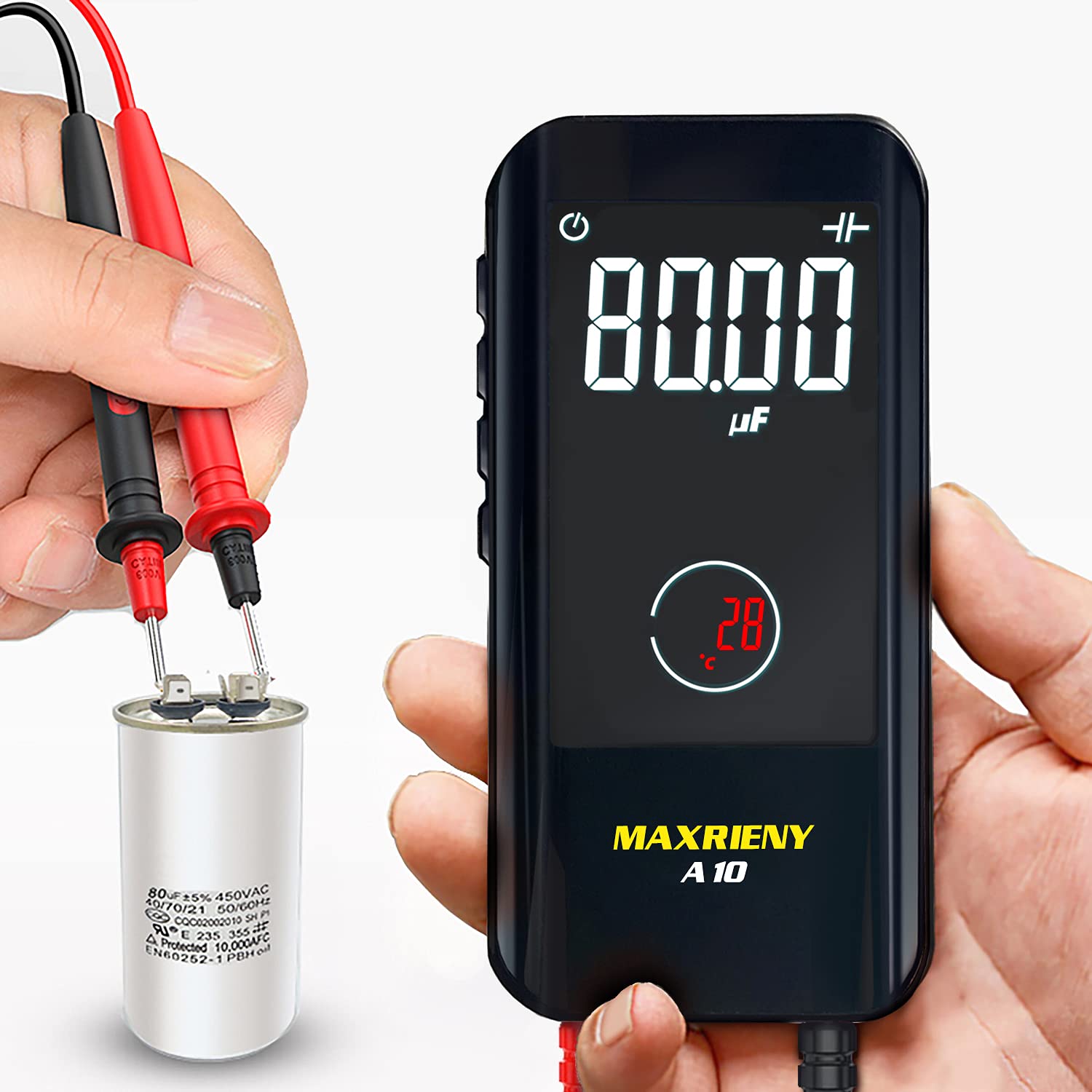
Figure 6.2: Measuring Capacitance
The multimeter accurately measures capacitance, displaying the value in microfarads (µF).
6.2.4 Diode Test
Press "FUNC" to select the diode test mode. Connect the red lead to the anode and the black lead to the cathode. The display will show the forward voltage drop. Reverse the leads to check for open circuit (OL).

Figure 6.3: Performing a Diode Test
The multimeter can test diodes, displaying the forward voltage drop for proper functionality.
6.2.5 Continuity Test
In automatic mode, or by selecting continuity, connect the test leads across the circuit or component. If the resistance is below 50Ω, the meter will emit an audible beep, indicating continuity.
6.2.6 NCV (Non-Contact Voltage) Detection
Press "FUNC" to activate NCV mode. Hold the top of the multimeter near a live conductor. The device will beep and display a bar graph on the LCD, indicating the presence and strength of AC voltage without direct contact.
6.2.7 Live Check
Press "FUNC" to select Live Check mode. Insert the red test lead into the live wire and the black lead into the neutral or ground. The meter will indicate the live wire with an audible alarm and a bar display on the LCD.
7. Maintenance
7.1 Cleaning
Wipe the multimeter casing with a damp cloth and mild detergent. Do not use abrasive cleaners or solvents. Ensure the device is powered off and disconnected from any circuits before cleaning.
7.2 Battery Care
The built-in rechargeable battery should be charged regularly, especially if the device is not used for extended periods. Store the multimeter with a partial charge (around 50%) if storing for a long time to prolong battery life.
7.3 Storage
Store the multimeter in its provided carrying case in a cool, dry place, away from direct sunlight and extreme temperatures. Keep it out of reach of children.

Figure 7.1: Portable Design
The compact size of the A10 allows for easy storage and portability, fitting conveniently into a pocket or tool bag.
8. Troubleshooting
| Problem | Possible Cause | Solution |
|---|---|---|
| Meter does not power on | Low or depleted battery | Charge the multimeter using the provided USB cable. |
| No reading or "OL" displayed | Open circuit, incorrect range, or faulty test leads | Check test lead connections. Ensure the circuit is complete. Verify the correct function is selected (if not in auto mode). Inspect test leads for damage. |
| Inaccurate readings | Poor contact, external interference, or low battery | Ensure firm contact with test points. Move away from strong electromagnetic fields. Charge the battery. |
| Continuity test does not beep | Resistance above 50Ω or continuity mode not active | Check the resistance of the circuit. Ensure continuity mode is selected or the meter is in auto mode. |
9. Specifications
| Parameter | Detail |
|---|---|
| Maximum Display | 6000 counts |
| Display Type | Color Screen, 3.2 inches |
| DC Voltage | 0V-600V ±(0.8%+3); Resolution: 0.001V |
| AC Voltage | 0V-600V ±(1.2%+5); Resolution: 0.001V |
| Resistance | 0.1Ω-10MΩ ±(1.2%+3), 10MΩ-60MΩ ±(2.0%+10); Resolution: 0.1Ω |
| Capacitance | 1nF-1.00mF ±(3.5%+8), 1mF-60.00mF ±(4.5%+10); Resolution: 0.001nF |
| Frequency | 10Hz-10MHz ±(2.0%+10) (ACV: 3V-600V); Resolution: 0.1Hz |
| Duty Cycle | 0.1%-99.9% ±(1.5%+5); Resolution: 0.1% |
| Diode Test | Automatic identification if forward voltage < 3.0V |
| V-Alert (NCV) | Audible alarm, LCD bar display |
| Live Check | Audible alarm, LCD bar display |
| Continuity | Audible beep if resistance < 50Ω |
| Power Supply | 3.7V Rechargeable Li-ion Battery (integrated) |
| Dimensions | 113.3 x 54.2 x 22 mm |
| Weight | 102 g |
| Origin | China |
10. Warranty and Support
For warranty information, technical support, or service inquiries, please refer to the contact details provided by your retailer or visit the official MAXRIENY website. Keep your purchase receipt as proof of purchase for warranty claims.