
1. Introduction
This manual provides essential instructions for the safe and effective use of your LEFXMOPHY 5V Power Adapter. This adapter is designed as a replacement or supplementary power source for specific Reolink camera models.
Product Compatibility:
- Reolink E1 Indoor Camera
- Reolink E1 Pro Camera
- Reolink Lumus Camera
Important Note: This charger is specifically designed for 5V devices. It is not compatible with 12V Reolink E1 Outdoor cameras or any other devices requiring 12V power. Please verify your camera's power requirements before use.

Image 1.1: Visual confirmation of compatibility with Reolink E1 and E1 Pro cameras.
2. Setup Instructions
Follow these steps to properly connect your LEFXMOPHY 5V Power Adapter to your compatible Reolink camera.
- Identify Camera Power Port: Locate the DC power input port on your Reolink E1, E1 Pro, or Lumus camera. This is typically a small, round barrel connector port.
- Connect Adapter to Camera: Carefully insert the barrel connector end of the LEFXMOPHY power cord into the camera's power input port. Ensure a snug and secure fit.
- Plug into Wall Outlet: Insert the AC plug of the power adapter into a standard 100-240V AC wall outlet.
- Verify Power: Once connected, your camera should power on. Check for any power indicator lights on your camera to confirm it is receiving power.
The 10-foot (3-meter) cable length provides flexibility for camera placement relative to a power source.
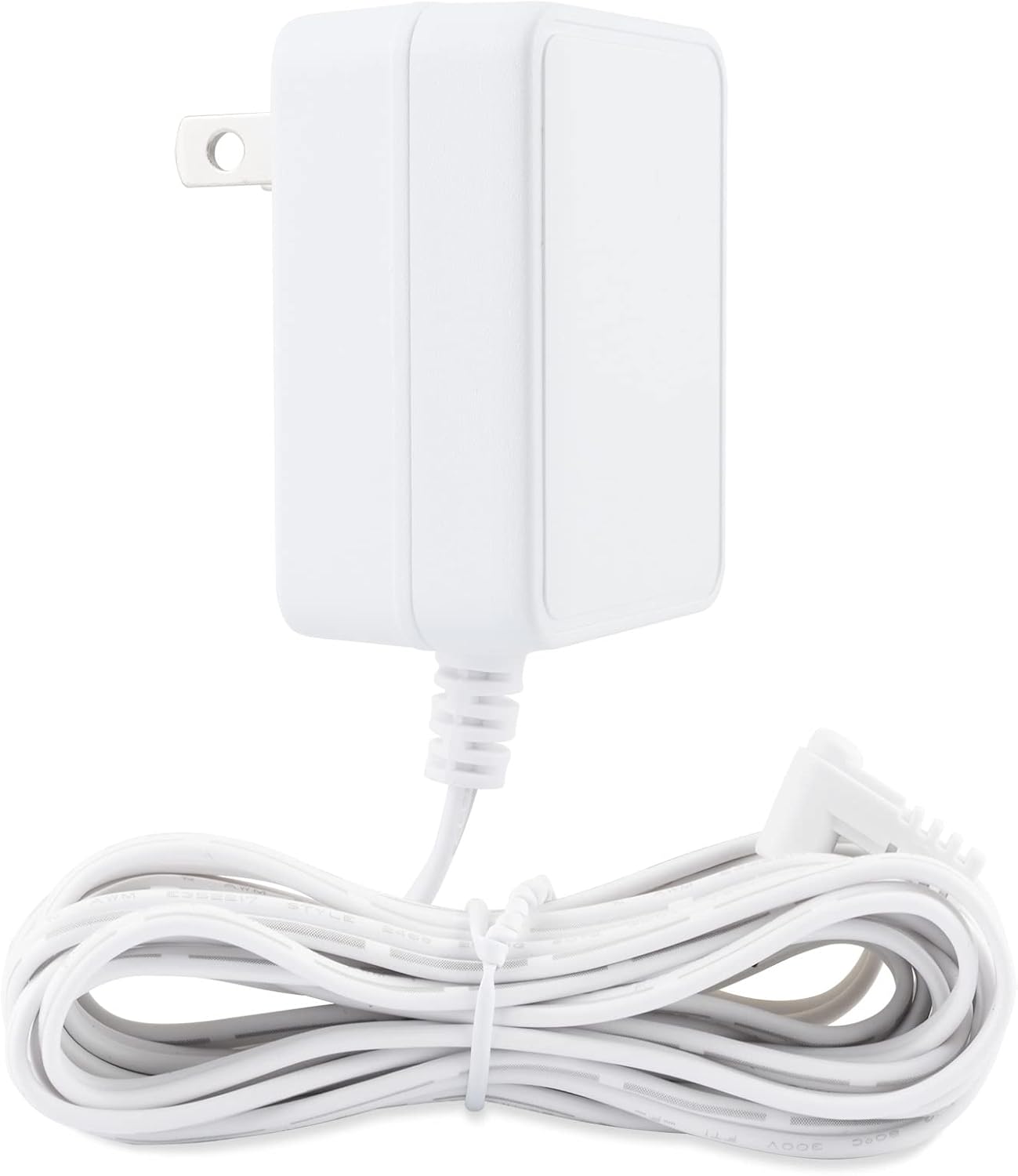
Image 2.1: The LEFXMOPHY 5V power adapter and its 10-foot cable.
3. Operating Instructions
The LEFXMOPHY 5V Power Adapter operates on a plug-and-play principle. Once correctly connected to a compatible camera and a functional power outlet, it will continuously supply power to the device.
- Ensure the adapter is always connected to a stable power source.
- No additional user interaction is required for the adapter's operation once connected.
4. Maintenance
Proper maintenance ensures the longevity and safe operation of your power adapter.
- Keep Dry: Protect the adapter and cable from moisture and liquids. Do not use in wet environments.
- Temperature: Avoid exposing the adapter to extreme temperatures, direct sunlight, or heat sources.
- Cable Care: Do not bend, twist, or crimp the power cable excessively. Avoid placing heavy objects on the cable.
- Cleaning: Disconnect the adapter from the power outlet before cleaning. Use a soft, dry cloth to wipe the surface. Do not use liquid cleaners or aerosols.
- Storage: If storing the adapter for an extended period, unplug it from the wall and coil the cable loosely.
5. Troubleshooting
If you encounter issues with your LEFXMOPHY 5V Power Adapter, refer to the following troubleshooting steps:
- Camera Not Powering On:
- Ensure the adapter is fully plugged into both the wall outlet and the camera's power port.
- Test the wall outlet with another device to confirm it is functional.
- Verify that your camera is a compatible 5V model (Reolink E1, E1 Pro, Lumus) and not a 12V model (e.g., Reolink E1 Outdoor).
- Inspect the power cable and connector for any visible damage or bends.
- Intermittent Power to Camera:
- Check all connections to ensure they are firm and not loose.
- Avoid using the adapter with overloaded power strips or extension cords.
- Adapter Feels Unusually Hot:
- It is normal for the adapter to feel slightly warm during operation. However, if it becomes excessively hot to the touch, immediately unplug it from the wall and disconnect it from the camera.
- Ensure adequate ventilation around the adapter.
- If the issue persists, discontinue use and contact customer support.
6. Specifications
Detailed technical specifications for the LEFXMOPHY 5V Power Adapter.
| Feature | Specification |
|---|---|
| Brand | LEFXMOPHY |
| Model Number | 35c8f531-f717-487c-af86-190136269065 |
| Input Voltage | 100-240V AC, 50/60Hz |
| Output Voltage/Current | 5V 2A (compatible with 5V 1.5A / 1000mA / 1A / 550mA) |
| Wattage | 5 Watts |
| Cable Length | 10 feet (3 meters) |
| Connector Type | Barrel Connector |
| Certifications | ETL Certified |
| Compatible Devices | Reolink E1, E1 Pro, Lumus Cameras (5V models) |
| Item Weight | 3.36 ounces |
| Package Dimensions | 3.78 x 2.36 x 1.73 inches |

Image 6.1: Rear view of the power adapter displaying electrical specifications and safety certifications.

Image 6.2: Diagram illustrating the internal structure of the 10-foot charger cord, highlighting its copper core.
7. Warranty and Support
For information regarding product warranty or technical assistance, please contact LEFXMOPHY customer service. Refer to the product packaging or the seller's information provided at the time of purchase for specific contact details.
We recommend retaining your purchase receipt for warranty purposes.