
MOUDOAUER B0C43FHHMN
Screen Digital Counter Remote Master Frequency Meter User Manual
Brand: MOUDOAUER | Model: B0C43FHHMN
Introduction
This manual provides comprehensive instructions for the operation, maintenance, and troubleshooting of your Screen Digital Counter Remote Master Frequency Meter. Please read this manual thoroughly before using the device to ensure proper function and safety.
Safety Information
- Keep the device away from water and excessive moisture.
- Do not attempt to disassemble or modify the device. This will void the warranty and may cause damage.
- Use only the specified battery type (9V).
- Store the device in a cool, dry place when not in use.
- Keep out of reach of children.
Product Overview
The Screen Digital Counter Remote Master Frequency Meter is a versatile tool designed to diagnose and test both Infrared (IR) and Radio Frequency (RF) remote controls. It displays the frequency of RF signals on its LCD screen, making it an essential tool for automotive and general electronics diagnostics.

Figure 1: Front view of the frequency meter, showing the LCD screen and signal indicators.
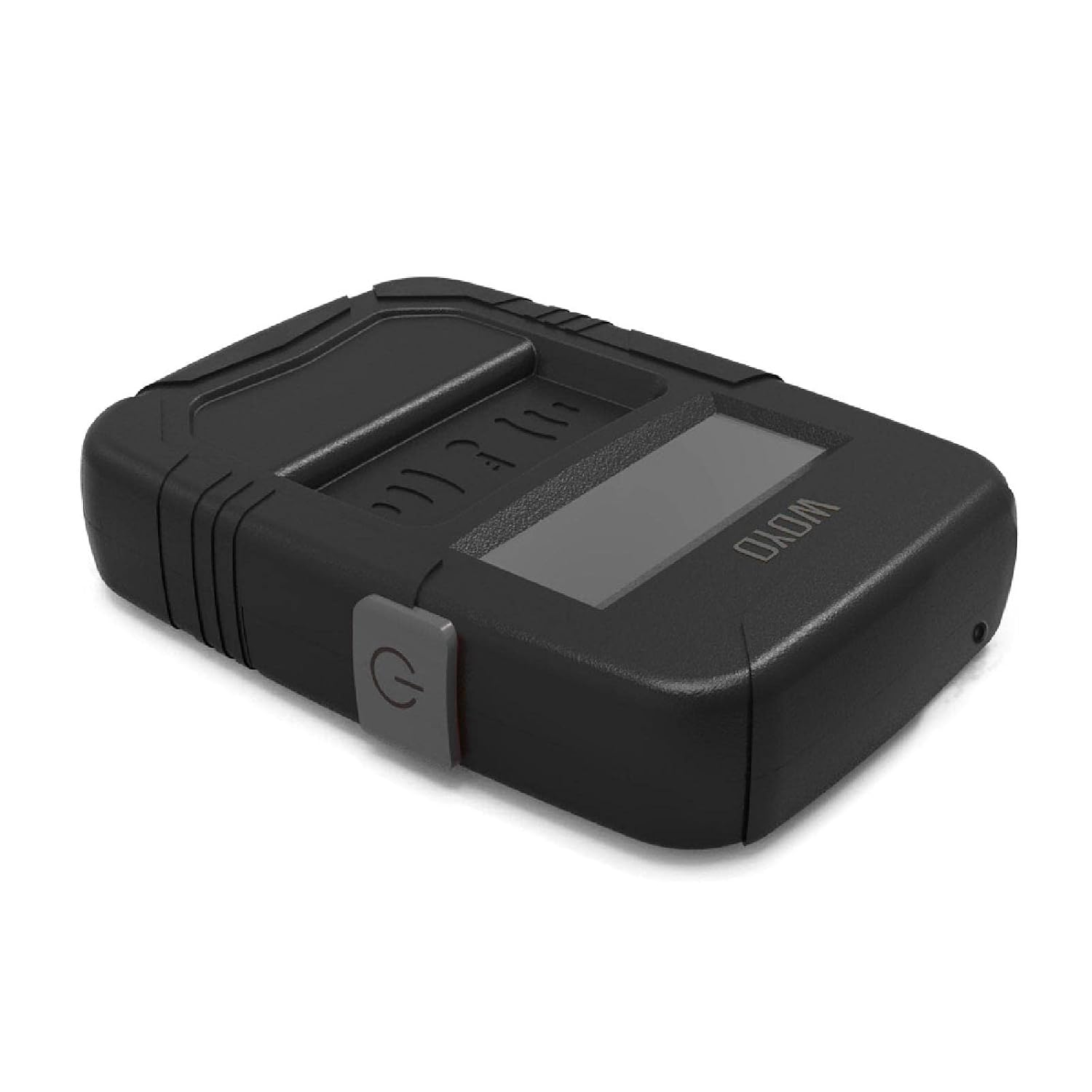
Figure 2: Top view of the frequency meter, highlighting the power button on the side.
Setup
Battery Installation
- Locate the battery compartment on the back of the device.
- Slide the battery cover downwards to open it.
- Insert a new 9-Volt battery, ensuring correct polarity (+/-).
- Replace the battery cover by sliding it back into place until it clicks securely.

Figure 3: Rear view of the device showing the battery compartment opened for battery insertion.
Operating Instructions
The device is designed for easy operation to test both IR and RF remote controls.
Testing RF Remote Controls (e.g., Car Key Fobs)
- Turn on the frequency meter using the power button.
- Place the remote control (e.g., car key fob) directly below the LCD screen of the frequency meter.
- Press a button on the remote control.
- The frequency meter will display the numeric frequency of the signal on its LCD screen.

Figure 4: Demonstrates holding the frequency meter and a car key fob in position for testing.

Figure 5: The frequency meter's LCD screen showing a numeric frequency reading (e.g., 315.0 MHz) during a test.
Testing IR Remote Controls
For Infrared (IR) remote controls, the device will indicate the presence of an IR signal, though it does not display a numeric frequency for IR. Point the IR emitter of the remote towards the sensor area below the LCD screen and press a button. The device will show a visual indication if an IR signal is detected.
Maintenance
- Cleaning: Use a soft, dry cloth to clean the exterior of the device. Do not use abrasive cleaners or solvents.
- Battery Replacement: Replace the 9V battery when the display becomes dim or the device does not power on.
- Storage: When not in use for extended periods, remove the battery to prevent leakage and store the device in a cool, dry environment.
Troubleshooting
| Problem | Possible Cause | Solution |
|---|---|---|
| Device does not power on. | Dead or improperly installed battery. | Check battery polarity or replace with a new 9V battery. |
| No frequency displayed for RF remote. | Remote control battery is low/dead; remote is out of range; remote is faulty. | Ensure remote control has working batteries. Place remote closer to the meter. Test with a known working remote. |
| Inconsistent readings. | Interference from other devices; low battery in meter. | Move away from other electronic devices. Replace meter's 9V battery. |
Specifications
- Product Name: Screen Digital Counter Remote Master Frequency Meter
- Model: B0C43FHHMN
- Brand: MOUDOAUER
- Frequency Range: 10MHz to 1000MHz
- Current Consumption: 50 mA
- Power Source: 9-Volt Battery (not included)
- Dimensions: Approximately 3.94 x 3.15 x 0.79 inches
- Weight: Approximately 3.53 ounces (without battery)
Warranty Information
This product comes with a standard manufacturer's warranty. Please refer to the packaging or contact your retailer for specific warranty terms and conditions. The warranty typically covers defects in materials and workmanship under normal use.
Note: Disassembly or unauthorized modification of the device will void the warranty.
Customer Support
For technical assistance, troubleshooting not covered in this manual, or warranty claims, please contact MOUDOAUER customer support through your purchase platform or the official brand website.
Please have your product model number (B0C43FHHMN) and purchase date ready when contacting support.
Ask a question about this manual
Ask about setup, troubleshooting, compatibility, parts, safety, or missing instructions. Manuals+ will review the question and use this page’s manual context to help answer it.