1. Product Overview
These replacement stand legs are designed for specific LG Smart TV models, providing a stable base for tabletop placement. The package includes both the left and right stand legs along with the necessary screws for installation.
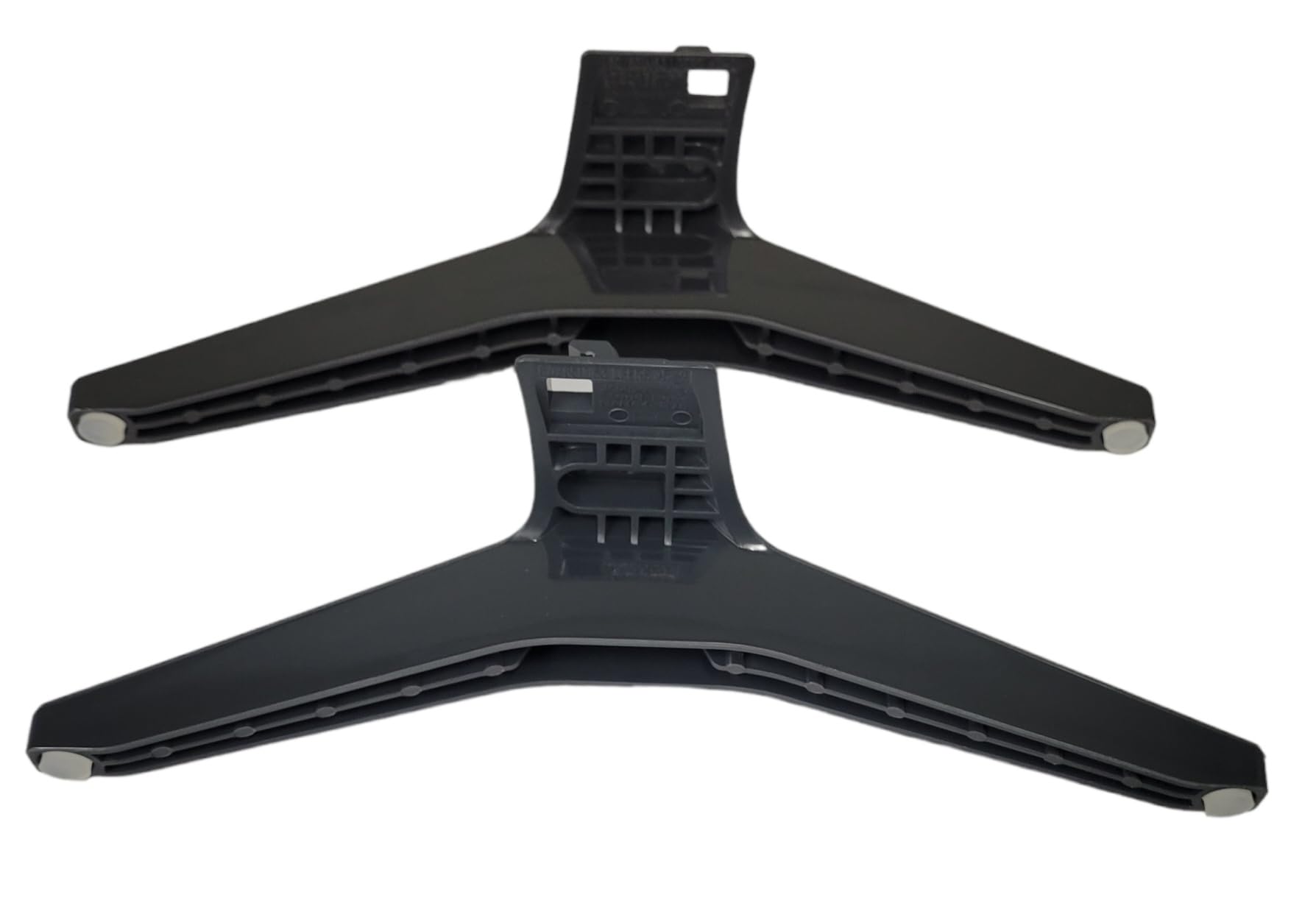
Image: The complete set of two black TV stand legs and four mounting screws.
2. Compatibility
This set of stand legs is specifically compatible with the LG Smart TV Model 65UQ7070ZUE. It is crucial to verify your TV's model number before installation to ensure proper fit and stability.
To find your TV's model number:
- Locate the sticker on the back panel of your television.
- Alternatively, navigate to your TV's settings menu and find the "About TV" or "System Information" section.
Warning: Using these legs with an incompatible TV model may result in instability and potential damage to the television.
3. Package Contents
Please ensure all items are present and undamaged before proceeding with installation.
- 1x Left TV Stand Leg
- 1x Right TV Stand Leg
- 4x Mounting Screws

Image: Contents of the package, showing the left and right stand legs along with the included screws.
4. Setup and Installation
Follow these steps carefully to install the TV stand legs securely.
- Prepare the TV: Lay your LG Smart TV face down on a soft, clean, and flat surface (e.g., a blanket or foam padding) to prevent screen damage. Ensure the TV is unplugged from all power sources.
- Identify Left and Right Legs: The legs are typically marked "L" for Left and "R" for Right, or have distinct shapes that correspond to the TV's mounting points. Refer to the images below for guidance.
- Align the Legs: Carefully align each stand leg with the corresponding mounting holes on the bottom of your TV. The pegs on the legs should fit into the designated slots on the TV.
- Secure with Screws: Insert two screws into each leg's mounting holes and tighten them firmly with a screwdriver. Do not overtighten, as this may strip the screw threads or damage the TV casing.
- Verify Stability: Once both legs are attached, gently lift the TV and place it upright on a stable, flat surface. Lightly push on the TV to ensure it is stable and does not wobble.

Image: Top view of the stand legs, illustrating the specific attachment points and how to differentiate between the left and right pieces.

Image: Underside of the stand legs, highlighting the screw holes and alignment pegs that connect to the TV.
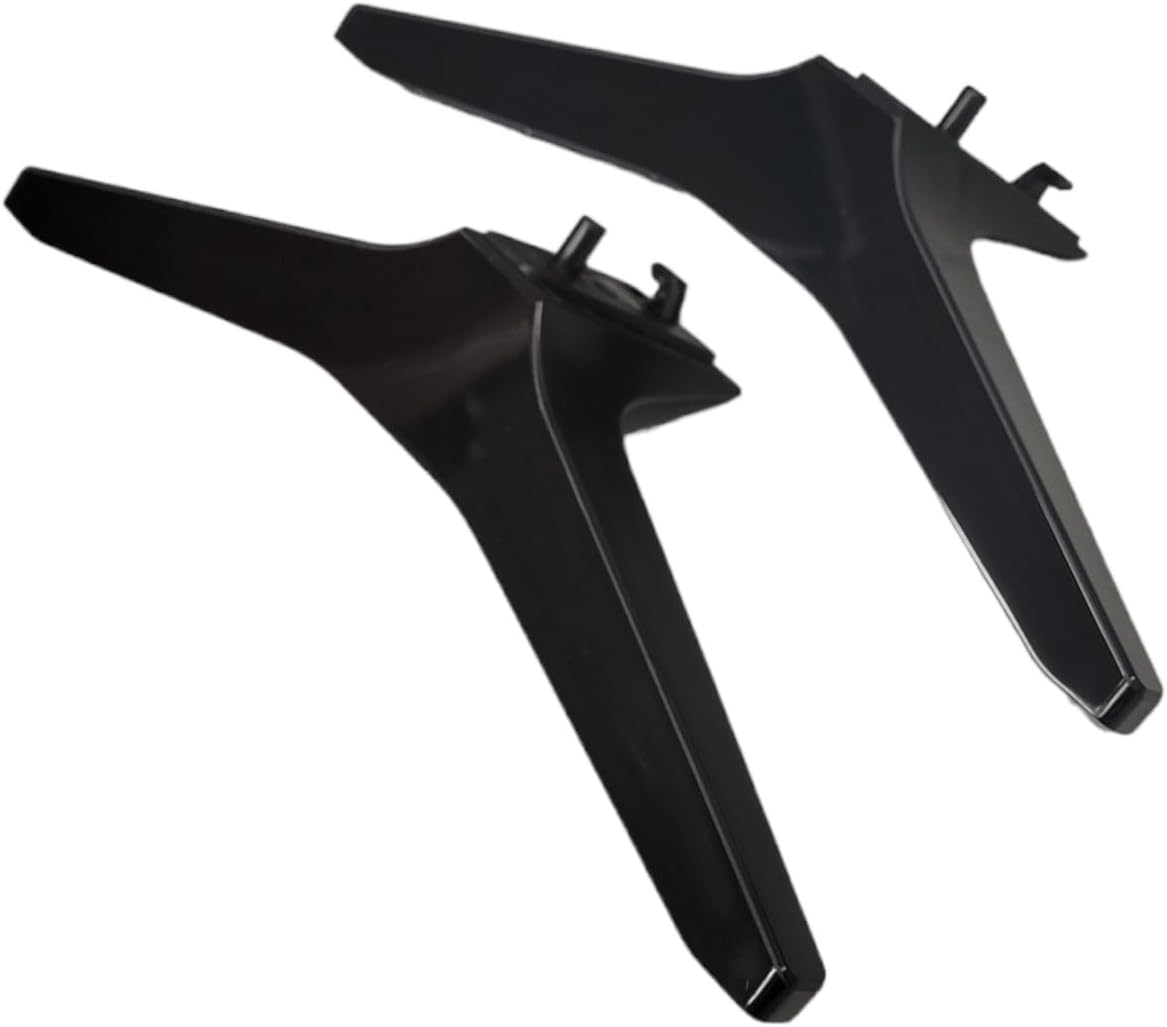
Image: Detail of a stand leg's mounting point, demonstrating where the screws are inserted to secure it to the television.
5. Operating (Placement Guidelines)
While these are passive stand legs, proper placement is essential for safe operation of your television.
- Place the TV on a sturdy, level surface that can support its weight.
- Ensure there is adequate ventilation around the TV to prevent overheating.
- Keep the TV away from direct sunlight, heat sources, and moisture.
- Position the TV where it cannot be easily knocked over, especially in households with children or pets.
6. Maintenance
These TV stand legs require minimal maintenance.
- Cleaning: Wipe the legs with a soft, dry cloth. Avoid abrasive cleaners or solvents that could damage the finish.
- Inspection: Periodically check the screws to ensure they remain tight. Retighten if necessary, but do not overtighten.
7. Troubleshooting
| Problem | Possible Cause | Solution |
|---|---|---|
| Legs do not fit the TV. | Incorrect TV model or leg orientation. | Double-check your TV's model number against the compatible model (65UQ7070ZUE). Ensure the left and right legs are correctly oriented. |
| TV wobbles after installation. | Screws are loose or legs are not fully seated. | Ensure all screws are tightened securely. Verify that the legs are fully inserted into the TV's mounting slots. Ensure the surface the TV is on is level. |
| Missing screws or parts. | Packaging error. | Contact customer support for assistance. |
8. Specifications
- Model Compatibility: LG Smart TV 65UQ7070ZUE
- Material: Acrylonitrile Butadiene Styrene (ABS)
- Color: Black
- Mounting Type: Tabletop Mount
- Movement Type: Fixed
- Included: Left Leg, Right Leg, Mounting Screws
9. Customer Support
If you encounter any issues or have questions regarding this product, please contact your retailer or the manufacturer for assistance.
For model verification or part inquiries, refer to the contact information provided by the seller.
Seller: Dosovan Parts and Accessories


