
Introduction
Thank you for choosing the Technoline WT8030 Classic Radio-Controlled Wall Clock. This clock is designed for precise timekeeping through its DCF-77 radio signal reception, ensuring fully automatic time setting and adjustment for daylight saving time. Its clear, easy-to-read dial makes it a functional and elegant addition to any space.
Safety Information
- Do not expose the clock to extreme temperatures, direct sunlight, or high humidity.
- Avoid dropping the clock or subjecting it to strong impacts.
- Do not attempt to disassemble or repair the clock yourself. Refer all servicing to qualified personnel.
- Dispose of used batteries responsibly according to local regulations.
- Keep batteries out of reach of children.
Package Contents
Please check that all items are present and in good condition:
- 1 x Technoline WT8030 Radio-Controlled Wall Clock
- 1 x Instruction Manual (this document)
Note: 1x AA Mignon LR06 battery is required and not included in the package.
Setup
- Battery Installation:
Locate the battery compartment on the back of the clock. Insert one (1) AA Mignon LR06 battery, ensuring the correct polarity (+/-) as indicated inside the compartment.
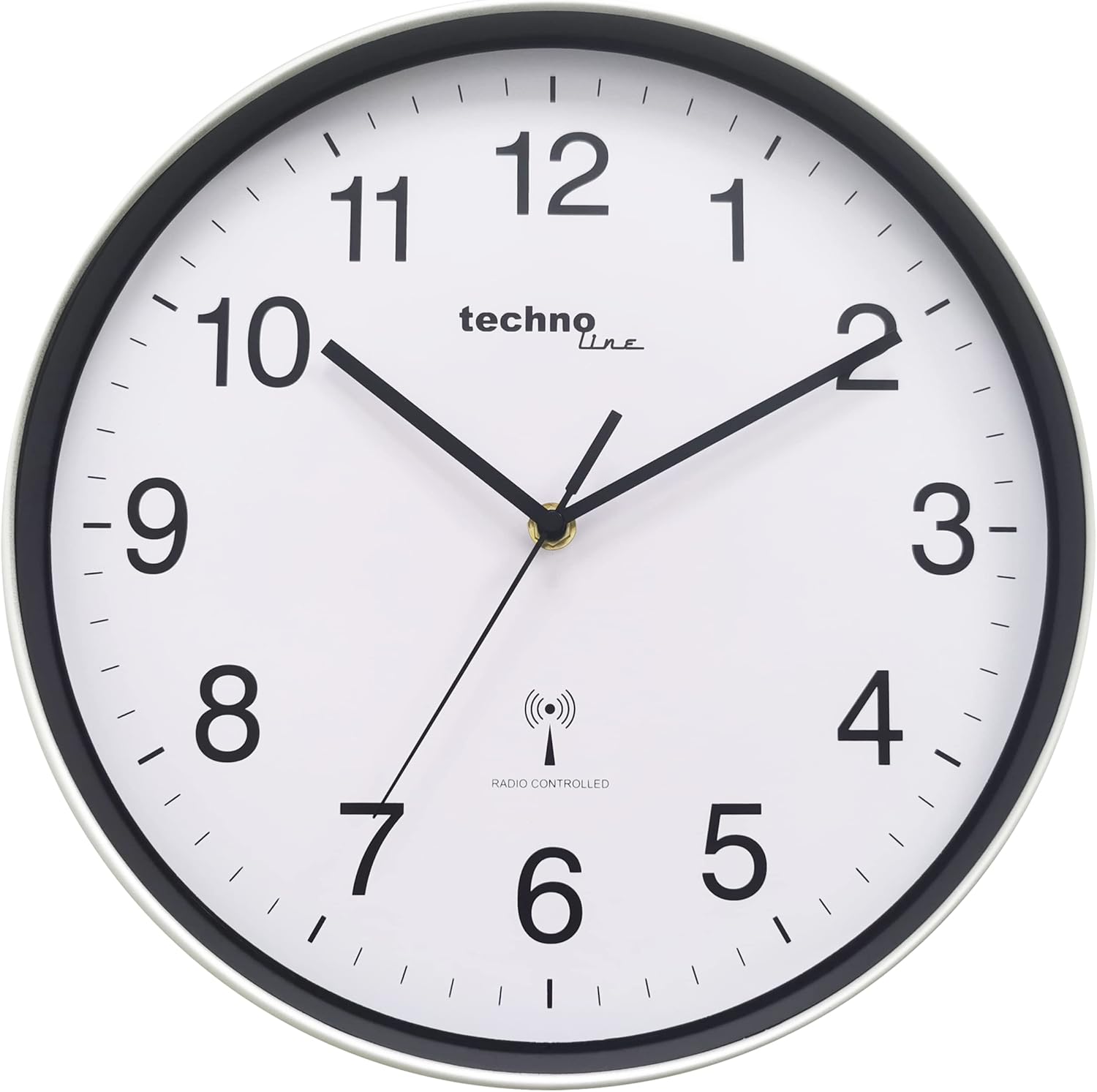
Image: Rear view of the Technoline WT8030 clock, highlighting the battery compartment for easy access during installation.
- Initial Synchronization:
Once the battery is inserted, the clock hands will automatically move to the 12 o'clock position. The clock will then begin searching for the DCF-77 radio signal. This process can take several minutes, or up to an hour depending on your location and signal strength. Ensure the clock is placed in an area with good reception, away from electronic devices that may cause interference.

Image: Front view of the Technoline WT8030 clock, displaying its silver frame, white dial, and black numerals, ready for automatic time synchronization.
- Mounting:
Once the time is set, you can hang the clock on a wall using the integrated hanging slot on the back. Ensure the wall mount is secure and can support the clock's weight.
Operating
The Technoline WT8030 is a fully automatic radio-controlled clock. No manual setting of the time is required under normal operating conditions.
- Automatic Time Setting: The clock automatically receives the DCF-77 radio signal from Frankfurt, Germany, which transmits the official atomic time. This ensures precise timekeeping.
- Daylight Saving Time (DST) Adjustment: The clock will automatically adjust for Daylight Saving Time (summer/winter time) changes.
- Signal Reception: The clock periodically checks for the radio signal to ensure accuracy. If the signal is lost, the clock will continue to run on its internal quartz movement until the signal is re-established.
Maintenance
- Cleaning: Wipe the clock's surface with a soft, dry cloth. Do not use abrasive cleaners or solvents, as they may damage the finish.
- Battery Replacement: Replace the battery annually or when the clock hands stop moving or become erratic. Always use a fresh, high-quality AA Mignon LR06 battery.
- Storage: If storing the clock for an extended period, remove the battery to prevent leakage.
Troubleshooting
| Problem | Possible Cause | Solution |
|---|---|---|
| Clock does not set time automatically. | Weak or no radio signal reception. Incorrect battery installation. | Ensure the battery is inserted correctly. Move the clock to a different location, preferably near a window and away from electronic devices or metal objects that may interfere with the signal. Allow up to 24 hours for synchronization. |
| Clock shows incorrect time (e.g., 1 hour off). | Incorrect time zone or regional signal issue. | The DCF-77 signal is based on Central European Time (CET). If you are in a different time zone, the clock will display CET. This model does not have a manual time zone adjustment. If you require a different time zone, a non-radio-controlled clock or a clock with manual time zone setting is recommended. |
| Clock hands are stuck or not moving. | Low battery. Mechanical obstruction. | Replace the battery with a new one. Check if anything is obstructing the hands. |
Specifications
| Feature | Detail |
|---|---|
| Model Number | WT8030 |
| Dimensions (Diameter) | 300 mm (11.81 inches) |
| Depth | 1.5 inches |
| Item Weight | 1.59 pounds |
| Power Supply | 1x AA Mignon LR06 (not included) |
| Time Signal | DCF-77 Radio Controlled |
| Frame Material | Plastic |
| Cover Material | Glass |
Warranty and Support
Technoline products are manufactured to high-quality standards. For information regarding warranty coverage, please refer to the warranty card included with your purchase or visit the official Technoline website. For technical support or inquiries, please contact the retailer where you purchased the product or the Technoline customer service department.
Please retain your proof of purchase for warranty claims.