
Product Features
The VAUNO EN001 Alarm Clock is a versatile device designed to enhance your bedside or desk experience. It integrates multiple functionalities into a single unit, aiming for convenience and organization.
- 5-in-1 Smart Design: Combines 10W wireless fast charging, an alarm clock, one-key lifting for the charging panel, indoor temperature display, and ambient lighting.
- 10W Wireless Charging & USB Port: Supports 10W wireless charging for compatible smartphones and includes an additional USB-A charging port for other devices.
- Innovative One-Key Lifting Design: The wireless charging panel can be raised with a single button, providing an optimized viewing angle for media consumption while charging.
- 7 Colors Ambient Lighting: Features a color-changing ambient light with 7 regular colors and a dynamic changing color cycle, controllable manually or automatically.
- Easy to Use: Equipped with 3 function buttons and 1 touch button for straightforward operation. The display includes a charging indicator light.
Getting Started and Operation
Package Contents
Before setup, ensure all items are present:
- VAUNO EN001 Alarm Clock
- USB Power Cable
- User Manual
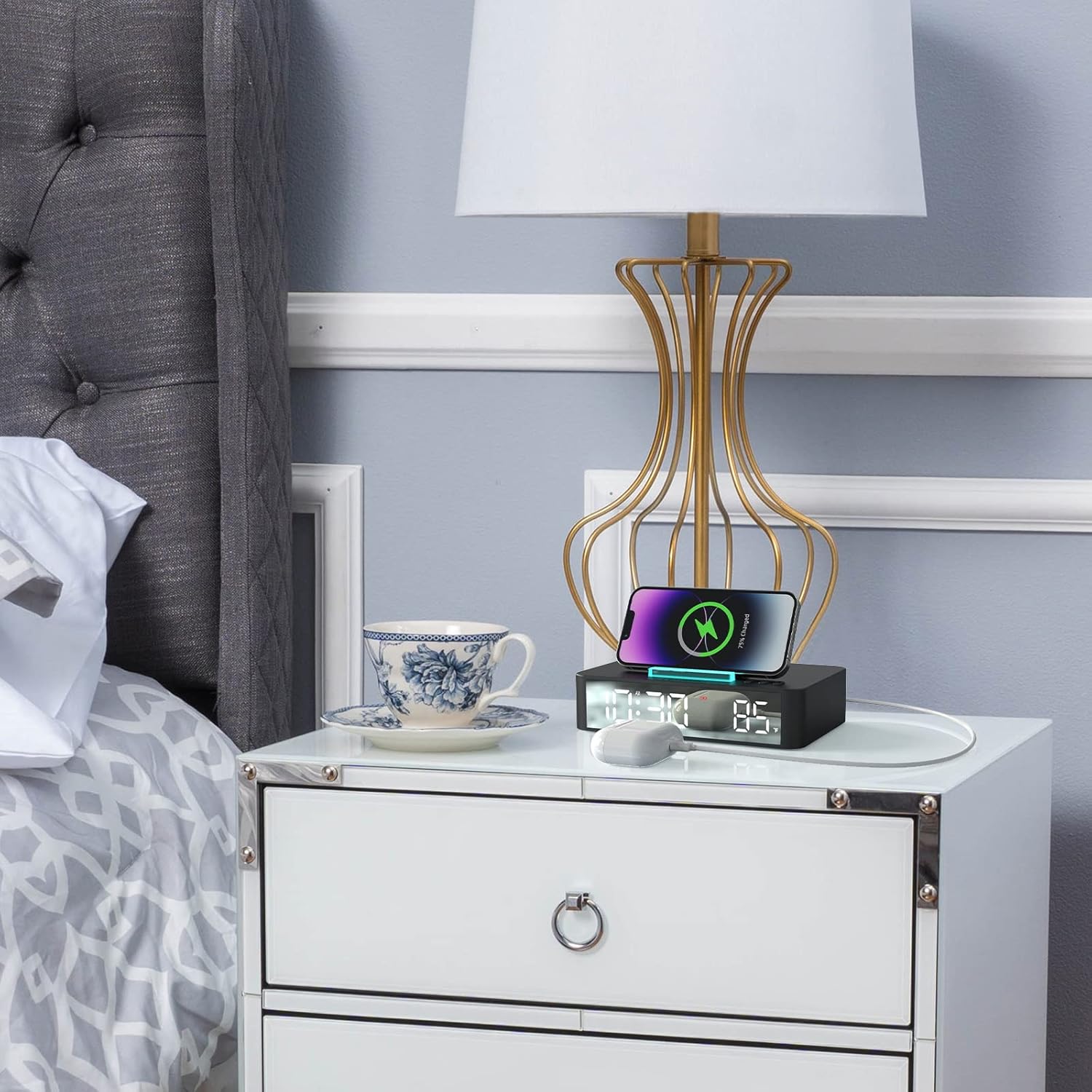
Image: Package contents of the VAUNO EN001 Alarm Clock.
Power Connection
To power the alarm clock, connect the provided USB cable to the Mini USB port on the back of the device and plug the other end into a 5V 2A (minimum) or 9V 3A (maximum) power adapter (not always included). The display will illuminate upon successful connection.
Video: Demonstrates connecting the power adapter to the alarm clock.
Setting Time and Alarm
The clock features 3 function buttons and 1 touch button for adjustments. Refer to the detailed instructions in the included paper manual for specific steps on setting the time and alarm. Typically, a 'SET' or 'MODE' button is used to enter setting mode, and '+'/'–' buttons adjust values.
Display Brightness Adjustment
The display offers 5 levels of brightness. Press the designated brightness button (often marked with a sun icon or similar) to cycle through the brightness levels (100%, 70%, 50%, 20%, 0%). The clock also supports an automatic dimming mode, which adjusts brightness based on ambient light conditions. To activate automatic dimming, press the brightness button until the 'AUTO DIMMING' indicator appears.

Image: Clock display showing time and temperature, highlighting brightness adjustment.
Wireless Charging Function
Place your Qi-compatible smartphone on the wireless charging pad. The charging indicator light on the display will show the charging status. The charging panel features a one-key lifting function. Press the designated button (often integrated with the snooze bar) to raise the panel to a 60-degree angle, allowing for comfortable viewing of videos or video calls while your device charges.

Image: Wireless charging panel with one-button lifting function, showing a phone charging at an optimized viewing angle.

Image: Watching videos while receiving a continuous charge on the VAUNO EN001 Alarm Clock.
USB Charging Port
An additional USB-A port is located on the side or back of the alarm clock. Use this port to charge other devices that are not Qi-compatible or require a wired connection.

Image: The alarm clock with an extra USB output charger in use.
Ambient Lighting
The alarm clock features a 7-color ambient light. You can cycle through the colors manually or set it to an automatic color-changing mode. When an alarm sounds, the light automatically turns on and returns to its previous setting after the alarm is dismissed.
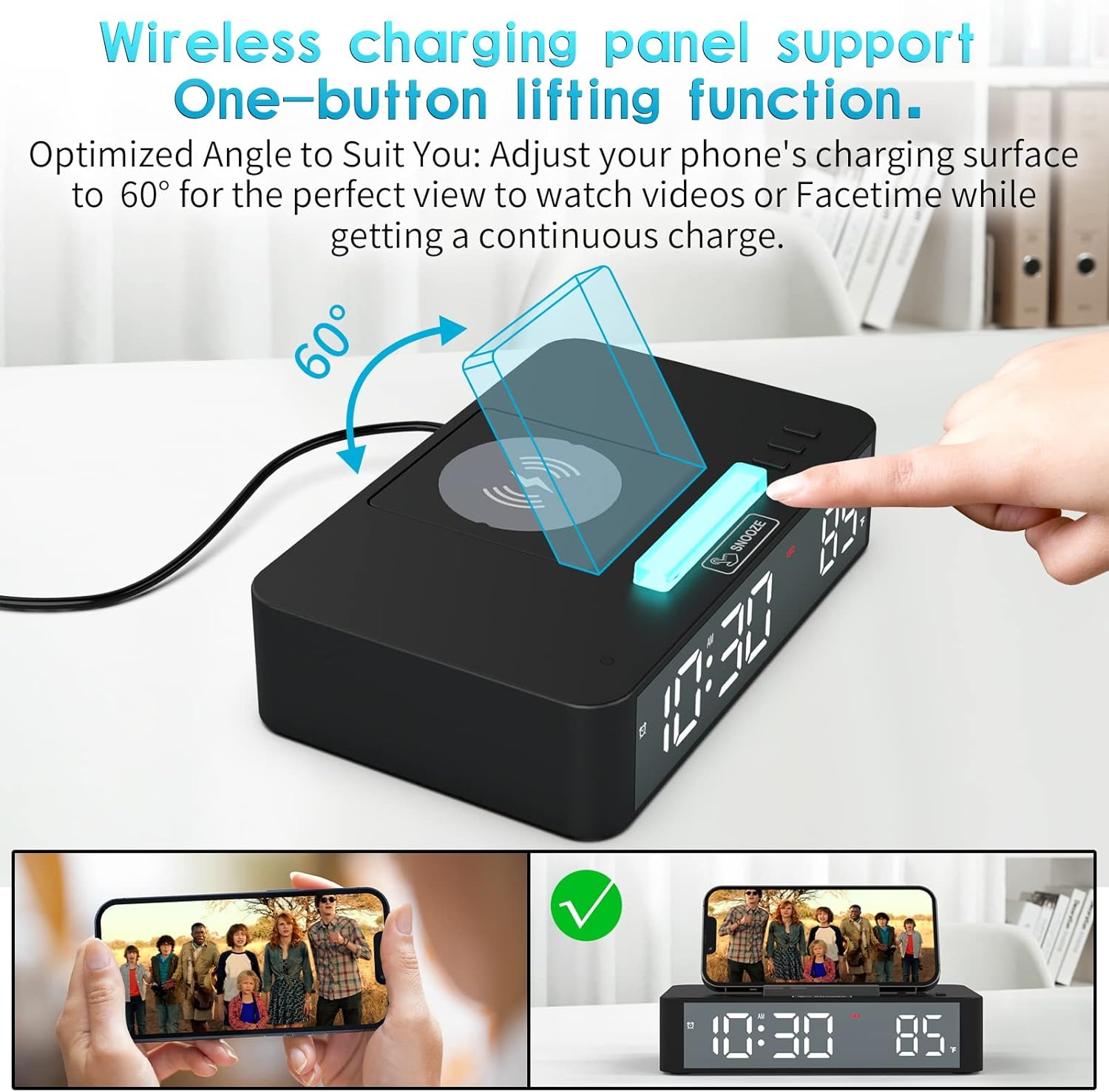
Image: Dynamic Night Light with 7 regular colors and dynamic changing color mode.
Temperature Display
The clock displays the indoor temperature in either Celsius or Fahrenheit. The unit for temperature can typically be switched by pressing a dedicated button or a combination of buttons.
Image: Clock with indoor temperature display.
Maintenance
To ensure the longevity and optimal performance of your VAUNO EN001 Alarm Clock, follow these maintenance guidelines:
- Cleaning: Use a soft, dry cloth to wipe the surface of the clock. Avoid abrasive cleaners, solvents, or chemical sprays that may damage the finish or electronic components.
- Placement: Place the clock on a stable, flat surface away from direct sunlight, excessive heat, moisture, or strong magnetic fields.
- Power: Always use the recommended power adapter (5V 2A minimum, 9V 3A maximum) to prevent damage. Unplug the device during electrical storms or when not in use for extended periods.
- Handling: Avoid dropping the device or subjecting it to strong impacts.
Troubleshooting
If you encounter issues with your VAUNO EN001 Alarm Clock, please refer to the following common problems and solutions:
- Clock not powering on: Ensure the power cable is securely connected to both the clock and a functional power outlet. Verify that the power adapter meets the specified voltage and amperage requirements (5V 2A minimum).
- Wireless charging not working:
- Ensure your device is Qi-compatible.
- Remove any thick phone cases or metallic objects between the phone and the charging pad.
- Ensure the phone is centered correctly on the charging pad.
- Check if the power adapter provides sufficient power (at least 5V 2A).
- Difficulty setting time/alarm: The clock uses 3 function buttons and 1 touch button. If the display numbers are not flashing when attempting to set, you may not be in the correct setting mode. Consult the detailed instructions in the included paper manual for the precise button sequence.
- Display too bright/dim: Press the brightness adjustment button to cycle through the 5 manual brightness levels. If in automatic dimming mode, ensure the ambient light sensor (a small dot on the front) is not obstructed.
- Lifting mechanism is loud: The one-key lifting mechanism operates with a motor. A slight mechanical sound during operation is normal.
If the issue persists, please contact customer support.
Specifications
| Feature | Detail |
|---|---|
| Brand | VAUNO |
| Model Number | EN001 |
| Color | Black |
| Material | ABS PLASTIC |
| Wireless Charging Output | 10 Watts |
| USB Output Current | 2 Amps |
| USB Output Voltage | 5 Volts |
| Power Source | Corded Electric |
| Connector Type | Mini USB (for power input) |
| Special Features | Adjustable Brightness, Alarm, Auto Dimmable, Charging Station, Temperature Display |
| Item Weight | 1.1 Pounds |
Warranty and Support
For warranty information and customer support, please refer to the contact details provided with your purchase or visit the official VAUNO website. Keep your proof of purchase for any warranty claims.