
Product Overview
The Soul OPENEAR S-Clip On Earphones offer an immersive yet open audio experience through air conduction technology. Designed for ultimate all-day comfort, these clip-on earbuds allow users to stay aware of their surroundings while enjoying high-quality sound. They feature environmental noise cancelling, low latency for entertainment, and impressive battery life.
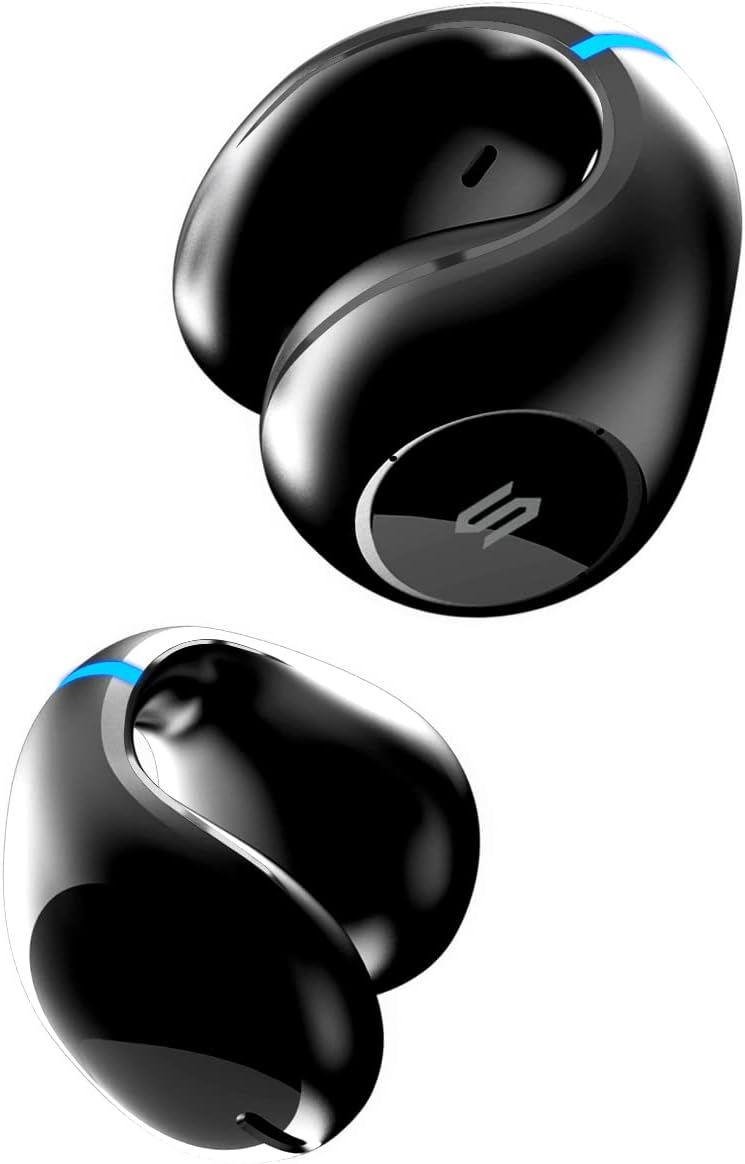
Image: Front view of the Soul OPENEAR S-Clip On Earphones, showcasing their unique clip-on design.
What's Included
- Soul OPENEAR S-Clip On Earphones (Left and Right)
- Charging Case
- USB-C Charging Cable
- User Manual / Quick Start Guide

Image: The Soul OPENEAR S-Clip earphones and their charging case, along with icons representing key features like total playtime, Bluetooth, ENC, low latency, IPX6, USB-C charging, touch control, and ergonomic design.
Setup and Initial Use
1. Unboxing and Charging
Upon opening the package, you will find the charging case containing the earphones, along with a USB-C charging cable and a quick start guide. It is recommended to fully charge the earphones before first use.
- Open the charging case. The earphones are securely placed inside.
- Connect the provided USB-C cable to the charging port on the case and to a power source. A blue indicator light on the case will confirm charging.
- Allow the earphones and case to charge until the indicator light shows a full charge (refer to the quick start guide for specific light patterns).
Video: Official unboxing and initial setup of the Soul OPENEAR S-Clip earphones, demonstrating how to open the case and remove the earbuds.
Video: Official overview of the Soul OPENEAR S-Clip On Earphones, highlighting features and design.
2. Pairing with Your Device
The earphones are designed for quick and easy pairing.
- Ensure earphones are charged and inside the charging case.
- Open the charging case. The earphones will automatically enter pairing mode.
- On your device (smartphone, tablet, etc.), go to Bluetooth settings and select "Soul OPENEAR S-Clip" from the list of available devices.
- Once connected, a voice prompt will confirm successful pairing.
Operating Instructions
Wearing the Earphones
The S-Clip earphones are designed to clip comfortably onto your ear, allowing for open-ear listening. Identify the left (L) and right (R) earphones, usually marked on the bottom of each earbud. The side with the 'S' logo should face towards the back of your ear.
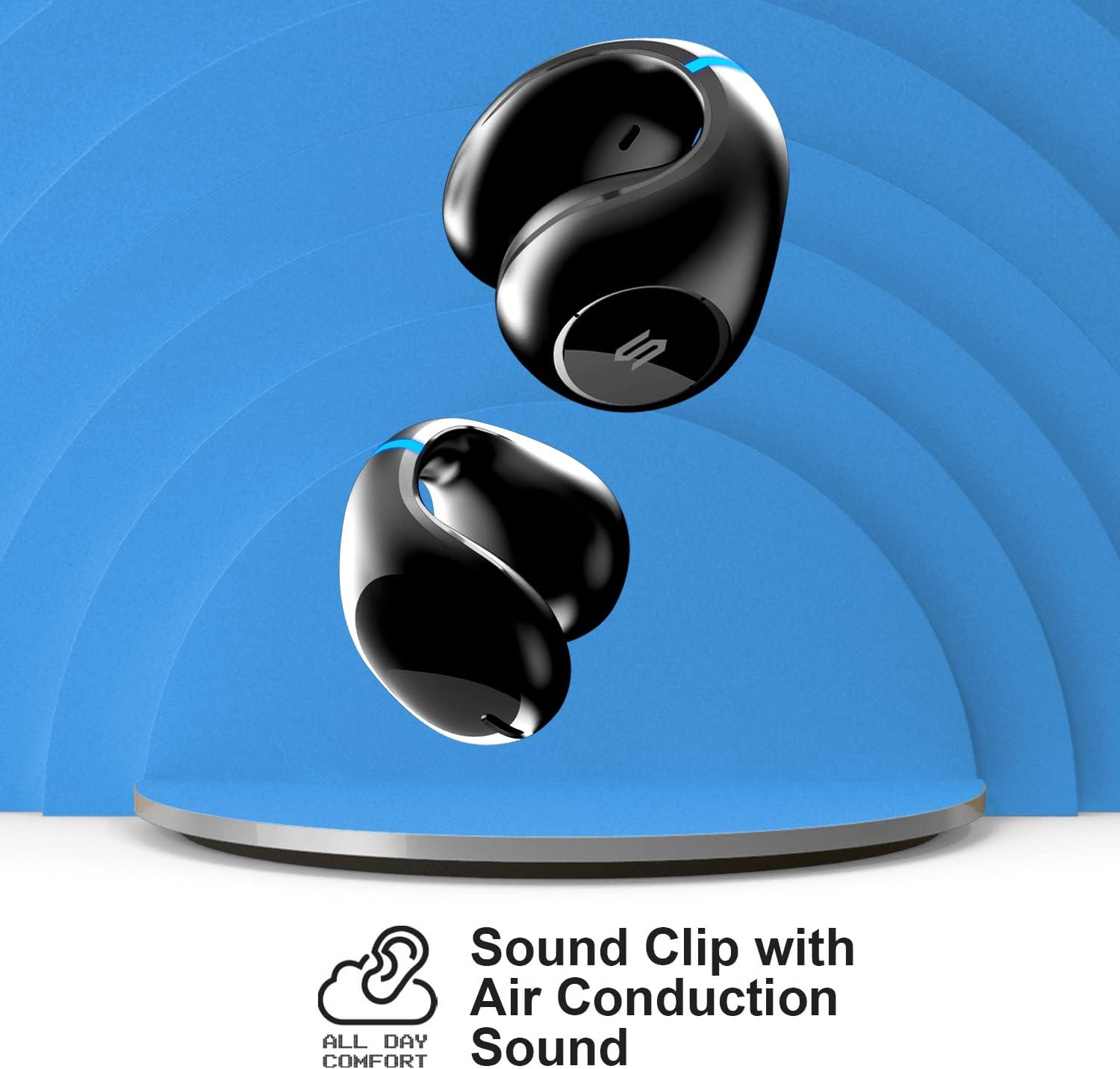
Image: A close-up view of the Soul OPENEAR S-Clip earphone being worn, demonstrating its ergonomic clip-on design for comfortable and secure fit.
Touch Controls
The earphones feature intuitive touch controls for managing playback, calls, and modes. Refer to the quick start guide for a detailed list of touch gestures.
- Play/Pause: Single tap on either earbud.
- Next Track: Double tap on the right earbud.
- Previous Track: Double tap on the left earbud.
- Answer/End Call: Single tap on either earbud.
- Activate Entertainment Mode: (Refer to manual for specific gesture) This mode reduces audio latency to 40ms, ideal for gaming and video.

Image: Illustration of the Soul OPENEAR S-Clip earphones with a gaming console, highlighting the low latency Entertainment Mode for synchronized audio and video.
Maintenance and Care
To ensure the longevity and optimal performance of your Soul OPENEAR S-Clip earphones, follow these maintenance guidelines:
- Cleaning: Wipe the earphones and charging case with a soft, dry cloth. Avoid using harsh chemicals or abrasive materials.
- Water Resistance: The earphones have an IPX6 water resistance rating, meaning they are protected against powerful water jets. They are suitable for workouts and light rain but should not be submerged in water. Ensure they are dry before placing them back in the charging case.
- Storage: Store the earphones in their charging case when not in use to protect them and keep them charged.
- Charging: Use only the provided USB-C cable for charging. Avoid extreme temperatures during charging and storage.

Image: The Soul OPENEAR S-Clip earphones and charging case shown with water splashing, illustrating their IPX6 water resistance rating.
Troubleshooting
If you encounter any issues with your Soul OPENEAR S-Clip earphones, try the following steps:
- No Sound/Poor Sound Quality:
- Ensure earphones are fully charged.
- Check Bluetooth connection and ensure earphones are paired correctly.
- Adjust volume on both your device and the earphones.
- Clean any debris from the earphone speakers.
- Earphones Not Pairing:
- Place earphones back in the case, close, and reopen to re-enter pairing mode.
- Forget the device from your phone's Bluetooth settings and attempt to re-pair.
- Ensure no other Bluetooth devices are interfering.
- Charging Issues:
- Verify the USB-C cable is securely connected to both the case and the power source.
- Try a different USB-C cable or power adapter.
- Ensure the charging contacts on the earphones and inside the case are clean.
For further assistance, please refer to the full user manual available online or contact Soul Electronics customer support.
Specifications
| Feature | Specification |
|---|---|
| Brand | Soul Electronics |
| Model Number | SO77BK |
| Ear Placement | Open Ear |
| Connectivity Technology | Wireless (Bluetooth 5.3) |
| Audio Driver Type | Air Conduction |
| Battery Life (Earbuds) | Up to 9 Hours |
| Total Playtime (with Case) | Up to 36 Hours |
| Charging Time | 4 Hours |
| Water Resistance Level | IPX6 (Waterproof) |
| Control Type | Touch Control |
| Low Latency Mode | 40ms (Entertainment Mode) |
| Environmental Noise Cancelling | Yes |
| Included Components | Protective Case |
| Item Weight | 5.3 ounces |
| Product Dimensions | 3.94 x 3.94 x 1.77 inches |
Warranty and Support
For detailed warranty information, product registration, and customer support, please refer to the official user manual or visit the Soul Electronics website. The full user manual can be accessed via the following link: