
1. Introduction
Thank you for choosing the TTiiLoe Dream Projection Night Lamp. This versatile device is designed to enhance any room with captivating projections, soothing light, and integrated music. To ensure optimal performance and longevity of your product, please read this instruction manual thoroughly before initial use. Retain this manual for future reference.
2. Safety Information
Adherence to the following safety guidelines is crucial for safe operation:
- This product is intended for indoor use only.
- Adult supervision is recommended when children are operating the device. This is not a toy.
- Do not expose the lamp to water, rain, or excessive humidity.
- Avoid disassembling, modifying, or attempting to repair the device. Unauthorized repairs may void the warranty and pose safety risks.
- Use only the provided USB charging cable and a compatible 5V/1A power adapter.
- Keep the lamp away from direct heat sources, open flames, and flammable materials.
- Avoid prolonged direct eye exposure to the projection light.
3. Package Contents
Upon unpacking, please verify that all the following items are included:
- TTiiLoe Dream Projection Night Lamp (Rabbit model) x 1
- Remote Control x 1
- USB Charging Cable x 1
- Projection Films (multiple patterns) x 6 sets
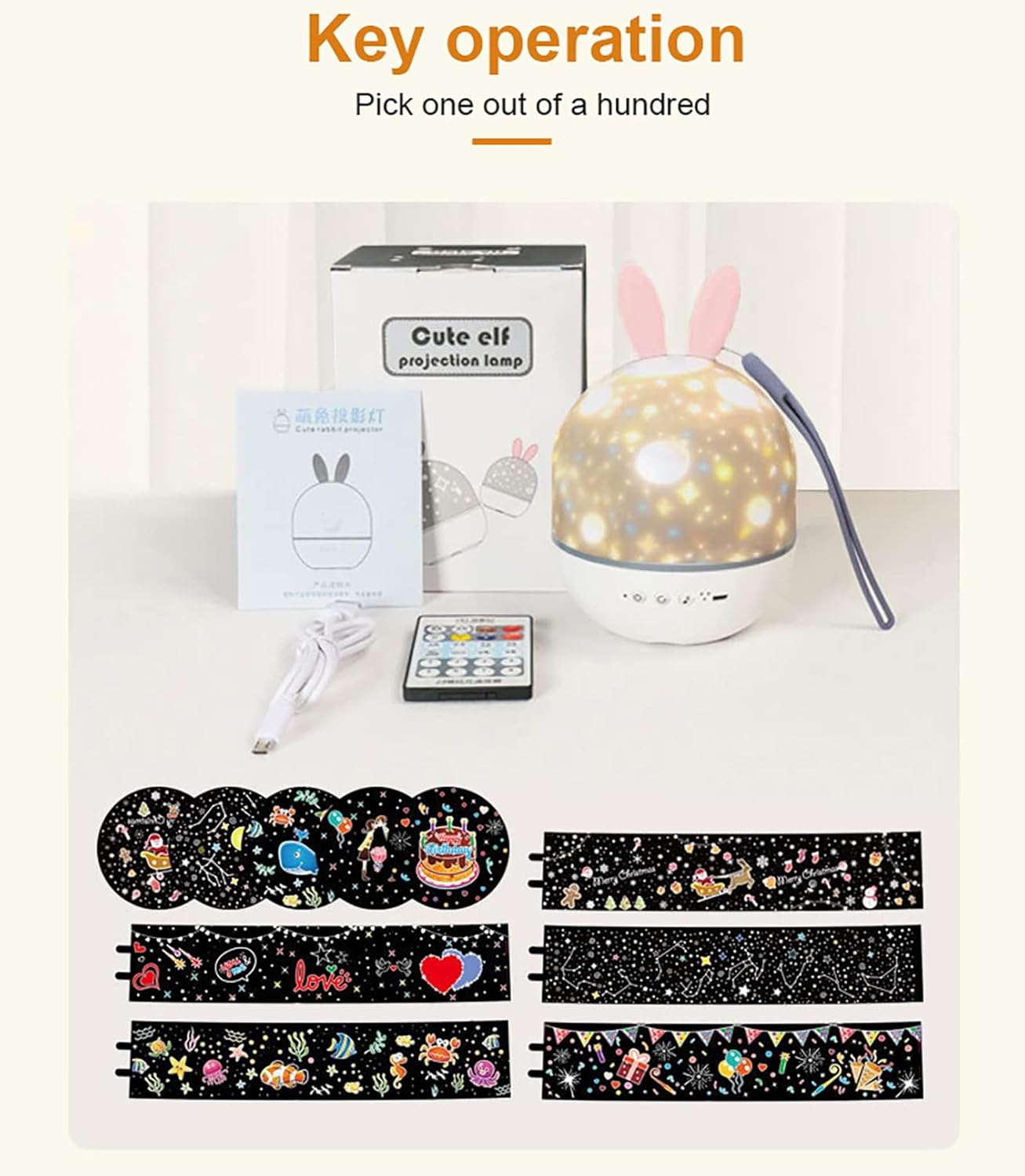
Image: The complete set of items included in the package, featuring the main lamp unit with rabbit ears, a remote control, a USB charging cable, and multiple interchangeable projection films.
4. Product Overview
Familiarize yourself with the physical components and controls of your projection night lamp.

Image: A detailed view of the lamp's base, highlighting the control buttons (power, rotation, music) and the USB charging port. The base also features a silicone anti-skid design.

Image: The remote control, featuring various buttons for comprehensive control over the lamp's functions, including power, light colors, brightness, music, and rotation.
Lamp Base Controls:
- Power Button: Press to turn the lamp on or off.
- Rotation Button: Activates or deactivates the automatic projection rotation.
- Music Button: Cycles through the built-in music tracks.
- USB Charging Port: Connects the USB charging cable for power input.
Remote Control Functions:
- Power On/Off: Turns the device on or off.
- Light Color Selection: Allows selection of various light colors (e.g., white, yellow, blue, trichromatic).
- Brightness Adjustment: Increases or decreases the light intensity.
- Music Control: Play/pause, skip to previous/next song.
- Rotation Control: Starts or stops the projection rotation.
- Timer Function: Sets a timer for automatic shutdown (refer to remote for specific timer options).
5. Setup
5.1 Initial Charging
Before using the lamp for the first time, ensure it is fully charged. Connect the provided USB charging cable to the lamp's USB port and to a 5V/1A USB power adapter (not included) or a computer's USB port. The charging indicator light will illuminate during charging and typically change color or turn off when fully charged.
5.2 Installing or Changing Projection Films
The lamp comes with multiple projection films to vary the visual experience. Follow these steps to install or change them:
- Gently lift and remove the outer lampshade cover from the top of the unit.
- Select your desired projection film from the provided sets.
- Carefully snap the chosen film into the designated slot within the lamp's inner cylinder.
- Secure the top ring with the projection film firmly in place.
- If you wish to use the device as a night light, replace the outer lampshade cover. For projection mode, leave the cover off.

Image: A step-by-step illustration detailing the process of changing the projection films, from removing the outer dome to inserting and securing a new film.
6. Operating Instructions
6.1 Power On/Off
Press the power button located on the lamp base or the corresponding button on the remote control to turn the device on or off.
6.2 Switching Between Projection and Night Light Mode
- Projection Mode: Remove the outer lampshade cover to project patterns onto walls and ceilings.
- Night Light Mode: Keep the outer lampshade cover in place to use the device as a soft, ambient night light.
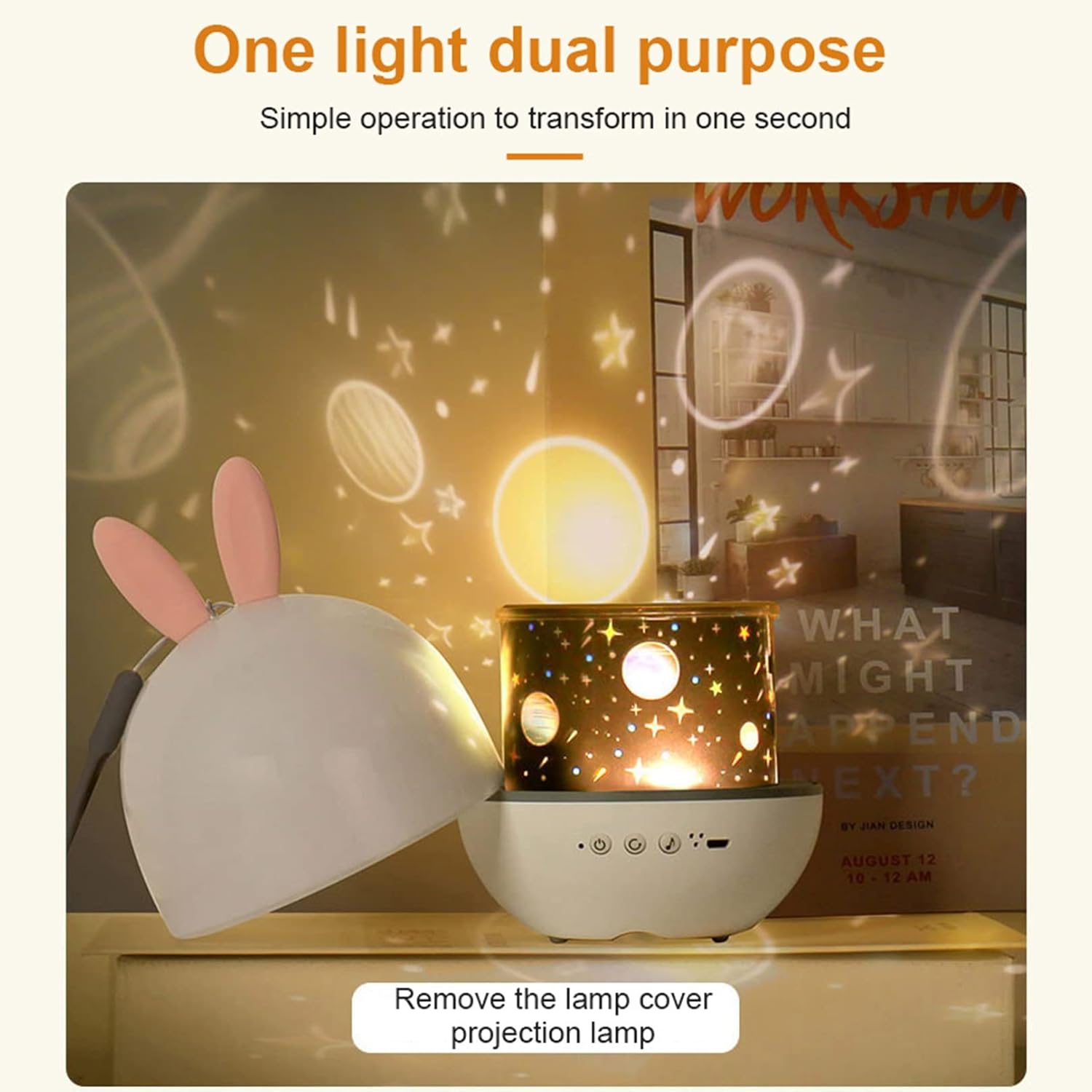
Image: The lamp is depicted in two configurations: with the white dome cover on, functioning as a gentle night light, and with the cover removed, actively projecting patterns onto a nearby surface.
6.3 Adjusting Light Colors and Brightness
Utilize the remote control to select from various light colors, including white, yellow, blue, or a combination for a trichromatic effect. The remote also allows you to adjust the brightness levels to your preference. The lamp offers 4 distinct light options.

Image: Four examples showcasing the lamp's ability to project in different single colors (white, yellow, blue) and a combined trichromatic mode, demonstrating its color versatility.
6.4 Music Playback
Press the music button on the lamp base or the remote control to cycle through the 8 integrated music tracks. The remote control provides additional functions such as play/pause and skipping to previous or next songs.

Image: The projection lamp serving as a night light on a bedside table, with musical notes depicted around it, illustrating its integrated music playback capability for a calming environment.
6.5 Projection Rotation
To activate or deactivate the automatic rotation of the projected patterns, press the rotation button on the lamp base or the corresponding button on the remote control.

Image: The TTiiLoe projection lamp, featuring distinctive rabbit ears, actively projecting a dynamic starry sky pattern. A hand is shown holding the remote control, demonstrating user interaction.
7. Charging
When the battery level is low, the light output may diminish, or the device may cease operation. Connect the USB charging cable to the lamp's USB port and a 5V/1A power source. A full charge typically provides approximately 6 hours of operation at strong light intensity or up to 10 hours at low light intensity.
8. Maintenance
- Cleaning: Gently wipe the exterior of the lamp with a soft, dry cloth. Do not use abrasive cleaners, solvents, or immerse the device in water.
- Storage: When not in use for extended periods, store the lamp in a cool, dry place, away from direct sunlight and extreme temperatures.
- Projection Film Care: Handle the projection films with care to prevent scratches or damage. Store them in their protective packaging when not in use.
9. Troubleshooting
| Problem | Possible Cause | Solution |
|---|---|---|
| Lamp does not turn on. | Low battery; Power button not pressed correctly; Device malfunction. | Charge the lamp fully; Ensure the power button is pressed firmly; If problem persists, contact customer support. |
| Remote control is unresponsive. | Remote battery low or depleted; Obstruction between remote and lamp; Remote is out of effective range. | Replace the remote control battery; Ensure a clear line of sight to the lamp's sensor; Operate the remote within 3-5 meters of the lamp. |
| Projection appears blurry or unclear. | Protective film on the lens; Dirty lens or projection film; Incorrect distance to the projection surface. | Remove any protective films from the lens; Gently clean the lens and projection film with a soft cloth; Adjust the lamp's distance from the projection surface for optimal clarity. |
| Music is not playing. | Music function not activated; Volume level is too low. | Press the music button on the lamp or remote; Adjust the volume using the remote control (if applicable). |
10. Specifications
- Model: 8702972081910
- Brand: TTiiLoe
- Material: Acrylonitrile Butadiene Styrene (ABS)
- Light Source: LED
- Power Input: 5V / 1.0A
- Battery Capacity: 1200mAh
- Battery Life: Approximately 6 hours (strong light), 10 hours (low light)
- Wattage: 5 watts
- Item Weight: Approximately 300 grams (10.6 ounces)
- Control Method: Remote Control, On-device buttons
- Special Features: Color Changing, Dimmable, Projection Rotation, Music Playback
- Room Type: Kids Room
- Indoor/Outdoor Usage: Indoor only
11. Warranty and Support
For detailed warranty information or technical assistance, please refer to the documentation included with your purchase. Alternatively, you may contact TTiiLoe customer service directly. Please retain your purchase receipt as proof of purchase for any warranty claims.
12. Official Product Videos
No official product videos from the seller were found in the provided data. Therefore, no videos are embedded in this manual.