
PRIMECOMTECH PRIMECOM-80W
PRIMECOM 80 Amp 22KW Level-2 EV Charging Station
Model: PRIMECOM-80W User Manual
1. Introduction
Thank you for choosing the PRIMECOM 80 Amp 22KW Level-2 Smart Electric Vehicle (EV) Charging Station. This high-power charger is designed to provide fast and efficient charging for your electric vehicle, offering up to 75 miles of range per hour of charge. It features smart technology for monitoring and control via a smartphone app, adjustable amperage settings, and robust construction for outdoor use.
This manual provides essential information for the safe and effective installation, operation, and maintenance of your new EV charging station. Please read it thoroughly before use and retain it for future reference.

Image: The PRIMECOM 80 Amp 22KW Level-2 EV Charging Station, showing the main unit, charging cable, and a smartphone displaying the app interface.
2. Safety Information
Your safety is paramount. The PRIMECOM EV Charging Station is designed with multiple safety features and has passed rigorous tests to ensure quality and reliability. Always adhere to the following safety guidelines:
- Ensure professional installation by a qualified electrician to comply with local electrical codes and regulations.
- Do not attempt to open or repair the charging station yourself. Refer all servicing to qualified personnel.
- Keep the charging station and cable away from water sources, flammable materials, and extreme heat.
- Do not use the charger if the cable or connector is damaged.
- The product is equipped with 12 built-in safety features, including protection against over-voltage, over-current, under-voltage, over-charge, short circuit, and overheat.
- The charger is TÜV German Equipment & Product Safety Certified and CE certified.

Image: The PRIMECOM EV Charger highlighting its multiple safety features, including protection against over-voltage, over-current, over-charge, under-voltage, battery cell issues, short circuit, and overheat.
3. What's in the Box
Upon unpacking your PRIMECOM EV Charging Station, please verify that all the following components are included:
- PRIMECOM 80 Amp 22KW Level-2 EV Charging Station Unit
- Charging Cable (50 Feet)
- HOSTER/HANGER
- 3 RFID FOBS
- MOUNTING BRACKETS & INSTALLATION HARDWARE
- WIRE NUTS
- User Manual
- UL Certificate
4. Setup and Installation
The PRIMECOM EV Charging Station requires professional installation. It is designed for a 220V electrical supply. Please ensure your electrical system can support an 80 Amp load.
- Site Selection: Choose a suitable location for installation, preferably near your parking area, with access to a dedicated 220V outlet. The charger is waterproof and safe for outdoor use.
- Mounting: Use the provided mounting brackets and hardware to securely attach the charging station to a sturdy wall or post. Ensure it is mounted at a convenient height for operation.
- Electrical Connection: A qualified electrician must connect the charging station to your electrical supply. The charger comes with wire nuts for secure connections.
- Cable Management: Utilize the HOSTER/HANGER to neatly store the charging cable and connector when not in use, preventing damage and tripping hazards.

Image: The PRIMECOM EV Charger unit with its long 50-foot charging cable, illustrating the extensive reach for flexible installation.
5. Operating Instructions
Operating your PRIMECOM EV Charging Station is straightforward:
- Power On: Ensure the charging station is properly connected to the power supply. The LED display screen will illuminate.
- Connect to Vehicle: Open your vehicle's charging port and firmly insert the J1772 connector from the charging station. For Tesla vehicles, a J1772 to UMC adapter (typically included with new Teslas) is required.
- Initiate Charging: Charging will typically begin automatically. You can monitor the charging status on the LED display screen or via the smartphone app.
- RFID Key (Optional): If authorization is required (e.g., for public or shared installations), tap one of the provided RFID FOBS to the RFID reader area on the charger to enable or disable charging.
- End Charging: To stop charging, disconnect the connector from your vehicle. The charger will automatically cease power delivery.
LED Display Screen
The integrated LED display screen provides real-time charging data, including:
- Real-time charging Amperage
- Actual charging Voltage
- Total kilowatt consumption
- Current temperature
- Charging status indicators
6. Smartphone App Integration
The PRIMECOM EV Charging Station can be controlled and monitored via a dedicated smartphone app. This smart technology allows for enhanced control and convenience.
- Download: Download the PRIMECOM app from your device's app store.
- Connect: Follow the in-app instructions to connect your charging station to your smartphone via Wi-Fi or Bluetooth.
- Features: Through the app, you can:
- Schedule charging sessions up to 15 hours in advance.
- Track real-time energy usage and charging progress.
- Receive updates and notifications.
- Adjust amperage settings remotely.

Image: A hand holding a smartphone displaying the PRIMECOM EV charging app, showing real-time charge, electricity usage monitoring, and charge scheduling features.
7. Adjustable Amperage
The PRIMECOM 80 Amp EV Charger offers flexible amperage settings, allowing you to adjust the charging rate based on your needs or electrical capacity. The charger can be manually adjusted via the front button selection or automatically via the smartphone app.
Available amperage settings include: 80A, 50A, 48A, 40A, 32A, 30A, 28A, 24A. The smart charger can also automatically supply the optimal amperage depending on the current battery levels of your vehicle.

Image: The PRIMECOM EV Charger illustrating the manual amperage adjustment options from 24 Amp to 80 Amp, along with features for setting delay charging timers and scheduling charging.
8. Universal Compatibility
The PRIMECOM 80 Amp EV charger is designed for universal compatibility, working with all major brands of Electric Vehicles (EVs) and Plug-in Hybrid Electric Vehicles (PHEVs) that use the J1772 charging standard.
For Tesla vehicles, a J1772 to UMC adapter is required. This adapter typically comes with every new Tesla vehicle.

Image: The PRIMECOM EV Charger demonstrating its universal compatibility with various electric vehicle brands, including Tesla (with adapter), BMW, Kia, Ford, Chevrolet, Toyota, Rivian, Nissan, Hyundai, Volkswagen, Volvo, Cadillac, and Mercedes.
9. Durability and Weather Resistance
The PRIMECOM EV Charging Station is built to withstand various environmental conditions. It features a rugged design and is waterproof, making it safe for outdoor installation and use.
- IP56 Protection Level: This rating ensures protection against dust ingress and powerful water jets, making it suitable for outdoor environments.
- All-Weather Durability: The robust construction ensures longevity and reliable performance in rain, snow, and other weather conditions.

Image: The PRIMECOM EV Charger depicted in various weather conditions, including rain and snow, highlighting its IP56 protection level and adaptability to extreme weather.
10. Maintenance
To ensure the longevity and optimal performance of your PRIMECOM EV Charging Station, follow these simple maintenance guidelines:
- Regular Cleaning: Periodically wipe down the exterior of the charging station and the charging cable with a soft, damp cloth. Do not use abrasive cleaners or solvents.
- Inspect Cable and Connector: Before each use, visually inspect the charging cable and connector for any signs of wear, damage, or fraying. If any damage is observed, discontinue use and contact customer support.
- Keep Connections Dry: Ensure the charging port on your vehicle and the charger connector are dry before connecting.
- Proper Storage: When not in use, store the charging cable neatly using the provided hoster/hanger to prevent kinks or damage.
11. Troubleshooting
If you encounter issues with your PRIMECOM EV Charging Station, refer to the following common troubleshooting steps:
| Problem | Possible Cause | Solution |
|---|---|---|
| Charger not powering on | No power supply; tripped circuit breaker | Check power connection; reset circuit breaker. If issue persists, contact an electrician. |
| Charging not starting | Cable not fully inserted; vehicle not ready to charge; RFID authorization needed | Ensure cable is firmly connected; check vehicle's charging settings; use RFID FOB if required. |
| Slow charging rate | Amperage set too low; vehicle limitation | Adjust amperage setting on charger or via app; consult vehicle manual for charging specifications. |
| Error message on display | Internal fault; external issue | Note the error code and refer to the full troubleshooting guide in the comprehensive manual or contact customer support. |
For more detailed troubleshooting or issues not listed here, please contact PRIMECOMTECH customer support.
12. Specifications
| Feature | Detail |
|---|---|
| Model Number | PRIMECOM-80W |
| Input Voltage | 220 Volts |
| Maximum Amperage | 80 Amp |
| Maximum Power Output | 22 KW |
| Adjustable Amperage | 80A, 50A, 48A, 40A, 32A, 30A, 28A, 24A |
| Cord Length Options | 18, 25, 30, 40, 50 Feet (This model: 50 Feet) |
| Connector Type | J1772 (Universal) |
| Weather Protection | IP56 (Waterproof) |
| Certifications | TÜV, CE, ETL |
| Item Weight | 32.3 pounds (14.7 Kilograms) |
| Package Dimensions | 20.3 x 20.2 x 6 inches |
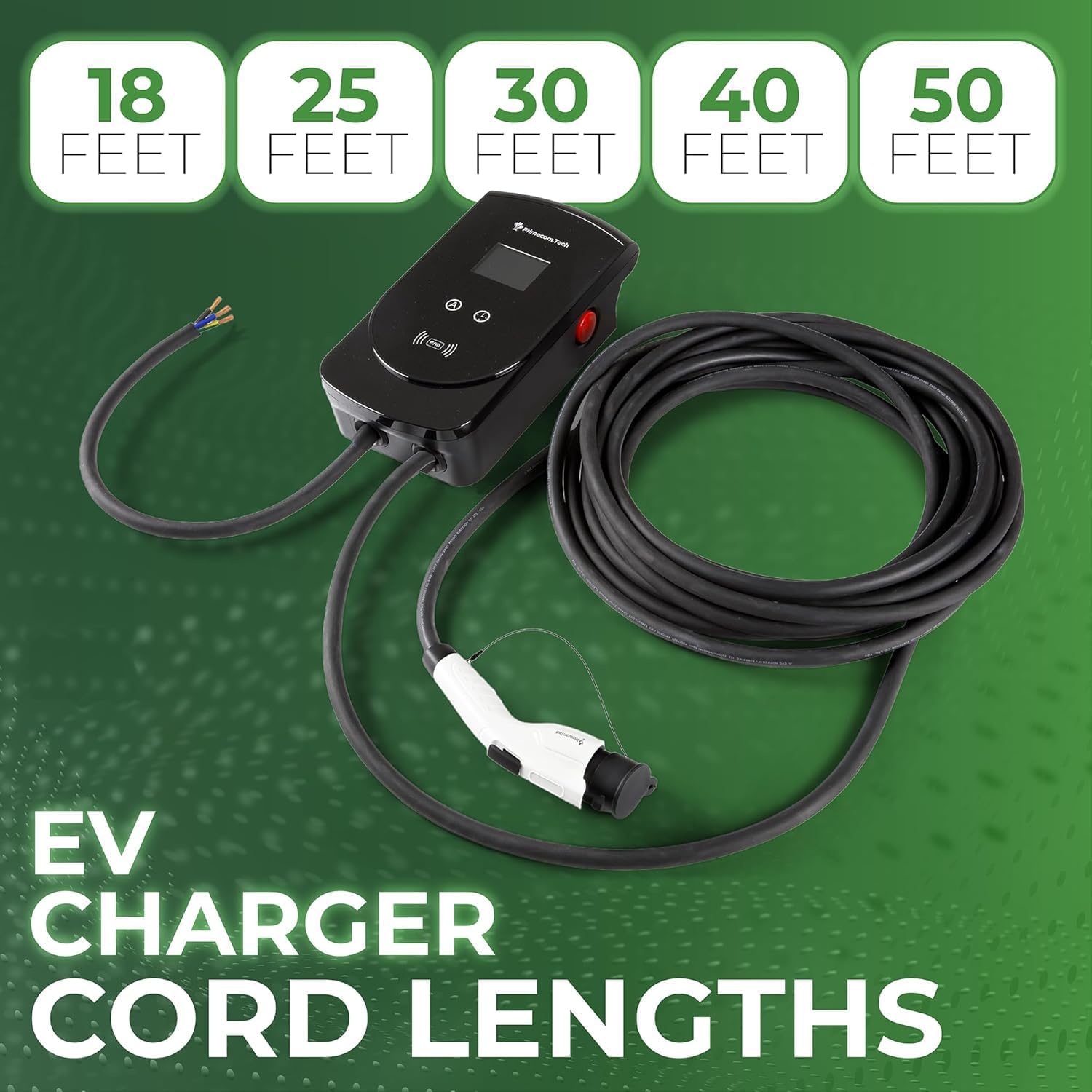
Image: The PRIMECOM EV Charger illustrating the available cord lengths: 18, 25, 30, 40, and 50 feet.
13. Warranty and Support
The PRIMECOM 80 Amp EV Charging Station comes with a 1-year parts & labor warranty.
For technical assistance, warranty claims, or any questions regarding your charging station, please contact PRIMECOMTECH customer support. Our US-based support team is available 7 days a week to assist you.
PRIMECOMTECH Customer Support:
- Refer to the contact information provided on the product packaging or the official PRIMECOMTECH website.
- Online resources and FAQs may also be available on the PRIMECOMTECH brand store: PRIMECOMTECH Store
Ask a question about this manual
Ask about setup, troubleshooting, compatibility, parts, safety, or missing instructions. Manuals+ will review the question and use this page’s manual context to help answer it.