
SW-Motech SLC Side Carrier Left (ASIN: B0C3M6FCBN)
SW-Motech SLC Side Carrier Left - Honda CB750 Hornet (22-) User Manual
Model: SLC Side Carrier Left (ASIN: B0C3M6FCBN)
1. Introduction
This user manual provides comprehensive instructions for the installation, operation, maintenance, and troubleshooting of your SW-Motech SLC Side Carrier for the Honda CB750 Hornet (2022- model year). Please read this manual thoroughly before installation and use to ensure proper function and safety.
2. Safety Instructions
Always observe the following safety precautions:
- Ensure all fasteners are tightened to the specified torque values.
- Regularly check the side carrier for secure attachment and signs of wear.
- Do not exceed the maximum load capacity specified for your motorcycle or the side carrier.
- Installation should be performed by a qualified technician if you are unsure of any steps.
- Keep hands and clothing clear of moving parts during installation and operation.
- Always use appropriate personal protective equipment (PPE) during installation.
3. Package Contents
Verify that all components are present before beginning installation:
- 1x SW-Motech SLC Side Carrier (Left)
- Mounting hardware kit (bolts, washers, spacers, nuts)
- Installation instructions (this manual)
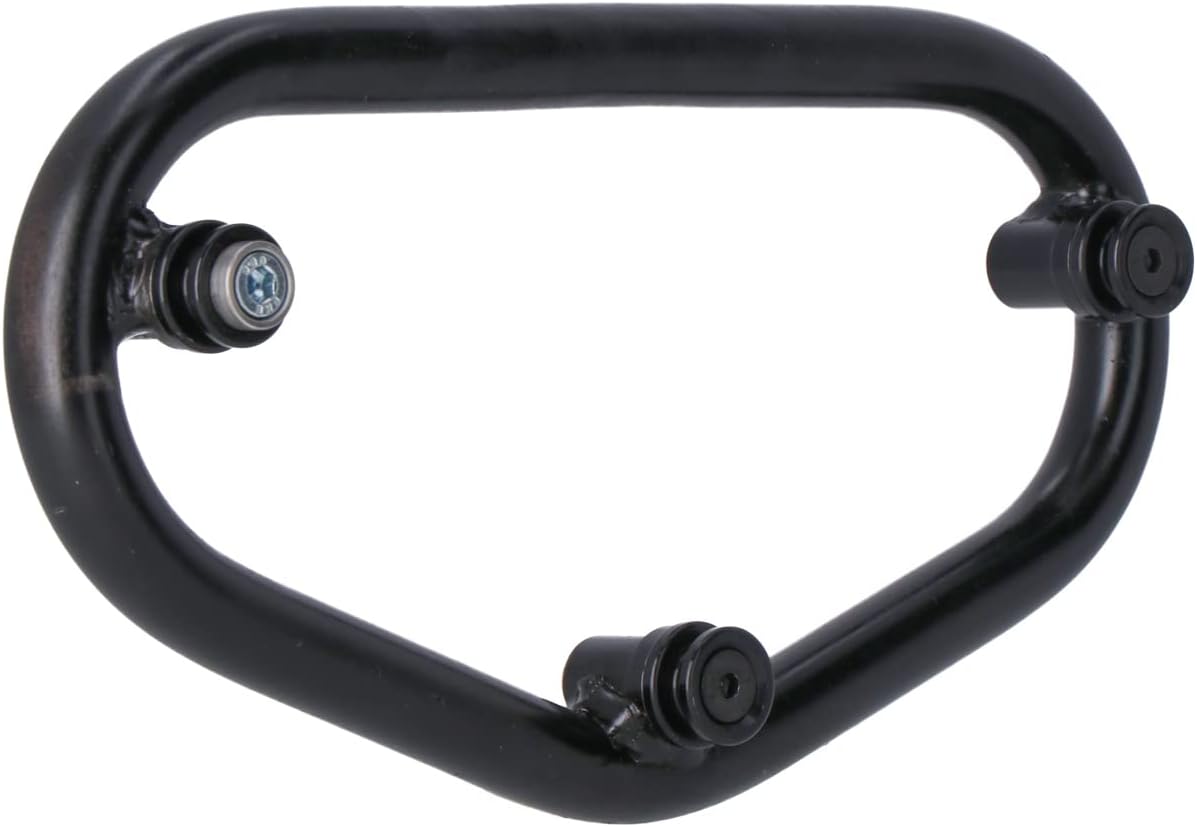
Image: The SW-Motech SLC Side Carrier, a robust black metal frame, shown detached from the motorcycle. It features mounting points with visible bolts and connection mechanisms, indicating its design for secure luggage attachment.
4. Installation Guide
Follow these steps carefully for proper installation. Refer to your motorcycle's service manual for specific torque values if not provided here.
- Preparation: Park the motorcycle on a level surface and ensure it is stable. Turn off the engine and allow exhaust components to cool.
- Identify Mounting Points: Locate the designated mounting points on the left side of your Honda CB750 Hornet frame, typically near the passenger footpeg and rear fender area.
- Attach Front Mount: Secure the front arm of the SLC side carrier to the corresponding frame mounting point using the provided bolts and spacers. Do not fully tighten yet.
- Attach Rear Mount: Connect the rear arm of the SLC side carrier to its designated mounting point. This may involve replacing existing bolts with longer ones from the kit.
- Align and Tighten: Once both front and rear points are loosely attached, align the side carrier to ensure it is level and properly positioned. Gradually tighten all bolts evenly. Refer to the motorcycle's manual or SW-Motech's specific instructions for torque specifications.
- Final Check: After tightening, double-check all connections to ensure they are secure. Gently attempt to move the carrier to confirm stability.
5. Operating Instructions
The SLC Side Carrier is designed for quick and secure attachment of compatible SW-Motech luggage (e.g., Legend Gear LC side bags).
- Attaching Luggage: Align the mounting hooks of your compatible luggage with the quick-lock system on the SLC carrier. Press firmly until you hear a click, indicating a secure lock.
- Detaching Luggage: To remove, locate the release mechanism (usually a lever or button) on the luggage or carrier. Activate the mechanism and lift the luggage away.
- Load Distribution: Always distribute weight evenly within your luggage. Avoid placing heavy items on one side only.
- Weight Limit: Adhere to the maximum load capacity specified by SW-Motech and Honda for your motorcycle. Overloading can affect handling and safety.
6. Maintenance
Regular maintenance ensures the longevity and safe operation of your side carrier:
- Cleaning: Clean the carrier with mild soap and water. Avoid abrasive cleaners or solvents that could damage the finish.
- Inspection: Periodically inspect all bolts and connections for tightness. Re-tighten if necessary. Check for any signs of corrosion, cracks, or damage to the frame.
- Lubrication: If the quick-lock mechanism feels stiff, apply a small amount of silicone spray or light lubricant to the moving parts.
- Storage: If removing the carrier for extended periods, store it in a dry place away from direct sunlight and extreme temperatures.
7. Troubleshooting
| Problem | Possible Cause | Solution |
|---|---|---|
| Carrier feels loose after installation. | Bolts not tightened sufficiently. | Re-tighten all mounting bolts to specified torque values. |
| Luggage difficult to attach/detach. | Mechanism dirty or dry; misalignment. | Clean and lubricate the quick-lock mechanism. Ensure luggage is correctly aligned before pressing. |
| Unusual noise from carrier during riding. | Loose components; improper installation. | Inspect all mounting points for tightness. Verify correct installation according to instructions. |
8. Specifications
- Product: SLC Side Carrier Left
- Brand: SW-Motech
- Model Compatibility: Honda CB750 Hornet (Model Year 2022 and newer)
- Material: Steel (powder-coated)
- Color: Black
- Weight: Approximately 1.5 - 2.5 kg (estimated)
- Load Capacity: Refer to your motorcycle's manual and SW-Motech's official product page for specific load limits.
9. Warranty and Support
SW-Motech products are manufactured to high quality standards. For warranty information, product registration, or technical support, please visit the official SW-Motech website or contact your authorized dealer.
Website: www.sw-motech.com
Contact: Refer to the "Contact Us" section on the official website for regional support details.