
1. Product Overview
This manual provides detailed instructions for the installation, operation, and maintenance of your YUNTX Android 14 Car Stereo. This unit is designed to enhance your driving experience with advanced features such as integrated CarPlay, Android Auto, DSP, GPS navigation, Bluetooth 5.0, and support for a 360-degree camera system.
Key Features:
- Operating System: Android 14
- Memory: 6GB RAM + 128GB ROM
- Processor: Octa Core-2.0GHz (Rockchip AC8257)
- Display: 9-inch IPS 2.5D Digital Touchscreen (1280*600 resolution)
- Audio Output: 4*50W (TDA7851 Amplifier, 64-band DSP Equalizer)
- Connectivity: Integrated Wireless/Wired CarPlay & Android Auto, Bluetooth 5.0, Wi-Fi, 4G (optional)
- Navigation: Pre-installed online and offline GPS navigation apps with 3D map support
- Multimedia: Mirror Link, AM/FM Radio with RDS (NXP TEF7708 IC), 4K Video Playback
- Additional Features: Steering Wheel Control support, OBD (optional), 360 Camera support (optional), Split Screen function, Multicolor Illumination.
2. Setup and Installation
2.1 Compatibility
This car stereo is compatible with the following vehicle models:
- Peugeot 107 (2005-2014)
- Toyota Aygo (2005-2014)
- Citroen C1 (2005-2014)
If you are unsure about compatibility, please contact customer support with a photo of your car's dashboard.

Image: Comparison of dashboard before and after installation, showing the YUNTX car stereo integrated with the OEM panel.
2.2 Package Contents
Verify that all items listed below are included in your package:
- 1 x Car Stereo Unit
- 1 x Power Cable
- 1 x RCA Output Cable A
- 1 x RCA Output Cable B
- 1 x RCA Output Cable C
- 1 x RCA Output Cable D
- 1 x GPS Antenna
- 1 x USB Cable
- 1 x External Microphone
- 1 x Radio Antenna
- 1 x Rear View Camera (4 LED)
- Installation Brackets
- User Manual (this document)

Image: Visual representation of all included accessories and cables in the package.
2.3 Wiring Diagram and Installation Tips
Refer to the following diagram for proper wiring connections. Professional installation is recommended.

Image: Detailed wiring diagram showing connections for power, speakers, GPS antenna, USB, RCA outputs, microphone, and other accessories.
Key Connections:
- Power Socket: Connect to your vehicle's power harness. Ensure correct polarity.
- GPS Antenna: Mount in a location with a clear view of the sky for optimal signal reception.
- USB Cable: For connecting USB devices or for wired CarPlay/Android Auto.
- RCA Output Sockets: For connecting external amplifiers, subwoofers, or additional displays.
- Rear Camera Input: Connect the included rear view camera. The unit automatically switches to reverse mode when the vehicle is in reverse gear.
- External Microphone: Connect for clearer hands-free communication.
- ANT (Antenna): Connect your vehicle's radio antenna.
- KEY1/KEY2: For steering wheel control connections.
3. Operating Instructions
3.1 Basic Operation
- Power On/Off: Press and hold the power button on the unit or use the vehicle's ignition. The unit supports fast boot.
- Touchscreen: Navigate the interface by tapping, swiping, and pinching on the IPS 2.5D display.
- Volume Control: Adjust using the physical buttons or on-screen controls.
3.2 CarPlay & Android Auto
The unit features integrated wireless and wired CarPlay and Android Auto. This allows you to seamlessly integrate your smartphone for navigation, music, calls, and messages.
- Connection: Connect your iPhone via USB or wirelessly for CarPlay. Connect your Android phone via USB or wirelessly for Android Auto.
- Functions: Access voice control (Siri/Google Assistant), make calls, send messages, use navigation apps, and play music directly from your phone.
3.3 Digital Sound Processor (DSP)
The built-in DSP with a 64-band equalizer allows for precise audio tuning. You can independently adjust front and rear speakers, control surround sound, and manage speaker delay for optimal sound effects.
3.4 GPS Navigation
The unit comes with pre-installed online and offline GPS navigation applications. It supports 3D maps and voice guidance.
- Online Navigation: Requires an internet connection (Wi-Fi or optional 4G modem).
- Offline Maps: Download maps for use without an internet connection.
- Simultaneous Operation: You can listen to radio, Bluetooth audio, or USB/SD media while navigating.
3.5 Bluetooth 5.0
Bluetooth 5.0 provides stable and fast connections for hands-free calls and music streaming.
- Hands-Free Calling: Sync your phonebook, make and receive calls directly from the stereo.
- Bluetooth Music: Stream audio from your smartphone or other Bluetooth-enabled devices.
3.6 Mirror Link
Mirror Link allows you to display and control your smartphone's screen on the car stereo's display via USB cable or Wi-Fi connection.
3.7 Radio
The unit features an integrated AM/FM tuner with RDS (Radio Data System) for enhanced radio experience.
- Automatic Tuning: Scan and save radio stations.
- RDS: Displays station information, song titles, and traffic announcements where available.
3.8 Steering Wheel Control
The unit supports your vehicle's original steering wheel controls, allowing you to conveniently change tracks, adjust volume, and manage calls without taking your hands off the wheel.
3.9 360 Camera Support
The system supports an optional 360-degree panoramic camera system (B09ZL1PGXM) for a comprehensive view around your vehicle, enhancing safety during parking and maneuvering.
3.10 Split Screen Function
Utilize the split-screen feature to run two applications simultaneously, such as navigation and music playback, for improved multitasking.
3.11 Multicolor Illumination & Languages
Customize the button illumination colors to match your vehicle's interior or your personal preference. The system supports up to 196 languages for the user interface.

Image: Screenshots of the car stereo's user interface demonstrating features like IPS display, DSP settings, 360 camera view, 4G/WiFi connectivity, Mirror-Link, Split-Screen, Steering Wheel Control, Fastboot, and Quick Reversing Mode.
Image: User interface showing options for multicolor button illumination and language selection with various national flags.
4. Maintenance
To ensure the longevity and optimal performance of your car stereo, follow these maintenance guidelines:
- Cleaning: Use a soft, dry cloth to clean the screen and unit. For stubborn smudges, slightly dampen the cloth with water or a screen-safe cleaner. Avoid abrasive materials or harsh chemicals.
- Temperature: Avoid exposing the unit to extreme temperatures, direct sunlight for prolonged periods, or high humidity.
- Software Updates: Periodically check for software updates from the manufacturer to ensure the system runs efficiently and has the latest features and security patches.
- Connections: Ensure all cables are securely connected. Loose connections can lead to intermittent issues.
5. Troubleshooting
If you encounter any issues with your YUNTX car stereo, refer to the following troubleshooting tips:
| Problem | Possible Cause | Solution |
|---|---|---|
| Unit does not power on. | Loose power connection, blown fuse, vehicle battery issue. | Check power cables and connections. Inspect vehicle fuses. Ensure vehicle battery is charged. |
| No sound or distorted audio. | Volume too low, speaker wires disconnected, incorrect audio settings. | Increase volume. Check speaker wire connections. Verify audio settings in DSP. |
| GPS signal lost or inaccurate. | GPS antenna improperly installed or obstructed. | Ensure GPS antenna has a clear view of the sky. Check antenna connection. |
| Bluetooth connection issues. | Bluetooth not enabled, device out of range, pairing error. | Ensure Bluetooth is enabled on both devices. Move devices closer. Re-pair the device. |
| CarPlay/Android Auto not working wirelessly. | Compatibility issue, software glitch, incorrect settings. | Ensure your phone and the stereo's software are up to date. Try a wired connection. Consult customer support if the issue persists, as some users have reported this. |
| Touchscreen unresponsive. | System freeze, temporary software error. | Restart the unit by turning off the vehicle ignition and restarting. If available, use the reset button (refer to unit diagram). |
If these solutions do not resolve the issue, please contact YUNTX customer support for further assistance.
6. Specifications
Detailed technical specifications for the YUNTX Android 14 Car Stereo:
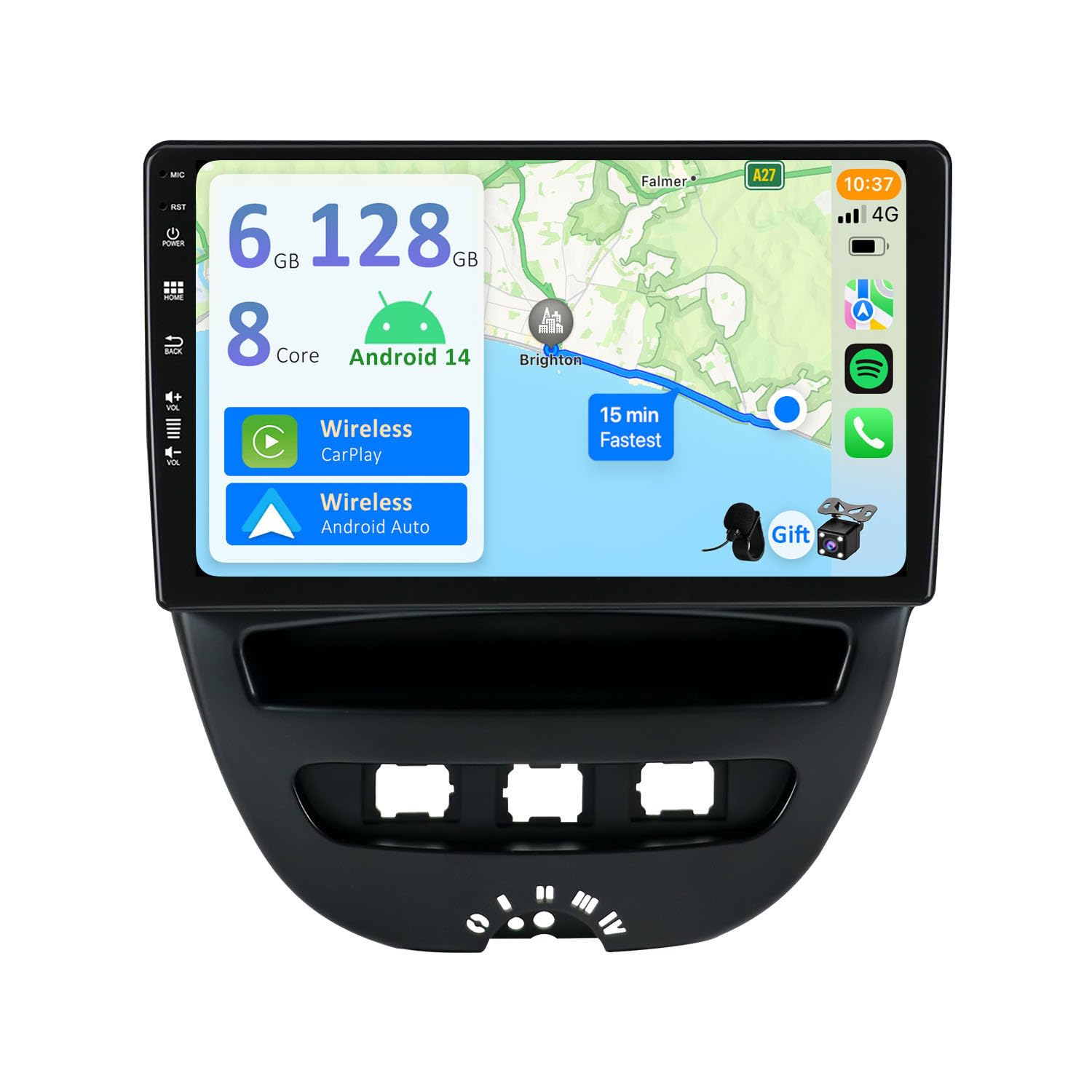
Image: Infographic summarizing key specifications including Android 14, 6GB RAM, 128GB ROM, Octa Core CPU, Bluetooth 5.0, IPS screen, 4K video, DSP, CarPlay, and Android Auto.
| Feature | Specification |
|---|---|
| Operating System | Android 14 |
| RAM | 6GB LPDDR4 |
| ROM | 128GB SSD |
| CPU | Rockchip AC8257 Octa Core, up to 2.0GHz |
| Display | 9-inch IPS 2.5D Digital Touchscreen, 1280*600 HD Resolution |
| Audio Output Power | 4*50W (TDA7851 Amplifier) |
| DSP | Built-in 64-band Equalizer |
| Bluetooth | Bluetooth 5.0 |
| Radio IC | NXP TEF7708 (AM/FM with RDS) |
| Connectivity | Wi-Fi, USB, Optional 4G Modem (B089KGJT61) |
| Video Decoding | H.264, H.265/HEVC (Supports 4K/3840x2160 pixels VideoHD 1080P) |
| USB/SD Support | Up to 500GB |
| Compatible Devices | Smartphone |
| Control Method | Touch |
| Audio Output Type | RCA, Bluetooth |
| Number of Audio Channels | 2.0 (Surround Sound Configuration) |
| Number of Amplifier Channels | 4 |
| Internet Applications | Pandora, Spotify (via Android apps) |
7. Warranty and Support
For warranty information and customer support, please refer to the documentation provided with your purchase or visit the official YUNTX website. Keep your proof of purchase for warranty claims.
If you require technical assistance or have questions not covered in this manual, please contact YUNTX customer service directly.