
Introduction
Welcome to the CHILLAX Giraffe Pro Portable Baby Monitor. This advanced monitoring system is designed to provide parents with peace of mind, whether at home or on the go. Featuring a portable camera with a flexible gooseneck and battery clip base, a high-definition parent unit, and a versatile mobile application, it ensures you always have a clear view and connection to your baby. This manual will guide you through the setup, operation, and maintenance of your new baby monitor.
What's Included
- CHILLAX Giraffe Pro Camera with Gooseneck and Battery Clip Base
- 5-inch Parent Unit (Monitor)
- USB-C Charging Cable (for Parent Unit)
- USB-A/C Cables (2x)
- USB Wall Chargers (2x)
- User Manual
Key Features
- Real Portable Travel Baby Monitor: With its convenient battery clip base stand, you can attach the camera anywhere. It features an 8-hour long-life battery base and a flexible gooseneck design, making it truly portable and ideal for travel.

The CHILLAX Giraffe Pro Portable Baby Monitor system, featuring the camera with a flexible gooseneck and clip-on battery base, a 5-inch parent unit, and a mobile app interface.
- Wi-Fi Off (Privacy) Control: The baby monitor camera features a physical switch for switching off the Wi-Fi connectivity. When Off is enabled, the ChillaxCare App access will be temporarily ceased however, there remains no change on the Parent Unit viewing.

A physical privacy mode switch on the camera allows you to disable Wi-Fi connectivity for enhanced security, ensuring only the parent unit can view the feed.
- A Clear View: With the 5-inch Parent Unit and the 1080p Full HD Camera. You can view 720p HD quality video on the Parent Unit and 1080p Full HD live stream via the ChillaxCare App. Thanks to the gooseneck construction, you can have an all-round flexible viewing angle fully under your control.
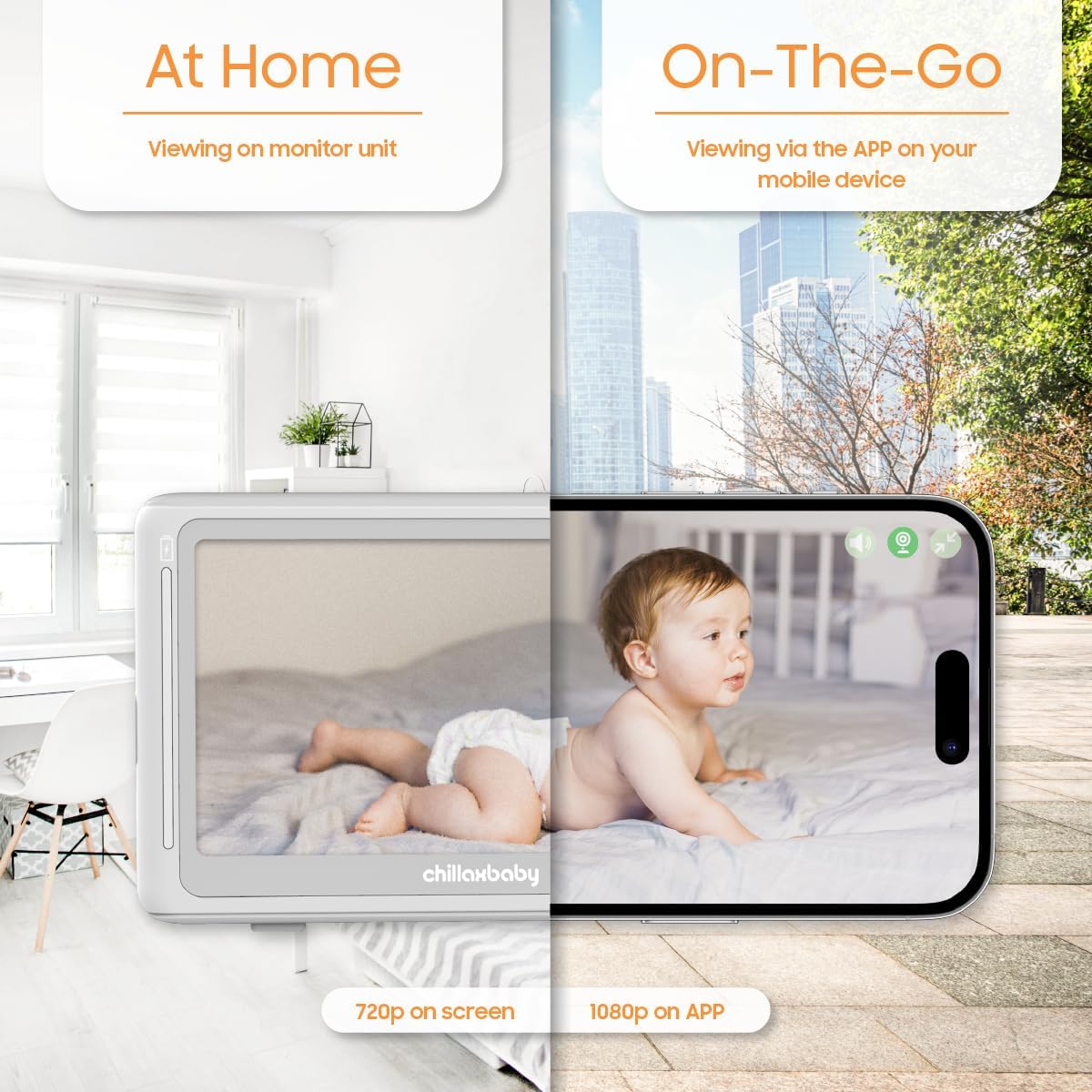
Illustration demonstrating viewing options: 720p on the dedicated parent monitor unit at home, and 1080p Full HD live stream via the ChillaxCare App on your mobile device when on-the-go.
- Innovative Features: Temperature sensor, motion and sound detection, feeding reminders, and much more, all accessible through the Chillax App. Chillax has a special auto LED dimming feature, which most other baby monitors lack, ensuring no blinking light disturbs your baby's sleep. Long transmission range of up to 1,000 feet, it offers lower latency and higher stability.

The camera features an auto-dimming power LED indicator, designed to prevent any bright lights from disturbing your baby's sleep.

Invisible infrared LED night vision technology provides clear viewing in low-light conditions without visible light that could disturb your baby.

Comparison showing enhanced night vision capabilities of the CHILLAX monitor versus standard night vision, providing a clearer view of your baby in the dark.
- Chillax Value-added Features: WiFi On/Off, best-in-class night vision and 2-way talk are all Chillax's signatures. Together with ChillaxCare App, 3rd party access notification and rejection, select what and whom to share, SmartZone setup, etc. are value-added features on App powered by 5GenCare.

The parent unit includes dedicated buttons for logging feeding and diaper change events, which are then recorded in the ChillaxCare App for easy tracking.

The ChillaxCare App provides notifications for external access requests, allowing you to accept or reject sharing the camera feed with others, such as family members.

The two-way talk feature allows parents to communicate with their baby through the monitor, providing comfort and reassurance from another room.
- New Software Update Available: We've released a new software version that significantly improves performance, including fixes for video and audio delay issues. Please ensure your device is updated via the ChillaxCare App to enjoy a smoother and enhanced user experience.
Setup
1. Camera Placement
Position the camera in a location that provides a clear view of your baby. The flexible gooseneck and clip-on base allow for versatile placement on cribs, shelves, or other stable surfaces. Ensure the camera is securely attached and out of your baby's reach.
2. Powering On
Connect the camera and the parent unit to their respective power adapters using the provided cables. Plug the adapters into a wall outlet. The devices will power on automatically or can be turned on using their power buttons.
3. Parent Unit Pairing
The camera and parent unit are pre-paired at the factory. Upon powering on both devices, the video feed should automatically appear on the parent unit's screen. If pairing is lost, refer to the troubleshooting section or the full user manual for re-pairing instructions.
4. App Connection (Optional)
For remote viewing and additional features, download the ChillaxCare App from your device's app store. Follow the in-app instructions to connect your camera to your Wi-Fi network and link it to your account. Ensure your Wi-Fi network is 2.4 GHz for compatibility.
Operating Instructions
Basic Monitoring
Once powered on and paired, the parent unit will display the live video feed from the camera. Use the navigation buttons on the parent unit to access various settings and functions, such as adjusting brightness or volume.
Two-Way Talk
To speak to your baby through the camera, press and hold the microphone button on the parent unit. Release the button to listen.
Night Vision
The camera automatically activates its invisible infrared LED night vision in low-light conditions, providing a clear black-and-white image without disturbing your baby.
Wi-Fi On/Off Switch
For enhanced privacy, use the physical Wi-Fi ON-Off switch located on the camera. When switched to 'Off', the camera's Wi-Fi connectivity is disabled, and remote access via the ChillaxCare App is temporarily ceased. The parent unit will continue to function normally.
Logging Events
Use the dedicated buttons on the parent unit to log feeding and diaper change events. These logs are synchronized with the ChillaxCare App, allowing you to track your baby's routine.
Pre-recorded Sounds/Music
Access the music/lullaby function through the parent unit's menu to play pre-recorded sounds or music to soothe your baby.
Maintenance
- Cleaning: Use a soft, dry cloth to clean the camera and parent unit. Do not use abrasive cleaners or solvents.
- Battery Care: To prolong battery life, avoid extreme temperatures and store the devices in a cool, dry place when not in use for extended periods.
- Software Updates: Regularly check for and install software updates via the ChillaxCare App to ensure optimal performance and access to new features.
Troubleshooting
| Issue | Possible Cause / Solution |
|---|---|
| No video/audio on Parent Unit | Ensure both camera and parent unit are powered on and charged. Check if they are within range. Re-pair if necessary (refer to full manual). |
| Wi-Fi connectivity issues with App | Ensure camera's Wi-Fi switch is ON. Verify your Wi-Fi network is 2.4 GHz. Check network stability and signal strength. Restart router and devices. |
| Short battery life | Battery life varies with usage. Reduce screen brightness on parent unit. Ensure full charge before use. Battery performance may degrade over time. |
| App not working or crashing | Ensure the app is updated to the latest version. Clear app cache/data or reinstall the app. Check device compatibility and available storage. |
Specifications
| Feature | Detail |
|---|---|
| Model Number | DM688 |
| Wireless Communication Technology | Wi-Fi |
| Video Capture Resolution | 1080p (App), 720p (Parent Unit) |
| Parent Unit Screen Size | 5 inches |
| Camera Form Factor | Dome with Gooseneck |
| Battery Life (Camera Base) | Up to 8 hours |
| Transmission Range | Up to 1,000 feet |
| Alert Type | Motion Only |
| Indoor/Outdoor Usage | Indoor, Outdoor |
| Item Weight | 2.01 pounds |
| Product Dimensions | 9.53 x 5.12 x 11.81 inches |
Warranty and Support
For warranty information and technical support, please refer to the documentation included in your product packaging or visit the official CHILLAX website. You can also contact CHILLAX customer service for assistance with any issues or questions regarding your baby monitor.