
1. Introduction
Thank you for choosing Nispira AER1 Filter Replacements. This manual provides essential information for the proper installation, maintenance, and optimal performance of your new filters. These filters are designed to enhance air quality by capturing airborne particles and odors.
2. Product Overview
The Nispira AER1 Filter Replacement system consists of a multi-stage filtration process to ensure cleaner air.
Key Features:
- Quality Air Filters: Each pack includes 4 premium 3-in-1 HEPA filters with activated carbon.
- Two-Stage Filtration:
- HEPA Filters: Remove up to 99.97% of airborne particles as small as 0.3 microns, including dust, pollen, and pet dander.
- Activated Carbon: Effectively eliminates smoke, cooking odors, pet odors, and other household chemical smells.
- Preliminary Filter: Integrated fiber layer captures larger particles such as hair and debris.
- Enhanced Air Quality: Designed to remove odors and pollutants for a fresher indoor environment.
- Long-Lasting Performance: Durable construction for reliable operation.
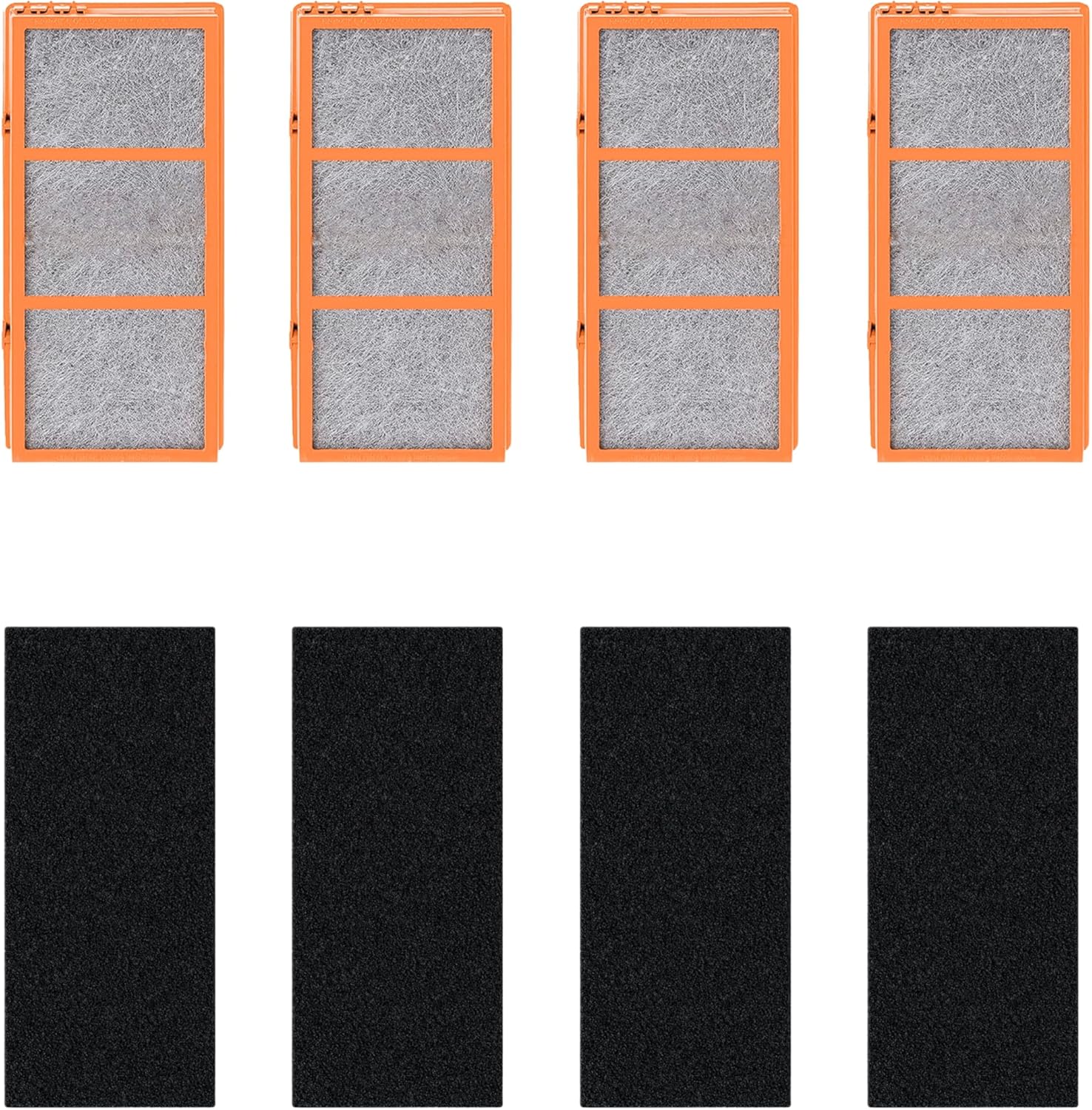
Image: The complete set of four HEPA filters and four activated carbon pre-filters included in the package.

Image: Illustration of the precise dimensions for both carbon pre-filters and HEPA filters (10 inches L x 4.62 inches W).
3. Compatibility
These Nispira AER1 filter replacements are compatible with a wide range of Holmes and Bionaire air purifiers. Please verify your air purifier model against the list below:
Compatible Holmes Air Purifier Models:
- HAP240, HAP242, HAP242-NUC
- HAP412, HAP422, HAP424
- HAP706, HAP716
- HAP9240, HAP9242, HAP9412, HAP9414, HAP9422, HAP9424
- HAPF300AH-U4R, HAPF30AT-U4R
- CAP531-U, CAP529-U
Compatible Bionaire Air Purifier Models:
- BAP260, BAP815, BAP825
- BAP9200, BAP9700, BAP520

Image: A visual guide to compatible air purifier models, including various Bionaire and Holmes AER1 series.
4. Setup and Installation
Replacing your air purifier filters is a simple process that requires no additional tools. Follow these steps to ensure proper installation and optimal performance.
Step-by-Step Installation:
- Power Off: Ensure your air purifier is turned off and unplugged from the power outlet before beginning the filter replacement process.
- Locate Filter Compartment: Refer to your air purifier's original manual to locate and open the filter compartment. This is typically on the back or side of the unit.
- Remove Old Filters: Carefully remove the used HEPA filter and carbon pre-filter from the compartment. Dispose of them according to local regulations.
- Unpack New Filters: Remove the new Nispira HEPA filter and carbon pre-filter from their packaging.
- Install Carbon Pre-Filter: Place the activated carbon pre-filter into the designated slot or attach it to the HEPA filter as per your air purifier's design.
- Install HEPA Filter: Insert the new HEPA filter into the air purifier's filter compartment, ensuring it is seated correctly and securely.
- Close Compartment: Close the filter compartment cover securely.
- Restore Power: Plug the air purifier back into the power outlet and turn it on.
- Reset Filter Indicator (if applicable): If your air purifier has a filter replacement indicator, follow its specific instructions to reset it.

Image: A close-up view of the True HEPA filter and activated carbon component, demonstrating their design for convenient installation.

Image: The True HEPA filters, illustrating their ability to remove VOCs and pollen, capturing up to 99.97% of airborne particles.

Image: The carbon pre-filters, highlighting their function to effectively decompose dust, smoke, and various odors in the air.
5. Maintenance
Regular filter replacement is crucial for maintaining the efficiency and effectiveness of your air purifier.
Filter Replacement Schedule:
It is suggested to replace the Nispira AER1 filters every 6 months to maximize the performance of your air purifier. This recommendation may vary based on usage frequency, air quality in your environment, and the presence of pets or smokers.
Failure to replace filters regularly can lead to reduced air purification efficiency, increased energy consumption by the air purifier, and potential re-release of trapped pollutants.
6. Specifications
Detailed specifications for the Nispira AER1 Filter Replacement (Model JAJ0592P):
| Feature | Detail |
|---|---|
| Brand | Nispira |
| Model Number | JAJ0592P |
| Material | Activated Carbon, HEPA, Polypropylene |
| Product Dimensions (L x W x Th) | 10" x 4.6" x 1.2" |
| MERV Rating | 13 |
| Air Filter Construction | Pleated |
| Number of Items | 4 (HEPA filters) + 4 (Carbon pre-filters) |
| Common Applications | High Strength, Odor Reduction |
7. Troubleshooting
If you experience issues with your air purifier after installing new Nispira filters, consider the following:
- Reduced Airflow: Ensure the filters are installed correctly and not obstructed. Check if the air purifier's intake or output vents are clear.
- Persistent Odors: While activated carbon is highly effective, very strong or continuous odor sources may require more frequent filter changes. Ensure the carbon pre-filter is properly installed.
- Unusual Noise: Verify that the filters are securely seated in their compartment and that no foreign objects are inside the air purifier.
- Filter Indicator Light: If the filter change indicator remains on after replacement, consult your air purifier's manual for instructions on how to reset it.
If problems persist, please refer to your air purifier's original instruction manual or contact Nispira customer support.
8. Warranty and Support
Warranty Information:
Specific warranty details for Nispira AER1 Filter Replacements are not provided in this document. For information regarding product warranty, please refer to the product packaging or contact Nispira directly.
Customer Support:
For any questions, concerns, or technical assistance regarding your Nispira AER1 Filter Replacements, please visit the official Nispira website or contact their customer support team. Contact information can typically be found on the product packaging or the Nispira brand store page.