
Sanyun SW209
Sanyun SW209 Computer Gaming PC Speakers Instruction Manual
Model: SW209
Brand: Sanyun
Introduction
This manual provides comprehensive instructions for the setup, operation, maintenance, and troubleshooting of your Sanyun SW209 Computer Gaming PC Speakers. Please read this manual thoroughly before using the product to ensure proper functionality and safety.
Safety Information
- Ensure the power adapter is connected to a compatible power outlet (110V AC).
- Do not expose the speakers to water or excessive moisture.
- Avoid placing the speakers in direct sunlight or near heat sources.
- Do not attempt to disassemble or repair the speakers yourself. Refer to qualified service personnel.
- Keep the speakers away from strong magnetic fields.
- Clean the speakers with a soft, dry cloth. Do not use liquid cleaners.
What's in the Box
The Sanyun SW209 Computer Gaming PC Speakers package includes the following items:
- 2.0 SW209 Computer Gaming Speakers (1 pair)
- Power Adapter (1)
- 3.5mm Aux Cable (1)
- USB-A Cable (1)
- User Manual (1)

Figure 1: Sanyun SW209 Speakers and included cables and power adapter.
Product Overview
The Sanyun SW209 speakers feature a compact design with a 10-degree inclination for optimal sound projection. Each speaker is equipped with a 2.75-inch glass fiber woofer and an 18-core silk dome tweeter for balanced audio output.
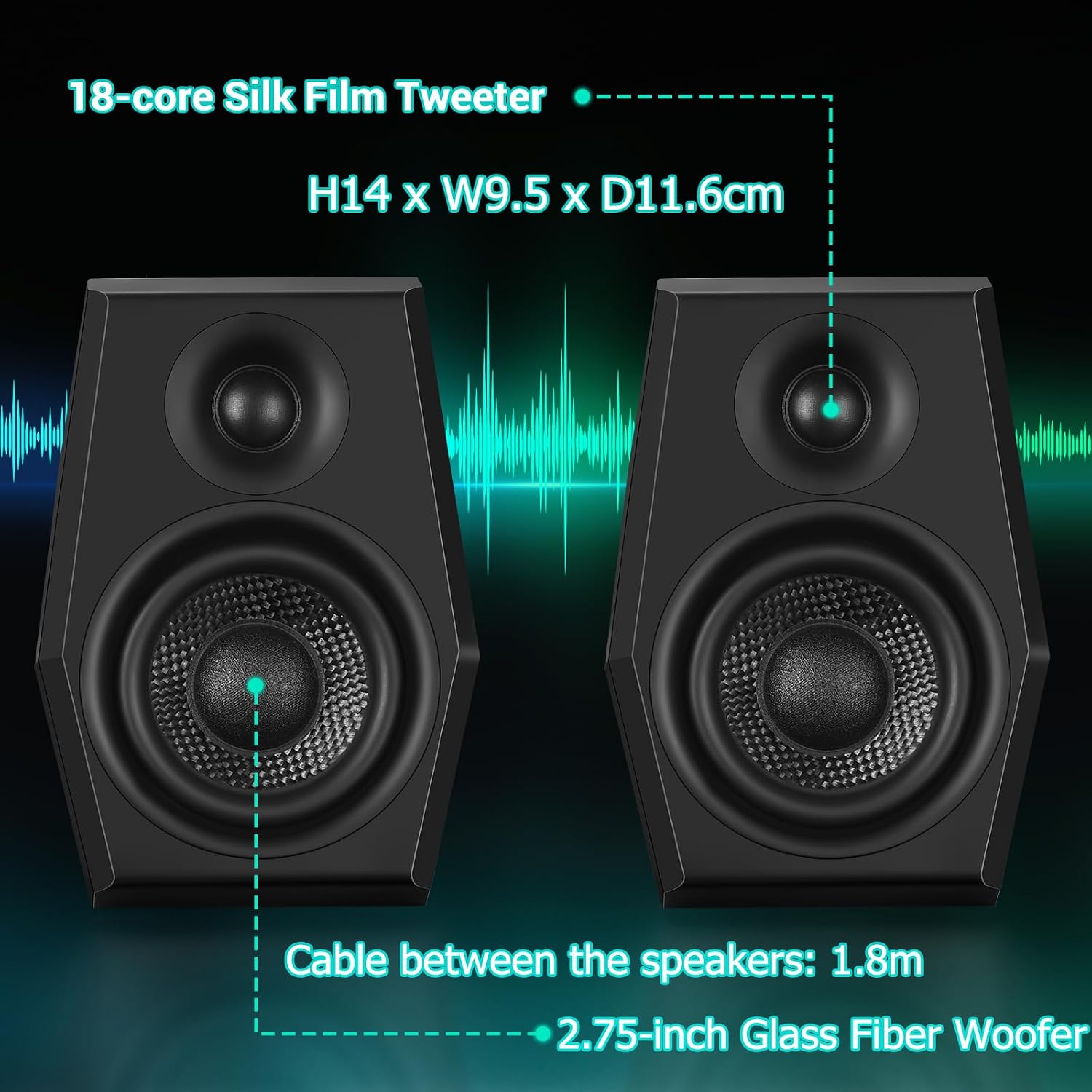
Figure 2: Front view of the speakers highlighting the 2.75-inch glass fiber woofer and 18-core silk film tweeter. Dimensions are H14 x W9.5 x D11.6cm. The cable connecting the two speakers is 1.8m long.

Figure 3: Rear view of the main speaker unit, illustrating the Bluetooth 5.2, USB, and 3.5mm Aux input options for broad compatibility.
Setup Instructions
Follow these steps to set up your Sanyun SW209 speakers:
- Power Connection: Connect the provided power adapter to the main speaker unit's power input port and then plug it into a standard 110V AC power outlet. The speaker will illuminate, indicating it is powered on.
- Speaker Interconnection: Ensure the two speaker units are connected via the integrated cable.
- Audio Input Selection: Choose your preferred audio input method:
- USB Connection: Use the supplied USB-A cable to connect the main speaker unit to your computer's USB port. This utilizes the built-in 24-bit DAC for high-quality digital audio.
- 3.5mm Aux Connection: Use the supplied 3.5mm Aux cable to connect the main speaker unit to the audio output of your device (e.g., computer, smartphone, tablet).
- Bluetooth 5.2 Connection: Power on the speakers. On your device, enable Bluetooth and search for "Sanyun SW209" (or similar, refer to your device's Bluetooth settings) and pair.
- Device Audio Output: On your connected device (computer, smartphone, etc.), select the Sanyun SW209 speakers as the audio output device.
Video 1: Demonstrates the unboxing and initial setup process, including power connection and connecting via 3.5mm Aux cable to a computer. It also shows how to select the audio output on a Mac computer.
Operating Instructions
The main speaker unit features control buttons on its top panel:

Figure 4: Top panel controls for volume, EQ modes, RGB backlight, and input selection.
- Power On/Off: Long press the rightmost button (power icon) to turn the speakers on or off.
- Volume Adjustment: Use the central toggle switch (up/down arrows) to increase or decrease the volume.
- EQ Sound Modes: Short press the leftmost button (speaker icon with waves) to cycle through the three professional EQ modes:
- Music Mode: Optimized for music playback.
- Movie Mode: Enhanced for cinematic audio experiences.
- Game Mode: Tailored for gaming audio, providing high fidelity.
- RGB Backlight Control: Long press the leftmost button (speaker icon with waves) to switch between 16 RGB backlit options or turn the lighting off.
- Input Mode Selection: Short press the rightmost button (power icon) to switch between Bluetooth, USB, and 3.5mm AUX input modes.
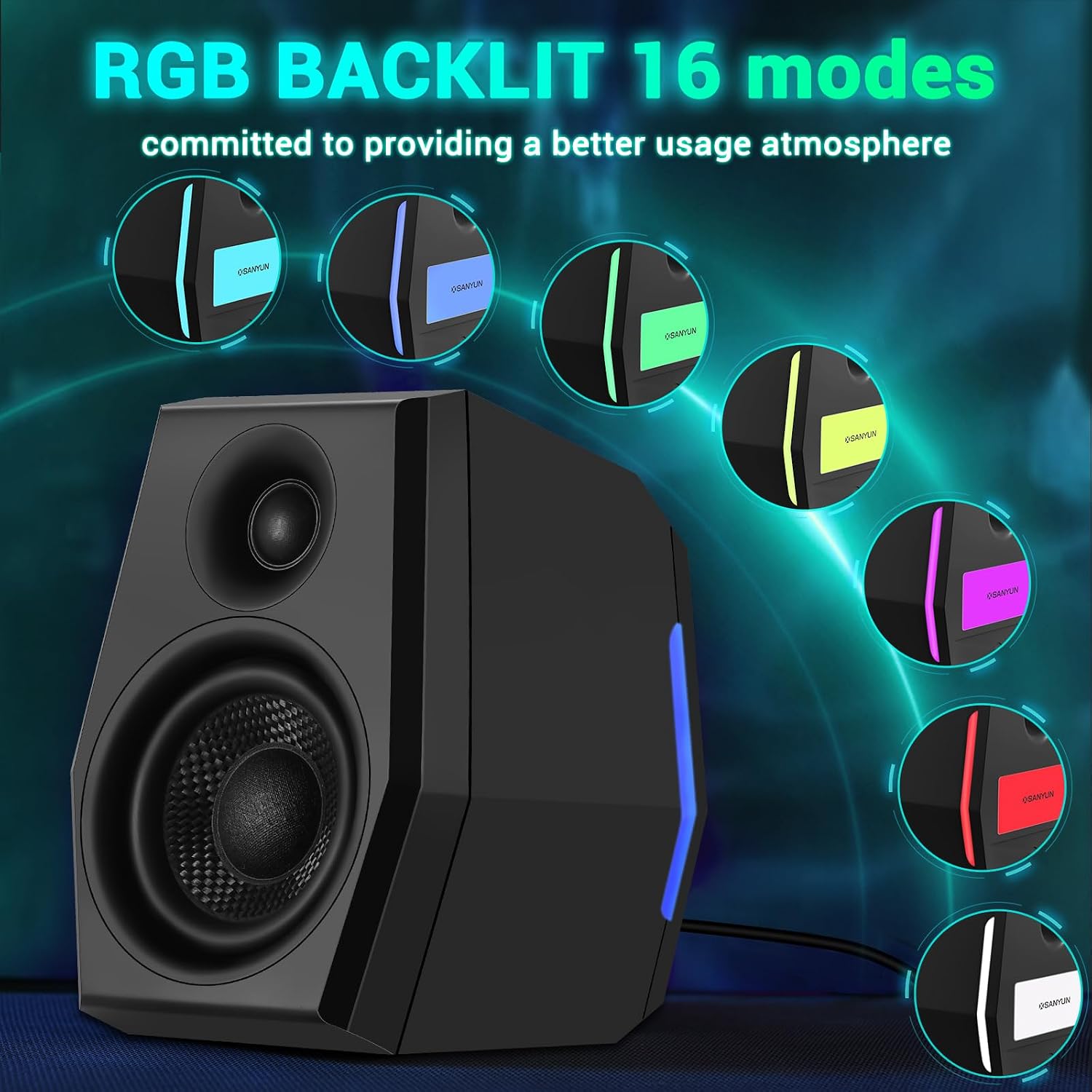
Figure 5: The speakers feature 16 RGB backlit modes to customize your ambiance.
Video 2: Demonstrates the functionality of the control buttons on the main speaker unit, including changing RGB lighting colors, adjusting volume, and switching between different EQ sound modes (Music, Movie, Game).
Maintenance
To ensure the longevity and optimal performance of your speakers:
- Regularly wipe the speaker surfaces with a soft, dry, lint-free cloth to remove dust.
- Do not use abrasive cleaners, waxes, or solvents as they may damage the finish.
- Keep the speaker grilles free from obstructions.
- Store the speakers in a cool, dry place when not in use for extended periods.
Troubleshooting
If you encounter issues with your Sanyun SW209 speakers, refer to the following common problems and solutions:
| Problem | Possible Cause | Solution |
|---|---|---|
| No sound from speakers. |
|
|
| Distorted or poor sound quality. |
|
|
| Bluetooth pairing issues. |
|
|
| RGB lights not working or stuck. |
|
|
Specifications
| Feature | Detail |
|---|---|
| Brand | Sanyun |
| Model Name | US-SW209-Black (SW209) |
| Speaker Type | 2.0 Computer Gaming Speakers |
| Speaker Maximum Output Power | 36 Watts |
| Woofer Diameter | 2.75 Inches (Glass Fiber) |
| Tweeter Type | 18-core Silk Dome Tweeter |
| Surround Sound Channel Configuration | 2.0 |
| Connectivity Technology | Auxiliary (3.5mm), USB, Bluetooth 5.2 |
| Bluetooth Range | 10 Meters |
| EQ Sound Modes | Music, Game, Movie |
| RGB Backlit Effects | 16 options (and off) |
| Product Dimensions (D x W x H) | 4.57"D x 3.74"W x 5.51"H |
| Item Weight | 4.4 pounds |
| Input Voltage | 110 Volts (AC) |
| Impedance | 6 Ohm |
| Compatible Devices | Laptop, Desktop, Tablet, Smartphone |
Warranty and Support
The Sanyun SW209 Computer Gaming PC Speakers come with a Full Warranty. For warranty claims, technical support, or any inquiries regarding your product, please contact Sanyun customer service through their official channels. Refer to the contact information provided on the product packaging or the official Sanyun website for the most up-to-date support details.
For additional resources and product information, you may visit the Sanyun Store on Amazon.