
1. Product Overview
The Zhizhi Smart Watch HXT72BK is a versatile fitness tracker designed for both men and women, offering a comprehensive suite of features to support an active and connected lifestyle. This smartwatch allows you to make and answer calls directly from your wrist via Bluetooth, receive message notifications, and track various health and fitness metrics.
Key features include 24-hour heart rate tracking, real-time blood oxygen monitoring, sleep analysis, and support for 20 different sports modes. Its IPX8 waterproof rating ensures durability for various activities, including swimming. The watch boasts a 1.91-inch TFT full-touch colorful screen, offering excellent visual experience and customizable watch faces. With a 270 mAh battery, it provides 7-15 days of usage on a single charge.
2. What's in the Box
Upon opening your Zhizhi Smart Watch HXT72BK package, you will find the following items:
- Smart Watch (1 unit)
- Black Watch Band (1 unit)
- Blue Watch Band (1 unit)
- User Manual (1 unit)
- Magnetic Charger (1 unit)

3. Setup Guide
3.1 Initial Charging
Before first use, fully charge your smartwatch. Connect the magnetic charger to the charging points on the back of the watch and plug the USB end into a power source. The watch screen will indicate charging status.

3.2 App Installation and Pairing
- Download the App: Scan the QR code in the user manual or search for "FitCloudPro" in your phone's app store (Google Play for Android, App Store for iOS).
- Enable Bluetooth: Turn on the Bluetooth function on your smartphone.
- Open App & Connect: Open the FitCloudPro app, click "Please connect device," then "Select device," and find "P72" to bind it.
- Enable Call Function: After connecting "P72," accept the pairing request on your phone. Turn on the call Bluetooth switch on the watch. In your phone's Bluetooth settings, grant necessary permissions for "P72."
3.3 Changing Watch Bands
The smartwatch comes with two interchangeable silicone bands (black and blue). To change a band, locate the quick-release pins on the underside of the band where it connects to the watch. Slide the pin to detach the band, then align the new band and slide the pin back into place until it clicks securely.
4. Operating Instructions
4.1 Basic Navigation
- Touch Screen: Swipe left, right, up, or down to navigate through menus and features.
- Side Button: Press the side button to return to the home screen or wake the display.
- Raise to Wake: The screen will light up automatically when you raise your wrist.
4.2 Bluetooth Calling & Notifications
Once connected via Bluetooth, you can make and answer calls directly from your watch using its built-in speaker and microphone. You will also receive notifications for calls, SMS, and various social media apps (WhatsApp, Facebook, etc.) directly on your watch screen.

4.3 Health Monitoring
The smartwatch continuously monitors your health metrics:
- Heart Rate: 24-hour continuous heart rate tracking.
- Blood Oxygen (SpO2): Real-time blood oxygen level monitoring.
- Sleep Tracking: Monitors sleep status (deep sleep, light sleep, awakening) and provides comprehensive sleep quality analysis.
- Breath Training: Guided breathing exercises to help relax.

4.4 Activity & Sports Modes
Track your daily activity and workouts with precision:
- Pedometer: Accurately tracks steps, calories burned, and distance.
- 20+ Sports Modes: Supports various activities like walking, running, swimming, yoga, hiking, cycling, basketball, and more. Provides detailed insights into your activity data.

4.5 Customization
Personalize your watch to match your style:
- Watch Faces: Choose from 8 pre-installed dials or over 100 additional dials available in the app.
- DIY Watch Faces: Upload your favorite photos (family, pets, etc.) to create custom watch faces.

4.6 Additional Features
- Weather Information: Get current weather updates directly on your wrist.
- Music Control: Control music playback on your smartphone (play, pause, skip tracks).
- Camera Control: Use your watch as a remote shutter for your phone's camera.
- Alarm, Stopwatch, Timer: Essential utility functions for daily use.
- Sedentary Reminder: Alerts you to move after periods of inactivity.
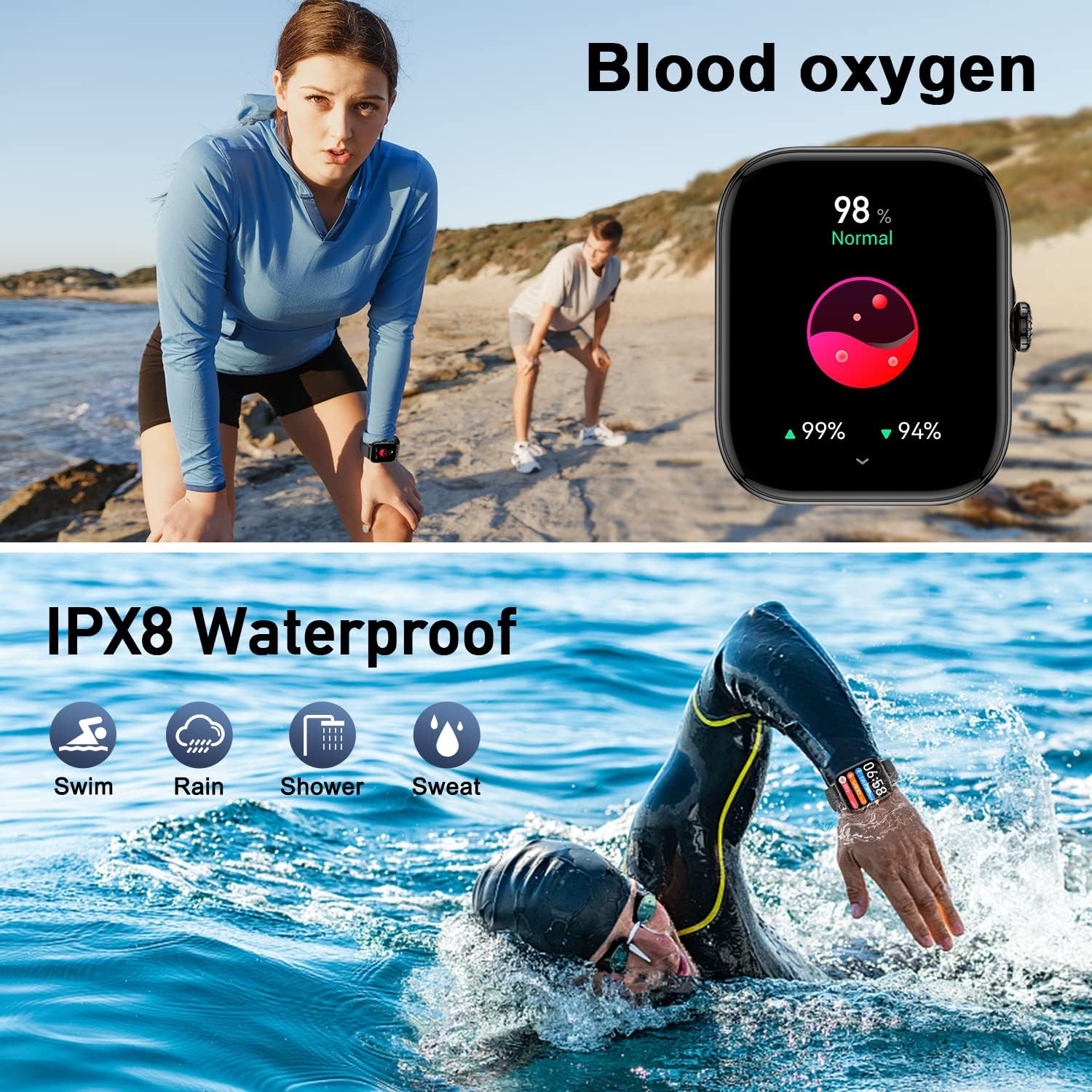
4.7 Waterproof Functionality
The Zhizhi Smart Watch HXT72BK is IPX8 waterproof, making it suitable for various water-related activities like swimming, showering, and enduring rain or sweat. It is designed to withstand immersion in water up to 1.5 meters for up to 30 minutes. Avoid using buttons while submerged to prevent water ingress.

4.8 Alarm, Timer, and Waterproof Test Demonstration
Watch this video for a detailed demonstration of the alarm, timer, and waterproof test features of the Zhizhi Smart Watch HXT72BK.
5. Maintenance
5.1 Cleaning
Regularly clean your smartwatch and bands to ensure optimal performance and hygiene. Use a soft, damp cloth to wipe the screen and bands. Avoid using harsh chemicals or abrasive materials that could damage the device.
5.2 Storage
When not in use for extended periods, store the smartwatch in a cool, dry place away from direct sunlight and extreme temperatures. Ensure it is fully charged before storing to prolong battery life.
6. Troubleshooting
6.1 Connectivity Issues
- Ensure Bluetooth is On: Verify Bluetooth is enabled on both your smartphone and the smartwatch.
- Restart Devices: Try restarting both your smartphone and the smartwatch.
- Re-pair: If issues persist, unpair the device from your phone's Bluetooth settings and re-pair through the FitCloudPro app.
6.2 Inaccurate Readings
- Proper Fit: Ensure the watch is worn snugly on your wrist, not too tight or too loose.
- Clean Sensors: Keep the sensors on the back of the watch clean and free from debris.
- App Sync: Ensure the watch is regularly synced with the FitCloudPro app for updated data.
6.3 Short Battery Life
- Disable Unused Features: Turn off features like continuous heart rate monitoring or media audio if not needed.
- Adjust Screen Brightness: Lowering screen brightness can significantly extend battery life.
- Check for App Updates: Ensure the FitCloudPro app and watch firmware are up to date.
7. Specifications
| Feature | Detail |
|---|---|
| Brand | zhizhi |
| Model Number | HXT72BK |
| Screen Size | 1.91 Inches |
| Operating System | Android and iOS (Android 5.0+, iOS 9.0+) |
| Connectivity Technology | Bluetooth |
| Battery Capacity | 270 Milliamp Hours (Lithium Polymer) |
| Battery Life | 7-15 days (typical use) |
| Water Resistance | IPX8 |
| Health Monitoring | Heart Rate, Blood Oxygen (SpO2), Sleep Monitor, Breath Training |
| Activity Tracking | Steps, Calories, Distance, 20+ Sports Modes |
| Communication | Bluetooth Calling (Make/Answer), SMS & SNS Notifications |
| Other Features | Weather, Music Control, Camera Control, Alarm, Stopwatch, Timer, Sedentary Reminder, Customizable Watch Faces |
| Item Weight | 4.6 ounces |
8. Warranty and Support
For warranty information and customer support, please refer to the documentation included in your product package or contact Zhizhi customer service directly. Keep your purchase receipt as proof of purchase for any warranty claims.
