
zhizhi HXT72PK
User Manual: zhizhi Smart Watch
Model: HXT72PK
Introduction
Thank you for choosing the zhizhi Smart Watch. This device is designed to enhance your daily life by combining advanced fitness tracking, health monitoring, and smart communication features. This manual provides detailed instructions to help you set up, operate, and maintain your new smartwatch.

Image: The zhizhi Smart Watch in pink and black, showcasing its sleek design and digital display.
What's in the Box
Please check the contents of your package to ensure all items are present:
- 1 x zhizhi Smart Watch
- 1 x Pink Watch Band
- 1 x Black Watch Band
- 1 x User Manual
- 1 x Magnetic Charger
Setup Guide
1. Charging the Device
Before first use, fully charge your smartwatch. Connect the magnetic charger to the charging points on the back of the watch and plug the USB end into a power adapter (not included) or a computer USB port.
- Charging Time: Approximately 2-3 hours for a full charge.
- Battery Life: Up to 7-15 days depending on usage.
2. Downloading the FitCloudPro App
The zhizhi Smart Watch requires the "FitCloudPro" app for full functionality and data synchronization. Follow these steps:
- Turn on the Bluetooth function on your smartphone.
- Open the "Google Play Store" (for Android) or "APP Store" (for iOS).
- Search for "FitCloudPro" and download the app.

Image: Visual guide showing how to download the FitCloudPro app from app stores and enable Bluetooth.
3. Pairing the Watch (Bluetooth Connection)
Once the app is installed, pair your smartwatch with your phone:
- Open the FitCloudPro app.
- Tap "Please connect device" or navigate to the "Device" section.
- Select "Select device" and find "P72" (the watch's Bluetooth name) from the list.
- Confirm the pairing request on your phone.
4. Enabling Call Function
To use the call feature, additional steps are required:
- After connecting "P72" in the app, accept the mobile phone system's pop-up pairing request.
- On the watch, turn on the call Bluetooth switch. This is necessary for making calls and playing media sound through the watch.
- In your phone's Bluetooth settings, ensure all necessary permissions for "P72" are enabled.
- Once connected, you can use the watch to answer/make calls. If the call function is not needed, you can turn it off to conserve battery life.


Image: The smartwatch displaying call and message interfaces, demonstrating its communication capabilities.
Operating Instructions
Basic Navigation
- Touch Screen: The 1.91" HD full-touch screen allows for intuitive navigation. Swipe left/right, up/down, and tap to select.
- Side Button: Typically used to return to the home screen or wake the device.
- Raise to Wake: The screen will light up automatically when you raise your hand.
Watch Faces Customization
Personalize your watch with over 100 watch faces available through the FitCloudPro app, or use your own photos.
- Changing Watch Faces: Access the watch face gallery in the FitCloudPro app to select and sync new designs.
- DIY Watch Faces: Upload your favorite pictures (e.g., family, pets) to create custom watch faces via the app.
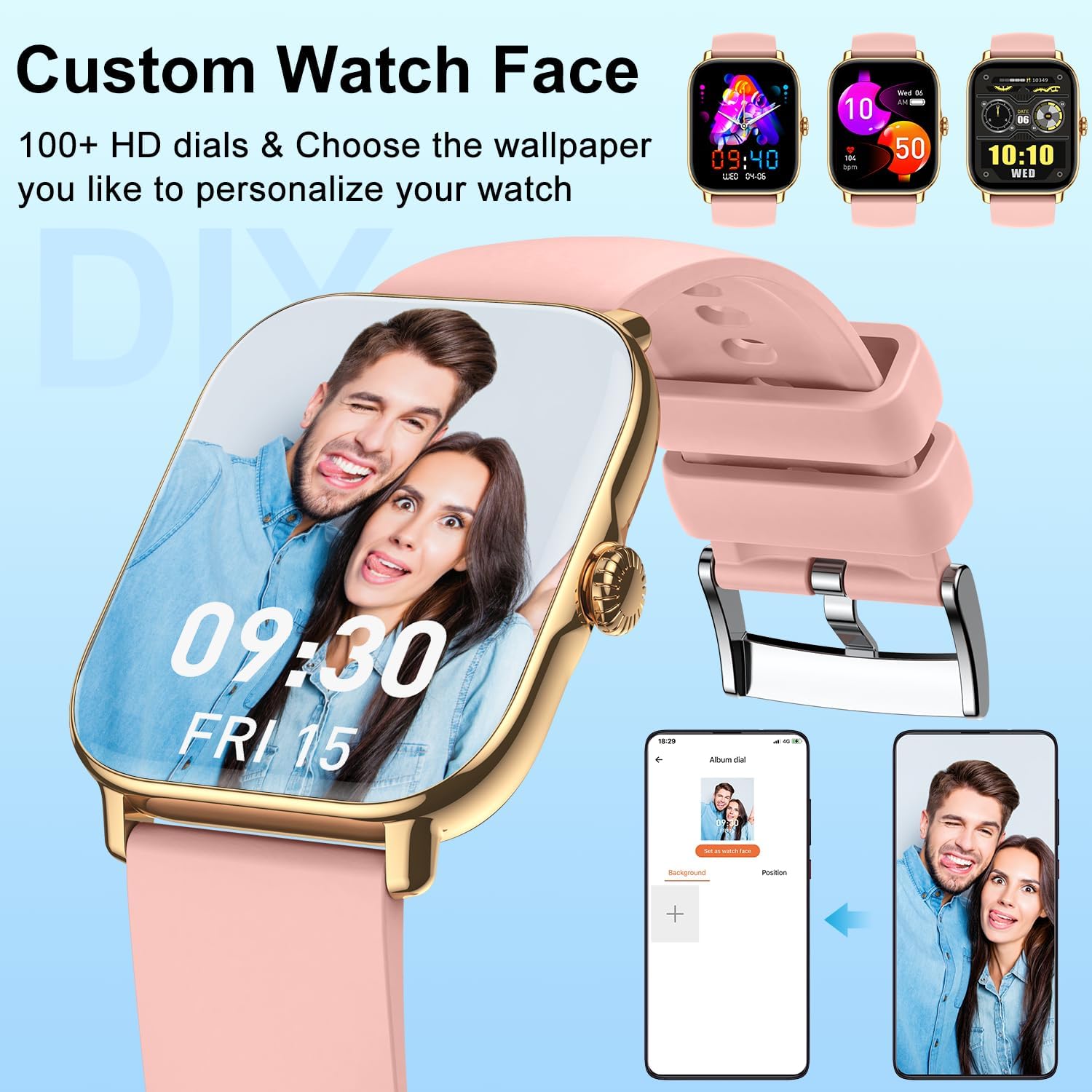
Image: The smartwatch showcasing a personalized watch face with a user's photo, highlighting customization options.
Communication Features
- Make/Answer Calls: With the Bluetooth call function enabled, you can dial numbers, answer incoming calls, and view call history directly from your wrist using the built-in speaker and microphone.
- Receive Notifications: Get real-time alerts for calls, SMS, and app notifications (Facebook, Twitter, WhatsApp, LinkedIn, Instagram, etc.) directly on your watch. The watch will vibrate to notify you.
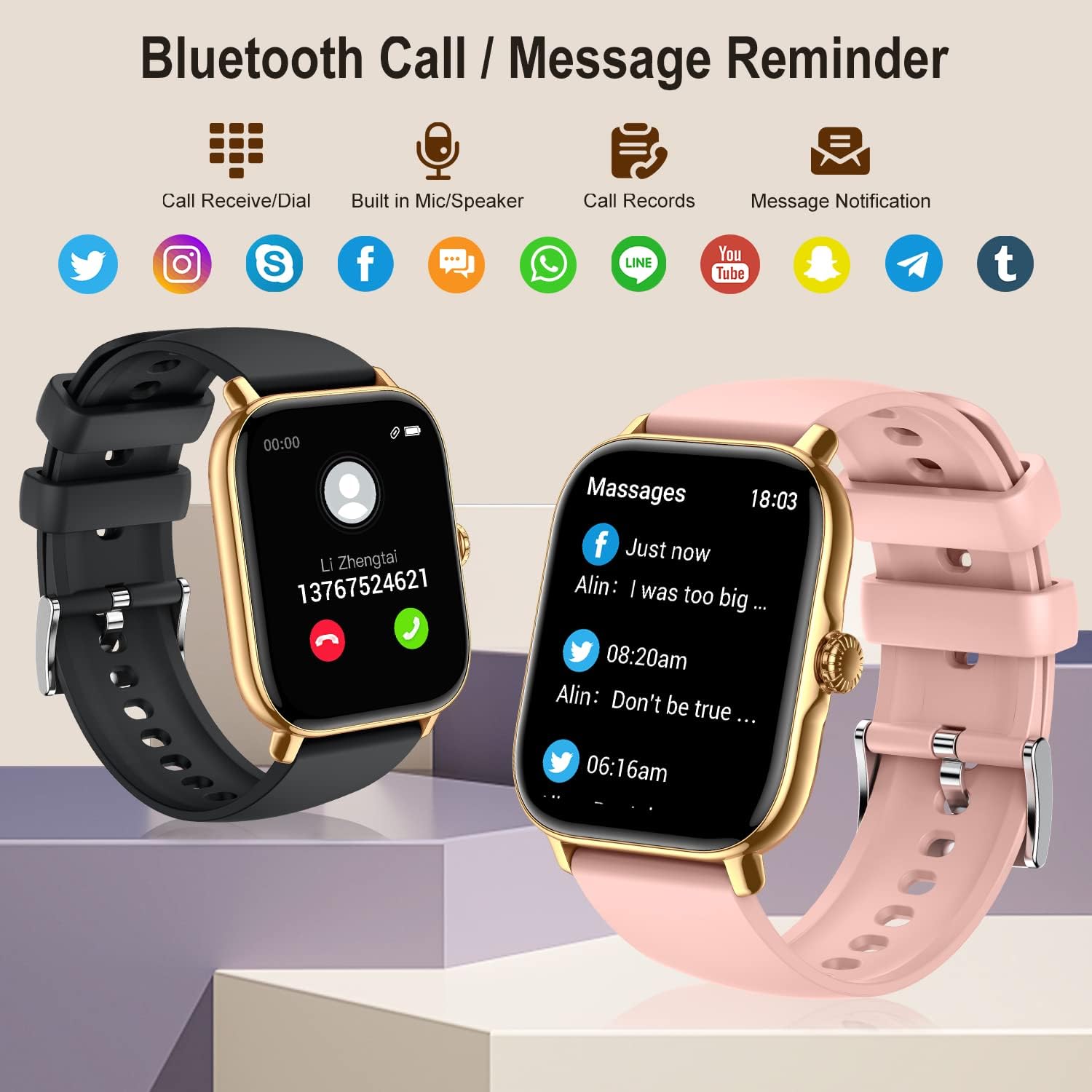
Image: The smartwatch showing its Bluetooth call and message reminder capabilities, with icons for popular social media and messaging apps.
Health Monitoring
The smartwatch provides comprehensive health data to help you monitor your well-being.
- Heart Rate Monitoring: 24-hour continuous heart rate tracking using high-performance optical sensors.
- Blood Oxygen (SpO2) Monitoring: Real-time blood oxygen saturation monitoring.
- Sleep Monitoring: Automatically monitors and analyzes your sleep quality (deep sleep, light sleep, awakening) to provide insights into your sleep patterns.
- Breathe Training: Guided breathing exercises to help you relax and manage stress.
- Female Health Tracking: Track menstrual cycles, log periods, and gauge ovulation (requires setup in the app).

Image: The smartwatch showing sleep tracking details and health monitoring features like heart rate, blood oxygen, and breath training.
Fitness Tracking
Track your daily activity and workouts with precision.
- Pedometer: Accurately tracks your steps, calories burned, and distance covered throughout the day.
- Multi-Sport Modes: Supports 20 different sport modes including walking, running, cycling, swimming, yoga, basketball, and more. Select the appropriate mode for accurate data recording.
- Activity Data: After exercise, review detailed data such as exercising time, average heart rate, distance, steps, and calories in the FitCloudPro app to analyze your performance.

Image: The smartwatch showing comprehensive activity tracking, including steps, calories, and distance, alongside a wide array of supported sports modes.
Other Smart Features
- Music Control: Control music playback on your smartphone directly from your watch (play, pause, skip tracks).
- Camera Control: Use your watch as a remote shutter for your phone's camera.
- Weather Information: View current weather conditions and forecasts.
- Alarm Clock: Set multiple alarms to vibrate on your wrist.
- Stopwatch & Timer: Essential tools for timing activities.
- Sedentary Reminder: Receive alerts to move if you've been inactive for too long.
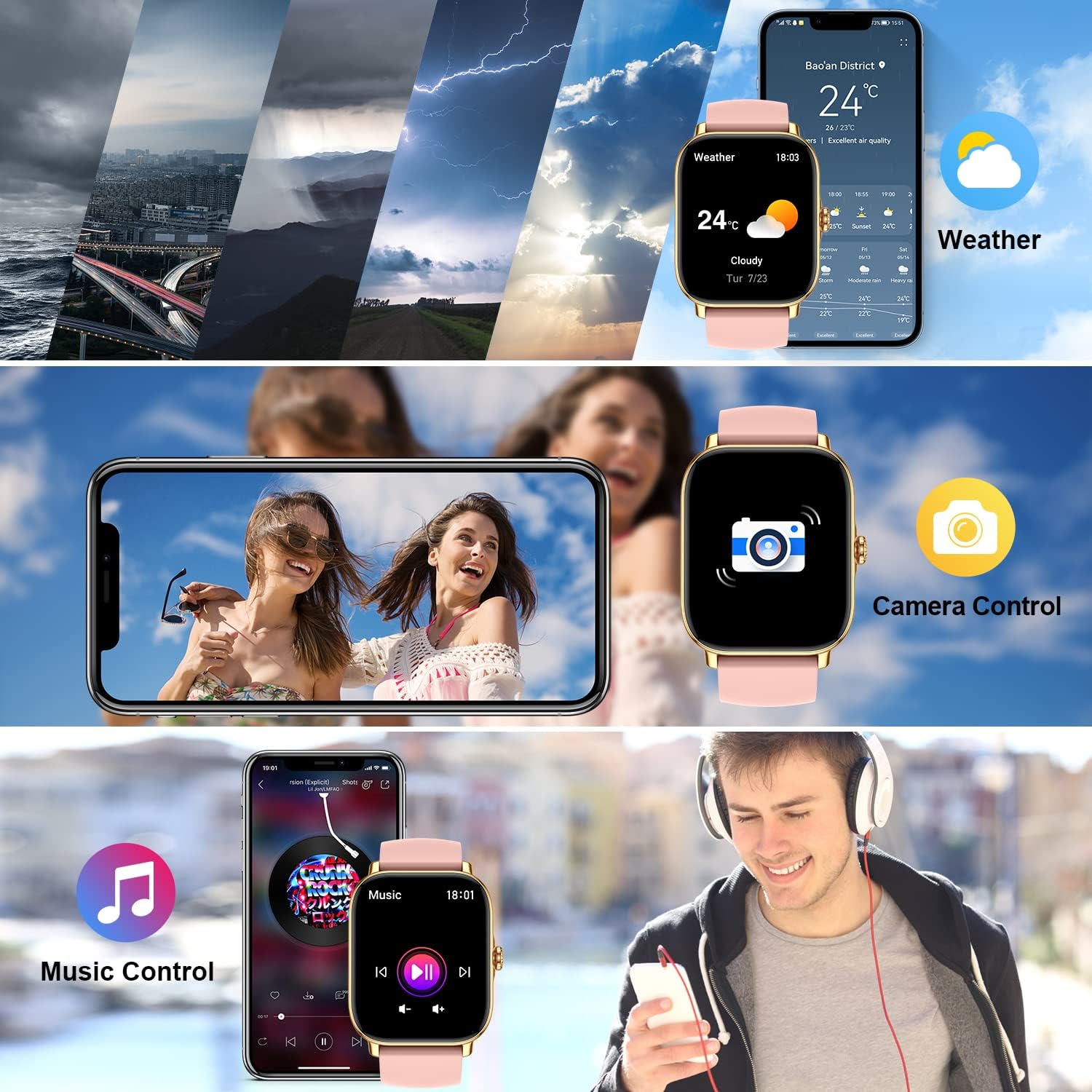
Image: The smartwatch demonstrating its weather display, remote camera control, and music playback control features.
Maintenance
Cleaning Your Smart Watch
To ensure accurate readings and prolong the life of your device, keep it clean:
- Wipe the screen and watch body with a soft, lint-free cloth.
- For stubborn spots, dampen the cloth slightly with water. Do not use harsh chemicals or abrasive cleaners.
- Regularly clean the charging contacts on the back of the watch to ensure proper charging.
Water Resistance (IPX8)
The zhizhi Smart Watch is IPX8 waterproof, meaning it can withstand immersion in water under certain conditions. It is suitable for:
- Swimming (shallow water)
- Rain and splashes
- Showering (avoid hot water and steam)
- Sweat during exercise
Important: Do not use the watch in hot water, saunas, or steam rooms. Avoid prolonged immersion in deep water. After contact with saltwater, rinse the watch with fresh water and dry it thoroughly.

Image: The smartwatch showing blood oxygen monitoring and demonstrating its IPX8 waterproof capability during swimming.
Battery Care
- Avoid extreme temperatures, which can degrade battery life.
- Do not leave the watch fully discharged for extended periods.
- Use only the provided magnetic charger.
Troubleshooting
| Problem | Possible Solution |
|---|---|
| Watch not turning on/charging. | Ensure the magnetic charger is correctly aligned with the watch's charging points. Try a different USB power source. Allow the watch to charge for at least 30 minutes before attempting to turn it on. |
| Cannot connect to the FitCloudPro app. | Ensure Bluetooth is enabled on your phone. Make sure the watch is charged and within range. Restart both your phone and the watch. Reinstall the FitCloudPro app if necessary. Check app permissions on your phone. |
| Call function not working. | Verify that the call Bluetooth switch is enabled on the watch. Check your phone's Bluetooth settings to ensure "P72" has all necessary permissions for calls. Ensure the watch is connected to your phone's Bluetooth for calls, not just data sync. |
| Notifications not received. | Check notification settings within the FitCloudPro app. Ensure app permissions for notifications are granted on your phone. Make sure the app is running in the background and not being closed by battery optimization settings. |
| Inaccurate health/fitness data. | Ensure the watch is worn snugly on your wrist, about one finger's width above the wrist bone. Clean the sensors on the back of the watch. Ensure your personal information (height, weight, age) is accurate in the FitCloudPro app. |
| Short battery life. | Frequent use of call function, continuous heart rate monitoring, and screen-on time can reduce battery life. Adjust settings in the app to optimize battery usage. Turn off features you don't use regularly. |
Specifications
| Feature | Detail |
|---|---|
| Model Number | HXT72PK |
| Screen Size | 1.91 Inches TFT Full Touch |
| Battery Capacity | 270 mAh Lithium Polymer |
| Battery Life | 7-15 days (typical usage) |
| Water Resistance | IPX8 |
| Connectivity | Bluetooth |
| Operating System Compatibility | Android 5.0 and above, iOS 9.0 and above |
| Sensors | Heart Rate, Blood Oxygen (SpO2), Pedometer |
| Human Interface Input | Touchscreen, Microphone |
| Item Weight | 4.6 ounces |
| Package Dimensions | 10.75 x 3.43 x 0.67 inches |
Warranty and Support
For warranty information and customer support, please refer to the contact details provided with your purchase or visit the official zhizhi website. Keep your purchase receipt as proof of purchase for any warranty claims.
If you encounter any issues not covered in this manual, please contact our customer support team for assistance.
Related documentsHXT72PK

Ask a question about this manual
Ask about setup, troubleshooting, compatibility, parts, safety, or missing instructions. Manuals+ will review the question and use this page’s manual context to help answer it.