1. Introduction
This manual provides detailed instructions for the installation, operation, and maintenance of the Generic ThinkCentre E73 IH81M H81 Desktop Motherboard. Please read this manual thoroughly before proceeding with installation to ensure proper setup and to prevent damage to the components.
2. Safety Information
- Always disconnect the power supply from your computer before installing or removing any components.
- Wear an anti-static wrist strap or frequently touch a grounded metal object to discharge static electricity before handling the motherboard or other components.
- Handle the motherboard by its edges to avoid touching sensitive components.
- Ensure proper ventilation within your computer case to prevent overheating.
- Keep the motherboard away from moisture and extreme temperatures.
3. Package Contents
Verify that all items are present in your package. If any items are missing or damaged, contact your vendor immediately.
- Generic ThinkCentre E73 IH81M H81 Desktop Motherboard
- I/O Shield (may be included)
- SATA Data Cables (may be included)
- Driver CD/DVD or USB drive (may be included)
- User Manual (this document, or a quick start guide)
4. Product Overview
Familiarize yourself with the layout and key components of your motherboard.
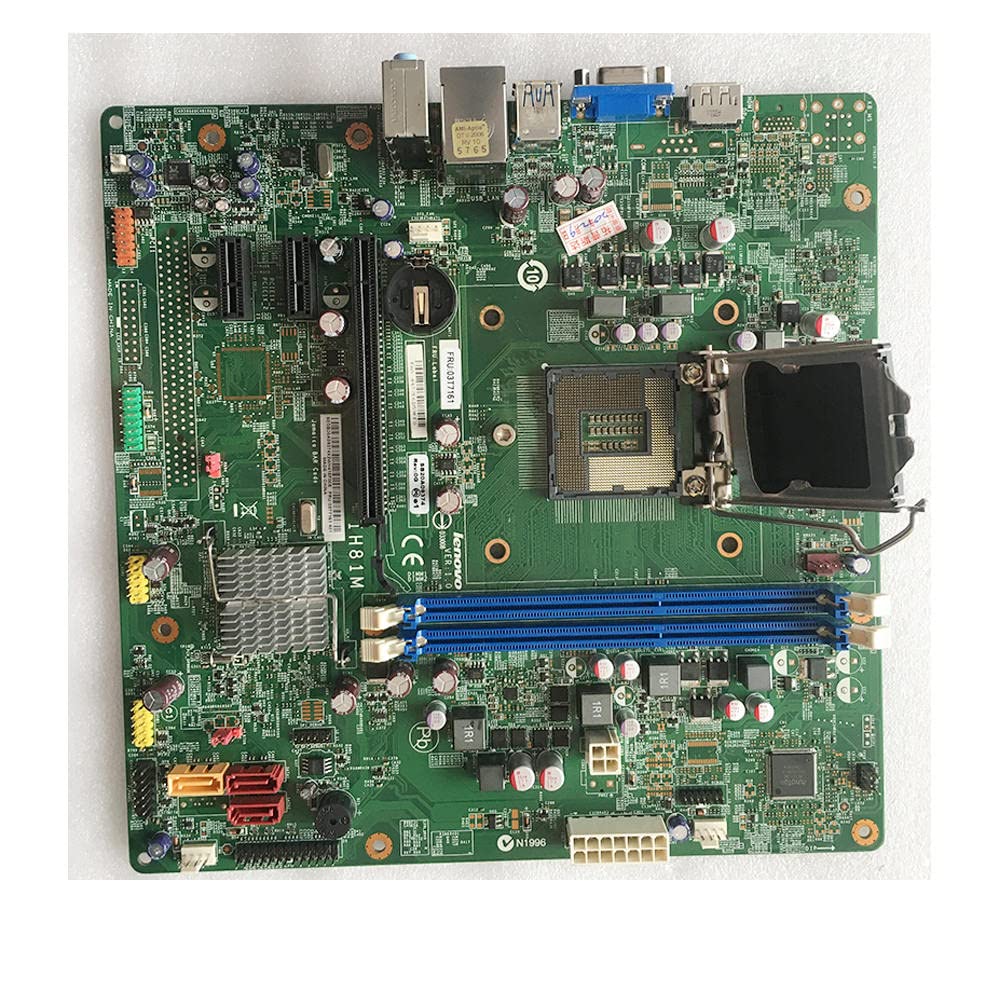
Figure 4.1: Front view of the motherboard, displaying the overall component layout.
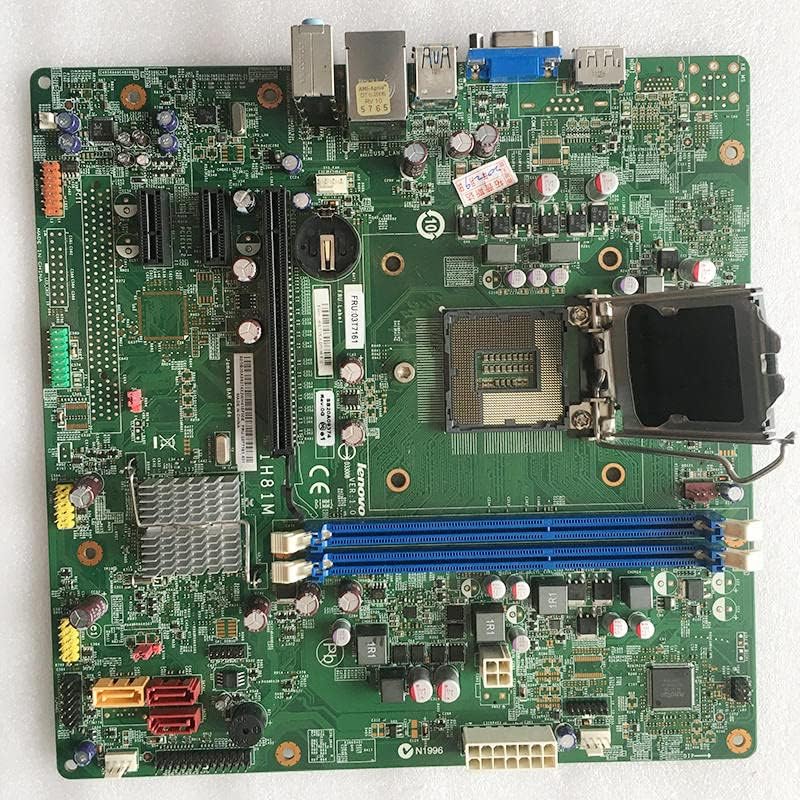
Figure 4.2: Detailed front view of the motherboard, showing various ports and headers.
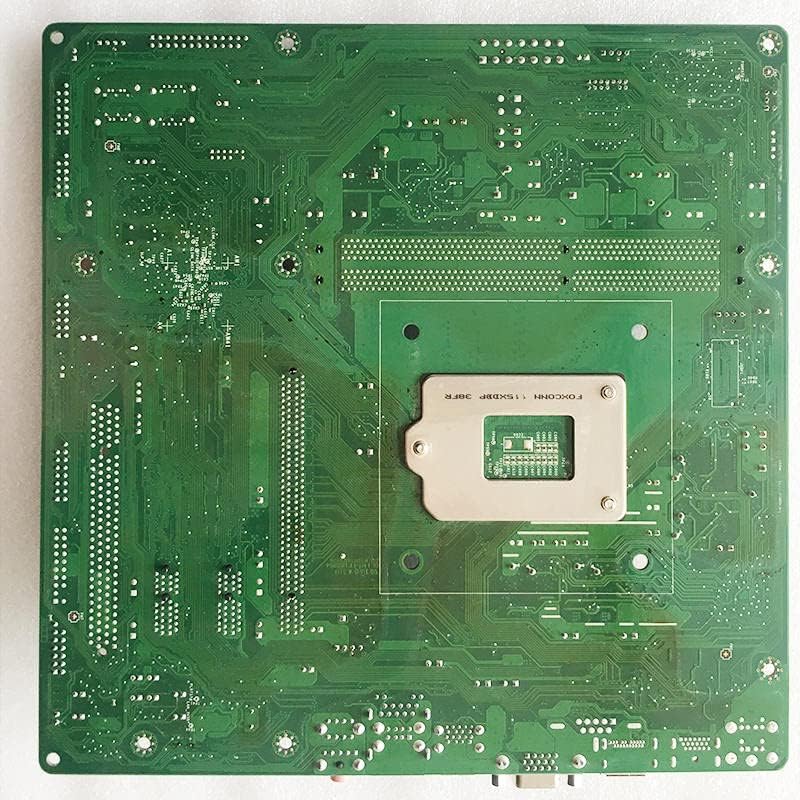
Figure 4.3: Back view of the motherboard, illustrating the PCB traces and mounting points.

Figure 4.4: Angled view of the motherboard, providing a perspective of the I/O ports and expansion slots.

Figure 4.5: Close-up of the CPU socket and adjacent components.
5. Setup and Installation
5.1 Pre-installation Checklist
- Ensure your computer case is compatible with the motherboard form factor.
- Gather all necessary components: CPU, CPU cooler, RAM, power supply, storage devices, and graphics card (if applicable).
- Prepare a clean, static-free workspace.
5.2 Installing the CPU
- Locate the CPU socket on the motherboard.
- Gently push down the load lever and pull it away from the socket to open the CPU socket cover.
- Align the CPU with the socket, matching the golden triangle or notch on the CPU with the corresponding mark on the socket.
- Carefully place the CPU into the socket without forcing it.
- Close the socket cover and push the load lever back into place until it clicks.
5.3 Installing the CPU Cooler
- Apply a thin, even layer of thermal paste to the top of the CPU (if not pre-applied to the cooler).
- Align the CPU cooler with the mounting holes around the CPU socket.
- Secure the cooler according to its specific instructions (e.g., push pins, screws, backplate).
- Connect the CPU cooler fan cable to the CPU_FAN header on the motherboard.
5.4 Installing RAM (Memory Modules)
- Open the clips at both ends of the DIMM slots.
- Align the notch on the RAM module with the key in the DIMM slot.
- Press down firmly on both ends of the RAM module until the clips snap into place.
5.5 Mounting the Motherboard
- Install the I/O shield into the rear opening of your computer case.
- Align the motherboard with the standoffs in the case.
- Secure the motherboard with screws, ensuring it is firmly seated.
5.6 Connecting Power Supply
- Connect the 24-pin ATX main power connector to the corresponding slot on the motherboard.
- Connect the 4-pin or 8-pin ATX 12V power connector to the appropriate slot near the CPU.
5.7 Connecting Storage Devices
- Connect SATA data cables from your storage devices (HDD/SSD) to the SATA ports on the motherboard.
- Connect power cables from the power supply to your storage devices.
5.8 Connecting Front Panel Connectors
- Refer to your case manual and the motherboard's silkscreen labels to connect the power button, reset button, HDD LED, power LED, and front panel USB/audio connectors.
5.9 Installing Expansion Cards
- Insert your graphics card or other PCIe expansion cards into the appropriate PCIe slots.
- Secure the cards with screws to the case.
6. Operating Instructions
6.1 First Boot and BIOS/UEFI Setup
- After connecting all components and peripherals, power on your system.
- Press the designated key (usually DEL, F2, or F10) during startup to enter the BIOS/UEFI setup utility.
- Configure boot order, system time, and other necessary settings. Save changes and exit.
6.2 Driver Installation
- After installing your operating system, install the necessary drivers for the motherboard chipset, audio, network, and any other integrated components.
- Drivers can typically be found on the manufacturer's website or an included driver CD/DVD.
7. Maintenance
7.1 Cleaning
- Regularly clean dust from the motherboard and components using compressed air.
- Ensure the system is powered off and unplugged before cleaning.
- Avoid using liquid cleaners directly on components.
7.2 BIOS/UEFI Updates
- Only update the BIOS/UEFI if necessary (e.g., for new CPU support, bug fixes).
- Follow the specific instructions provided by the motherboard manufacturer for BIOS/UEFI updates. Incorrect procedures can damage the motherboard.
8. Troubleshooting
8.1 No Power / No Boot
- Check all power connections (24-pin ATX, 4/8-pin CPU power).
- Ensure the power supply is switched on.
- Verify front panel power button connection.
- Test with a different power supply if possible.
8.2 No Display
- Ensure the monitor is connected to the correct graphics output (integrated or discrete GPU).
- Reseat the graphics card and RAM modules.
- Try booting with only one RAM stick.
- Clear CMOS (refer to motherboard manual for jumper location).
8.3 System Instability / Crashes
- Check CPU and GPU temperatures.
- Ensure all drivers are up to date.
- Run memory diagnostic tools to check RAM integrity.
- Verify power supply stability.
9. Specifications
| Feature | Specification |
|---|---|
| Manufacturer | Generic |
| Model Number | IH81M H81 03T7161 00KT254 00KT255 |
| Compatible Devices | Personal Computer |
| Compatible Processors | Intel Core 2 DUO |
| Memory Clock Speed | 2133 MHz |
| Model Name | IH81M |
| Memory Storage Capacity | 8 GB |
| Main Power Connector Type | 24-Pin |
| Graphics Card Interface | PCI Express |
| Memory Slots Available | 2 |
| System Bus Standard Supported | SATA 1 |
10. Warranty and Support
For warranty information, please refer to the documentation provided with your purchase or contact your vendor directly. Technical support may be available through the seller or manufacturer's official channels.
Always retain your proof of purchase for warranty claims.


