
GoveeLife H5058
GoveeLife Water Leak Detectors (3 Pack) - Model H5058 Instruction Manual
Comprehensive guide for setup, operation, and maintenance.
1. Product Overview
The GoveeLife Water Leak Detector (Model H5058) is designed to provide early warning of water leaks and drips in various locations within your home or workspace. This 3-pack ensures comprehensive coverage for critical areas. Key features include a loud 100dB adjustable audio alarm, wireless operation, IP66 waterproof rating, and a long battery life.

Image 1.1: GoveeLife Water Leak Detectors (3 Pack).
2. Package Contents
- GoveeLife Water Leak Detector (3 units)
- AA Batteries (6 units, pre-installed)
- Instruction Manual (this document)
3. Specifications
| Feature | Detail |
|---|---|
| Model Number | H5058 |
| Power Source | Battery Powered (6 AA batteries included) |
| Battery Type | AA (Zinc) |
| Voltage | 1.5 Volts |
| Noise Level | 100 dB (Adjustable) |
| Control Method | Touch (on device), Smartphone (with gateway) |
| Mounting Type | Wall Mount (optional, typically placed on surface) |
| Sensor Technology | Probe Sensor (6 probes for drip detection) |
| Waterproof Rating | IP66 |
| Product Dimensions | 3.74"L x 2.05"W x 3.62"H |
| Item Weight | 10.6 ounces |
| Material | PC |
| Usage Environment | Inside, Outside (protected areas) |
4. Setup and Installation
4.1 Initial Setup
- Unpack: Carefully remove the water leak detectors from their packaging.
- Activate Batteries: Pull out the insulation sheet from the battery compartment to activate the pre-installed batteries.
- Placement: Place the detector on a flat surface in areas prone to water leaks, such as under sinks, near water heaters, washing machines, dishwashers, or in basements. Ensure the sensor probes on the bottom of the device are in direct contact with the surface where water might accumulate.

Image 4.1: Initial setup steps for the water leak detector.
4.2 Recommended Placement Areas
The GoveeLife Water Leak Detector is suitable for various indoor and protected outdoor environments where water leaks are a concern.
- Home: Kitchen sinks, bathroom sinks, laundry rooms, washrooms, near water heaters, under refrigerators, dishwashers.
- Work Area: Basements, warehouses, cabins, RVs.

Image 4.2: Recommended placement locations within a home.
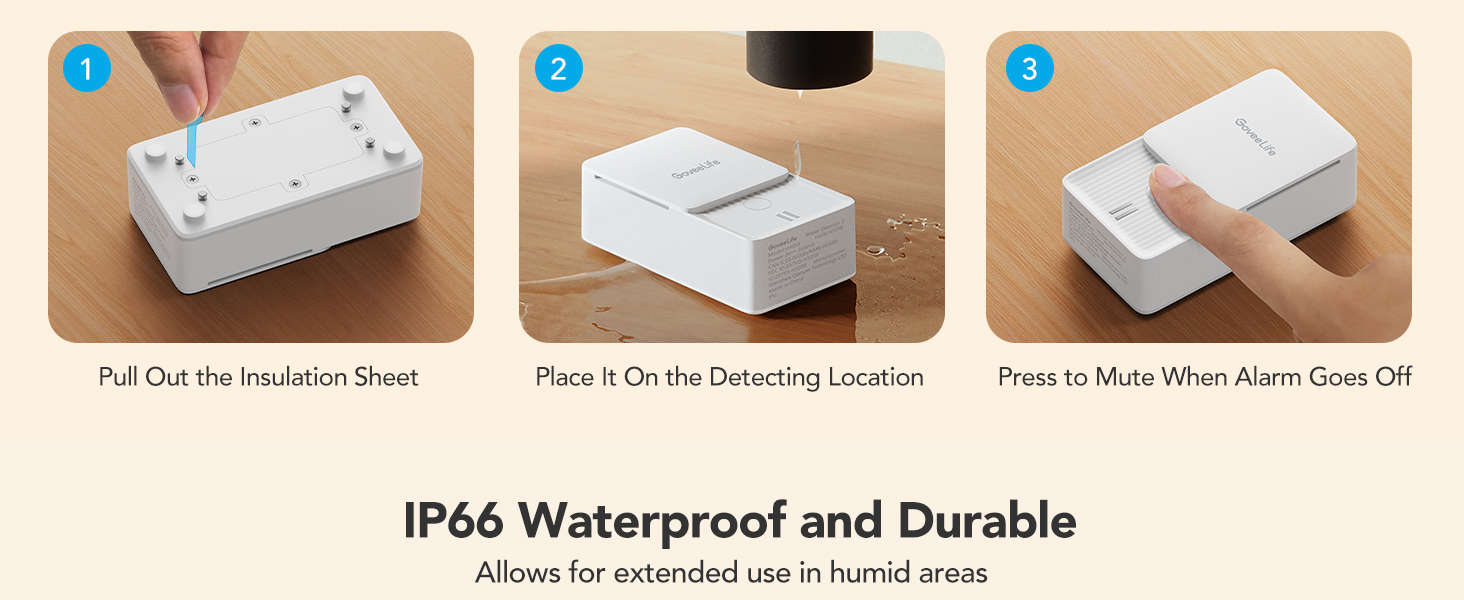
Image 4.3: Recommended placement locations in work areas.
4.3 Pairing with Govee Gateway (Optional)
For remote monitoring and app control, the GoveeLife Water Leak Detector can be paired with a compatible Govee gateway device (Model B0C3BB2X9J, not included). Follow the instructions provided with your Govee gateway for pairing. Remote monitoring is not possible without a paired gateway.

Image 4.4: Remote monitoring with an optional Govee gateway.
5. Operating Instructions
5.1 Water Leak Detection and Alarm
When the sensor probes detect water, the device will immediately trigger a loud audible alarm (up to 100dB) to alert you to the presence of a leak. The alarm is designed to be heard from a distance.

Image 5.1: Detector sensing drip and leak conditions.
5.2 Muting the Alarm
To silence the alarm, press the mute button located on the device. If the sensor probes remain wet after one hour, the alarm will reactivate.
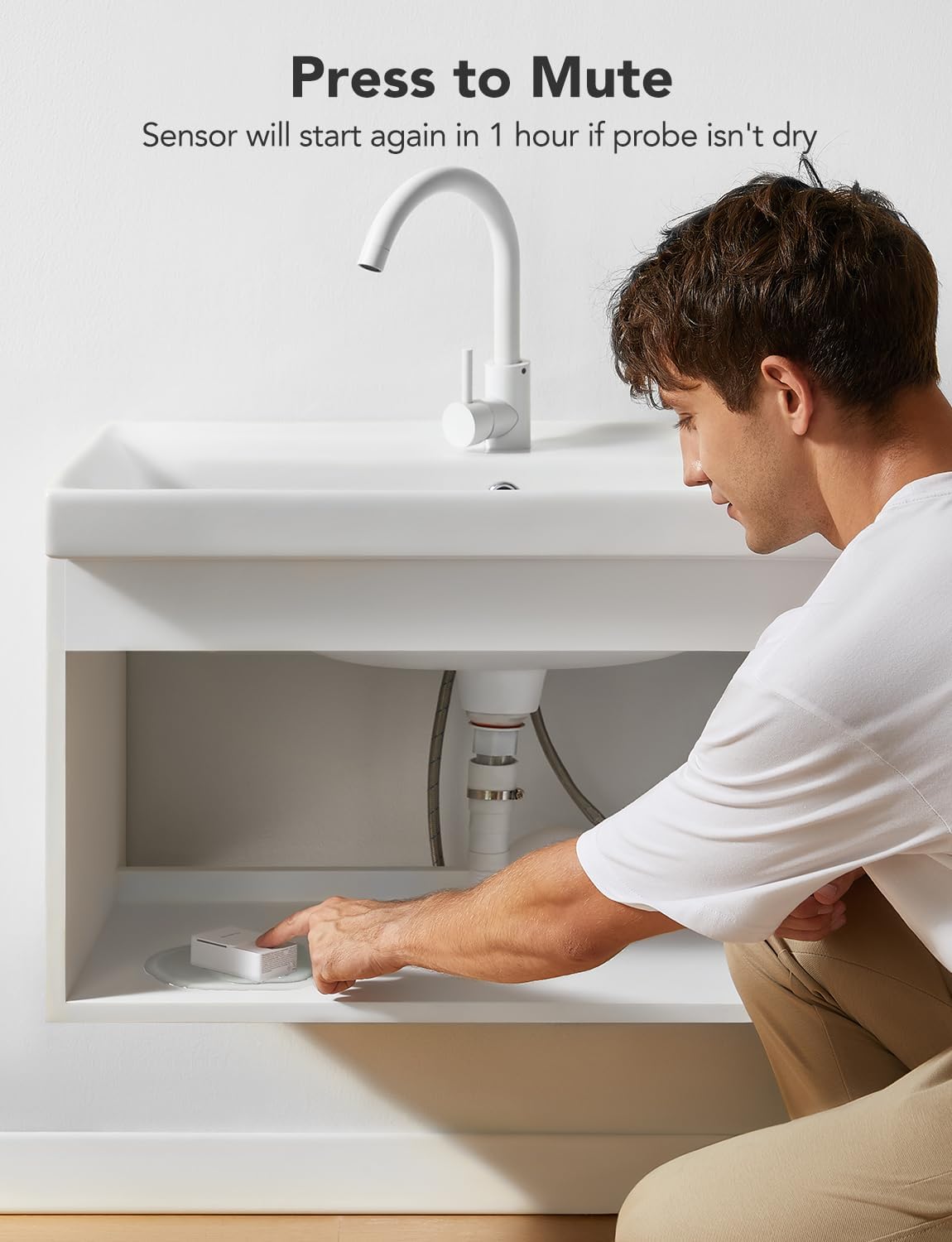
Image 5.2: Muting the alarm by pressing the button.
5.3 Adjustable Alarm Volume
The alarm volume can be adjusted. Press the button on the device twice in quick succession to cycle through the three available volume levels (0dB, 90dB, 95dB, 100dB). The 0dB setting effectively mutes the audible alarm.
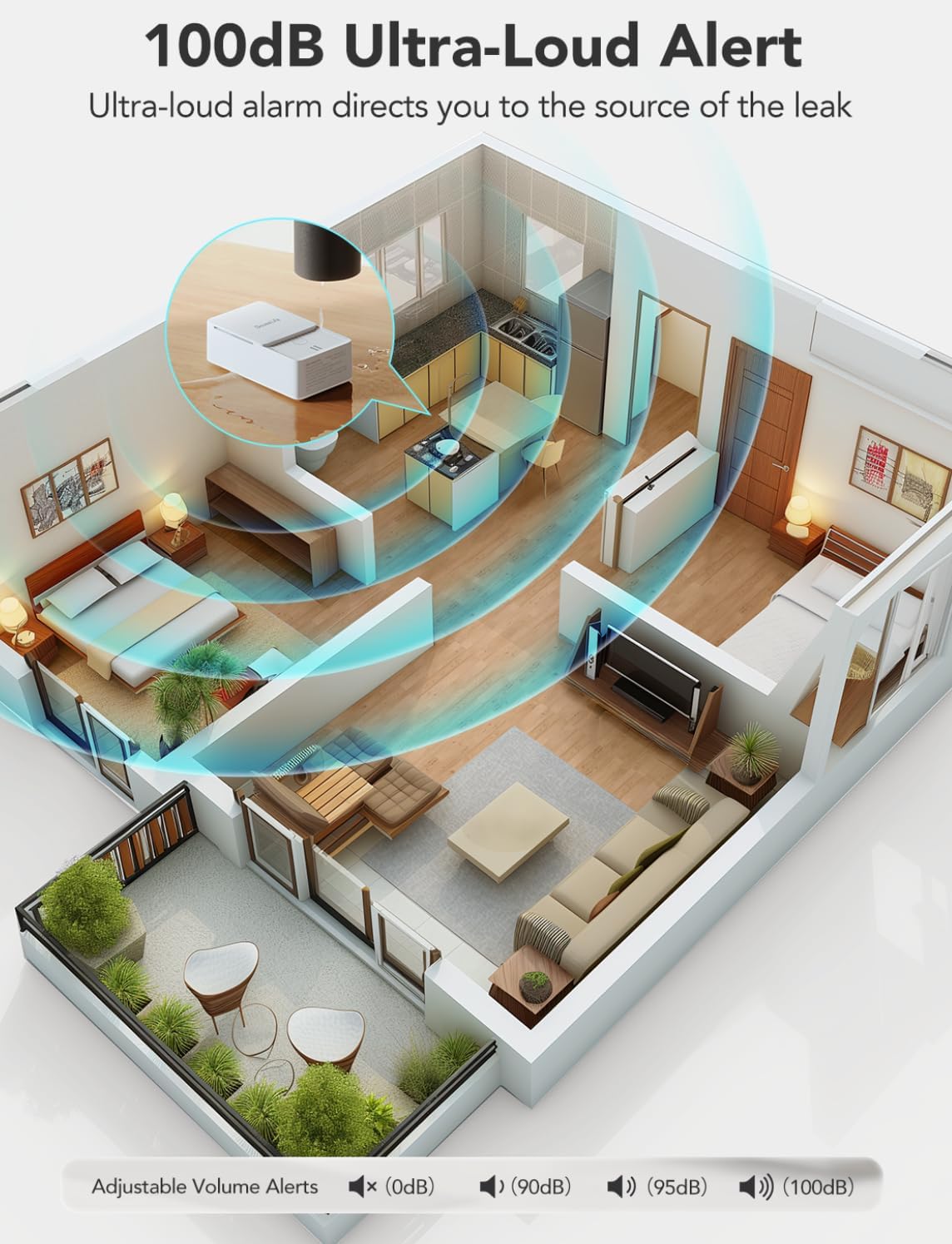
Image 5.3: Visual representation of the 100dB alarm and adjustable volume settings.
5.4 Low Battery Alert
When the battery level is low, the water sensor alarm will emit a beep and flash a red light. You can also press the button on the device to test the current battery level. It is recommended to replace batteries promptly when this alert occurs.

Image 5.4: Low battery warning and battery compartment details.
6. Maintenance
6.1 Battery Replacement
The GoveeLife Water Leak Detector uses 2 AA batteries per unit and is designed for a battery life of up to 2 years under normal usage. To replace batteries:
- Carefully unscrew the battery compartment cover on the back of the device.
- Remove the old batteries.
- Insert two new AA batteries, ensuring correct polarity (+/-).
- Securely replace the battery compartment cover.
6.2 Cleaning
Wipe the exterior of the device with a soft, dry cloth. Avoid using abrasive cleaners or solvents. Ensure the sensor probes on the bottom are clean and free of debris for optimal performance.
6.3 Waterproof Rating
The detector has an IP66 waterproof rating, meaning it is protected against powerful water jets and can withstand humid environments. However, it is not designed for submersion.

Image 6.1: IP66 waterproof rating for durability in humid areas.
7. Troubleshooting
- Alarm not sounding when wet:
- Ensure the insulation sheet has been removed from the battery compartment.
- Check battery level; replace batteries if low.
- Verify the sensor probes are in direct contact with the water.
- Ensure the alarm volume is not set to 0dB.
- False alarms:
- Ensure the sensor probes are completely dry. If the area is damp, the sensor may trigger.
- Relocate the sensor if it is in an area with high humidity or condensation that might trigger it without an actual leak.
- Alarm reactivates after muting:
- This is normal behavior if the sensor probes remain wet for more than one hour after muting. Ensure the leak source is addressed and the sensor is dried.
- No remote alerts (with gateway):
- Ensure the Govee gateway is properly set up and connected to your home network.
- Verify the water leak detector is successfully paired with the gateway.
- Check the Govee Home app for connectivity status and notification settings.
8. Warranty and Support
GoveeLife products are manufactured with quality and reliability in mind. For warranty information, technical support, or customer service inquiries, please refer to the official GoveeLife website or contact their customer support directly. Please have your product model number (H5058) and purchase details available when contacting support.
Manufacturer: GoveeLife
Ask a question about this manual
Ask about setup, troubleshooting, compatibility, parts, safety, or missing instructions. Manuals+ will review the question and use this page’s manual context to help answer it.