
Introduction
Thank you for choosing the GONDSILY LED Desk Lamp T23. This versatile desk lamp is designed to enhance your workspace with adjustable lighting, convenient charging options, and integrated organization features. Please read this manual thoroughly before use to ensure proper setup and operation.

Figure 1: GONDSILY LED Desk Lamp T23 Overview
Product Features
- Integrated Organizer: Features a pen holder and phone stand to keep your desktop tidy and organized.
- Dual USB Charging Ports: Equipped with two 5V/2.4A USB ports for convenient charging of mobile phones, tablets, and other small devices, even when the lamp is off.
- Touch Control: Intuitive touch-sensitive controls for power, brightness, and color mode adjustments.
- 3 Color Modes: Easily switch between Warm Light (3000K), Natural Light (4500K), and Cool White Light (6500K) to suit various activities and preferences.
- Stepless Dimming: Long press the 'MODE' button to smoothly adjust brightness levels from dim to bright.
- Flexible Gooseneck: A 360-degree adjustable gooseneck allows you to direct light precisely where needed.
- Eye-Caring LED: High-quality LED beads emit soft, flicker-free, and glare-free light, reducing eye fatigue during extended use.
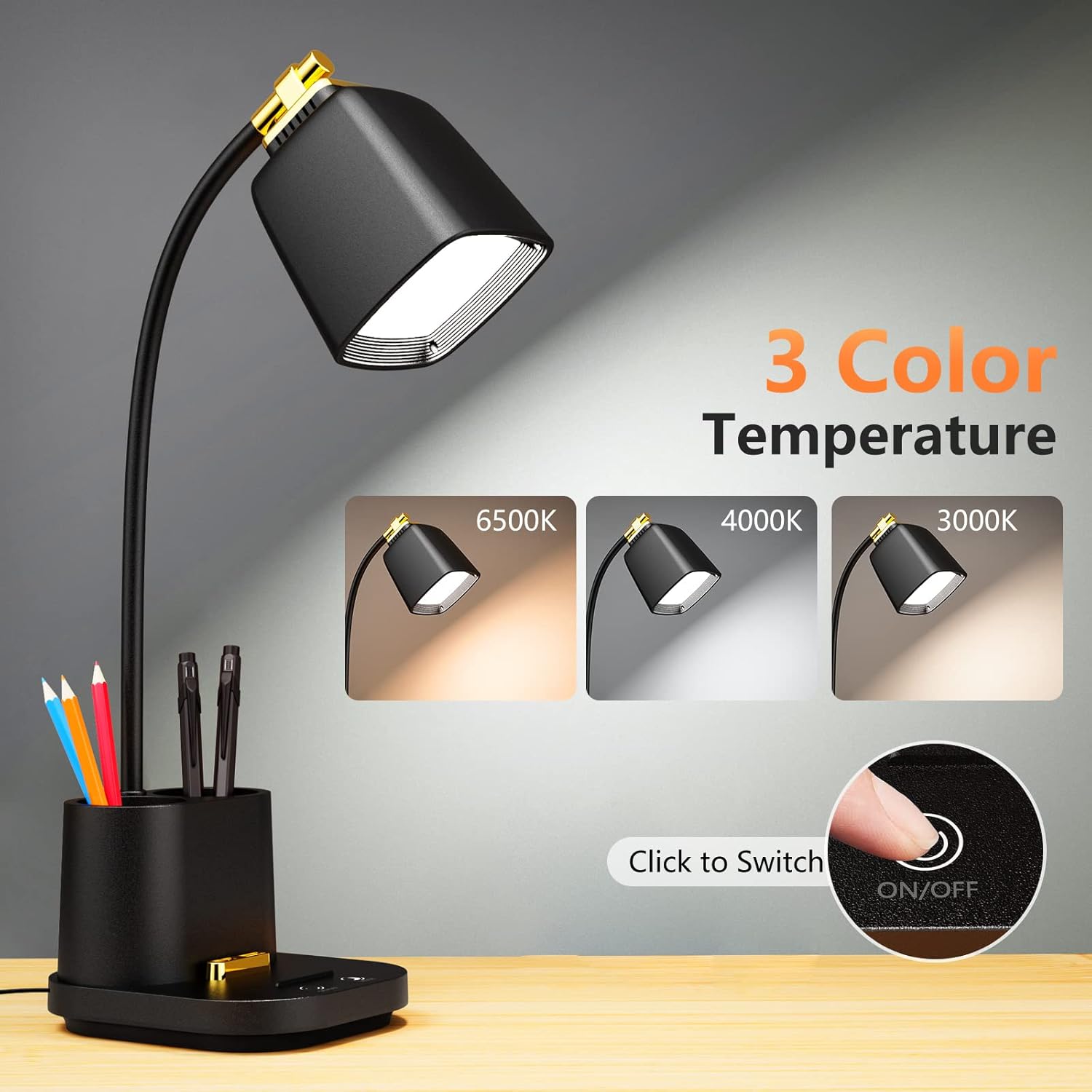
Figure 2: Integrated Pen Holder, Phone Stand, and USB Ports
Package Contents
- GONDSILY LED Desk Lamp T23
- Power Adapter
- User Manual (this document)
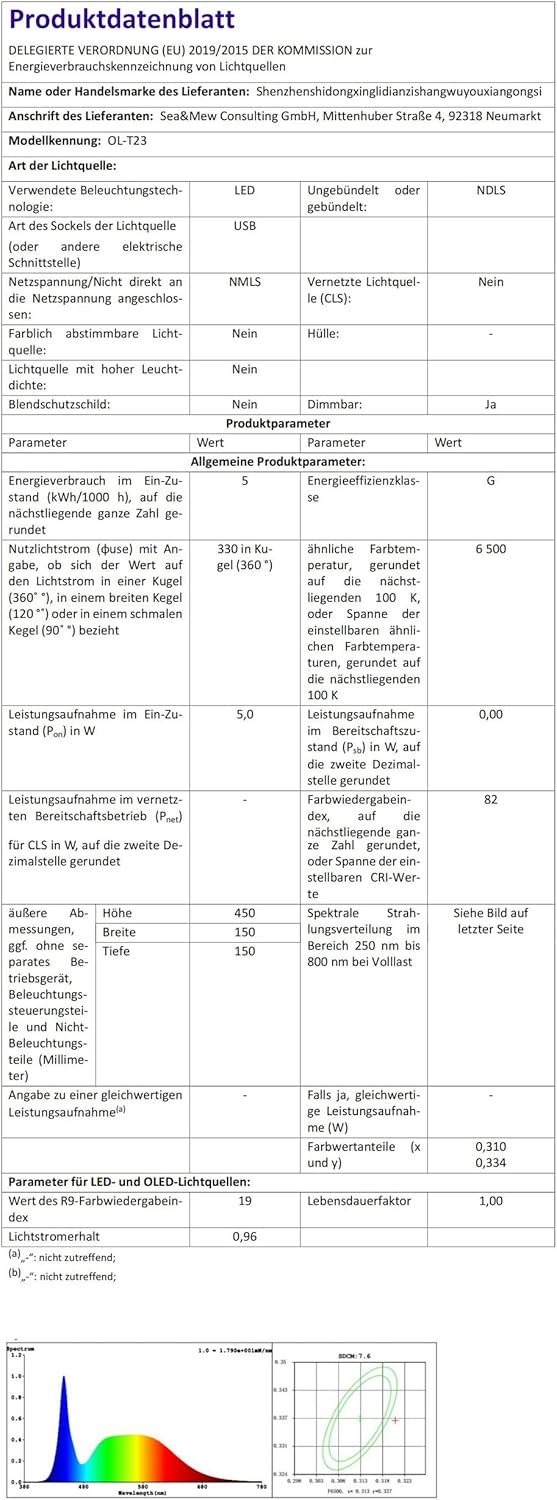
Figure 3: Product Packaging
Setup Instructions
- Unpack: Carefully remove all components from the packaging.
- Connect Power: Insert the power adapter cable into the DC 12V-1.5A input port located at the back of the lamp base. Plug the adapter into a standard electrical outlet.
- Position Lamp: Place the lamp on a stable, flat surface. Adjust the flexible gooseneck to your desired lighting angle.
Video 1: Unboxing and Initial Setup of the GONDSILY LED Desk Lamp T23. This video demonstrates how to unpack the lamp, connect the power adapter, and begin using its basic functions.
Operating Instructions
- Power On/Off: Lightly touch the ON/OFF button on the lamp base to turn the lamp on or off.
- Adjust Color Mode: Short press the MODE button to cycle through the three color temperatures: Warm Light (3000K), Natural Light (4500K), and Cool White Light (6500K).
- Adjust Brightness (Stepless Dimming): Long press the MODE button to continuously adjust the brightness level. Release the button when the desired brightness is reached.
- Use USB Charging Ports: Connect your devices to the dual USB ports (5V/2.4A) located on the lamp base for charging. These ports are active whether the lamp light is on or off.
- Adjust Gooseneck: Gently bend the flexible gooseneck to position the light head at any angle or height for optimal illumination.

Figure 4: Three Color Modes

Figure 5: Stepless Dimming Levels

Figure 6: 360° Flexible Gooseneck
Maintenance
- Cleaning: Ensure the lamp is unplugged before cleaning. Use a soft, dry cloth to wipe the lamp's surface. Avoid using abrasive cleaners, solvents, or harsh chemicals, as these may damage the finish.
- Storage: If storing the lamp for an extended period, unplug it and store it in a cool, dry place away from direct sunlight.
Troubleshooting
| Problem | Possible Cause | Solution |
|---|---|---|
| Lamp does not turn on. | Power adapter not properly connected or no power from outlet. | Check if the power adapter is securely plugged into both the lamp and the electrical outlet. Test the outlet with another device. |
| Light flickers or is unstable. | Unstable power supply or internal component issue. | Ensure the lamp is connected to a stable power source. If flickering persists, contact customer support. |
| USB charging ports are not working. | Device not compatible, faulty USB cable, or power issue. | Verify your device is compatible with 5V/2.4A charging. Try a different USB cable. Ensure the lamp is powered on and connected to an active outlet. |
| Touch controls are unresponsive. | Temporary software glitch or power interruption. | Unplug the lamp for 30 seconds, then plug it back in to reset. Ensure your finger is dry and making full contact with the touch area. |
Specifications
| Feature | Specification |
|---|---|
| Model Number | T23 |
| Brand | GONDSILY |
| Light Source Type | LED |
| Power Source | Corded Electric |
| Input Voltage | 12 Volts |
| LED Wattage | 6.5 Watts (Max Compatible) |
| USB Output | 5V/2.4A |
| Color Modes | 3 (3000K Warm, 4500K Natural, 6500K Cool) |
| Dimming | Stepless |
| Switch Type | Touch |
| Material | Plastic |
| Finish Type | Matte |
| Product Dimensions | 5.5"D x 4.92"W x 18.5"H |
| Item Weight | 490 Grams (1.08 Pounds) |
| LED Life Span | >=50,000 hours |
| Lamp Illumination | 1000 LUX (at 30CM) |
For more detailed energy information, please refer to the official EU EPREL database: https://eprel.ec.europa.eu/qr/1551814

Figure 7: Energy Efficiency Label
Warranty and Support
The GONDSILY LED Desk Lamp T23 comes with an 18-month warranty from the date of purchase. If you encounter any issues or have questions regarding your product, please contact us directly via the Amazon message box. Our customer support team will respond within 24 hours to assist you.


