
VANTUO LY736
VANTUO Smartwatch LY736 User Manual
Model: LY736 | Brand: VANTUO
Introduction
Thank you for choosing the VANTUO Smartwatch LY736. This device is designed to enhance your daily life with its comprehensive features, including communication, health monitoring, and fitness tracking. This manual provides essential information for setting up, operating, and maintaining your smartwatch to ensure optimal performance.

Image: The VANTUO Smartwatch LY736, a sleek black smartwatch with a square display showing time, date, steps, calories, distance, and heart rate.
Setup Guide
1. What's in the Box
- VANTUO Smartwatch
- Charging Cable
- User Manual (this document)
2. Charging the Smartwatch
Before first use, fully charge your smartwatch. Connect the charging cable to the charging contacts on the back of the watch and to a USB power source.
- Charging Time: Approximately 2 hours.
- Usage Time: 2-3 days on a full charge, depending on usage.
- Standby Time: 5-7 days.

Image: An illustration showing the smartwatch connected to a charger, with icons indicating 2 hours charging time, 2-3 days usage time, and 5-7 days standby time.
3. App Download and Bluetooth Connection
To unlock all features and synchronize data, download the "FitPro" app on your smartphone. The smartwatch is compatible with iOS 10.0 and above, and Android 5.0 and above.
- Download the App: Scan the QR code in the manual or search for "FitPro" in your phone's app store (Google Play Store for Android, Apple App Store for iOS).
- Enable Bluetooth: Turn on Bluetooth on your smartphone.
- Pair the Device: Open the "FitPro" app, navigate to the device section, and search for "LY736". Select it to bind the smartwatch.
- Enable Call Function (Optional): After successful binding in the FitPro app, go to your phone's Bluetooth settings. Find "LY736 BT" (or similar) and connect to it to enable the Bluetooth call function.

Image: A visual guide demonstrating the steps to download the FitPro app, enable phone's Bluetooth, search for the device (LY736), bind it, and then connect to LY736 BT in phone settings for call functionality.
Operating Instructions
1. Basic Navigation
The smartwatch features a 1.83-inch full touch screen. Swipe left/right or up/down to navigate through menus and functions. Press the side button to return to the home screen or wake the device.

Image: The smartwatch display showcasing various icons for steps, smart reminder, distance, sedentary reminder, 7 sports modes, weather, health tracking, brightness adjustment, calories, stopwatch, countdown, and alarm clock.
2. Call and Message Functions
Once connected via Bluetooth, the smartwatch allows you to make and receive calls directly from your wrist. It also provides vibration alerts for incoming calls and messages.
- Making Calls: Access the dial pad on the watch to dial numbers or select contacts from your synchronized phonebook.
- Receiving Calls: Answer or reject incoming calls directly from the watch screen.
- Message Notifications: Receive notifications from various apps (e.g., SMS, WhatsApp). Note: Only reading of some app messages is supported.

Image: A person driving, wearing the smartwatch, with an incoming call notification on the watch. Below, images show the smartwatch displaying an incoming call, a message notification, and a dial pad.
3. Health Monitoring
The smartwatch is equipped with sensors to track various health metrics. Data is synchronized with the FitPro app for detailed analysis.
- Heart Rate Monitoring: Real-time tracking of your heart rate.
- Blood Pressure Monitoring: Measures blood pressure levels.
- Blood Oxygen (SpO2) Monitoring: Tracks blood oxygen saturation.
- Sleep Tracking: Monitors your sleep patterns, including deep sleep, light sleep, and wake-up times.
Important Note: The data provided by the smartwatch is for reference only and should not be used for medical purposes or as a substitute for professional medical advice.

Image: A woman exercising, with two smartwatches (black and pink) shown. Icons for Blood Oxygen, Heart Rate, Blood Pressure, and Sleep are displayed, along with a smartphone screen showing detailed sleep data from the FitPro app.
4. Activity Tracking and Sports Modes
The smartwatch supports 7 types of fitness trackers to record your activity data, including steps, distance, and calories burned. Detailed records can be viewed in the FitPro app.
- Supported Modes: Walking, Running, Cycling, Skipping, Badminton, Basketball, Football.
- Data Recording: Tracks steps, distance, calories, and other activity-specific metrics.
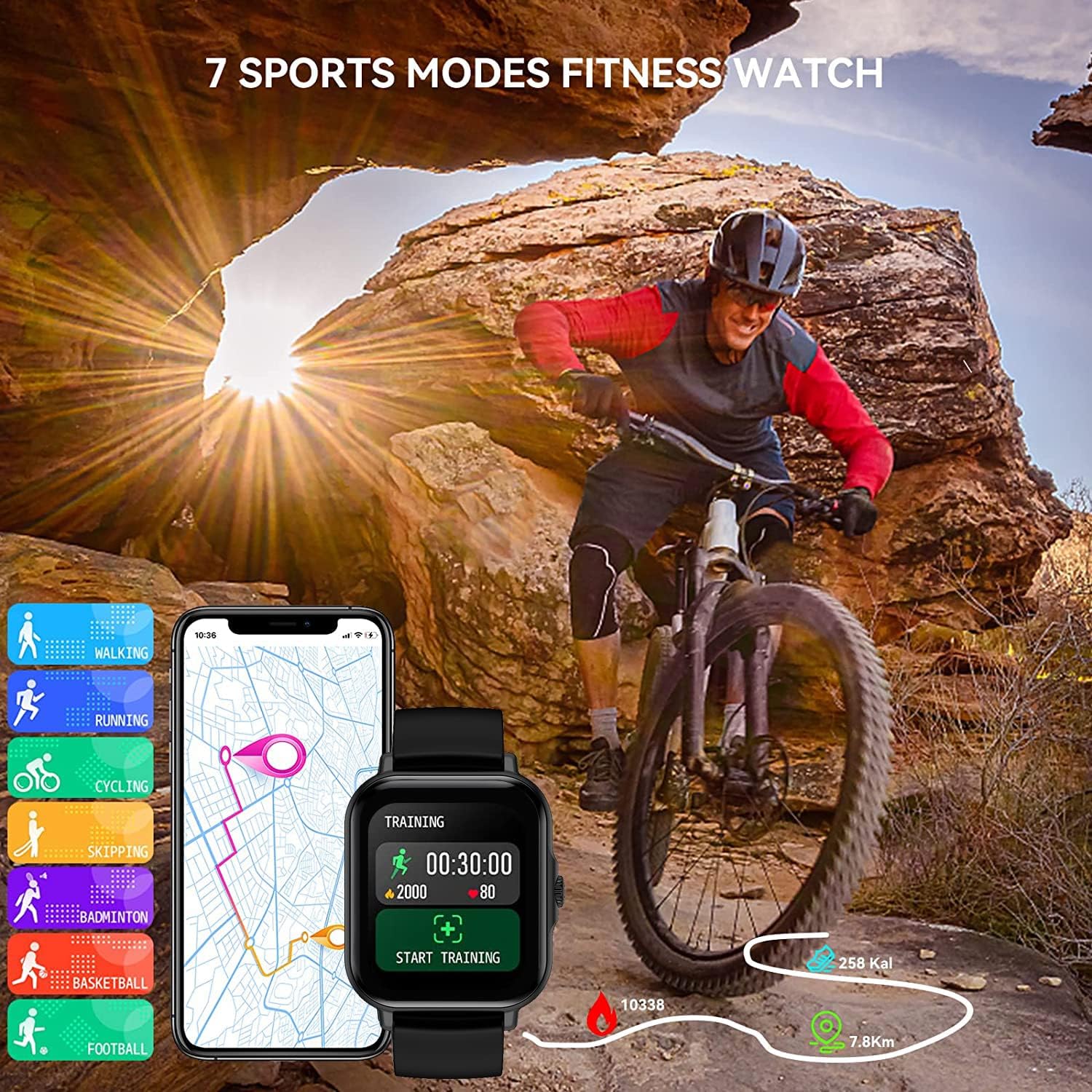
Image: A person cycling outdoors, with a smartphone displaying a map and the smartwatch showing training data. Icons for 7 sports modes (walking, running, cycling, skipping, badminton, basketball, football) are also visible.

Image: A person performing a yoga pose, with the smartwatch on their wrist displaying a green light from its sensor. A smartphone screen shows the FitPro app interface with health data like blood pressure and blood oxygen.
5. Other Smart Functions
- Music Control: Control music playback on your smartphone (play, pause, skip tracks).

Image: A smartwatch displaying music controls (play/pause, skip) next to a smartphone showing a music player interface.
- Camera Control: Use the watch as a remote shutter for your phone's camera.

Image: A smartwatch displaying a camera shutter icon, next to a smartphone showing a family photo, indicating remote camera control.
- Weather Forecast: View real-time weather information.

Image: A smartwatch displaying current weather (30°C, cloudy) and a 7-day forecast, with a city skyline in the background.
- Sedentary Reminder: Get alerts to move if you've been inactive for too long.

Image: A smartwatch on a wrist vibrating with a "WALK AROUND!" message, indicating a sedentary reminder, with people in an office setting in the background.
- Breathing Exercises: Guided breathing sessions for relaxation.
- Custom Dial: Personalize your watch face.
- Alarm Clock: Set alarms directly from the watch or app.
- Women Care Function: Track menstrual cycles (if applicable).

Image: A woman smiling outdoors, with a smartwatch displaying "MENSTRUATION BEGINS" and a calendar overlay, indicating the women's care function.
Maintenance
Proper maintenance ensures the longevity and performance of your smartwatch.
- Cleaning: Wipe the watch screen and strap regularly with a soft, dry cloth. For stubborn dirt, use a slightly damp cloth and dry thoroughly.
- Water Resistance: This watch is designed for daily use and can withstand splashes or sweat. It is not suitable for swimming, showering, or immersion in water. Avoid exposing it to hot water or steam.
- Storage: Store the smartwatch in a cool, dry place when not in use.
- Avoid Extreme Temperatures: Do not expose the watch to extremely high or low temperatures, as this can damage the battery and internal components.
Troubleshooting
If you encounter issues with your smartwatch, try the following solutions:
| Problem | Solution |
|---|---|
| Watch does not turn on | Ensure the watch is fully charged. Connect it to the charger for at least 30 minutes. |
| Cannot connect to the app/Bluetooth |
|
| Inaccurate step count/activity data |
|
| Notifications not received |
|
| Call audio issues |
|
If the problem persists, please contact customer support.
Specifications
| Feature | Detail |
|---|---|
| Model Number | LY736 |
| Brand | VANTUO |
| Display | 1.83" Full Touch Screen |
| Connectivity | Bluetooth |
| Operating System Compatibility | Android 5.0+, iOS 10.0+ |
| Battery Type | Lithium-Polymer |
| Product Dimensions | 27 x 12 x 4 cm |
| Weight | 100 Grams |
| Special Features | Call Function, Message Reminders, Heart Rate Monitor, Sleep Monitor, Fitness Tracker |
| Color | Black |
Warranty and Support
VANTUO offers a 1-year after-sales service for this smartwatch. This includes support for replacement and refund in case of manufacturing defects or issues not caused by misuse.
For any inquiries, technical support, or warranty claims, please contact VANTUO customer service through the platform where you purchased the product or refer to the contact information provided in the product packaging.
Ask a question about this manual
Ask about setup, troubleshooting, compatibility, parts, safety, or missing instructions. Manuals+ will review the question and use this page’s manual context to help answer it.