
Introduction
The Chihiros Dosing System is an automated precision nutrient delivery solution designed for aquariums. It simplifies the process of maintaining optimal water parameters by accurately dispensing liquid fertilizers or other supplements, ensuring a stable and healthy environment for aquatic life. This manual provides comprehensive instructions for setting up, operating, and maintaining your dosing system.
Safety Information
Please read all safety warnings and instructions carefully before use. Failure to follow these instructions may result in electric shock, fire, or serious injury.
- The unit operates on 12 Volts (DC). Ensure the correct power adapter is used and connected to a suitable power source.
- Do not immerse the dosing unit in water.
- Keep the unit and all electrical connections dry.
- Disconnect power before performing any maintenance or cleaning.
- Keep out of reach of children and pets.
Package Contents
Verify that all items listed below are included in your package:
- Chihiros Dosing Pump Unit
- Dosing Containers (4x)
- Silicone Tubing (clear)
- Power Adapter (12V DC)
- Measuring Cylinder
- Tube Holders / Connectors
- Adhesive Labels
- Mounting Screws
- User Manual (this document)

Figure 1: Overview of the Chihiros Dosing System and its components.

Figure 2: The dosing pump unit, power adapter, and measuring cylinder.

Figure 3: The four dosing containers, designed for various liquid supplements.
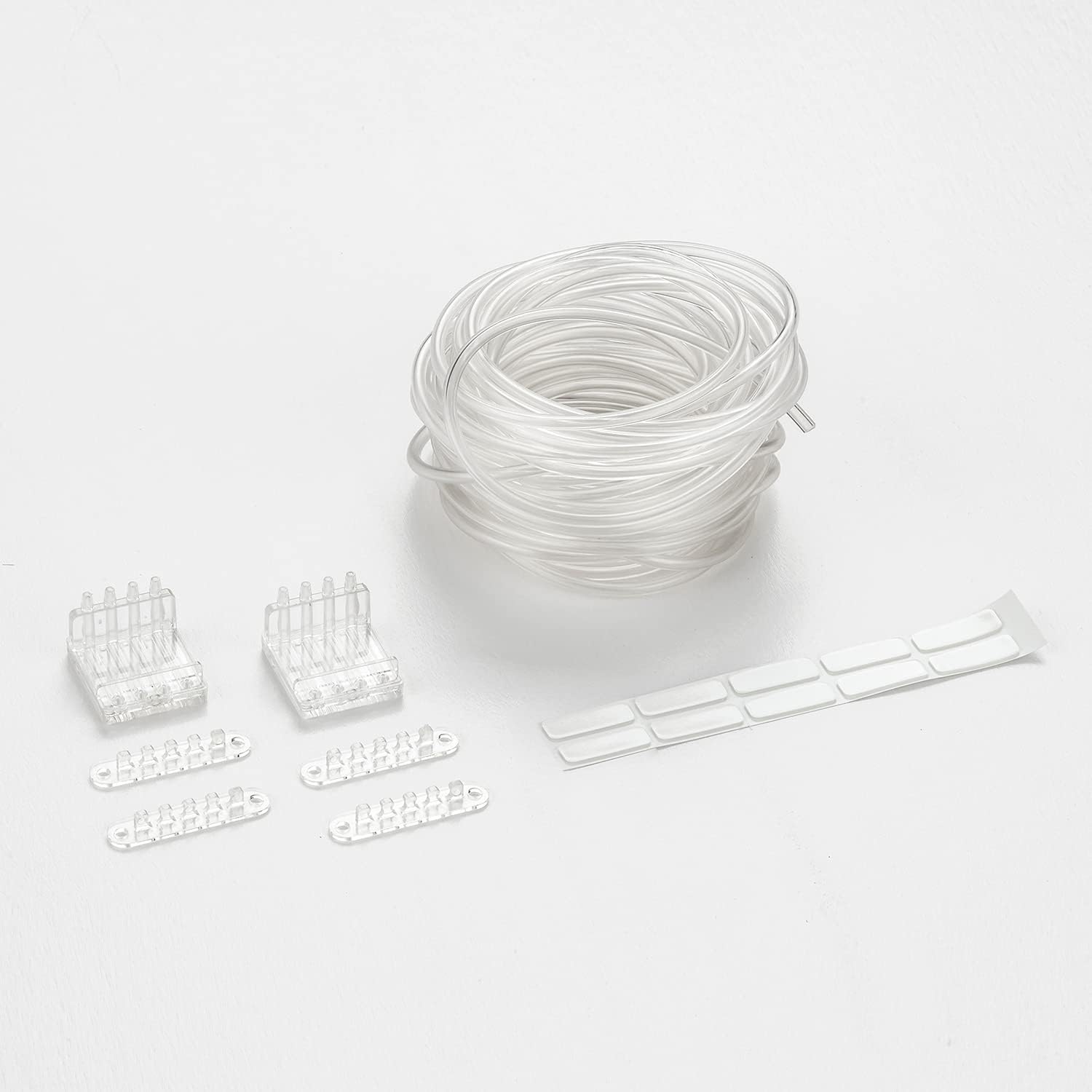
Figure 4: Included tube holders and adhesive labels for organization.
Setup Instructions
1. Placement of the Dosing Unit:
Choose a stable, dry location near your aquarium. The unit can be placed on a flat surface or mounted using the provided screws. Ensure it is easily accessible for maintenance and away from direct water splashes.

Figure 5: Bottom view of the dosing unit, highlighting mounting options.
2. Connecting Tubing:
Connect the clear silicone tubing to the output ports of the dosing pump unit. Each port corresponds to a specific dosing channel. Route the tubing from the dosing unit to your aquarium. Use the provided tube holders to secure the tubing along the aquarium rim, ensuring the dispensing end is submerged in the water but not touching the substrate.

Figure 6: Tubing setup in an aquarium, illustrating proper placement.

Figure 7: Close-up of the tube holder securing the dispensing end to the aquarium rim.
Connect the other end of the tubing to your dosing containers. Ensure a tight fit to prevent leaks. Label each container and corresponding tube with the adhesive labels to identify the specific supplement.

Figure 8: Optional dosing container holder for organized placement of containers.
3. Power Connection:
Connect the power adapter to the dosing unit and then plug it into a standard electrical outlet. The unit will power on.
4. App Installation and Connection:
Download the official Chihiros app from your device's app store. Follow the in-app instructions to connect your dosing system via Bluetooth or Wi-Fi (refer to the app for specific connection methods). The app allows for precise control and scheduling of dosing.
5. Calibration:
Before first use, calibrate each pump channel for accurate dosing. Use the provided measuring cylinder. In the app, initiate the calibration process for each channel. The pump will dispense a specific volume of liquid (e.g., 10ml). Measure the actual dispensed volume using the measuring cylinder and input this value into the app. This ensures precise dosing for future operations.
Video 1: Demonstration of the dosing pump system in action, showing liquid being dispensed into an aquarium. This video illustrates the precise and automated delivery of nutrients.
Operating Instructions
Once set up and calibrated, the Chihiros Dosing System operates primarily through its dedicated mobile application.
Scheduling Doses:
Open the Chihiros app. Navigate to the dosing schedule section. For each channel, set the desired daily dosage volume (e.g., in milliliters) and the frequency (e.g., once a day, multiple times a day). The app allows for flexible scheduling to match your aquarium's specific needs.
Manual Dosing:
The app typically includes an option for manual dosing, allowing you to dispense a specific amount of liquid instantly for testing or immediate adjustments.
Monitoring:
The app may provide features to monitor the remaining volume in your dosing containers (if configured) and track dosing history. This helps in planning refills and observing consumption trends.
Refilling Containers:
When a container is low, refill it with the appropriate liquid supplement. Ensure the correct liquid is added to the corresponding labeled container to avoid contamination or incorrect dosing.
Maintenance
Regular maintenance ensures the longevity and accuracy of your dosing system.
Cleaning Tubing and Pump Heads:
Periodically inspect the tubing for algae growth or blockages. Clean the tubing and pump heads as needed, especially if using concentrated or sticky solutions. Refer to the app or manufacturer's guidelines for specific cleaning procedures for the pump heads.
Re-calibration:
It is recommended to re-calibrate the pumps periodically (e.g., every few months or after changing liquid types) to ensure continued accuracy.
External Cleaning:
Wipe the exterior of the dosing unit with a soft, damp cloth. Do not use harsh chemicals or abrasive cleaners.
Troubleshooting
| Problem | Possible Cause | Solution |
|---|---|---|
| Pump not dispensing liquid. | No power, tubing kinked/clogged, empty container, incorrect app settings. | Check power connection. Inspect tubing for kinks or blockages and clear them. Refill dosing containers. Verify dosing schedule and volume in the app. |
| Inaccurate dosing volume. | Pump not calibrated, air bubbles in tubing, worn pump head. | Perform pump calibration using the measuring cylinder. Ensure tubing is free of air bubbles. If issues persist, the pump head may need replacement (contact support). |
| App not connecting to the unit. | Bluetooth/Wi-Fi off, unit out of range, app glitch. | Ensure Bluetooth/Wi-Fi is enabled on your device. Move closer to the dosing unit. Restart the app and/or the dosing unit. |
| Dispensing nozzle issues with rimmed tanks. | Standard nozzle design may not fit all rimmed tanks. | You may need to improvise or seek alternative mounting solutions for rimmed aquariums. Ensure the tubing is securely positioned to prevent accidental dislodgement. |
Specifications
| Brand: | CHIHIROS AQUATIC STUDIO |
| Model Number: | 4 |
| Color: | Black |
| Material: | Acrylic |
| Product Dimensions: | 7.87"L x 7.87"W x 3.95"H |
| Power Source: | Corded Electric |
| Item Weight: | 2.2 Kilograms (4.84 pounds) |
| Voltage: | 12 Volts (DC) |
Warranty and Support
For warranty information, technical support, or replacement parts, please contact CHIHIROS AQUATIC STUDIO directly or refer to their official website. You can also visit the CHIHIROS AQUATIC STUDIO Store on Amazon for more information and contact options.