1. Introduction
This manual provides detailed instructions for the safe and effective use of your E-Greetshopping B39 Bluetooth Wireless Over-Ear Headphones. Please read this manual thoroughly before using the product and retain it for future reference.

Image 1.1: E-Greetshopping B39 Bluetooth Wireless Over-Ear Headphones. These headphones feature a black and red design with illuminated earcups and a flexible headband.
2. Package Contents
Ensure all items are present in the package:
- 1 x E-Greetshopping B39 Gaming Headset
- 1 x Audio Cable (3.5mm)
- 1 x USB Charging Cable (Micro USB)
3. Product Overview
Familiarize yourself with the components and controls of your headphones.
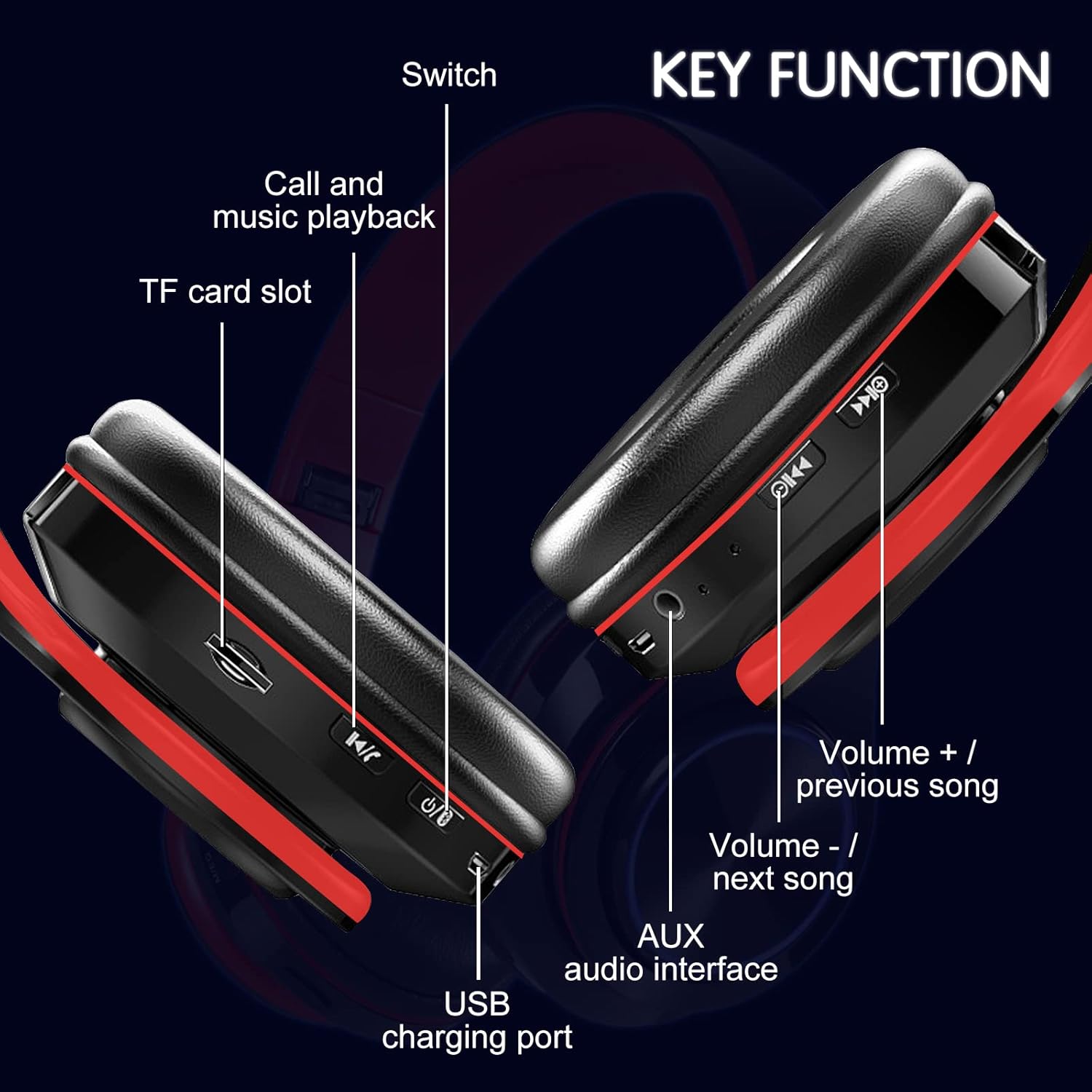
Image 3.1: Diagram illustrating the key functions and ports on the E-Greetshopping B39 headphones. This includes the power switch, call/music playback button, TF card slot, USB charging port, volume controls, and AUX audio interface.
- Switch: Power On/Off button.
- Call and Music Playback Button: Multifunction button for calls and media control.
- TF Card Slot: For inserting a MicroSD/TF card for direct music playback.
- USB Charging Port: Micro USB port for charging the headphones.
- Volume + / Previous Song: Increases volume or skips to the previous track.
- Volume - / Next Song: Decreases volume or skips to the next track.
- AUX Audio Interface: 3.5mm jack for wired connection.

Image 3.2: The headphones feature a retractable headband for fit adjustment, a telescopic design for compact storage, and a foldable mechanism for portability.
4. Setup
4.1 Charging the Headphones
Before first use, fully charge the headphones. Use the provided USB charging cable to connect the micro USB port on the headphones to a USB power source (e.g., computer, wall adapter). The LED indicator will show charging status and turn off or change color when fully charged.
4.2 Power On/Off
- To Power On: Press and hold the Switch button until the LED indicator lights up.
- To Power Off: Press and hold the Switch button until the LED indicator turns off.
4.3 Bluetooth Pairing
To connect your headphones to a Bluetooth-enabled device:
- Ensure the headphones are powered off.
- Press and hold the Switch button for approximately 3-5 seconds until the LED indicator flashes blue and red, indicating pairing mode.
- On your device (smartphone, tablet, computer), enable Bluetooth and search for available devices.
- Select "B39" from the list of found devices.
- Once connected, the LED indicator will typically show a solid blue light or flash slowly.

Image 4.1: The headphones are compatible with various devices including desktop computers, notebooks, tablets, and mobile phones.
5. Operating Instructions
5.1 Music Playback

Image 5.1: The headphones support three connection modes: Bluetooth Mode, Plug-in Mode (wired via 3.5mm audio cable), and Card Mode (via TF card).
- Bluetooth Mode: After successful pairing, music from your connected device will play through the headphones.
- Wired Mode (AUX): Insert the 3.5mm audio cable into the AUX audio interface on the headphones and the other end into your audio source. This mode works even if the headphones are out of power.
- TF Card Mode: Insert a TF (MicroSD) memory card with MP3 audio files into the TF card slot. The headphones will automatically begin playing music from the card.
5.2 Call Functions
When connected via Bluetooth:
- Answer/End Call: Press the Call and Music Playback Button once.
- Reject Call: Press and hold the Call and Music Playback Button for approximately 2 seconds.
- Redial Last Number: Double-press the Call and Music Playback Button.
5.3 LED Light Control
The headphones feature colorful LED lights.

Image 5.2: The headphones display a sequence of 7 different LED colors, indicating the dynamic lighting feature.
- Turn On/Off LED Lights: While the headphones are powered on and connected via Bluetooth, press and hold the Switch button to toggle the LED lights on or off.
5.4 Volume and Track Control
- Volume Up: Short press the Volume + button.
- Previous Track: Long press the Volume + button.
- Volume Down: Short press the Volume - button.
- Next Track: Long press the Volume - button.
6. Maintenance
To ensure the longevity and optimal performance of your headphones:
- Clean the headphones regularly with a soft, dry cloth. Avoid using abrasive cleaners or solvents.
- Store the headphones in a cool, dry place away from direct sunlight and extreme temperatures.
- Avoid exposing the headphones to water or excessive moisture.
- Do not attempt to disassemble or modify the headphones, as this will void the warranty and may cause damage.
7. Troubleshooting
If you encounter issues with your headphones, refer to the following solutions:
| Problem | Possible Cause | Solution |
|---|---|---|
| Headphones do not power on. | Low battery. | Charge the headphones fully. |
| Cannot pair via Bluetooth. | Headphones not in pairing mode; device Bluetooth off; too far from device. | Ensure headphones are in pairing mode (flashing red/blue LED). Turn on Bluetooth on your device. Move headphones closer to the device (within 10 meters). |
| No sound. | Volume too low; incorrect input mode; device not connected. | Increase headphone and device volume. Check if connected via Bluetooth, AUX, or TF card. Ensure AUX cable is fully inserted. |
| LED lights not working. | LEDs are turned off. | Press and hold the Switch button while Bluetooth is active to toggle LED lights. |
8. Specifications
- Model: B39
- Bluetooth Version: 5.0
- Bluetooth Distance: 10 meters (33 feet)
- Impedance: 32 Ohm
- Sensitivity: 96dB +/- 3dB
- Frequency Range: 20 Hz - 20,000 Hz
- Charging Port: Micro USB
- Charging Voltage/Current: 5V/1A
- Material: ABS plastic
- Product Size: 17.5 x 16.5 x 6.8 cm (6.89 x 6.5 x 2.68 inches)
- Item Weight: 0.27 Kilograms (9.3 ounces)
- Special Features: Foldable design, LED lights, Built-in microphone, TF card support, 3.5mm AUX input.
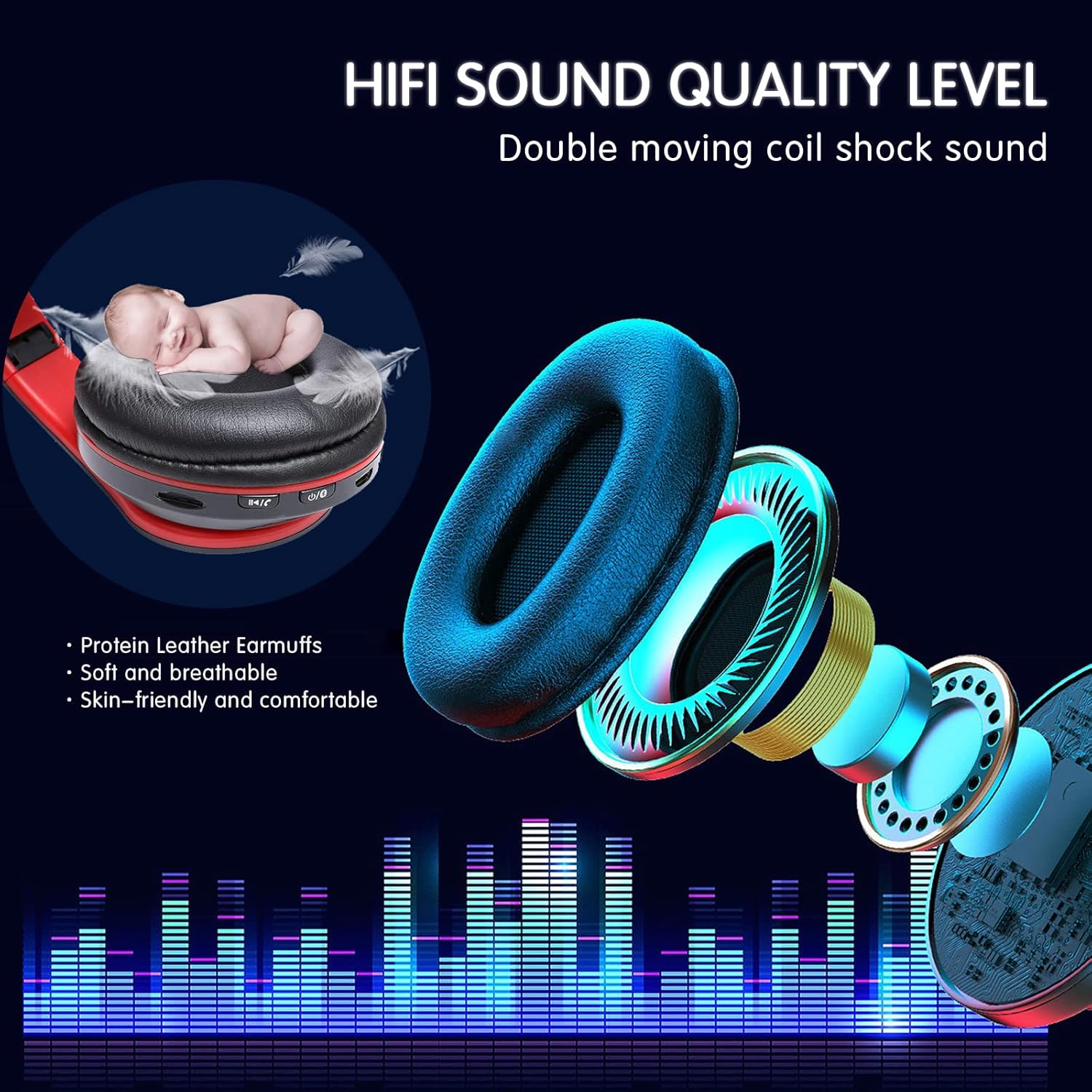
Image 8.1: Illustration highlighting the HiFi sound quality level with double moving coil shock sound, protein leather earmuffs for comfort, and soft, breathable, skin-friendly materials.
9. Safety Information
- Do not use headphones at high volume for extended periods to prevent hearing damage.
- Do not use headphones while driving, cycling, or in situations where inability to hear ambient sounds could be dangerous.
- Keep out of reach of children.
- Dispose of the product responsibly according to local regulations.
10. Warranty and Support
E-Greetshopping products are designed for reliability and performance. For warranty information or technical support, please refer to the documentation provided at the time of purchase or contact your retailer. Keep your purchase receipt as proof of purchase.