
1. Safety Instructions
Please read all safety instructions carefully before using the SEEKONE SDL996S Soldering Station. Failure to follow these instructions may result in electric shock, fire, or serious injury.
- Always wear appropriate personal protective equipment, including safety glasses, to protect against solder splatter and fumes.
- Use the soldering station in a well-ventilated area to avoid inhaling harmful fumes.
- The soldering iron tip reaches very high temperatures (up to 480°C). Avoid direct contact with the tip or heated components.
- Always place the soldering iron in its designated stand when not in use.
- Ensure the power cord is in good condition and properly grounded. Do not operate with a damaged cord or plug.
- Keep the soldering station and its components away from children and pets.
- Do not use the soldering station near flammable liquids or gases.
- Unplug the unit from the power outlet when not in use or before performing maintenance.
2. Package Contents
Verify that all items are present in your package:
- 1 x SEEKONE SDL996S Soldering Station Unit
- 1 x Soldering Iron Handle
- 1 x Soldering Iron Stand (with copper wire ball cleaner)
- 1 x Power Cable
- 5 x Assorted Soldering Tips
- 1 x 0.8mm 50g Soldering Wire
- 1 x User Manual
3. Product Overview
The SEEKONE SDL996S is a 60W digital soldering station designed for various soldering projects. It features rapid heating, precise temperature control, and an intuitive LCD display for easy operation. Key functions include adjustable temperature from 200℃ to 480℃, ℃/℉ conversion, a standby function for energy saving, and power-on memory to recall the last used temperature setting.

Image: The SEEKONE SDL996S Soldering Station, showing the main unit, soldering iron, and stand.
4. Setup
- Connect the Soldering Iron: Insert the soldering iron handle's connector into the corresponding port on the front of the soldering station unit. Ensure it is securely fastened.
- Connect the Power Cable: Plug the power cable into the power input on the back of the soldering station, then plug the other end into a suitable grounded power outlet.
- Place the Soldering Iron Stand: Position the soldering iron stand on a stable, heat-resistant surface. Always rest the soldering iron in the stand when not actively soldering.
Video: Demonstrates connecting the soldering iron and powering on the station, showing the temperature display.
5. Operating Instructions
5.1 Power On/Off
Locate the ON/OFF switch on the side of the soldering station. Flip the switch to 'ON' to power on the unit. The LCD display will illuminate and show the current temperature. Flip to 'OFF' to power down.
5.2 Temperature Adjustment
The soldering station offers two methods for temperature adjustment:
- Precise Adjustment: Use the (+) and (-) buttons to adjust the temperature in single-degree increments within the 200℃ to 480℃ range. Long-pressing these buttons will change the temperature in 10-degree increments.
- Preset Temperatures: Press the Function Key (gear icon) to cycle through three preset temperatures: 200℃, 350℃, and 420℃.

Image: The LCD display illustrating the adjustable temperature range and quick preset options.
5.3 ℃/℉ Conversion
To switch between Celsius (℃) and Fahrenheit (℉) temperature units, simultaneously press and hold the (+) and (-) buttons for a few seconds until the unit changes on the display.
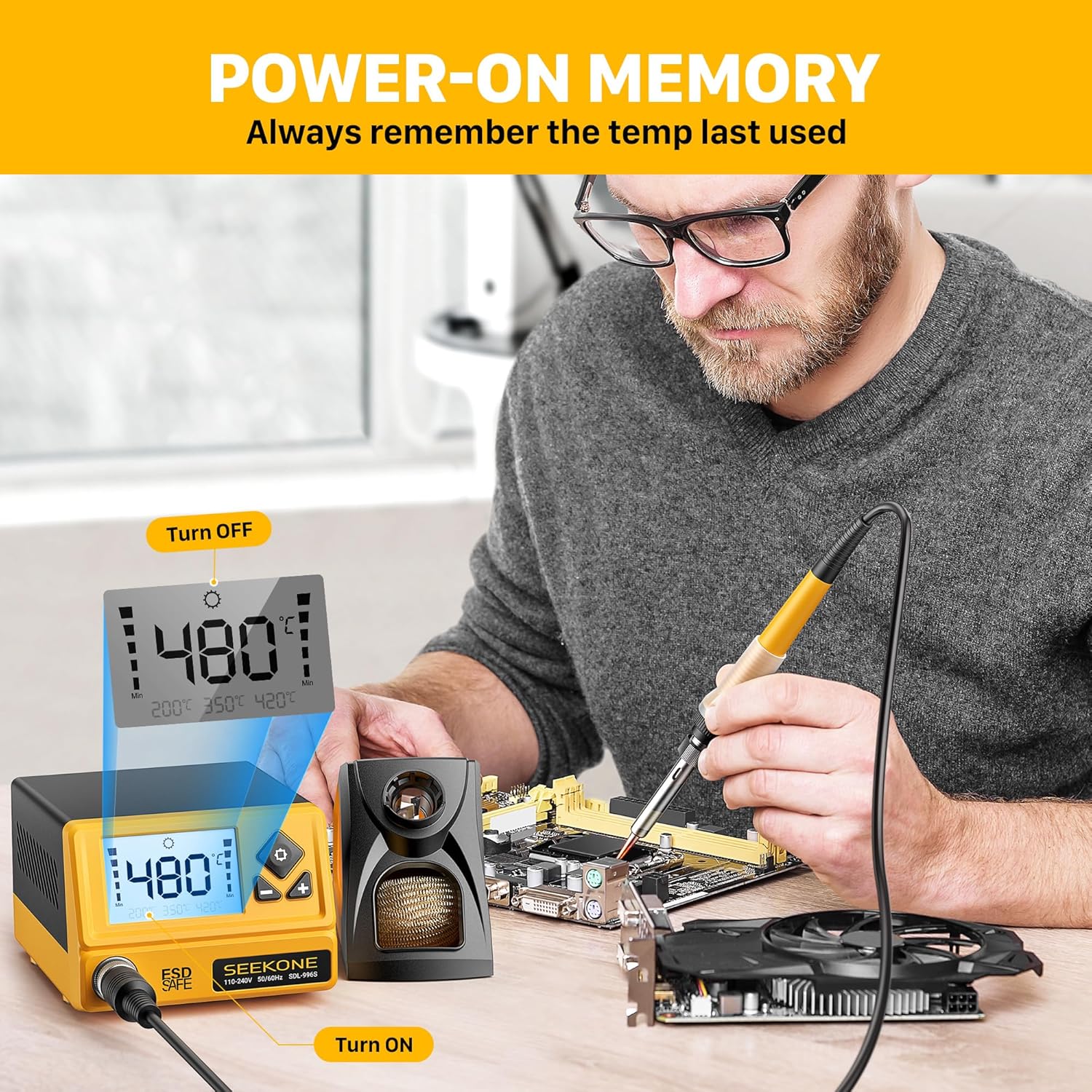
Image: The LCD display showing temperature conversion between Celsius and Fahrenheit.
5.4 Power-On Memory
The soldering station is equipped with a power-on memory function. When the unit is turned off and then back on, it will automatically resume operation at the last set temperature, eliminating the need to reset it each time.

Image: A visual representation of the power-on memory feature, showing the station retaining the last temperature setting.
5.5 Auto Sleep Function
For safety and to extend the life of the soldering iron tip, the station features an auto-sleep mode. If the soldering iron is inactive for more than 10 minutes, the temperature will automatically drop to a constant 180℃. To exit sleep mode, simply pick up the soldering iron or press any button.

Image: The auto-sleep function shown with the soldering iron in its stand and the display indicating a reduced temperature.
Video: Demonstrates various operating features including power-on memory, temperature adjustment, ℃/℉ conversion, and auto-sleep function.
6. Maintenance
6.1 Soldering Tip Cleaning
Regularly clean the soldering tip using the included copper wire ball. This helps remove oxidation and solder residue, ensuring optimal heat transfer and prolonging tip life. Avoid using abrasive materials or excessive force.
6.2 Temperature Calibration
If the actual temperature of the soldering iron deviates from the set temperature, you can perform a temperature calibration:
- With the unit powered on, long-press the Function Key (gear icon) for approximately 3 seconds.
- The display will show a calibration value (e.g., "-04℃"). This indicates the current temperature offset.
- Use the (+) and (-) buttons to adjust the offset. The setting range is typically -50℃ to +50℃. Adjust until the displayed temperature matches a known accurate external thermometer reading of the tip.
- Press the Function Key again to save the setting and complete the calibration.

Image: A visual guide demonstrating the steps for temperature calibration on the SEEKONE SDL996S.
6.3 General Care
Keep the soldering station clean and free from dust and debris. Store it in a dry environment when not in use. Periodically check all connections for tightness and wear.
7. Troubleshooting
| Problem | Possible Cause | Solution |
|---|---|---|
| Station does not power on | No power supply; Power switch off; Damaged power cable. | Check power outlet; Ensure power switch is ON; Inspect power cable for damage and replace if necessary. |
| Soldering iron not heating | Iron not properly connected; Heating element failure; Incorrect temperature setting. | Ensure iron connector is secure; Contact support if heating element is suspected; Verify temperature setting is above 180°C (sleep mode). |
| Temperature display is inaccurate | Needs calibration; Faulty sensor. | Perform temperature calibration (see Section 6.2); Contact support if calibration does not resolve the issue. |
| Error Code 'E-2' displayed | Internal sensor error or heating element issue. | Turn off the station, unplug, wait a few minutes, then restart. If the error persists, contact SEEKONE customer support. |
8. Specifications
| Feature | Specification |
|---|---|
| Model Number | SDL996S |
| Power | 60 Watts |
| Temperature Range | 200℃ - 480℃ (392℉ - 896℉) |
| Display Type | LCD |
| Temperature Stability | PID Control |
| Auto Sleep Function | Yes (after 10 minutes of inactivity, drops to 180℃) |
| Power-On Memory | Yes |
| Dimensions (L x W x H) | 25.5 x 10.7 x 16.5 cm |
| Weight | 1.02 kg |
| Input Voltage | 110-240V, 50/60Hz |
9. Warranty and Support
SEEKONE is committed to providing high-quality products and customer satisfaction. This product comes with a standard manufacturer's warranty. For detailed warranty information, please refer to the warranty card included in your package or visit the official SEEKONE website.
Our professional technical support team is available to assist you with any questions, issues, or technical assistance you may require throughout the lifespan of your device. Please contact us via the contact information provided in your product documentation or on our website.