
1. Introduction
Thank you for choosing the Blaupunkt TWS 30 True Wireless Stereo In-Ear Earbuds. This manual provides essential information for the safe and efficient use of your new device. Please read it thoroughly before use and retain it for future reference.
2. Safety Information
- Do not expose the earbuds or charging case to extreme temperatures, humidity, or corrosive substances.
- Avoid dropping, impacting, or disassembling the device.
- Keep out of reach of children and pets.
- Use only the provided USB-C cable for charging.
- Prolonged listening at high volume levels can cause hearing damage. Adjust volume to a safe level.
3. Product Overview
3.1 Package Contents
- Blaupunkt TWS 30 Earbuds (Left and Right)
- Charging Case
- USB-C Charging Cable
- Multiple Sizes of Ear Tips
- User Manual (this document)
- Warranty Card
3.2 Components
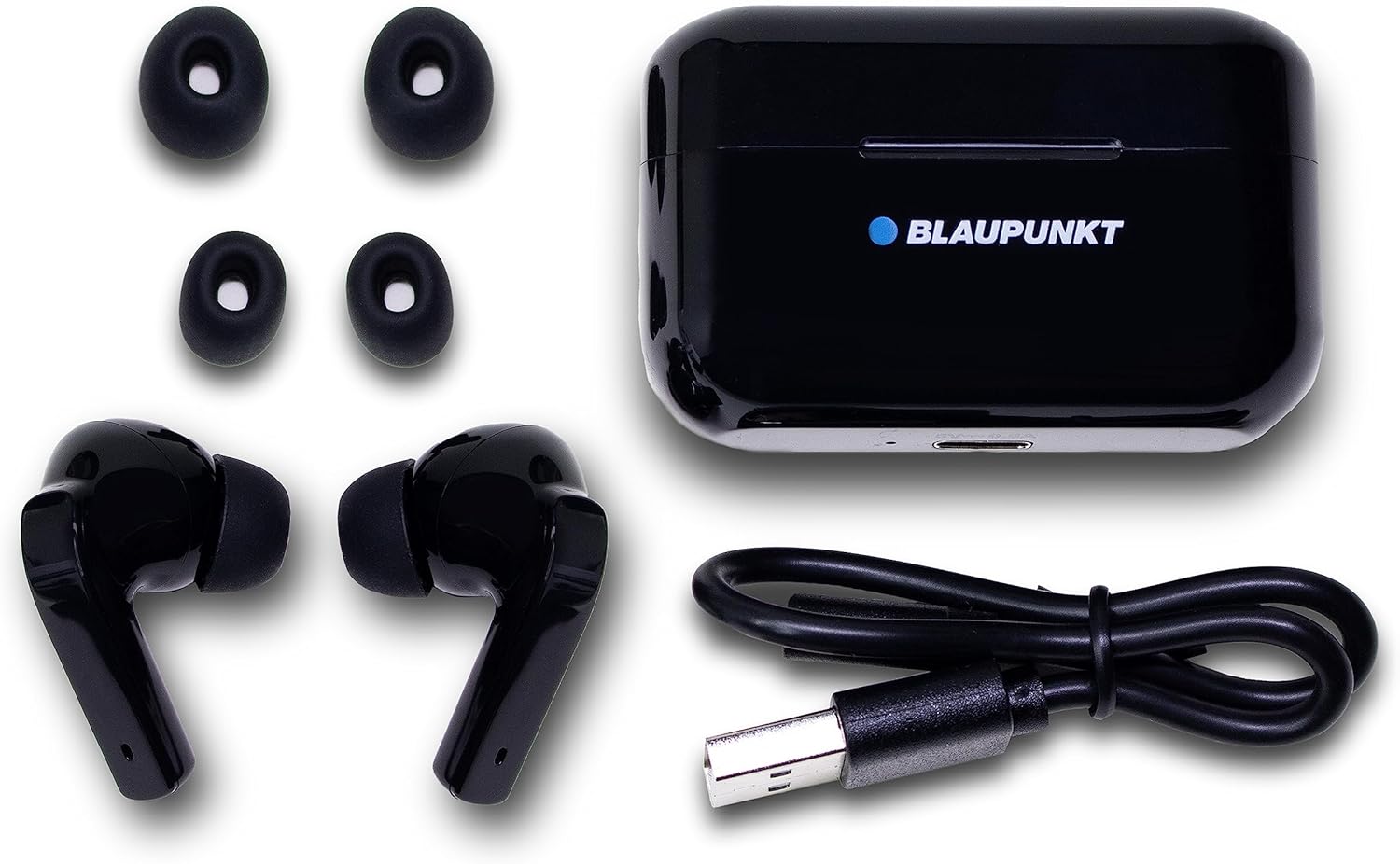
Figure 1: All included components: the two earbuds, the charging case, a USB-C charging cable, and three pairs of silicone ear tips in different sizes.

Figure 2: The Blaupunkt TWS 30 earbuds securely placed inside their open charging case. The case features a magnetic closure and an LED indicator.

Figure 3: A detailed view of the left and right Blaupunkt TWS 30 earbuds, highlighting their ergonomic design and silicone ear tips.
4. Setup
4.1 Charging the Earbuds and Case
- Place the earbuds into the charging case. Ensure they are correctly seated; magnets will help guide them.
- Connect the USB-C charging cable to the charging port on the case and the other end to a USB power source (e.g., wall adapter, computer USB port).
- The LED indicator on the charging case will show the charging status. A full charge typically takes approximately 1.5-2 hours for the case and earbuds.
- Once fully charged, the earbuds provide up to 5 hours of playback. The charging case provides multiple additional charges.
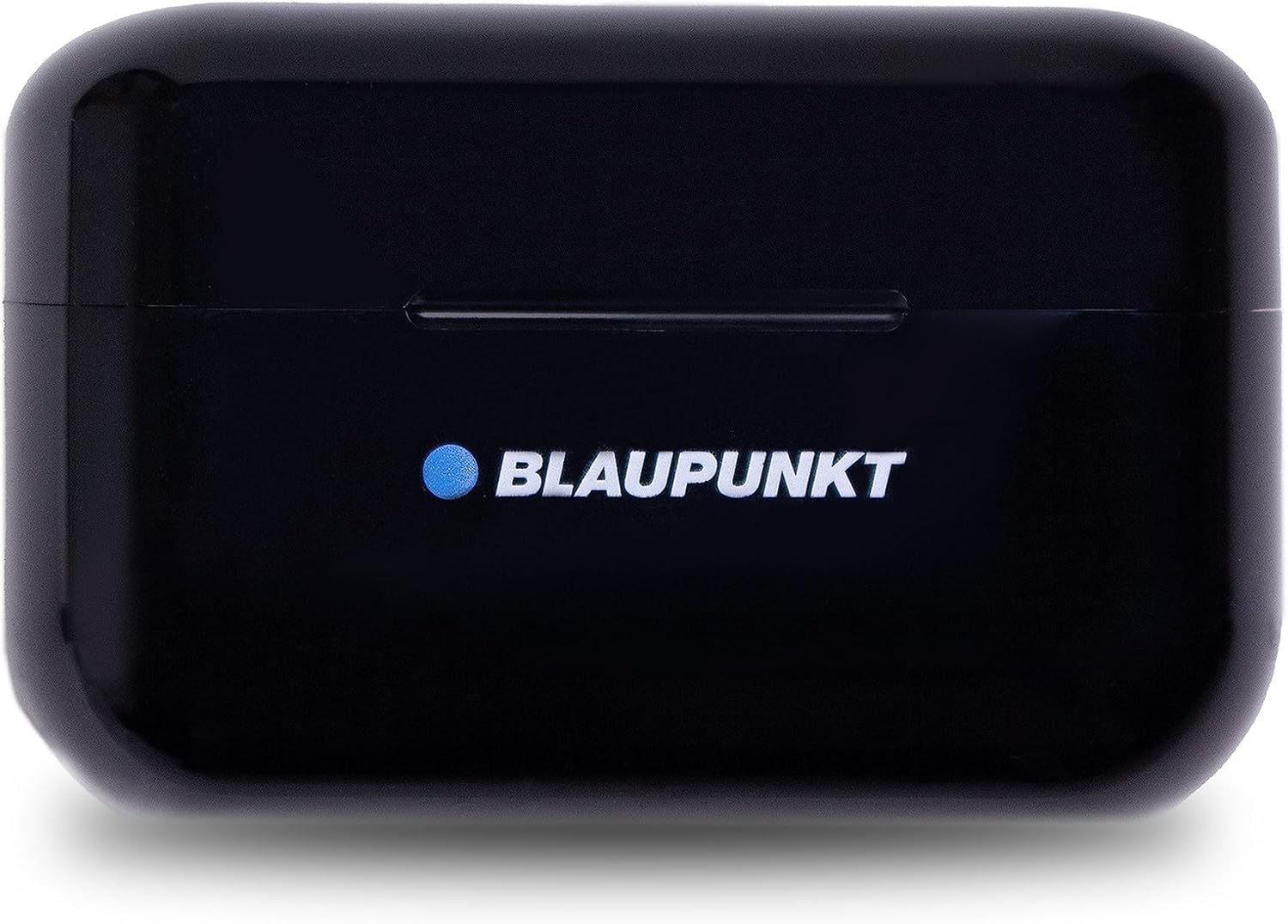
Figure 4: Top view of the Blaupunkt TWS 30 charging case, displaying the brand logo and sleek design. The USB-C charging port is located on the bottom edge.
4.2 Pairing with a Bluetooth Device
- Ensure the earbuds are charged.
- Open the charging case. The earbuds will automatically enter pairing mode, indicated by a flashing LED on the earbuds.
- On your device (smartphone, tablet, etc.), go to Bluetooth settings and enable Bluetooth.
- Search for available devices and select "Blaupunkt TWS 30" from the list.
- Once connected, the LED indicator on the earbuds will stop flashing. You are now ready to use your earbuds.
- The earbuds will automatically reconnect to the last paired device when removed from the case, if Bluetooth is enabled on the device.
5. Operating Instructions
5.1 Power On/Off
- Power On: Open the charging case, and the earbuds will automatically power on.
- Power Off: Place the earbuds back into the charging case and close the lid. They will automatically power off and begin charging.
5.2 Touch Control Functions
The Blaupunkt TWS 30 earbuds feature intuitive touch controls. The touch-sensitive area is located on the outer surface of each earbud.
| Action | Function |
|---|---|
| Single tap (Left/Right) | Play/Pause music, Answer/End call |
| Double tap (Right) | Next track |
| Double tap (Left) | Previous track |
| Triple tap (Left/Right) | Activate Voice Assistant (Siri/Google Assistant) |
| Long press (2 seconds) (Left/Right) | Reject incoming call |
| Long press (3 seconds) (Left/Right) | Toggle Active Noise Cancellation (ANC) / Transparency Mode / Normal Mode |
5.3 Active Noise Cancellation (ANC) and Transparency Mode
The TWS 30 earbuds feature Active Noise Cancellation (ANC) to reduce ambient noise and Transparency Mode to allow you to hear your surroundings without removing the earbuds.
- To cycle through ANC, Transparency Mode, and Normal Mode, long-press either earbud's touch control area for 3 seconds.
- A voice prompt will indicate the current mode.
6. Maintenance
6.1 Cleaning
- Regularly clean the earbuds and charging case with a soft, dry, lint-free cloth.
- Remove ear tips and clean them with mild soap and water, then dry thoroughly before reattaching.
- Do not use harsh chemicals, cleaning solvents, or strong detergents.
- Ensure charging contacts on both earbuds and case are clean and free of debris for optimal charging.
6.2 Storage
- When not in use, store the earbuds in their charging case to protect them and keep them charged.
- Store the device in a cool, dry place, away from direct sunlight and extreme temperatures.
7. Troubleshooting
| Problem | Possible Solution |
|---|---|
| Earbuds not pairing | Ensure earbuds are charged. Turn off and on your device's Bluetooth. Forget "Blaupunkt TWS 30" from your device's Bluetooth list and re-pair. |
| Only one earbud working | Place both earbuds back into the charging case, close the lid, wait a few seconds, then open the lid and try again. Ensure both earbuds are charged. |
| Earbuds not charging | Check the USB-C cable and power source. Ensure the charging contacts on both earbuds and case are clean and free of debris. |
| Low volume or poor sound quality | Adjust volume on both your device and the earbuds. Ensure ear tips are properly sealed in your ear. Clean any earwax from the earbud nozzles. |
| Touch controls unresponsive | Ensure your fingers are clean and dry. Try restarting the earbuds by placing them in the case and taking them out again. |
8. Specifications
| Feature | Detail |
|---|---|
| Model Name | TWS 30 |
| Item Model Number | 510007644 |
| Brand | BLAUPUNKT |
| Connectivity Technology | Wireless (Bluetooth 5.0) |
| Ear Placement | In-Ear |
| Form Factor | In-Ear |
| Noise Isolation | Active Noise Cancellation (up to -25 dB) |
| Charging Port | USB-C |
| Earbud Battery Life | Up to 5 hours (per charge) |
| Product Dimensions (L x W x H) | 5.8 x 2.2 x 4.7 cm |
| Weight | 400 grams (total, likely including packaging) |
| Color | Black |

Figure 5: The bottom of the charging case, showing regulatory marks and detailed product specifications including battery information and manufacturer details.
9. Warranty and Support
9.1 Warranty Information
Your Blaupunkt TWS 30 earbuds come with a manufacturer's warranty. Please refer to the included warranty card for specific terms, conditions, and duration of coverage. Retain your proof of purchase for warranty claims.
9.2 Customer Support
For technical assistance, troubleshooting beyond this manual, or warranty inquiries, please contact Blaupunkt customer support through the contact information provided on your warranty card or the official Blaupunkt website.