
RASTAR 99800
RASTAR McLaren MCL36 Formula 1 Race RC Car - Instruction Manual
Model: 99800
Introduction
This manual provides essential information for the safe and effective operation of your RASTAR McLaren MCL36 Formula 1 Race RC Car. Please read this manual thoroughly before first use and retain it for future reference.
The RASTAR McLaren MCL36 is an officially licensed 1:12 scale replica of the McLaren MCL36 Formula 1 car, designed for enthusiasts and collectors. It features highly detailed replication and robust construction for an engaging remote control experience.

Figure 1: RASTAR McLaren MCL36 RC Car and Controller
Package Contents
- 1 x 1/12 scale Rastar McLaren MCL36 F1 racing RC car
- 1 x Dual-grip remote-controller
- 1 x Stickers of car body (for DIY fun)
- 1 x User manual (this document)
Note: Batteries are NOT included and must be purchased separately. The car requires 5 AA batteries, and the remote controller requires 2 AA batteries.
Setup
1. Battery Installation
- Locate the battery compartment on the underside of the RC car.
- Open the battery compartment cover.
- Insert 5 AA batteries into the car, ensuring correct polarity (+/-).
- Close the battery compartment cover securely.
- Locate the battery compartment on the back of the remote controller.
- Open the battery compartment cover.
- Insert 2 AA batteries into the controller, ensuring correct polarity (+/-).
- Close the battery compartment cover securely.
For optimal performance and convenience, the use of rechargeable AA batteries is recommended.
2. Applying Stickers
The package includes a sheet of car body stickers for customization. Carefully peel and apply the stickers to the designated areas on the car body as desired. This allows for a personalized touch to your McLaren MCL36 replica.

Figure 2: DIY Sticker Application Guide
Operating Instructions
1. Powering On
Ensure batteries are correctly installed in both the car and the remote controller. Turn on the power switch on the RC car (usually located on the underside or side). Then, turn on the remote controller.
2. Basic Controls
The dual-grip remote controller provides intuitive control over the vehicle:
- Forward/Backward: Use the designated buttons or triggers to move the car forward or in reverse.
- Left/Right: Use the directional buttons or steering mechanism to turn the car left or right.
- Stop: Release the controls to bring the car to a stop.
3. Driving Surfaces
The McLaren MCL36 is designed for optimal performance on smooth, flat surfaces such as concrete, wood, or asphalt. Its low profile and rubber tires provide excellent grip on these surfaces. While it may operate on low-pile carpet, performance on rough terrain, sand, or high-pile carpet is not recommended and may hinder movement or cause damage.
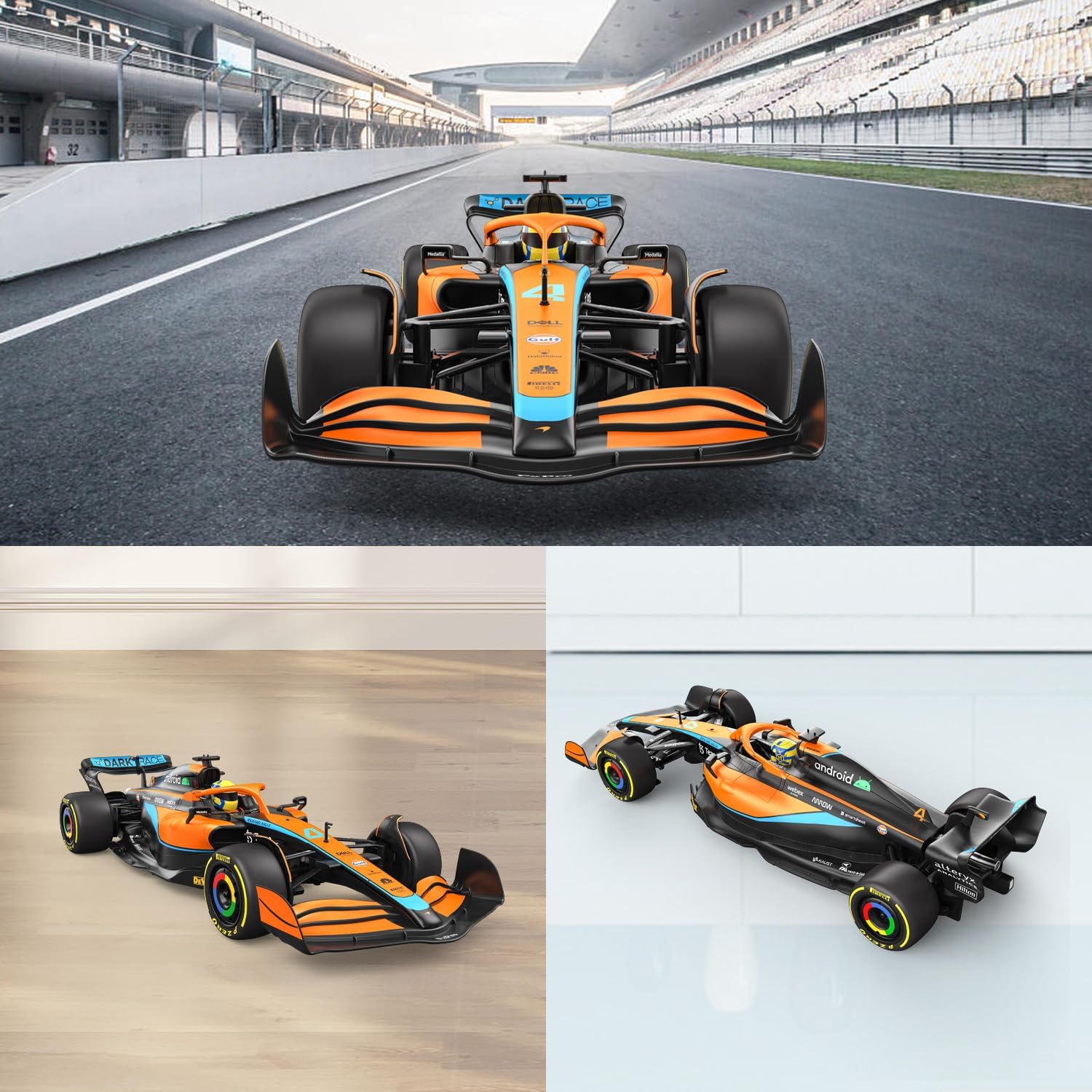
Figure 3: Recommended Driving Surfaces
4. Multi-Car Racing
The remote control operates on a 2.4GHz frequency, which allows multiple users to race their RASTAR RC cars together without radio interference. This feature enhances the fun for group play.

Figure 4: Enjoying Multi-Car Racing
5. Performance
The car can reach speeds of up to 5 mph (8.2 km/h) with a remote range of up to 98 feet (15 meters). Its highly detailed replication includes a 4-wheel independent suspension system, front shock absorption, and a rear power motor with a differential mechanism, contributing to smooth operation.

Figure 5: High-Detailed Replication and Functional Components
Maintenance
1. Cleaning
To maintain the appearance and functionality of your RC car, wipe it clean with a soft, dry cloth after each use. Avoid using water or chemical cleaners, as these can damage the electronic components and paint finish.
2. Battery Care
Always remove batteries from the car and controller when not in use for extended periods to prevent leakage and damage. If using rechargeable batteries, follow the manufacturer's instructions for charging and storage.
3. Steering Alignment Adjustment
If the car does not drive straight, you can adjust the steering alignment. On the underside of the car, near the front wheels, there is an alignment setting mechanism. Use a small tool or your finger to gently adjust this mechanism until the car tracks straight when moving forward.
Troubleshooting
| Problem | Possible Cause | Solution |
|---|---|---|
| Car does not respond to controller. |
|
|
| Car does not drive straight. | Steering alignment needs adjustment. | Adjust the steering alignment mechanism on the underside of the car (refer to Maintenance section). |
| Poor performance on certain surfaces. | Driving on unsuitable surfaces. | Operate the car on smooth, flat surfaces like pavement or hardwood floors for best results. |
| Car is noisy during operation. | Unlikely, as the car is designed to be quiet. | Check for any obstructions in the wheels or gears. If noise persists, contact customer support. |
Specifications
- Model: 99800
- Scale: 1:12
- Product Dimensions: 18.5 x 6.5 x 3.9 inches (47 x 17 x 10 cm)
- Item Weight: 2.59 pounds
- Color: Papaya orange and Gulf blue
- Frequency: 2.4GHz
- Speed: Up to 5 mph (8.2 km/h)
- Remote Range: Up to 98 feet (15 meters)
- Car Battery Requirement: 5 x AA batteries (not included)
- Controller Battery Requirement: 2 x AA batteries (not included)
- Manufacturer Recommended Age: 8 years and up
- Material: Non-toxic strong ABS plastic
- Features: 4-Wheel independent suspension system, Front shock absorption, Rear power motor of high intensity magnetic, Differential mechanism, Rubber tires.

Figure 6: Product Dimensions
Warranty and Support
This product is manufactured by Rastar Group. For any warranty claims, technical support, or inquiries regarding accessories and after-sale service, please contact Rastar Official directly. Refer to the product packaging or the Rastar official website for the most current contact information.
It is recommended to keep your purchase receipt as proof of purchase for warranty purposes.
Ask a question about this manual
Ask about setup, troubleshooting, compatibility, parts, safety, or missing instructions. Manuals+ will review the question and use this page’s manual context to help answer it.