
ROVSUN food warmer display
ROVSUN 35-inch Commercial Food Warmer Display
Model: Food Warmer Display
1. Introduction
Thank you for choosing the ROVSUN 35-inch Commercial Food Warmer Display. This appliance is designed to maintain the temperature and freshness of various food items, making it suitable for commercial environments such as restaurants, buffets, cafes, and concession stands. Please read this manual thoroughly before operation to ensure safe and efficient use of the product.
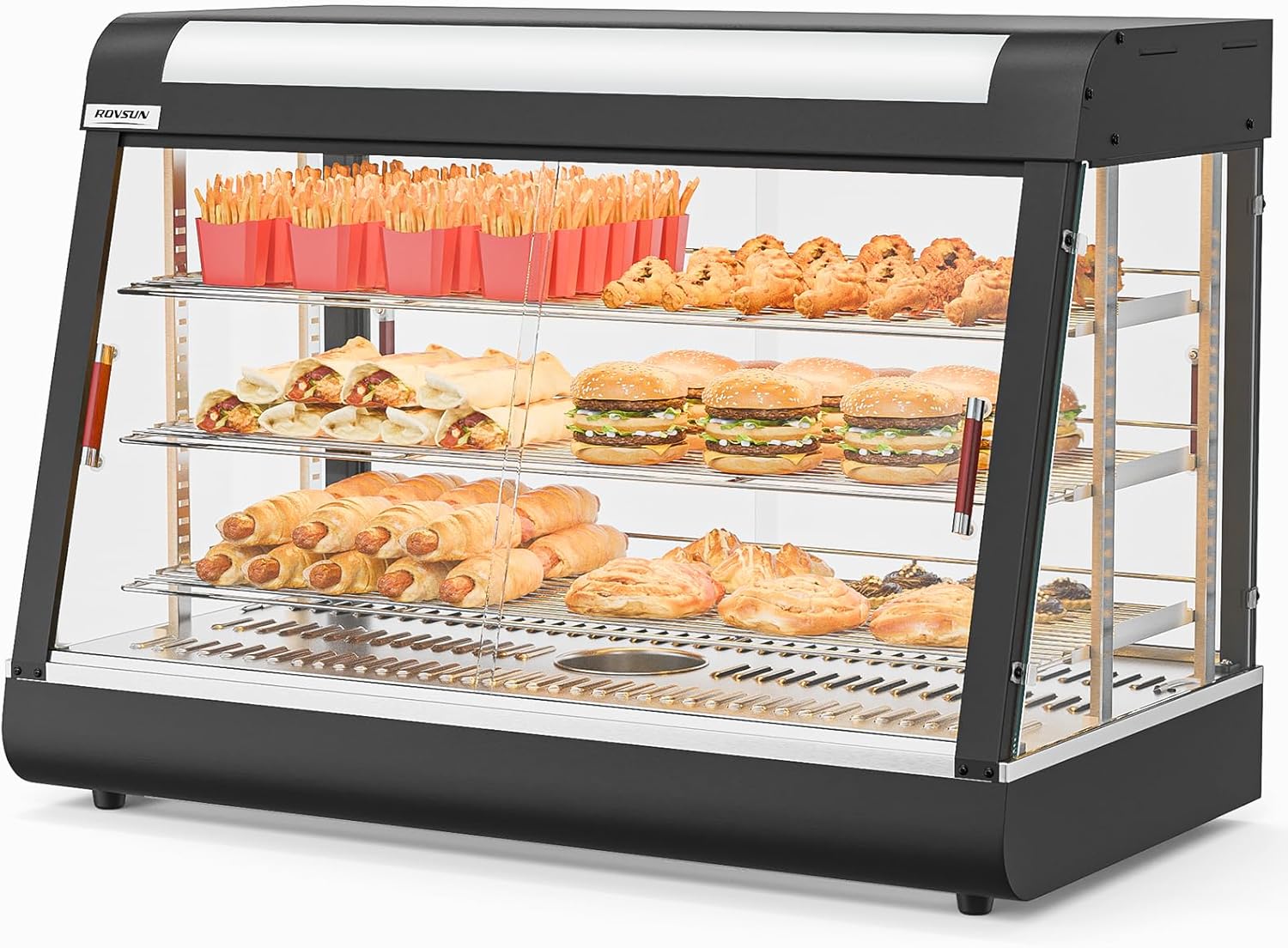
Image 1.1: The ROVSUN 35-inch Commercial Food Warmer Display, showcasing its capacity for various warm food items.
2. Important Safety Instructions
To reduce the risk of fire, electric shock, or injury, always follow these basic safety precautions:
- Read all instructions before using the appliance.
- Ensure the power supply matches the voltage specified on the appliance's rating label (110V).
- Do not immerse the appliance, cord, or plug in water or other liquids.
- Unplug from the outlet when not in use and before cleaning. Allow to cool before handling parts.
- Do not operate any appliance with a damaged cord or plug, or after the appliance malfunctions or has been damaged in any manner. Contact customer service for assistance.
- Do not use outdoors. This appliance is for indoor commercial use only.
- Do not let the cord hang over the edge of a table or counter, or touch hot surfaces.
- Always place the appliance on a stable, heat-resistant surface.
- Exercise extreme caution when moving an appliance containing hot oil or other hot liquids.
- The tempered glass panels, while durable, can break if subjected to sudden temperature changes or impact. Handle with care during installation and cleaning. In case of glass breakage, immediately unplug the unit and contact customer service.
- Keep hands and utensils away from heating elements during operation.
- This appliance is not intended for use by persons (including children) with reduced physical, sensory, or mental capabilities, or lack of experience and knowledge, unless they have been given supervision or instruction concerning use of the appliance by a person responsible for their safety.
3. Product Overview
The ROVSUN Food Warmer Display is constructed with durable materials and designed for user convenience. Key features include:
- Durable Construction: Stainless steel frame and racks, with four-sided tempered glass for clear visibility and stability.
- LED Lighting: Interior LED lighting illuminates food for enhanced display.
- Adjustable Shelves: Removable shelves allow for customizable food storage arrangements.
- Removable Bottom Tray: Facilitates easy cleaning and maintenance.
- Thermostatic Control: Maintains a consistent temperature range from 86°F to 185°F.
- Humidity Control: An integrated sink helps maintain food freshness and moisture.
- Front and Rear Doors: Provides convenient access for both serving and restocking.
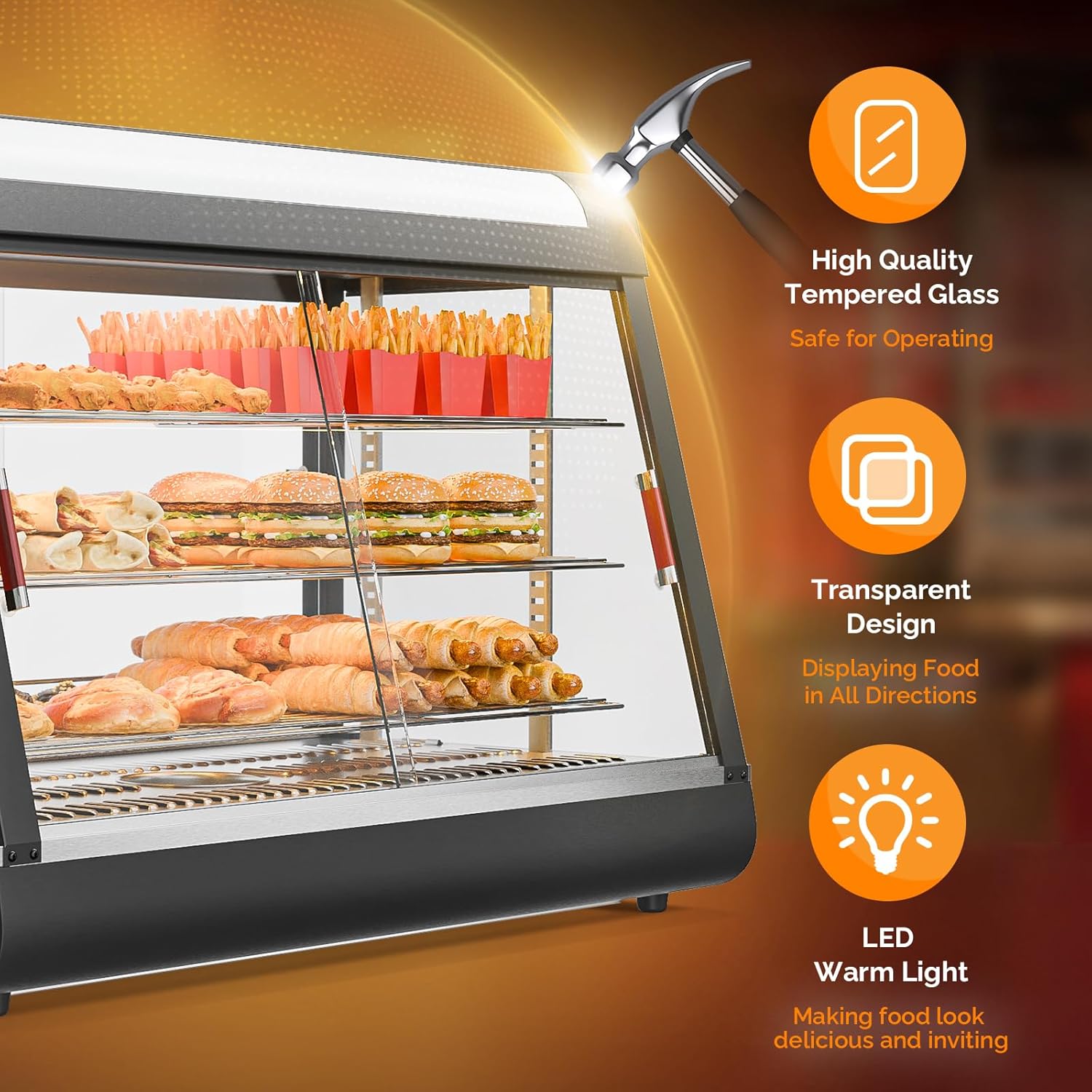
Image 3.1: Features of the food warmer display, including tempered glass and LED lighting.
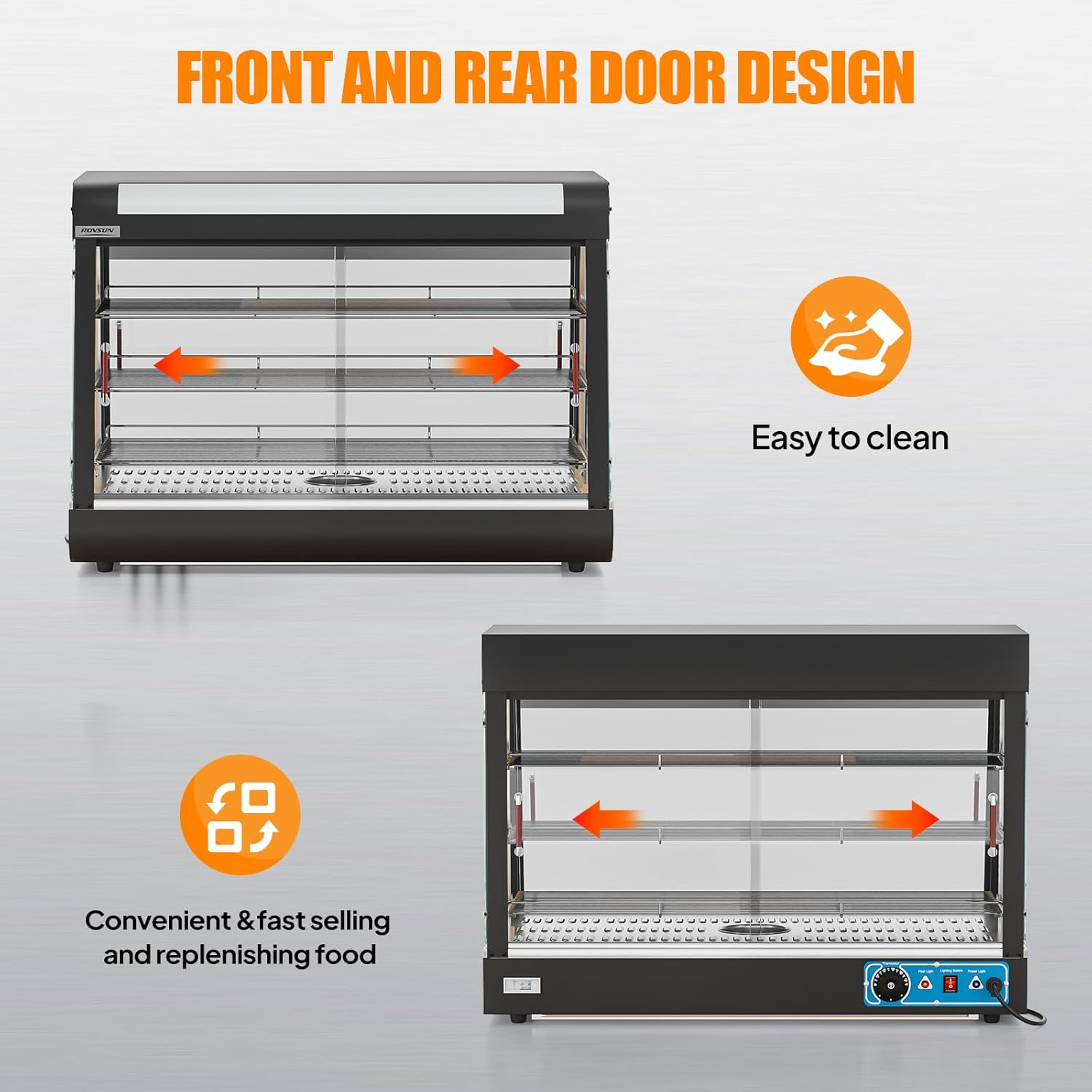
Image 3.2: Illustration of the front and rear door design for operational convenience.

Image 3.3: Detailed components of the food warmer, including adjustable shelves and detachable tray.
4. Setup Instructions
Follow these steps for proper setup of your food warmer display:
- Unpacking: Carefully remove all packaging materials and inspect the unit for any damage. Retain packaging for future transport if needed.
- Placement: Place the food warmer on a flat, stable, and heat-resistant countertop or surface. Ensure there is adequate ventilation around the unit. The anti-skid feet at the bottom provide stability.
- Assembly: The unit comes with removable shelves and a bottom tray. Install these components as desired. The shelves can be adjusted to accommodate different food item heights.
- Power Connection: Ensure the unit is unplugged during assembly. Once assembled, plug the power cord into a grounded 110V electrical outlet.
- Initial Cleaning: Before first use, wipe down all interior and exterior surfaces with a damp cloth and mild detergent. Rinse and dry thoroughly.
5. Operating Instructions
To operate your ROVSUN Food Warmer Display:
- Power On: Plug the unit into a suitable power outlet. Turn on the main power switch, usually located on the control panel.
- Set Temperature: Use the thermostatic temperature control knob to select the desired holding temperature. The unit can maintain temperatures between 86°F and 185°F (30°C to 85°C). Allow approximately 15-20 minutes for the unit to reach the set temperature before placing food inside.
- Activate LED Lighting: Turn on the LED lighting switch to illuminate the interior, enhancing food presentation.
- Add Water for Humidity (Optional): For food items that benefit from added moisture, fill the integrated sink at the bottom with a small amount of water. This will create steam to help maintain food freshness. Do not overfill.
- Load Food: Place pre-cooked, warm food items onto the shelves. Ensure food is not stacked too high to allow for proper heat circulation.
- Monitor Food: Regularly check food temperatures to ensure they remain within safe holding limits.
- Power Off: When finished, remove all food, turn off the heating and lighting switches, and unplug the unit from the power outlet.

Image 5.1: Illustration of the heating mechanism and humidity feature.

Image 5.2: Temperature control range and suitable food applications.
6. Maintenance and Cleaning
Regular cleaning and maintenance will prolong the life of your food warmer display:
- Daily Cleaning: After each use, ensure the unit is unplugged and completely cooled. Remove all food debris.
- Interior Cleaning: Remove the shelves and bottom tray. Wash them with warm, soapy water, rinse thoroughly, and dry completely before re-installing.
- Exterior Cleaning: Wipe down the stainless steel frame and tempered glass panels with a damp cloth and a mild, non-abrasive cleaner. Avoid harsh chemicals or abrasive pads that could scratch surfaces.
- Water Sink: If used, empty and clean the water sink regularly to prevent mineral buildup and ensure proper hygiene.
- Do Not Submerge: Never submerge the main unit in water or spray water directly onto electrical components.
- Storage: If storing for an extended period, ensure the unit is clean and dry. Store in a cool, dry place.
7. Troubleshooting
If you encounter issues with your food warmer, refer to the following common problems and solutions:
| Problem | Possible Cause | Solution |
|---|---|---|
| Unit does not power on. | Not plugged in; power switch off; circuit breaker tripped. | Ensure plug is securely in outlet; turn power switch on; check and reset circuit breaker. |
| Unit is not heating. | Temperature knob set too low; heating element malfunction. | Adjust temperature knob to a higher setting; if problem persists, contact customer service. |
| Food is drying out. | No water in the sink; temperature too high. | Add water to the integrated sink; lower the temperature setting. |
| LED light not working. | Light switch off; LED bulb failure. | Turn on the light switch; contact customer service for bulb replacement if necessary. |
If troubleshooting steps do not resolve the issue, please contact ROVSUN customer service for further assistance.
8. Specifications
| Feature | Detail |
|---|---|
| Model | Food Warmer Display |
| Power | 1500W |
| Voltage | 110V/60Hz |
| Temperature Range | 86°F - 185°F (30°C - 85°C) |
| Number of Trays | 3 |
| Product Dimensions (L x W x H) | 35.4" x 19.1" x 25.4" |
| Material | Stainless Steel, Tempered Glass |
| Color | Black |

Image 8.1: Product dimensions overview.
9. Warranty and Support
This ROVSUN Food Warmer Display comes with a 12-month warranty from the date of purchase. This warranty covers manufacturing defects and malfunctions under normal use conditions.
The warranty does not cover:
- Damage caused by improper use, negligence, or accident.
- Damage from unauthorized repairs or modifications.
- Normal wear and tear.
- Damage to tempered glass due to impact or misuse.
For warranty claims, technical support, or any product-related inquiries, please do not hesitate to contact ROVSUN customer service. Have your purchase receipt and model information ready when contacting support.
Ask a question about this manual
Ask about setup, troubleshooting, compatibility, parts, safety, or missing instructions. Manuals+ will review the question and use this page’s manual context to help answer it.