
1. Introduction
This manual provides detailed instructions for the assembly, operation, and maintenance of your ODK 61-inch Reversible L-Shaped Computer Desk. Please read all instructions carefully before beginning assembly and retain this manual for future reference.

Figure 1: ODK 61-inch Reversible L-Shaped Computer Desk in use.
2. Safety Information
- Ensure all parts are present and undamaged before assembly. Do not use if any parts are missing or damaged.
- Assemble the desk on a soft, clean surface to prevent scratches.
- Tighten all screws and bolts securely, but do not overtighten.
- Keep small parts away from children during assembly.
- Do not stand or sit on the desk during or after assembly.
- Distribute weight evenly across the desk surface and shelves.
3. Package Contents
Please verify that all components listed below are included in your package. If any parts are missing or damaged, contact customer support.
- Desk Panels (Main desktop, side desktop, monitor stand, storage shelves)
- Metal Frame Components (Legs, support bars)
- Assembly Hardware (Screws, bolts, nuts, L-wrench)
- Adjustable Foot Pads
- Instruction Manual
4. Setup and Assembly Instructions
Assembly typically requires two people. Follow the numbered steps provided in the included assembly diagram. The desk features a reversible design, allowing the longer side to be configured on either the left or right, depending on your preference.
4.1 Tools Required
- Included L-wrench
- Phillips head screwdriver (not included, optional)
4.2 Assembly Steps
- Unpack and Identify Parts: Lay out all components on a clean, soft surface. Refer to the parts list to ensure everything is present.
- Assemble the Main Frame: Attach the metal legs and support bars according to the diagram. Ensure all connections are finger-tightened initially.
- Attach Desk Panels: Secure the main desktop and side desktop panels to the assembled frame. Pay attention to the orientation for your desired L-shape configuration (left or right).
- Install Storage Shelves: Mount the lower storage shelves and the computer tower stand as indicated in the diagram.
- Install Monitor Stand: Attach the monitor stand to the main desktop. Note that its height is adjustable (see Section 5.1).
- Final Tightening: Once all components are in place and the desk is correctly oriented, fully tighten all screws and bolts using the provided L-wrench. Do not overtighten.
- Attach Foot Pads: Screw in the adjustable foot pads to the bottom of the desk legs to ensure stability and protect your floor.

Figure 2: Desk dimensions and reversible assembly options.
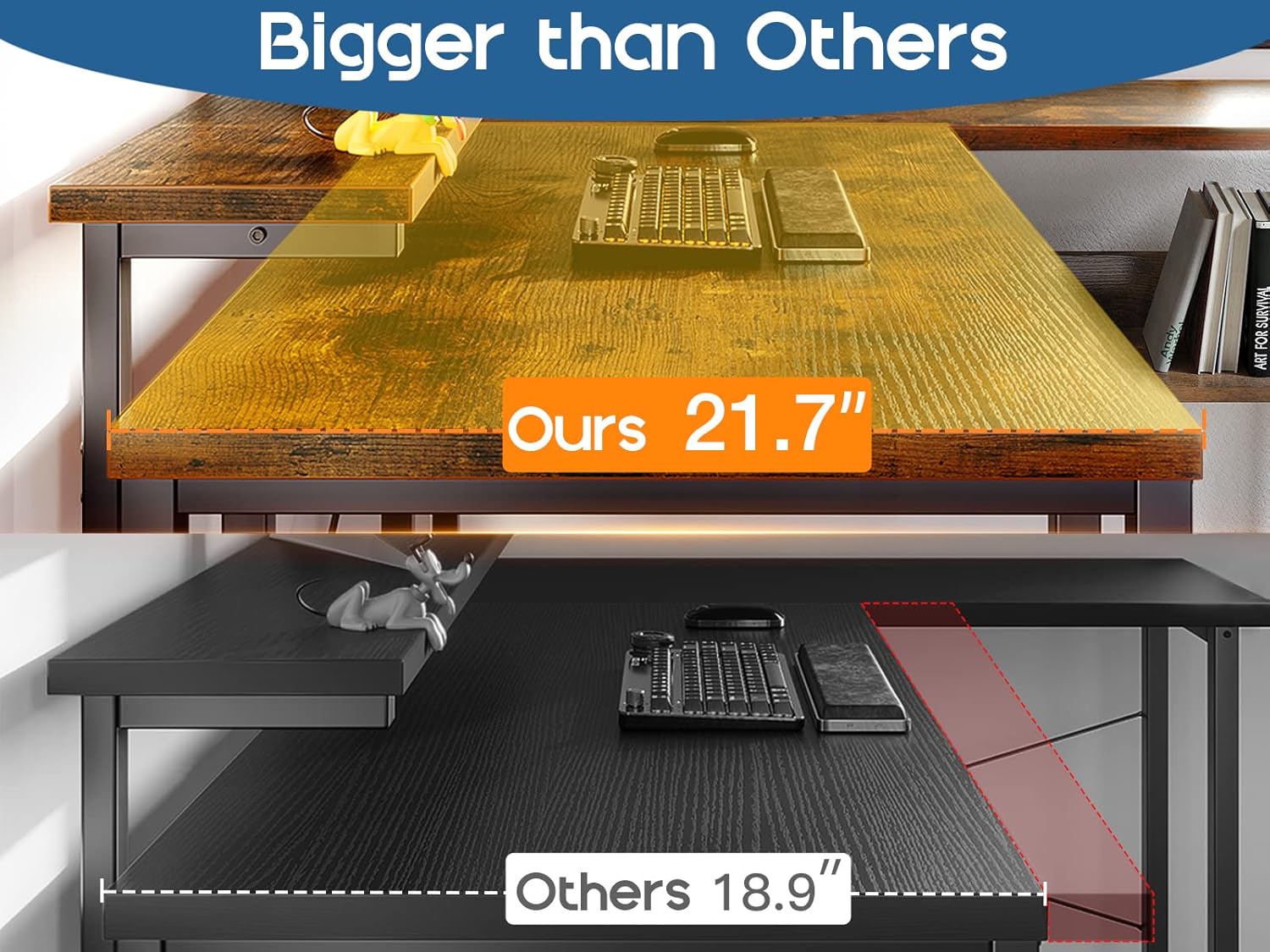
Figure 3: Structural view of the desk during assembly.
5. Operating Instructions
5.1 Adjustable Monitor Stand
The monitor stand can be adjusted to three different heights to suit your ergonomic needs. To adjust, remove the stand, reposition the support brackets to the desired height (3.9", 5.1", or 6.3" from the desktop), and re-secure the stand.
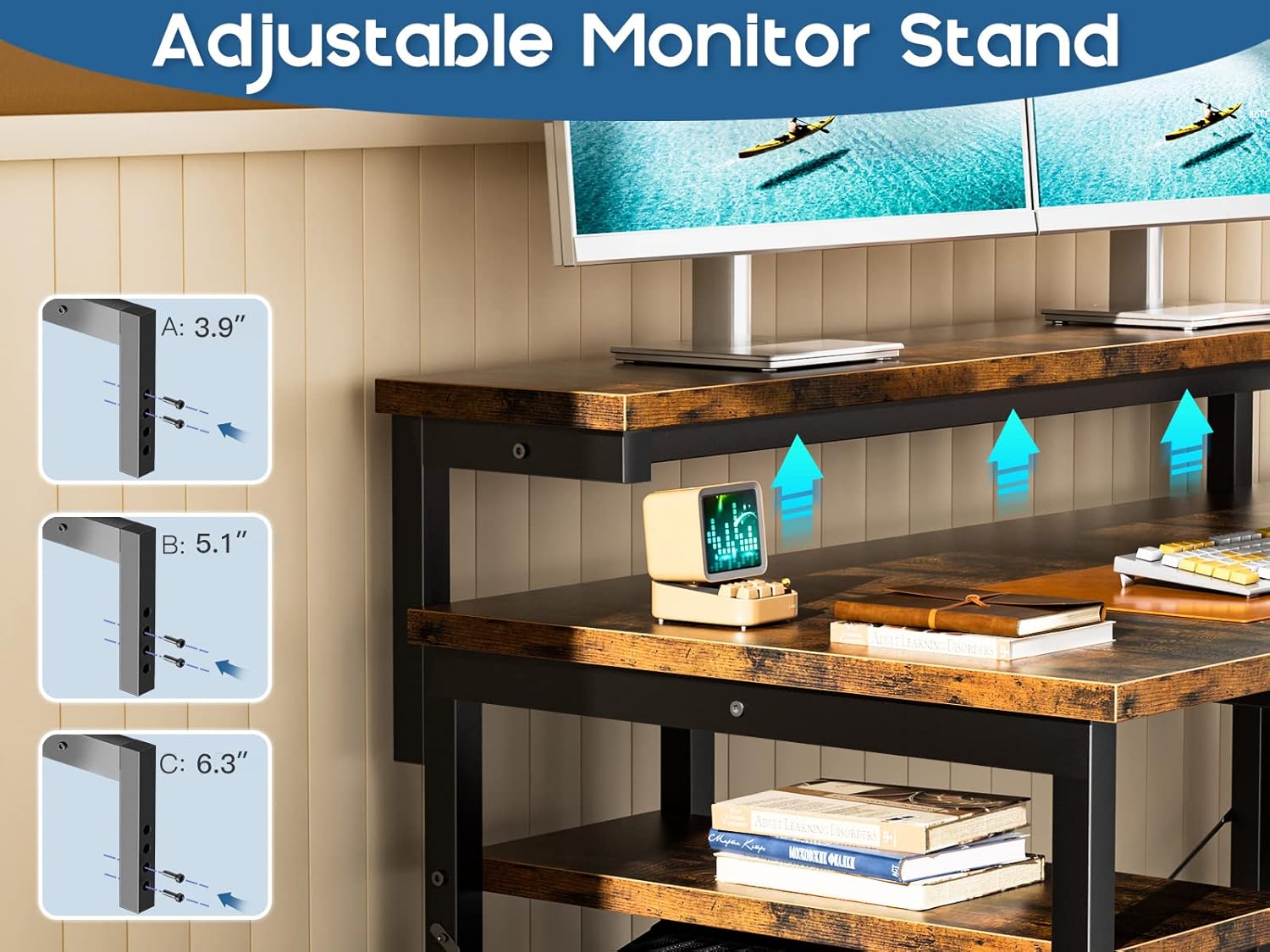
Figure 4: Adjustable monitor stand height options.
5.2 Storage Shelves
The desk includes integrated storage shelves beneath the main desktop. These shelves provide convenient space for books, office supplies, or decorative items. Ensure items are placed securely and do not exceed the weight capacity of the shelves.

Figure 5: Integrated storage shelves.
5.3 Computer Tower Stand
A dedicated stand is provided for your computer tower, keeping it off the floor and easily accessible while maintaining a tidy workspace. Place the tower securely on the stand.

Figure 6: Computer tower stand.
6. Maintenance
- Cleaning: Wipe the desk surfaces with a soft, damp cloth. Avoid harsh chemicals or abrasive cleaners that may damage the finish.
- Dusting: Regularly dust the desk with a dry, soft cloth.
- Hardware Check: Periodically check all screws and bolts to ensure they remain tight. Retighten if necessary.
- Spills: Clean up spills immediately to prevent staining or damage to the engineered wood.
7. Troubleshooting
- Desk is Wobbly:
a. Ensure all screws and bolts are securely tightened.
b. Adjust the foot pads on the bottom of the legs to level the desk on uneven floors. - Parts Missing or Damaged:
a. Double-check the package contents against the parts list.
b. Contact ODK customer support for replacement parts. - Difficulty Assembling:
a. Review the assembly diagram and instructions carefully.
b. Ensure components are oriented correctly, especially for the reversible L-shape.
8. Specifications
| Feature | Detail |
|---|---|
| Brand | ODK |
| Model Number | B01011384USAN0419AS5RAO4 |
| Product Dimensions | 104.14 cm (D) x 154.94 cm (W) x 91.44 cm (H) |
| Item Weight | 24.99 kg |
| Material Type | Engineered Wood, Metal (Base) |
| Mounting Type | Floor Mount |
| Special Features | Reversible L-Shape, Adjustable Monitor Stand, Storage Shelves, Computer Tower Stand |
9. Warranty and Support
For warranty information or technical support, please refer to the contact details provided with your purchase documentation or visit the official ODK website. Please have your model number (B01011384USAN0419AS5RAO4) and purchase date ready when contacting support.


