
1. Introduction
Thank you for choosing the usikey Small Vanity Desk with Mirror and Lights. This manual provides detailed instructions for the assembly, operation, and maintenance of your new vanity desk. Designed for convenience and style, this vanity features a large mirror with adjustable LED lights, two spacious drawers, and integrated power outlets for all your beauty and charging needs. Please read this manual thoroughly before assembly and use to ensure proper function and longevity of your product.

Front view of the usikey Small Vanity Desk, showcasing the large mirror with 10 LED lights, two spacious drawers, and the integrated power outlets on the side.
2. Safety Information
- Always handle components with care. Some parts may contain sharp edges.
- Keep all small parts and packaging materials away from children and pets to prevent choking hazards.
- Ensure all screws and fasteners are securely tightened before use. Periodically check and re-tighten as necessary.
- Do not overload drawers or place excessively heavy items on the desktop.
- Only use the vanity on a flat, stable surface to prevent tipping.
- Do not expose the electrical components (lights, power outlets) to water or excessive moisture.
3. Package Contents
Please verify that all components are present and undamaged before beginning assembly. If any parts are missing or damaged, please contact customer support.
- Vanity Desk Base
- Mirror with integrated LED light sockets
- 10 LED Light Bulbs
- 2 Drawers
- Power Outlet Unit (with 2 AC outlets and 2 USB ports)
- Assembly Hardware (screws, dowels, drawer slides, etc.)
- Instruction Manual
4. Setup and Assembly
Assembly is required for this product. Please follow the step-by-step guide provided in the included instruction manual. It is recommended to have a second person assist with assembly, especially when attaching the mirror.
- Unpack all components and lay them out on a clean, soft surface to prevent scratches.
- Identify all parts according to the parts list in the separate assembly guide.
- Assemble the main desk frame following the numerical steps in the assembly guide.
- Install the drawer slides onto the desk frame and assemble the drawers.
- Attach the mirror unit to the desk base securely.
- Screw in the 10 LED light bulbs into their respective sockets on the mirror frame.
- Connect the wiring for the LED lights and the integrated power outlet unit. Ensure wires are neatly tucked away for a clean look.

Instructions showing how to connect and neatly hide the wires for the LED light bulbs behind the mirror, ensuring a clean and organized appearance.

View of the two large drawers pulled open, showcasing their storage capacity for cosmetics, accessories, and other personal items.
5. Operating Instructions
5.1 LED Mirror Lights
The vanity mirror is equipped with 10 Hollywood-style LED light bulbs. These lights offer adjustable brightness and color temperature to suit your preference and lighting needs.
- Power On/Off: Locate the touch sensor or switch on the mirror frame to turn the lights on or off.
- Adjust Brightness: Press and hold the touch sensor or use the designated button to cycle through brightness levels. Release when the desired brightness is achieved.
- Change Color Temperature: Tap the touch sensor or use the color temperature button to switch between different light colors (e.g., cool white, warm white, warm yellow).
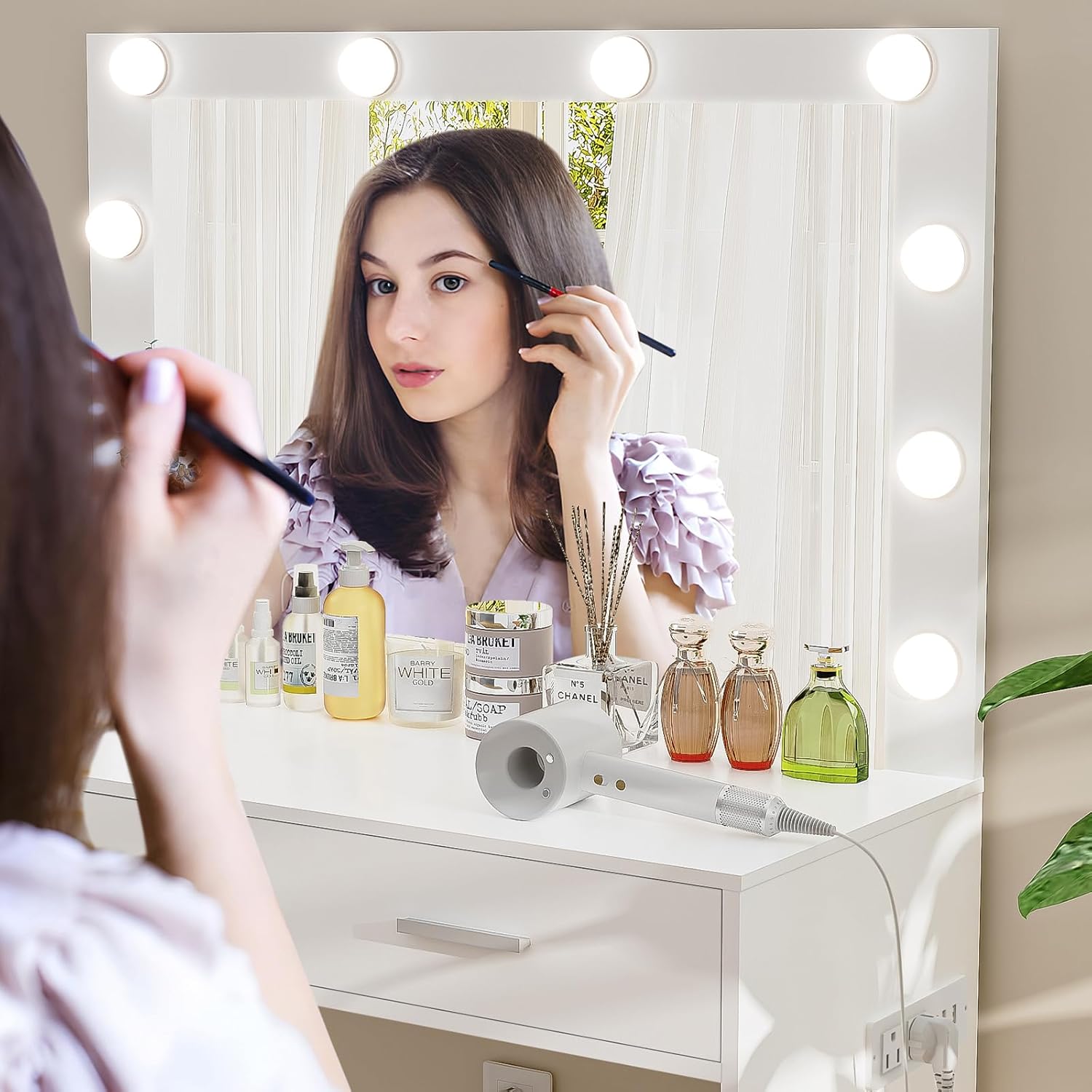
A person applying makeup in front of the vanity desk mirror, demonstrating the effective illumination provided by the integrated LED lights.
5.2 Integrated Power Outlets
The vanity desk features a convenient built-in power strip with 2 standard AC outlets (120V/12A) and 2 USB ports (5V/2A). This allows you to power beauty tools, charge mobile devices, and more directly from your vanity.
- Plug the vanity desk's main power cord into a standard wall outlet.
- Insert your device's power plug into one of the AC outlets or a USB charging cable into one of the USB ports.
- Ensure devices are compatible with the provided voltage and amperage.

Detail of the vanity desk's integrated power strip, featuring two standard AC outlets (120V/12A) and two USB ports (5V/2A), with a 4.9-foot power cord for convenient device charging and use.
6. Maintenance
- Cleaning: Wipe the vanity desk surfaces with a dry, soft cloth. For stubborn marks, a slightly damp cloth can be used, followed by immediate drying. Avoid harsh chemicals or abrasive cleaners.
- Mirror Care: Clean the mirror with a glass cleaner and a lint-free cloth. Do not spray cleaner directly onto the mirror frame or light sockets.
- Light Bulbs: If an LED bulb needs replacement, ensure the vanity is unplugged before attempting to unscrew and replace the bulb.
- Hardware: Periodically check all screws and fasteners to ensure they remain tight. Re-tighten if necessary to maintain stability.
7. Troubleshooting
- Lights Not Working:
- Ensure the vanity's main power cord is securely plugged into a working wall outlet.
- Check if individual light bulbs are screwed in tightly.
- Verify that the light switch/touch sensor is functioning correctly.
- If only one bulb is out, try replacing it with a known working bulb to test.
- Power Outlets/USB Ports Not Functioning:
- Confirm the vanity's main power cord is plugged in.
- Test the wall outlet with another device to ensure it is working.
- Ensure devices plugged into the vanity's outlets are powered on and functioning.
- Avoid overloading the outlets with high-power devices simultaneously.
- Drawers Stick or Don't Close Smoothly:
- Check if the drawer slides are properly aligned and free of obstructions.
- Ensure the drawer is not overloaded or unevenly weighted.
- Verify that all screws on the drawer slides and drawer box are tight.
- Vanity Wobbles:
- Ensure the vanity is placed on a flat, level surface.
- Check and tighten all assembly screws, especially those connecting the legs and main frame.
8. Specifications
| Feature | Detail |
|---|---|
| Model Number | YSZT038WN |
| Product Dimensions (L x W x H) | 31.5" x 15.7" x 53.5" |
| Item Weight | 55 pounds |
| Color | White |
| Frame Material | Wood |
| Number of Drawers | 2 |
| Mirror Type | Large HD Mirror with 10 LED Lights |
| Power Outlets | 2 AC Outlets (120V/12A) |
| USB Ports | 2 USB Ports (5V/2A) |
| Assembly Required | Yes |
| Product Care Instructions | Wipe with Dry Cloth |
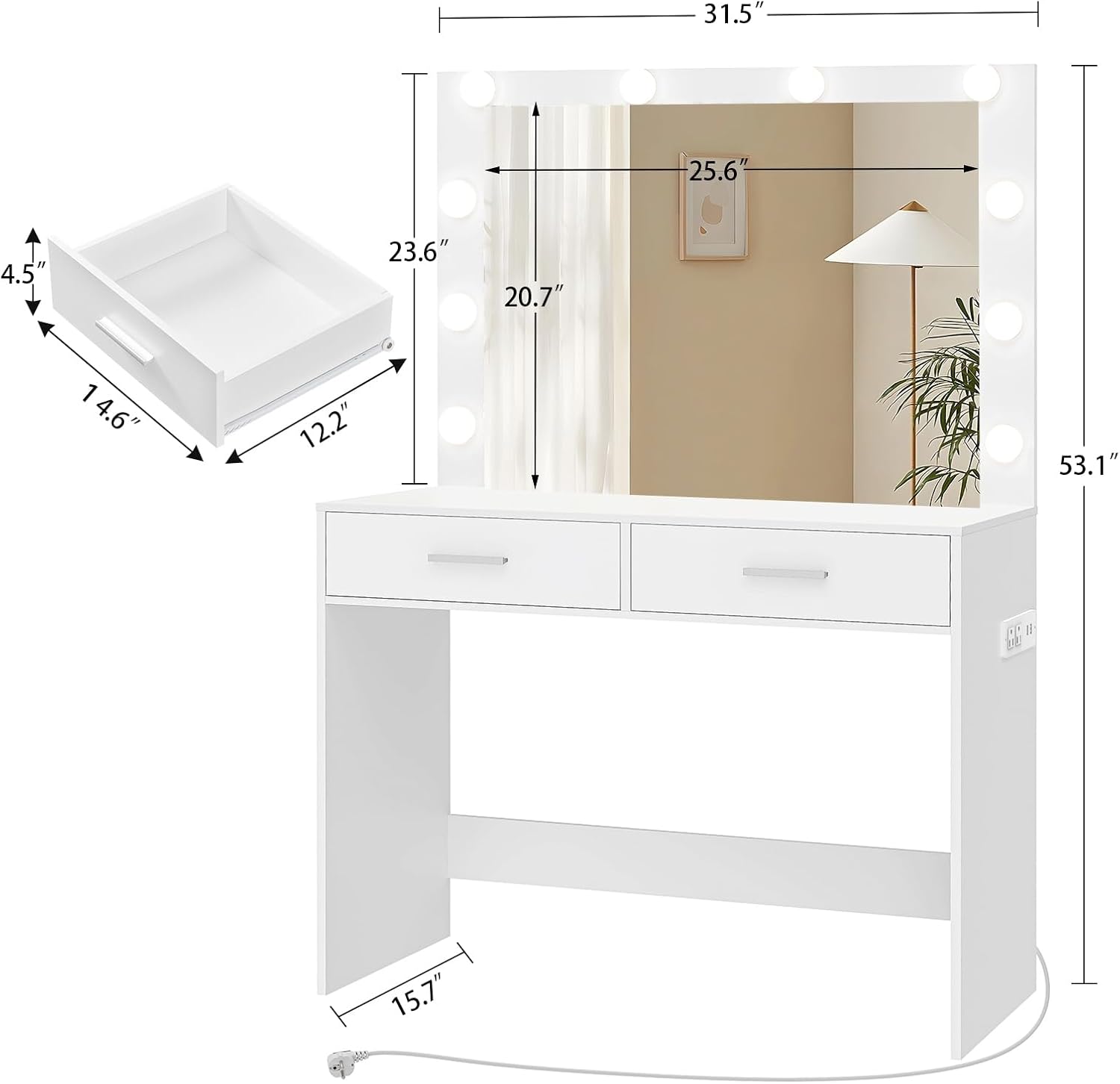
Technical drawing illustrating the overall dimensions of the vanity desk: 31.5 inches length, 15.7 inches width, and 53.1 inches height, with detailed drawer measurements.
9. Warranty and Support
usikey is committed to providing high-quality products and customer satisfaction. While specific warranty details are not provided in this manual, please retain your proof of purchase. For any questions, concerns, or assistance with your product, including missing parts, damaged components, or operational issues, please contact usikey customer support directly through the retailer's platform or the official usikey website. Our team is ready to assist you with hassle-free solutions.